To make an HTML list without bullets, set list-style: none on the ul or ol, then reset the padding the browser adds by default.
ul.plain {
  list-style: none;
  padding-left: 0;
  margin: 0;
}
One declaration removes the markers. The other two remove the space where the markers used to sit.
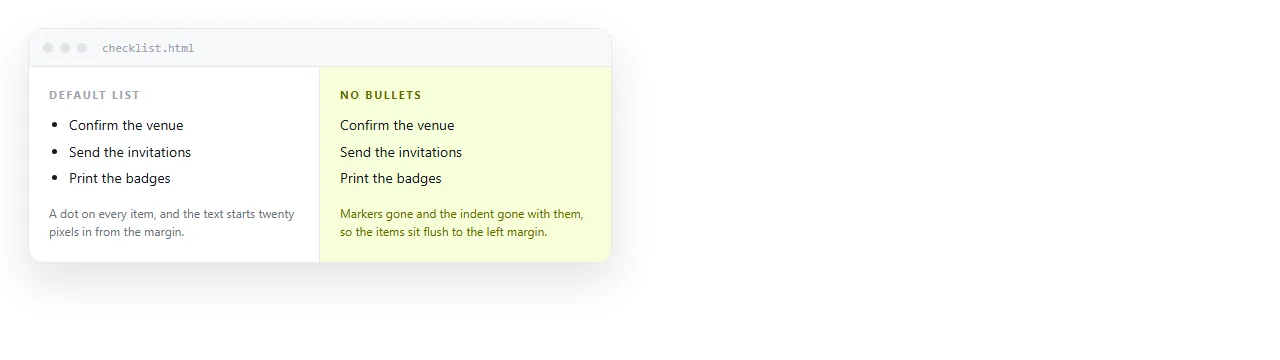
Leaving out padding-left is the usual reason a list still looks indented after the dots are gone.
Where the indent comes from
Browsers style ul and ol with roughly 40 pixels of left padding and a vertical margin. That padding is what holds the marker.
list-style only controls the marker itself, so removing it leaves the reserved space untouched.
| Declaration | Effect |
|---|---|
list-style: none |
Markers disappear, indent remains |
padding-left: 0 |
Items sit flush with surrounding text |
margin: 0 |
Removes the gap above and below the list |
list-style-position: inside |
Keeps markers, pulls them inside the box |
For a nested list, apply the same rules to the inner ul as well. The nested element has its own default padding.
The accessibility part
Safari with VoiceOver stops treating an element as a list once its markers are removed. The reader no longer hears "list, five items", which is the main thing a list is announcing.
The repair is one attribute:
<ul role="list" class="plain">
  <li>Draft</li>
  <li>Review</li>
  <li>Publish</li>
</ul>
Adding role="list" to an element that is already a list looks redundant and is deliberate. It re-asserts the role the styling removed and does nothing in browsers that never dropped it.
This is the same class of problem as semantic markup generally: what the element means and what it looks like are separate, and CSS occasionally severs the link.
Keeping the list, changing the marker
Not every case needs the markers gone. Sometimes a different marker is the actual goal.
ul.dash { list-style-type: "- "; }
ul.check { list-style-type: "✓ "; }
ol.letters { list-style-type: upper-alpha; }
ol.roman { list-style-type: lower-roman; }
A quoted string as the list-style-type sets a literal marker, which covers most of what people write custom pseudo-element rules for.
For full control, ::marker styles the marker without replacing it:
li::marker { color: #6b7280; font-size: 0.9em; }
That keeps the list semantics intact, which the pseudo-element approach with content does not always manage.

Keeping the numbers on an ordered list
An ol with its markers removed loses the one thing that made it an ordered list, which is usually not what anyone wanted.
If the goal is differently styled numbers rather than no numbers, use a counter instead of removing them:
ol.steps { list-style: none; padding-left: 0; counter-reset: step; }
ol.steps li { counter-increment: step; padding-left: 2.5rem; position: relative; }
ol.steps li::before {
  content: counter(step);
  position: absolute; left: 0;
  width: 1.75rem; height: 1.75rem;
  border-radius: 999px;
  background: #2563eb; color: #fff;
  display: grid; place-items: center;
}
The numbers are now circles you control, and the element is still an ol, so the order remains part of the meaning rather than part of the decoration.
The common uses for an unmarked list
- Navigation. A menu is a list of links, and bullets down the side of a header look wrong. Remove the markers, keep the
ul. - Tag and chip rows. Add
display: flexand agapto lay them out horizontally. - Card grids. A
ulwithdisplay: gridgives you a set of items that assistive technology still counts. - Definition-style rows. Where each item is a labelled value rather than a bullet point.
A horizontal version is short:
ul.tags {
  list-style: none;
  padding: 0;
  margin: 0;
  display: flex;
  flex-wrap: wrap;
  gap: 8px;
}
Flex on the container removes the need for floats or inline-block spacing hacks, and gap avoids the whitespace gaps that inline elements introduce.
Resetting lists across a whole page
Blanket resets cause more trouble than they save. A rule like ul { list-style: none } at the top of a stylesheet removes bullets from every list on the page, including the ones in body copy where the bullets were doing their job.
The result is a document where bulleted points read as a run of stray lines, and nobody notices until someone prints it.
Scope the reset to a class instead, and let ordinary prose lists keep the defaults. If a framework has already applied a global reset, put the defaults back where they belong:
.prose ul {
  list-style: disc;
  padding-left: 1.5rem;
}
.prose ol { list-style: decimal; padding-left: 1.5rem; }
This matters most on pages assembled from more than one source, where a component stylesheet and a content stylesheet disagree about what a list should look like. Decide which one owns prose and make the other one explicit.
Where the rule has to live. A stylesheet in a separate file will not travel if the page is going to be sent to someone else. Put the CSS in a <style> block in the same file, or use inline styles for a one-off.
<style>
  ul.plain { list-style: none; padding-left: 0; margin: 0; }
</style>
This matters more than it sounds. A page whose list styling lives in styles.css next door loses it the moment the HTML is opened anywhere else.
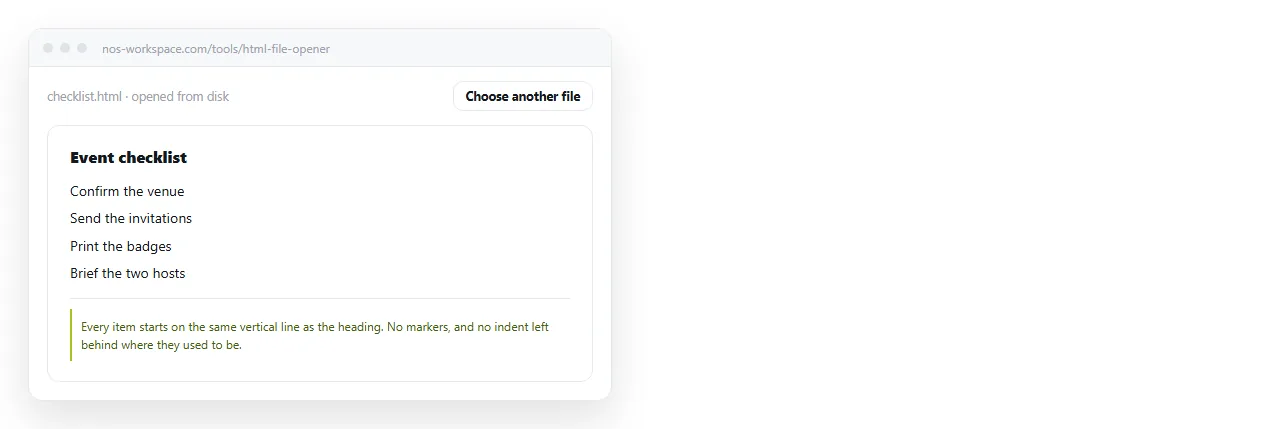
Check it in the HTML file opener, which has never seen your folder. If the bullets come back there, the styling is in a file that did not come along.
Sending the page on
Once the list looks right, the page still has to reach a reader, and an .html attachment is the least reliable way to do that. It gets filtered, or opens in a code editor, or lands in a phone's file storage and stops.
Paste the HTML into a NOS document instead. It renders as written, styles included, at its own address. Share, then Share link, then Create link, and send one line of text.
The text stays editable by clicking it, and the address does not change when it does. A styling correction next week does not mean a second message. Dark mode styling is worth reading next if the page will be viewed in both themes.