tabindex in HTML decides whether an element can receive keyboard focus and where it sits in the Tab order.
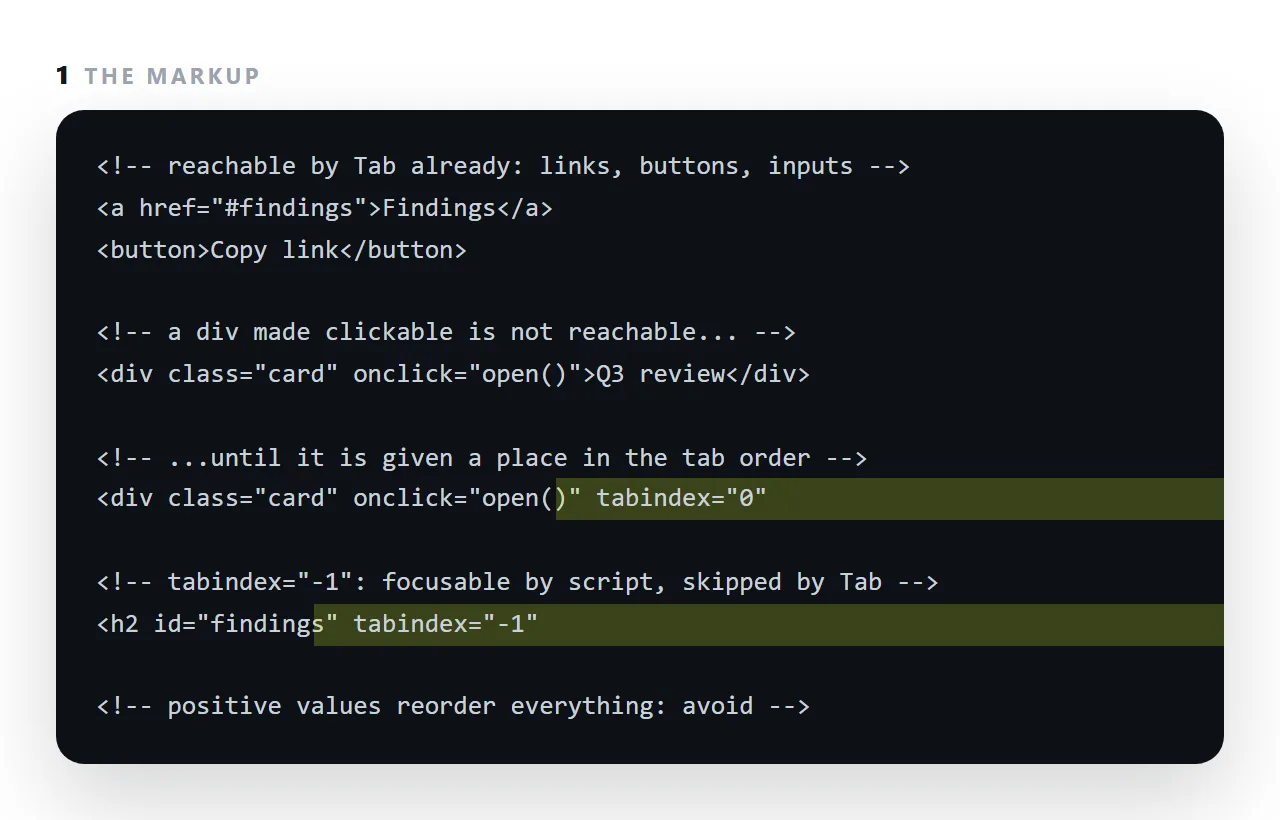
Links, buttons and form fields are focusable by default; a div with a click handler is not, so a keyboard user cannot reach it at all until tabindex="0" puts it in the natural order. tabindex="-1" makes an element focusable by script, so an anchor link can land on a heading and a screen reader announces where the reader arrived, without adding the heading to the Tab sequence.
This guide covers the two useful values, the one never to use, and the roles that go with them.
Links, buttons, form fields and <details> summaries are focusable already. tabindex is for everything else.
The two useful tabindex values
tabindex="0" — reachable by Tab
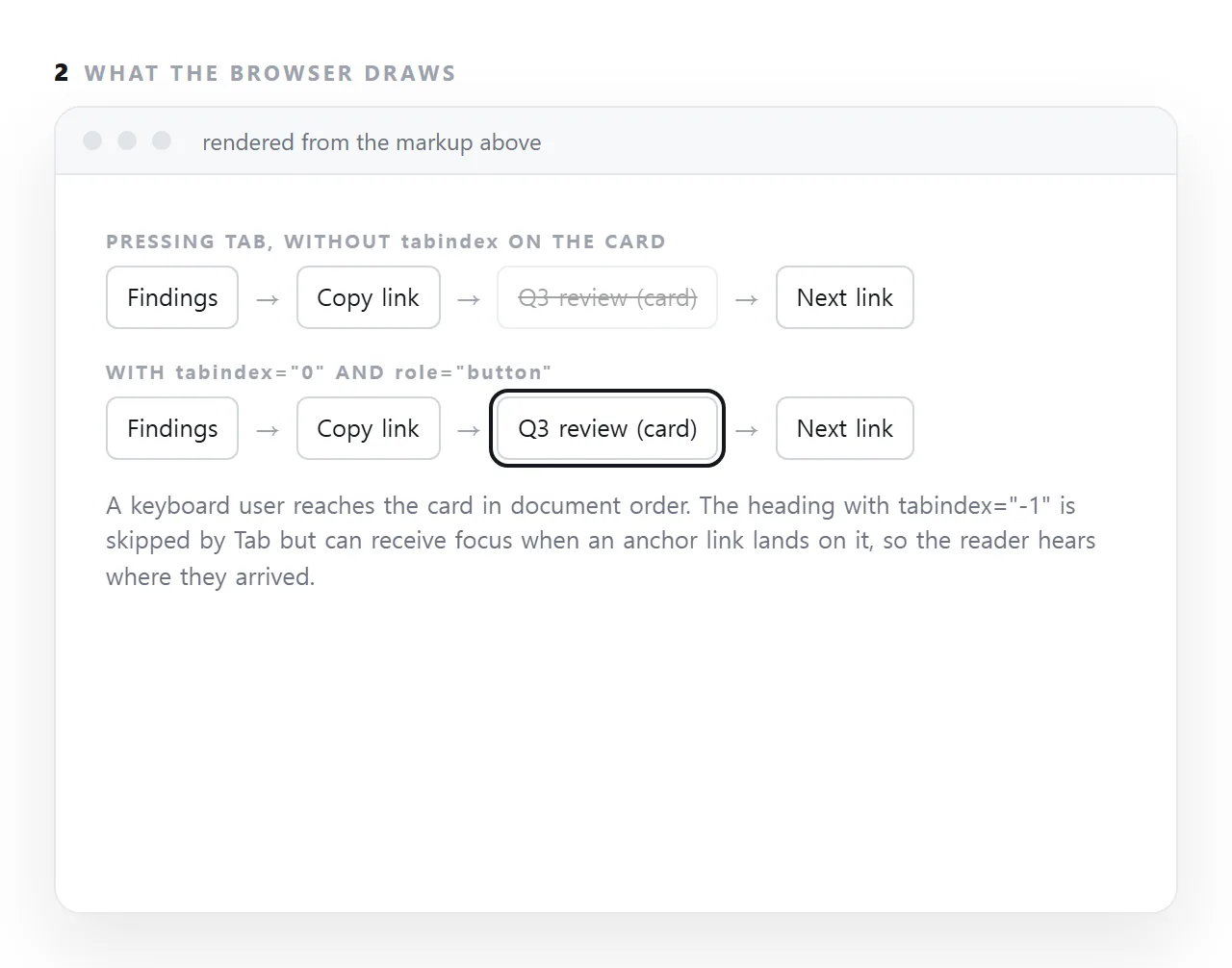
<div class="card" tabindex="0" role="button" onclick="open()">…</div>
Puts the element in the natural tab order, at its position in the document.
You will notice this example also needs a role and two key handlers. That is the point at which a real <button> was the better answer — see semantic HTML. Use tabindex="0" when no real element fits, not as a shortcut.
tabindex="-1" — focusable by script only
<div id="results" tabindex="-1">…</div>
<script>
  document.getElementById('results').focus();
</script>
Not reachable by Tab, but focus() works. This is how you move a keyboard user's attention after something changes — a results panel appearing, a dialog opening, a step completing. Without it, focus stays where it was and a screen reader user has no idea anything happened.
Never use a positive value
<!-- do not -->
<input tabindex="1">
<input tabindex="2">
<button tabindex="3">Send</button>
Positive values form their own sequence that comes before everything with tabindex="0" or natural focusability. So a single tabindex="1" anywhere on the page means Tab goes there first — ahead of the site navigation, ahead of a skip link, ahead of everything above it.
It also breaks under maintenance: add a field in the middle and every number after it has to change.
If tab order is wrong, fix the document order. Tab order follows the source, so reordering the markup and using CSS to lay it out visually is the correct tool.
Keep focus visible
/* never ship this */
:focus { outline: none; }

/* restyle instead */
:focus-visible {
  outline: 2px solid #d5f525;
  outline-offset: 2px;
  border-radius: 4px;
}
Removing the outline makes the page unusable by keyboard — the user is somewhere and cannot see where. It is removed so often because the default ring looks wrong against a custom design; restyling takes one rule.
:focus-visible is the version worth using: it shows the ring for keyboard focus and not for mouse clicks, which is what people wanted when they reached for outline: none.
A skip link, since it depends on this
<a class="skip" href="#main">Skip to content</a>
.skip { position: absolute; left: -9999px; }
.skip:focus { left: 8px; top: 8px; background: #fff; padding: 8px 12px; z-index: 100; }
Hidden until focused, then visible. On a page with a long navigation it saves a keyboard user from tabbing through every link on every page. It has to be the first focusable element in the document, which is another reason positive tabindex values are damaging.
Testing
Press Tab repeatedly from the top of the page and watch where the ring goes. Three things to check:
- Does it follow the visual order? If it jumps, look for positive
tabindexvalues. - Can you see it at every step? A step where the ring disappears is an element with the outline removed.
- Can you reach everything interactive? Anything you can click and cannot Tab to is unreachable by keyboard.
Thirty seconds, and it finds most keyboard problems on a page.
Values, and what to do instead
| Value | Effect | When |
|---|---|---|
| Not set | Focusable only if natively focusable | The normal case |
0 |
Joins the tab order in document order | A custom control with no real element |
-1 |
Focusable by script only | A target you move focus to |
1 or higher |
Jumps ahead of everything else | Never |
If you are reaching for 0, check first whether a real element exists — <button>, <a href>, <details>, <input>. Each brings keyboard handling, announcement and state for free, and a custom control needs about fifteen lines to catch up. See semantic HTML.
Moving focus after something changes
<script>
  // after loading results into the panel
  var panel = document.getElementById('results');
  panel.setAttribute('tabindex', '-1');
  panel.focus();
</script>
Without this, a keyboard or screen reader user who triggered a search is left where they were, with no indication that anything happened. The results are on screen and, to them, invisible.
This is the main legitimate use of -1, and it pairs with giving the panel an accessible name so the move is announced meaningfully — see aria-label.
Focus styles, since tabindex is useless without them
An element in the Tab order that shows no change when it is focused is unusable by keyboard, because the reader cannot tell where they are. Browsers draw a focus ring by default; stylesheets often remove it with outline: none for looks.
Put it back, with :focus-visible so it appears for keyboard focus and not for mouse clicks, and make it visible against every background on the page.
Testing the order
Put the mouse down and press Tab from the top of the page. Every link, button and field should be reached in reading order, every one should show a focus ring, and Enter should activate whatever is focused.
Anything skipped needs tabindex="0"; anything reached out of order has a positive tabindex or a layout that does not match the markup order.
Managing keyboard focus: 4 steps
- Use a real button or link when you can. They are focusable, announced correctly, and respond to Enter and Space with no extra work.
- Add
tabindex="0"and a role to anything clickable that is not one. A card that opens on click needstabindex="0",role="button", and a key handler for Enter and Space. - Add
tabindex="-1"to anchor targets. Headings that links jump to, so focus moves there and a screen reader announces the heading; the report guide relies on this for section links. - Never use a positive value. It pulls the element to the front of the whole page's order and breaks the sequence for everything after it.