JSON-LD structured data is a <script type="application/ld+json"> block that a search engine reads and a reader never sees.
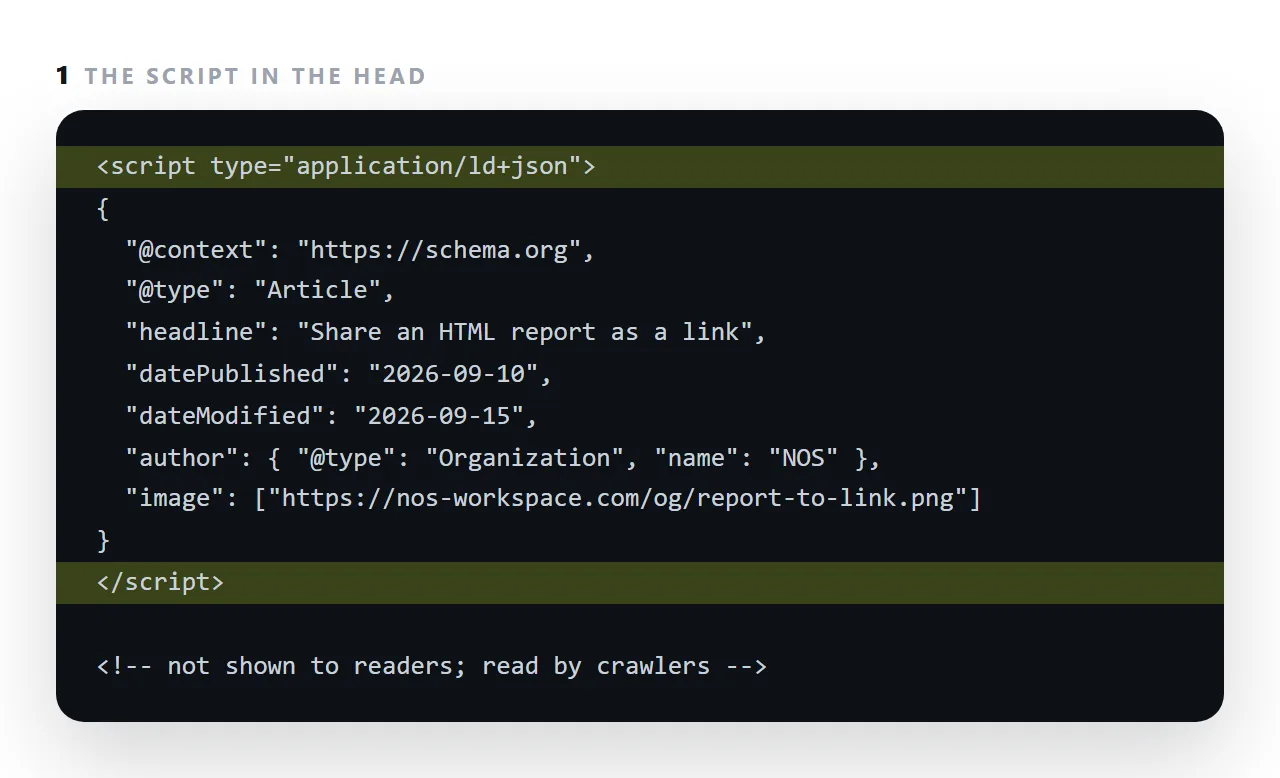
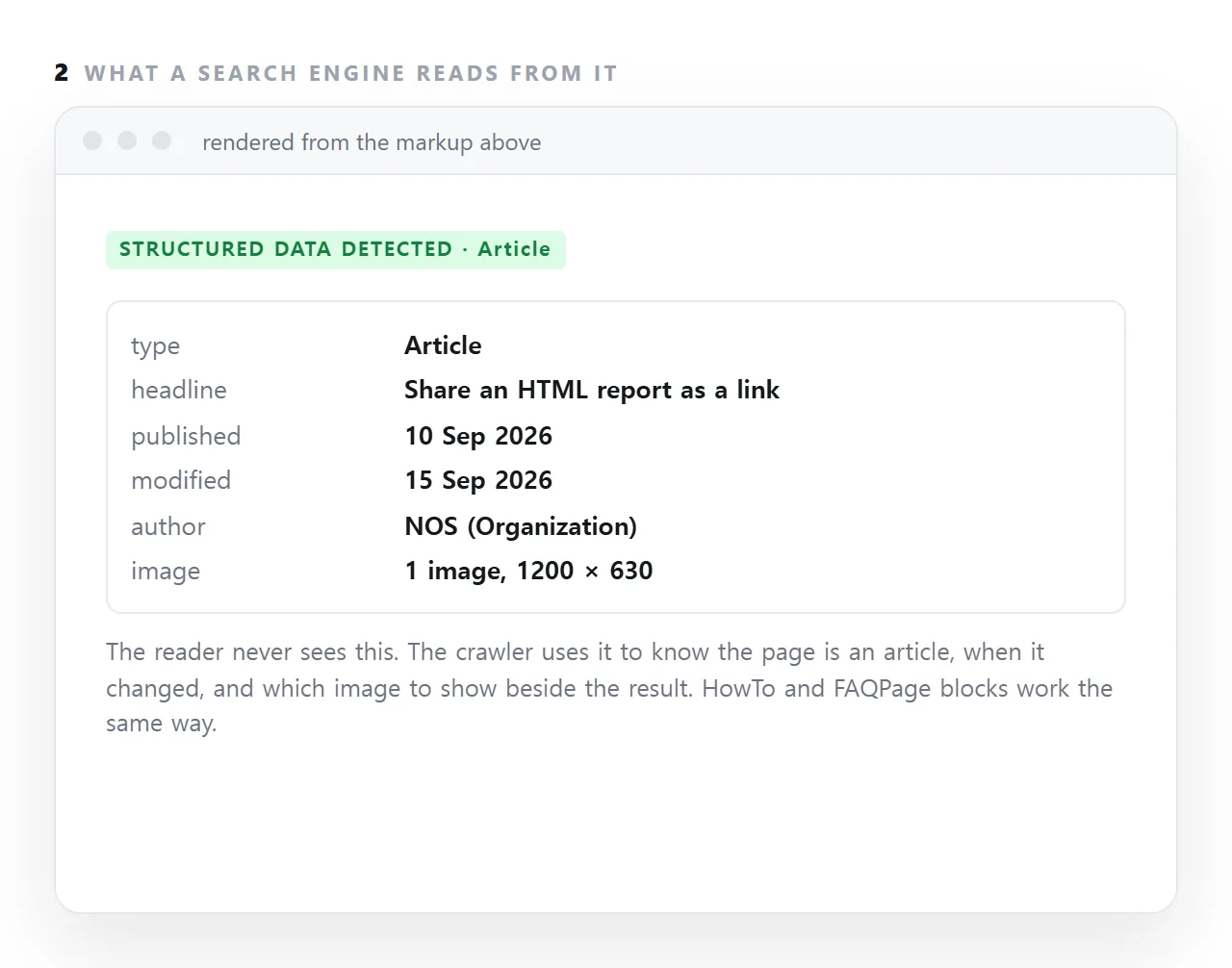
It states in fields what the page is, an Article with a headline, a date published and modified, an author and an image, or a HowTo with steps, or an FAQPage with questions, so the engine does not have to guess from the markup.
The one rule is that it describes what is on the page and nothing else. This guide covers the rule, the three types worth having on a document site, where the block goes, and how to test it.
<script type="application/ld+json">
{
  "@context": "https://schema.org",
  "@type": "Article",
  "headline": "Editable HTML tables",
  "description": "Build a table you can type into and sort by column.",
  "datePublished": "2026-09-13T00:00:00Z",
  "author": { "@type": "Organization", "name": "NOS" }
}
</script>
A block of JSON stating what the page is. It renders as nothing and is read by machines.
The one rule of JSON-LD structured data
Everything you describe must be visibly on the page.
Marking up questions that do not appear, a rating nobody left, or a price that is not shown is the standard way to lose rich results and, repeated, to attract a penalty. The structured data is a description of the page, not an addition to it.
The three types worth having
Article, for something written
{
  "@context": "https://schema.org",
  "@type": "Article",
  "headline": "Sharing a table as a link",
  "description": "How to publish a table that sorts and reads on a phone.",
  "mainEntityOfPage": { "@type": "WebPage", "@id": "https://example.com/learn/table-to-link" },
  "datePublished": "2026-09-13T00:00:00Z",
  "dateModified": "2026-09-20T00:00:00Z",
  "author": { "@type": "Organization", "name": "NOS", "url": "https://example.com" },
  "publisher": { "@type": "Organization", "name": "NOS", "url": "https://example.com" }
}
WebApplication, for a tool
{
  "@context": "https://schema.org",
  "@type": "WebApplication",
  "name": "HTML viewer",
  "applicationCategory": "DeveloperApplication",
  "operatingSystem": "Any",
  "url": "https://example.com/tools/html-viewer",
  "offers": { "@type": "Offer", "price": "0", "priceCurrency": "USD" }
}
The offers block with a price of zero is what lets a result say the tool is free. Only include it if the tool genuinely is.
FAQPage, for questions
{
  "@context": "https://schema.org",
  "@type": "FAQPage",
  "mainEntity": [{
    "@type": "Question",
    "name": "Does the viewer run JavaScript?",
    "acceptedAnswer": {
      "@type": "Answer",
      "text": "Yes. Charts and calculators behave as they would in a normal browser tab."
    }
  }]
}
This is the one that can visibly change a search result, by attaching expandable questions beneath it. It also requires the questions and answers to be on the page in that wording.
BreadcrumbList, for the path
{
  "@context": "https://schema.org",
  "@type": "BreadcrumbList",
  "itemListElement": [
    { "@type": "ListItem", "position": 1, "name": "NOS", "item": "https://example.com" },
    { "@type": "ListItem", "position": 2, "name": "Guides", "item": "https://example.com/learn" }
  ]
}
Replaces the bare address above a search result with a readable path. Small, and cheap to add.
Multiple blocks are fine
Several application/ld+json scripts on one page is normal and correct — one per type. There is no need to combine them into a single graph unless you want to express relationships between them.
Escaping, if you generate it
<script type="application/ld+json">
  {"@type":"Article","headline":"Tables \u003c and \u003e"}
</script>
A literal </script> inside the JSON terminates the block early and breaks the page. Escape < as \u003c when the content is generated from arbitrary text. This is a real injection route, not a theoretical one.
Validating
Search engines provide rich-result test tools that report errors and warnings and show which features the page is eligible for. Worth running once per template rather than once per page.
What it does not do
It does not improve ranking on its own. It makes the page eligible for a result that occupies more space and answers more of the question before the click — which is worth having, and is not the same thing.
Nothing here substitutes for the basics: a good title and description, a correct canonical, and semantic markup that says what the parts of the page are.
Which type for which page
| Page | Type | Adds to the result |
|---|---|---|
| A guide or article | Article |
Publication date, author |
| A tool | WebApplication |
"Free" if you declare a zero price |
| A page answering questions | FAQPage |
Expandable questions |
| Any page in a section | BreadcrumbList |
A readable path instead of a bare address |
| A job post | JobPosting |
Salary, location, closing date |
| A product with a price | Product |
Price and availability |
| A list of items | ItemList |
Sometimes a carousel |
Adding two or three is normal. Adding ten is not better — each has to describe content actually on the page, and the ones above the line cover most documents.
The part that is not structured data
Structured data changes how a result is displayed. It does not decide whether you have a result at all. That comes from the page: a title and description worth clicking, a correct canonical address so the signal is not split, and content that answers the query.
A page with perfect JSON-LD and a title that says "Document" will not be found. The order of work is: title, description, canonical, content — then structured data.
The types worth having on a document site
An Article block for every guide, with headline, dates, author and image, is what earns a date and a picture beside the result. A HowTo block on any page with numbered steps describes the steps as data.
An FAQPage block on a page with questions and answers can surface those questions directly. A BreadcrumbList describes where the page sits in the site. A WebApplication block describes a tool page.
None of them changes what the reader sees; each one tells the crawler something it would otherwise have to infer.
Why the rule matters
Structured data that claims what the page does not show is treated as spam, and a site that does it can lose the rich results for all its pages.
The dates have to be the page's dates; the questions in an FAQ block have to appear on the page; the steps in a HowTo have to be the steps the reader can read.
Generate the block from the same source as the page, as this site does, and the two cannot disagree.
Adding structured data: 4 steps
- Choose the type that matches the page.
Articlefor a guide,HowTowhen it has numbered steps,FAQPagewhen questions and answers appear on the page. - Fill only fields that are true and visible. Headline, dates, author, image. Nothing the reader cannot see on the page itself.
- Put the block in the head, one per type. A page can carry an Article, a HowTo and an FAQPage together, as the guides on this site do.
- Validate it. A structured data testing tool reads the page and reports what it found; fix anything it flags. The job description guide shows a fourth type, JobPosting, in use.