A canonical URL is the address you declare as the real one for a page, in a single link tag in the head: <link rel="canonical" href="https://example.com/report">.
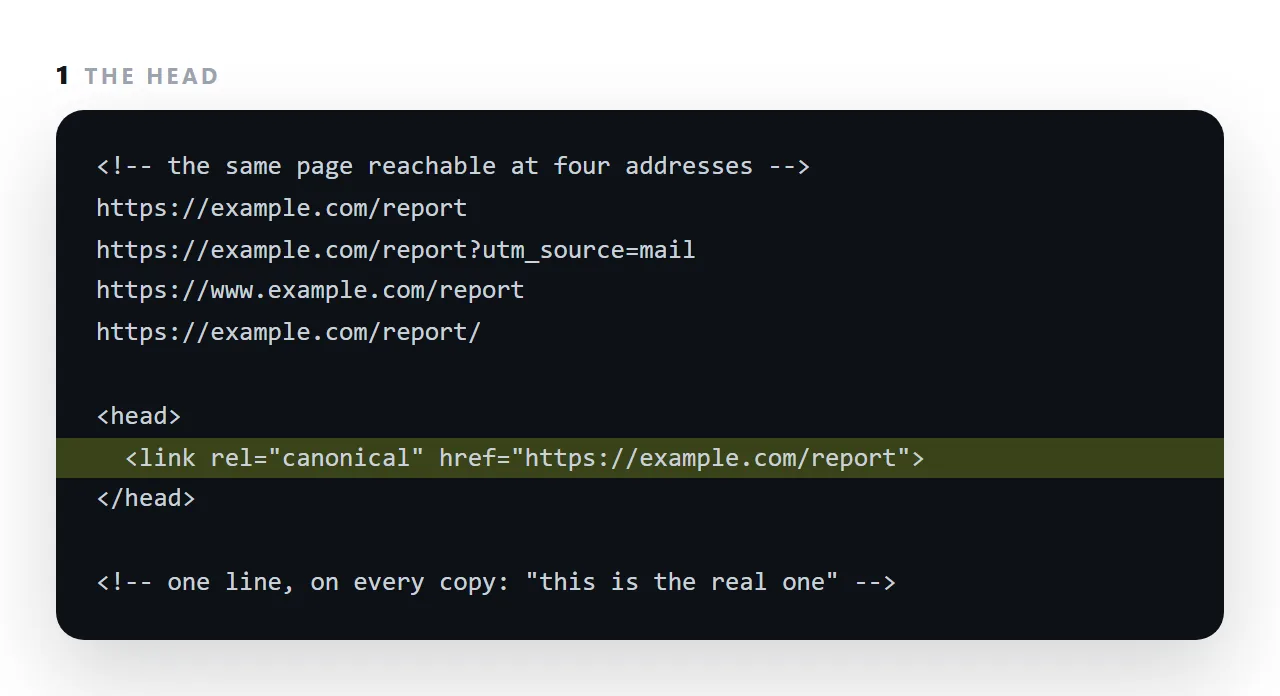
Every page ends up reachable at more than one address, with a tracking parameter appended, with and without www, with and without a trailing slash, and without the tag a search engine treats each as a separate page and splits whatever links point at them.
This guide covers the problem it solves, pointing the tag at itself, the cases where the canonical is a different page, and what it does not do.
<link rel="canonical" href="https://example.com/tools/html-viewer">
One line in the head, naming this page's real address.
The problem a canonical URL solves
A single page is typically reachable at several addresses:
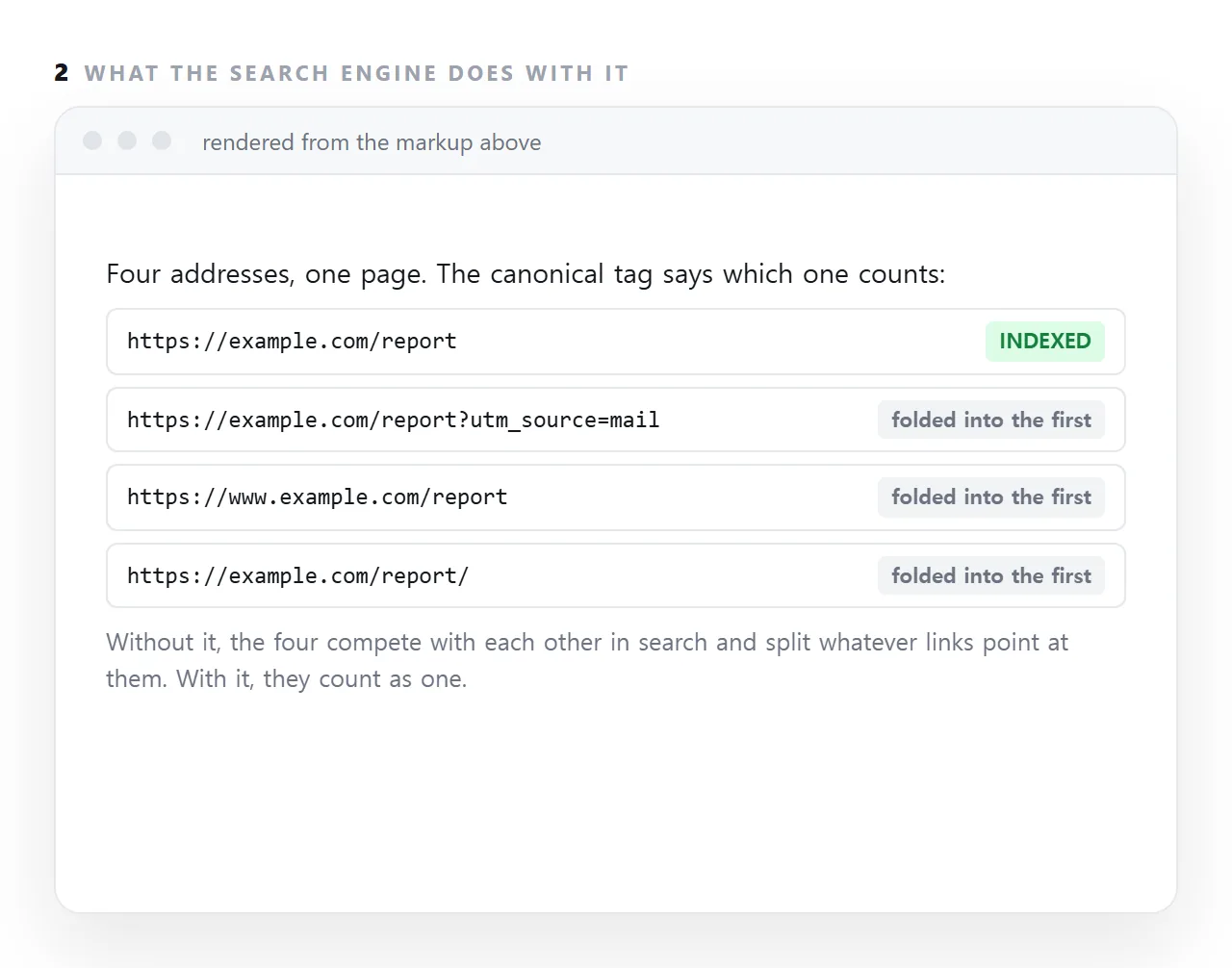
https://example.com/report
https://example.com/report/
https://www.example.com/report
http://example.com/report
https://example.com/report?utm_source=newsletter
https://example.com/report?ref=slack
Six addresses, one page. Without guidance, a search engine may treat them as separate pages that happen to be identical — and any signal the page has earned is divided among them instead of accumulating on one.
A canonical tag collapses them.
Point it at itself
<!-- on https://example.com/report -->
<link rel="canonical" href="https://example.com/report">
That looks redundant and is not. It is what makes every variant with a tracking parameter resolve back to one page. Since shared links almost always acquire parameters, this single line does most of the work.
The mistake that costs pages
<!-- on every page of the site -->
<link rel="canonical" href="https://example.com/">
This says "every page here is really the home page". Search engines act on it: the rest of the site drops out of results.
It happens when a canonical is added to a shared template with a fixed value. The symptom is a site where only the home page appears in search while every page is reachable and correct.
Check: open three different pages and view the source. If the canonical is identical on all three, that is the bug.
The rules
| Rule | Why |
|---|---|
| Absolute address, with scheme and host | Relative ones are a common source of errors |
Matching https and www choice site-wide |
A mismatch with a redirect sends conflicting signals |
| One per page | Two canonicals means both are ignored |
| Pointing at a page that returns 200 | Pointing at a 404 or a redirect discards the signal |
Consistent with og:url |
So shares and search agree on the same page |
It is a hint, not an instruction
Search engines treat a canonical as strong evidence rather than a command. If the named page is very different from the one carrying the tag, they may disregard it — which is correct, since a wrong canonical would otherwise be able to erase a page.
For genuine duplicates and parameter variants it is reliable.
When a redirect is better
A canonical says "count these as one". A redirect says "this address is gone, use that one".
| Situation | Use |
|---|---|
| Tracking parameters on a shared link | Canonical |
| Trailing-slash variants | Canonical, plus consistent server behaviour |
| The page has moved permanently | A 301 redirect |
http to https |
A 301 redirect |
www to no-www |
A 301 redirect |
| The same content published in two places | Canonical on the copy, pointing at the original |
Redirects are stronger because the duplicate stops existing. Use a canonical where both addresses must keep working.
The related language case
If you publish a page in several languages, a canonical alone is not enough — each language version is its own page and needs its own self-canonical, plus hreflang links declaring the alternatives:
<link rel="canonical" href="https://example.com/en/report">
<link rel="alternate" hreflang="en" href="https://example.com/en/report">
<link rel="alternate" hreflang="ko" href="https://example.com/ko/report">
<link rel="alternate" hreflang="x-default" href="https://example.com/en/report">
Getting this wrong — a shared canonical across languages — makes every version but one disappear from results.
What to check on a live site
| Check | How | What is wrong if it fails |
|---|---|---|
| Every page has one | View source on three pages | Missing means parameter variants split the signal |
| They are different from each other | Compare those three | Identical means the site is declaring itself one page |
| They are absolute | Look for https:// |
A relative canonical is a frequent mistake |
They match your www choice |
Compare with the address bar | A mismatch sends conflicting signals |
They match og:url |
Compare with the sharing tags | Shares and search should agree — see Open Graph tags |
| The target returns 200 | Open it | Pointing at a 404 discards the signal |
The second row is the one that has removed whole sites from search results, and it takes ten seconds to check.
Where it sits among the other head tags
A canonical decides which address gets a result. The title and description decide whether anyone clicks it. JSON-LD decides how much space the result occupies.
In that order: a page with a wrong canonical cannot be helped by a good title, because the result belongs to another address.
Three canonical mistakes that cost the most
A relative address. href="/report" is ambiguous across hosts; write the full https:// address every time.
Pointing every page at the home page. A site-wide canonical to the root tells the engine every page is a copy of the home page, and they drop out of the index. Each page points at itself.
Contradicting the redirect. If www redirects to the bare host, the canonical must name the bare host too. A tag that names the address the server redirects away from sends the crawler in a loop.
What the canonical tag does not do
It is a hint, not a command; an engine can ignore it if other signals disagree, which is why the sitemap, the internal links and the redirects should all agree with it.
It does not hide the other addresses from readers, who can still open them. And it does nothing for a file on a disk or an attachment, which has no address at all; it only matters for a page that is served.
Setting a canonical URL: 4 steps
- Pick the one address.
https, with or without www, with or without a trailing slash. Decide once and use that form everywhere. - Put the tag in the head of every page, pointing at itself. The page's own clean address, absolute, starting with
https://. - Point copies at the original. A syndicated or duplicated page names the original as its canonical, so the original gets the credit.
- Check the tag matches the sitemap and the internal links. Three places naming the same address. Any disagreement, and the engine picks one for you. A shared NOS page carries its canonical automatically; Share, then Share link, then Create link.