The default value of an HTML date input is set with the value attribute, and it must be an ISO date: YYYY-MM-DD.
<input type="date" name="due" value="2026-09-16">
That is the only format accepted, no matter how the field appears on screen.
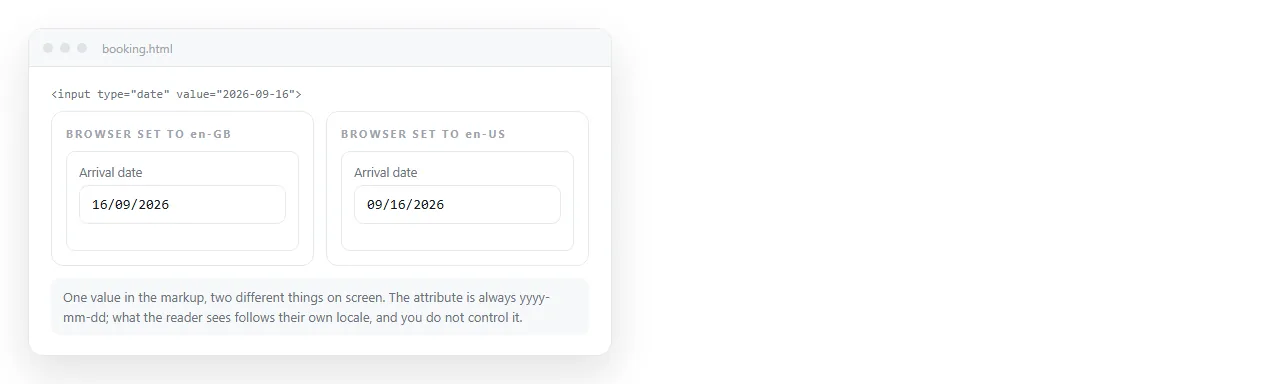
A reader in one country sees 16/09/2026 and a reader in another sees 9/16/2026. Both are the same attribute. The display is the browser's business, not yours.
Why a valid-looking value gets ignored
The field renders empty rather than complaining, so a format mistake looks like the attribute did nothing.
| Value you wrote | Result |
|---|---|
2026-09-16 |
Works |
2026-9-16 |
Ignored, needs zero padding |
16/09/2026 |
Ignored |
Sept 16, 2026 |
Ignored |
2026-09-16T00:00 |
Ignored by type="date", correct for datetime-local |
today |
Ignored, there is no such keyword |
The last row is the one people try first. HTML has no notion of the current date, so there is nothing to put in the attribute.
Defaulting to today
One line, and the obvious version of it has a bug.
// Wrong near midnight and in some timezones
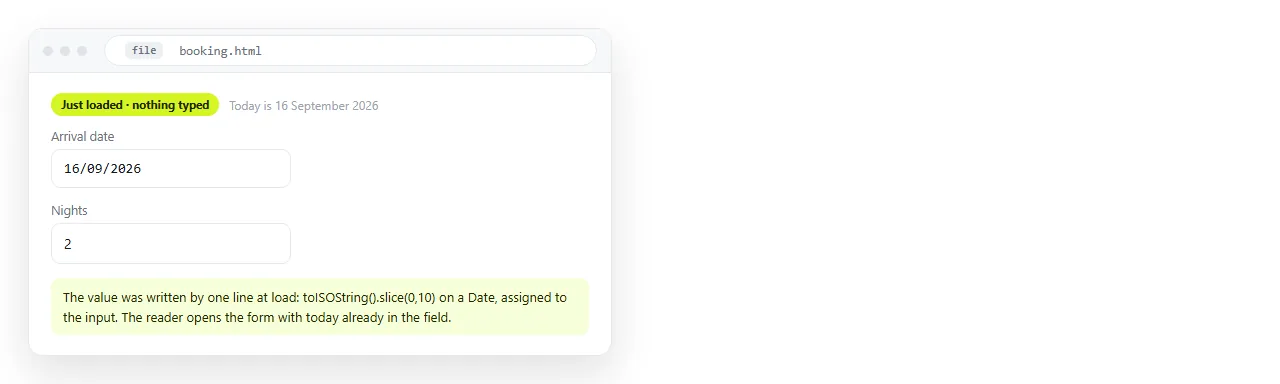
input.value = new Date().toISOString().slice(0, 10);
toISOString converts to UTC. If you are ahead of UTC in the early morning or behind it in the evening, that string is yesterday or tomorrow.
Build it from local parts instead:
const d = new Date();
const pad = (n) => String(n).padStart(2, '0');
input.value = `${d.getFullYear()}-${pad(d.getMonth() + 1)}-${pad(d.getDate())}`;
getMonth is zero-based, which is the second bug in this area. January is 0, so the month always needs the plus one.
A shorter version that is also correct:
input.value = new Date().toLocaleDateString('en-CA');
The Canadian English locale formats dates as YYYY-MM-DD and uses local time. It reads as a trick, so leave a comment next to it.
Limiting the range
Defaults are usually paired with bounds. min and max take the same ISO format and the picker greys out everything outside them.
<input type="date" name="start" min="2026-09-16" max="2026-12-31" value="2026-09-16">
Useful combinations:
- No past dates. Set
minto today, for booking and delivery fields. - No future dates. Set
maxto today, for a date of birth or an incident report. - Inside a period. Both bounds, for anything tied to a quarter or a term.
A default outside the range is discarded, so set the bounds and the value from the same calculation.
Bounds are a convenience, not a guarantee. The value still arrives from the browser, so check it again wherever you receive it, in the same way you would check a hidden field.
Reading and writing the value from script. Three properties do slightly different things.
input.valueis the ISO string, or an empty string if the field is blank or invalid.input.valueAsDateis aDateobject in UTC, ornull. Convenient for arithmetic, a source of off-by-one errors for display.input.defaultValueis what the attribute said. It is where the field returns to when the form is reset.
Setting a date a week ahead:
const d = new Date();
d.setDate(d.getDate() + 7);
input.value = d.toLocaleDateString('en-CA');
setDate rolls over month and year ends on its own, so no special handling is needed for the end of December.
Whether to prefill at all
A default is a suggestion, and people accept suggestions. That is useful when the suggestion is usually right and harmful when it is not.
Prefill today's date on a log entry, a timesheet row or an incident report, where today is the answer most of the time and a wrong value is obvious.
Leave the field empty on a date of birth, an appointment, or anything where the reader has to think. A prefilled value there is quietly accepted by a proportion of people who never meant to submit it, and you cannot tell those rows apart afterwards.
A middle option exists: prefill, and show the value as a suggestion the reader has to confirm. A small note next to the field saying which date is currently selected costs nothing and catches the accidental submissions.
Whatever you choose, record on the receiving end whether the value was the default or was changed. That single flag makes the data answer questions the date alone cannot.
The related input types
| Type | Value format | Common use |
|---|---|---|
date |
2026-09-16 |
A single day |
time |
14:30 |
A clock time, no date |
datetime-local |
2026-09-16T14:30 |
Appointment, no timezone attached |
month |
2026-09 |
Billing periods, reporting months |
week |
2026-W38 |
Sprint and rota planning |
datetime-local carries no timezone by design. If the moment matters across regions, store the offset separately rather than assuming the reader's.
Checking it in a clean window
Prefilled dates fail quietly, so look at the rendered field rather than the source.
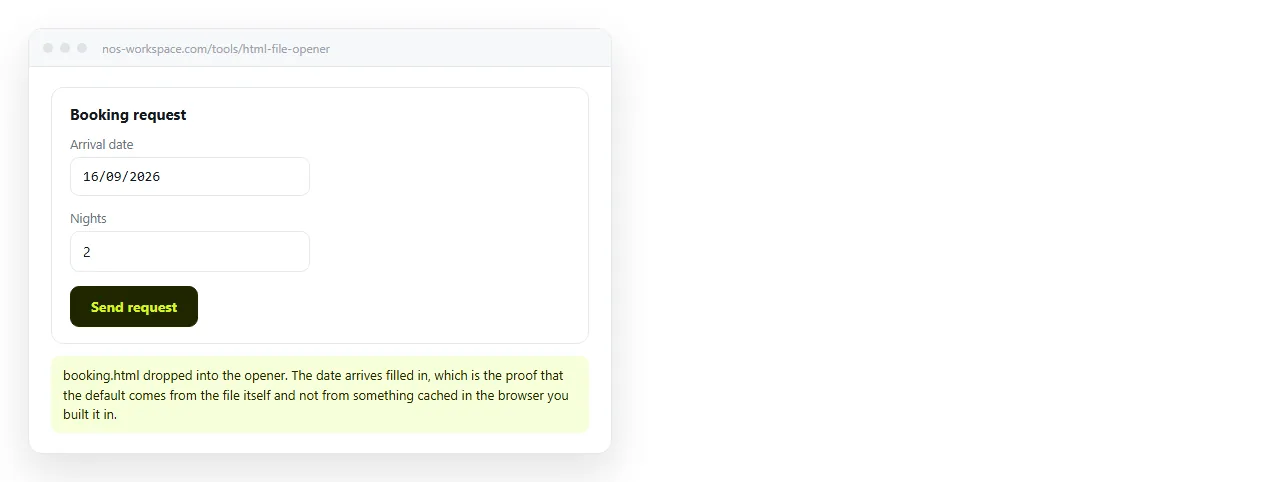
Paste the page into the HTML file opener and look at the box. If it is empty, the format is wrong or the value falls outside your min and max.
Reload once after midnight, or change the machine clock, if the field defaults to today. That is where the UTC bug shows up.
Sending the form out
A finished form page still has to reach people, and an .html file with a form and script inside is routinely stripped by mail gateways before it arrives.
Paste the HTML into a NOS document. It renders as written at its own address. Share, then Share link, then Create link, and send the link.
The address stays the same through edits, so adjusting a bound or a label later does not mean resending. Turning a form into a link covers the route, and posting the answers into a spreadsheet covers where the dates end up.