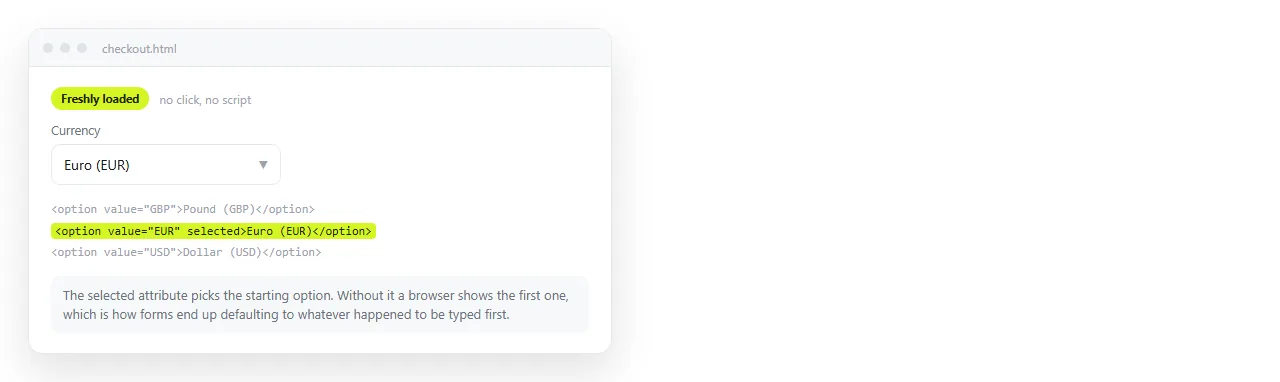
To set the HTML dropdown default selected option, put the selected attribute on the option you want chosen when the page loads.
<select id="currency" name="currency">
  <option value="gbp">Pounds</option>
  <option value="eur" selected>Euro</option>
  <option value="usd">Dollars</option>
</select>
That is the rule. The rest of this page is the three things that override it, and the placeholder pattern that most forms actually need.
When there is no HTML dropdown default selected option
The browser chooses the first option. There is no empty state and no unselected state for a single select.
That has a consequence people miss. If your first option is a real answer, the form arrives with that answer already given, and you cannot tell the difference between a reader who chose it and a reader who ignored the field entirely.
If the first option is meant as a prompt, say so explicitly.
The placeholder pattern
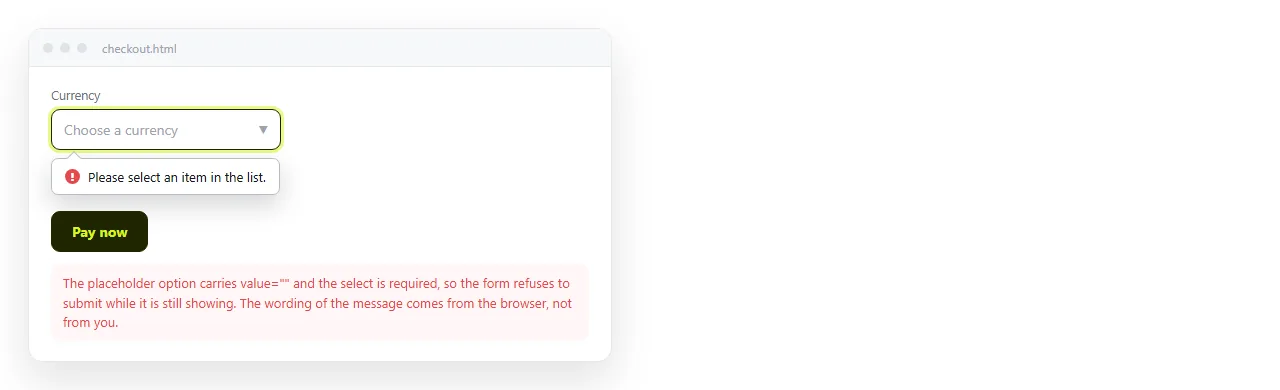
<select id="dept" name="dept" required>
  <option value="" disabled selected>Choose a department</option>
  <option value="ops">Operations</option>
  <option value="fin">Finance</option>
</select>
Four attributes are working together and each one is load-bearing.
| Attribute | On what | What it does |
|---|---|---|
value="" |
Placeholder option | Makes it count as empty for validation |
disabled |
Placeholder option | Stops the reader choosing it again |
selected |
Placeholder option | Makes it the starting state |
required |
The select | Blocks submission while the value is empty |
Drop any one and the pattern stops working. Without required the empty value submits. Without disabled the reader can return to it. Without value="" the browser submits the visible text as the answer.
To grey the placeholder out visually:
select:has(option[value=""]:checked) { color: #8b9099; }
Why a refresh shows the wrong option
Browsers restore form state on reload and on back navigation. Your selected attribute is the initial state, and the restored value is applied after it.
This is deliberate. It stops a reader losing ten fields of work by hitting refresh. It is also confusing when you are testing, because the page keeps showing yesterday's choice.
To test the real default, do a hard reload or open the file in a private window. To make the markup win permanently:
<select autocomplete="off">
Use that sparingly. On a long form it makes accidental refreshes expensive for the reader.
Setting the default from a script
The attribute is the initial state. The property is the current state. Anything your script does after load wins.
document.getElementById('currency').value = 'usd';
Two failure modes here. If the script runs before the options exist, the assignment silently does nothing, because a select ignores a value that matches no option.
And if you are also showing a panel per option, setting the value from a script does not fire change. You have to call your sync function yourself, which is the same trap described in show hide div based on dropdown.
Multiple selects and defaults
A <select multiple> accepts selected on several options at once.
<select id="tags" name="tags" multiple size="4">
  <option value="urgent" selected>Urgent</option>
  <option value="client" selected>Client facing</option>
  <option value="internal">Internal</option>
</select>
With no selected at all, a multiple select starts with nothing chosen. It does not default to the first option the way a single select does, which is one of the few places the two behave differently.
Choosing a sensible default
A default is a recommendation. Setting one is not neutral, because most readers accept whatever is already there.
Three cases where a real default is right:
- One answer covers most readers. Defaulting to the common currency saves almost everyone a click.
- The value is reversible. A display preference can be changed without consequence.
- A blank value is meaningless. A quantity field with no number is not an answer anyone intended.
Three cases where a placeholder is right instead:
- The answer has consequences. Tax status, department, approver. You need to know it was chosen.
- No option is more likely than the others. A default here is a coin toss dressed as advice.
- You need to detect non-response. With a default you cannot distinguish agreement from inattention.
Write the placeholder as an instruction rather than a dash. "Choose a department" tells the reader what to do. A hyphen tells them nothing and reads as a loading state.
A checklist for any dropdown you ship
- Is there exactly one option with
selected? Two is not an error, but the last one wins, which is rarely what was meant. - Does the first option mean something, or is it a prompt? If it is a prompt, give it an empty value.
- Does every option have a
value? Without one the browser submits the visible text, which breaks when someone edits the wording. - Does the select have a
<label>tied to it byforandid? Labelling controls covers the exceptions. - Have you tested a reload as well as a first load?
Checking it at the address the reader uses
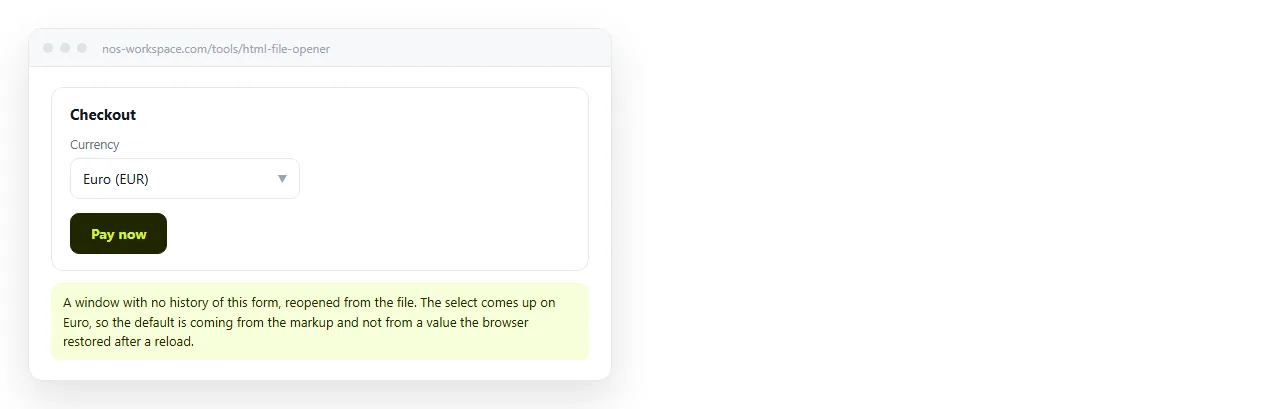
Open the file in the HTML file opener. It has no saved form state for your page, so the option you see is the one the markup asked for.
Then paste the HTML into a NOS document. The select renders as written at the document's own address, so you send a working form rather than a file the reader has to download and open.
The address does not change when you edit. Correcting an option label later does not invalidate the link you already sent.
Turning a form into a link covers what to do with the answers. Editable tables covers the case where the reader should be changing values in place instead.