To keep an HTML table sticky on the first column, give the first cell in every row position: sticky and left: 0, then wrap the table in an element that scrolls sideways.
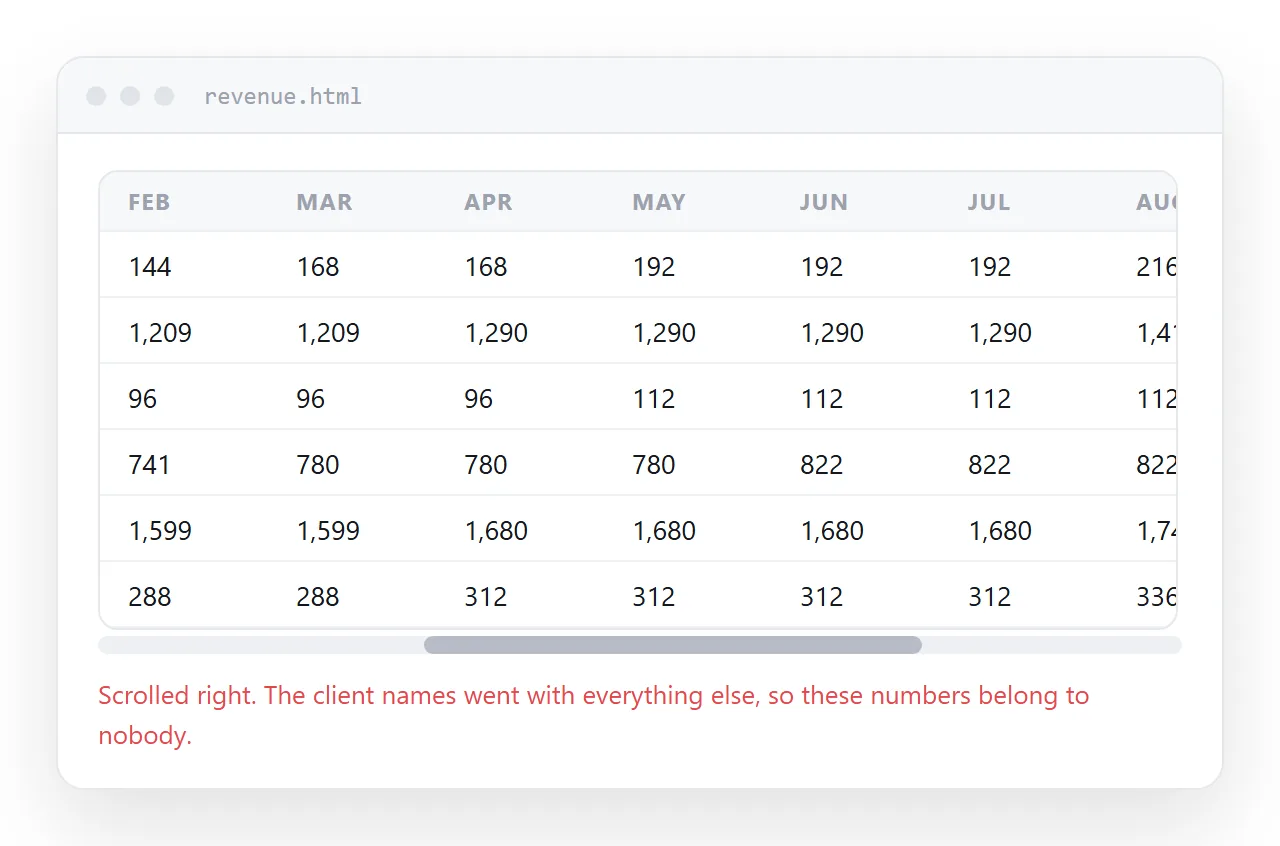
That is the whole mechanism. No script, no library, no table plugin. Sticky positioning has been in every current browser for years.
What trips people up is not the two properties. It is the two conditions around them: something has to scroll, and the pinned cells have to be opaque.
The minimum that works
Two blocks. First the markup, with a wrapper around the table.
<div class="table-wrap">
  <table>
    <thead>
      <tr><th>Region</th><th>Jan</th><th>Feb</th><th>Mar</th></tr>
    </thead>
    <tbody>
      <tr><th>North</th><td>412</td><td>388</td><td>501</td></tr>
      <tr><th>South</th><td>209</td><td>240</td><td>233</td></tr>
    </tbody>
  </table>
</div>
Then the CSS.
.table-wrap { overflow-x: auto; }

table { border-collapse: separate; border-spacing: 0; }

th:first-child,
td:first-child {
  position: sticky;
  left: 0;
  background: #ffffff;
  z-index: 2;
}
The wrapper scrolls. The first cell of each row holds at offset zero inside it. Every other column slides underneath.
Using <th> for the row label rather than <td> is worth doing. It tells a screen reader that the cell names the row instead of holding data.
The four reasons it does nothing
| What you see | Cause | Fix |
|---|---|---|
| Column scrolls away as normal | Nothing scrolls except the page body | Wrap the table in overflow-x: auto |
| Column scrolls away as normal | An ancestor has overflow: hidden |
Remove it, or move the scroll to the wrapper |
| Numbers show through the labels | Pinned cells are transparent | Set a background on them |
| Labels sit under the data | No stacking order | Add z-index to the pinned cells |
The first row of that table is the common case by a wide margin. Sticky holds a cell against the nearest scrolling ancestor. If no ancestor scrolls, there is nothing to hold against and the declaration is ignored in silence.
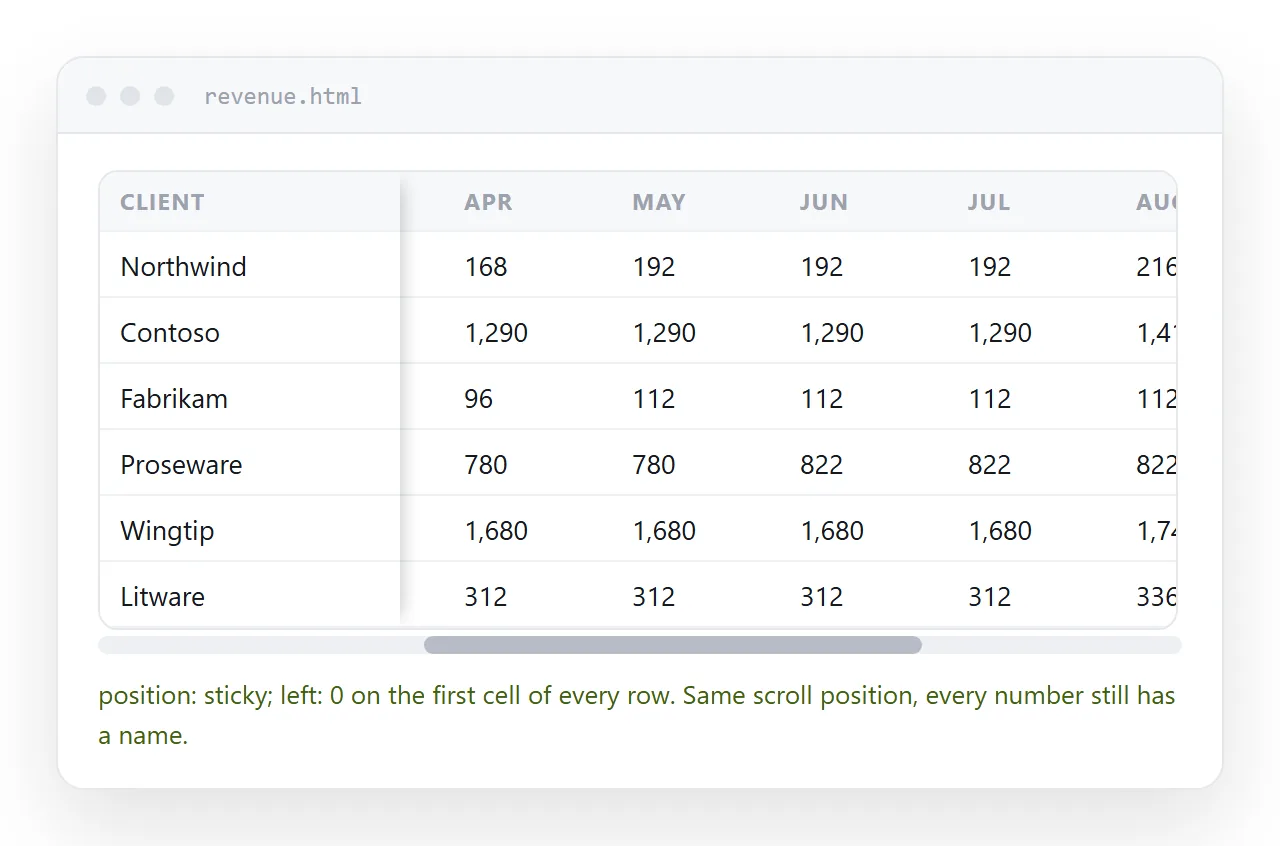
Background colour is not decorative here
A sticky cell keeps whatever transparency it had. It does not gain a backdrop by being pinned.
So the row underneath continues to paint as it slides past, and you get two sets of digits stacked in the same space. It reads as a rendering fault, but it is doing exactly what was asked.
Set an explicit colour. If the page has a dark theme, set the dark value rather than leaving it to inherit, because inheritance does not create a painted surface.
Striped tables need the colour on the stripe rule too, or the pinned cells lose the zebra pattern. Zebra striping covers that interaction.
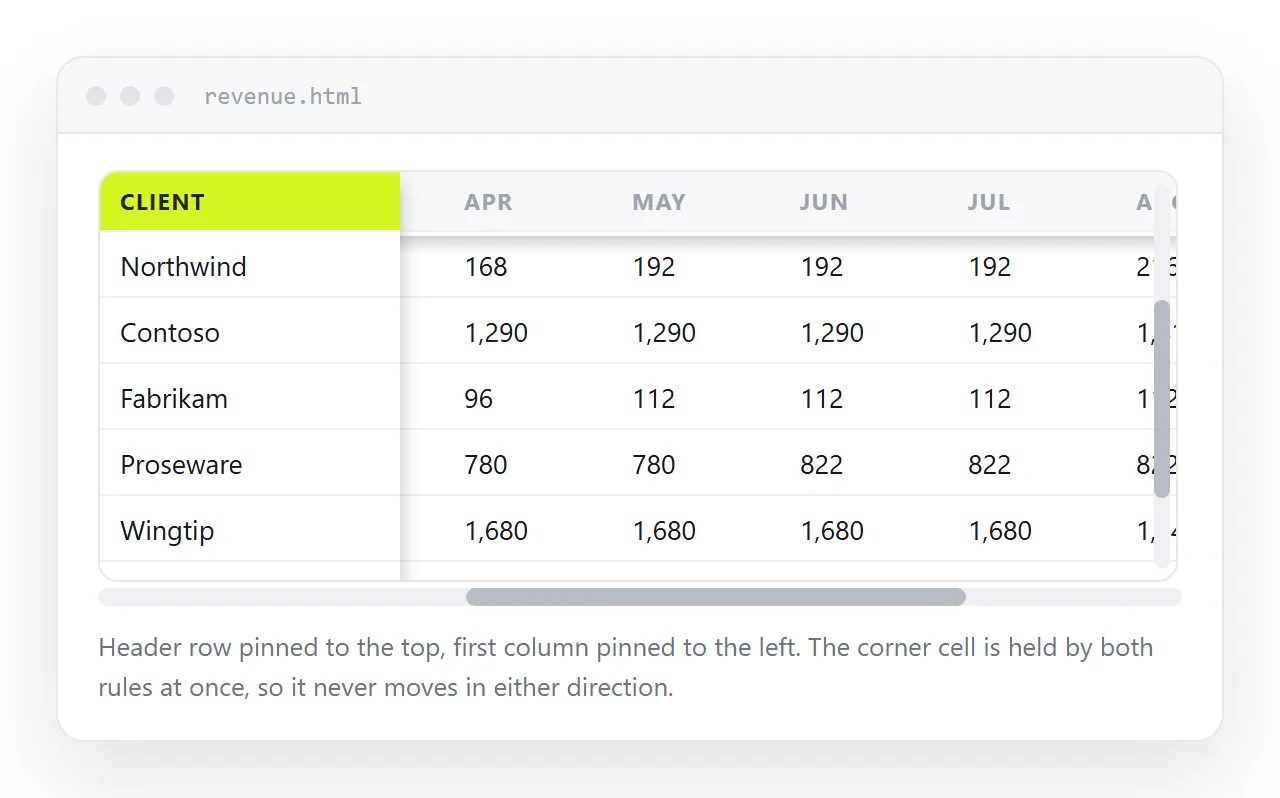
Pinning the header and the first column together
Wide and long tables need both. The rules stack, and only the corner cell is unusual.
thead th { position: sticky; top: 0; background: #ffffff; z-index: 3; }
tbody th { position: sticky; left: 0; background: #ffffff; z-index: 2; }
thead th:first-child { left: 0; z-index: 4; }
The corner cell sits in both frozen tracks, so it needs both offsets and a stacking value above the other two. Give it a lower number and it disappears under the header as you scroll right.
Keeping the header visible goes through the vertical half in more detail, including the case where the scroll lives on the wrapper rather than the window.
Making the pinned column look pinned
A hard edge helps the reader see where the frozen part ends.
- A shadow on the right.
box-shadow: 2px 0 4px rgba(0,0,0,0.08);on the sticky cells reads as depth, not decoration. - A fixed width. Set one, so the pinned column does not eat half a phone screen.
min-widthplusmax-widthon the first column is enough. See column width. - No wrapping in the label.
white-space: nowrapkeeps one label on one line. border-collapse: separate. Collapsed borders are shared between cells, and shared borders do not travel with a sticky cell, so the frozen column can lose its rules. Border collapse explains the trade.
Checking it before anyone else opens it
Sticky behaviour depends on the container, and the container changes when the table moves into another page. A table that works in your local file can stop working inside a wrapper that has overflow: hidden somewhere above it.
Open the file somewhere that has never seen your project. The HTML file opener renders it as a browser would, and you can scroll it sideways there.
If you want to edit the numbers without touching the CSS, the editable HTML table tool keeps the markup and lets you type into the cells.
Sending the table to someone
The pinned column only matters if the reader can scroll the real table, which means they need the page rather than a screenshot or a PDF.
Paste the HTML into a NOS document and it renders as written, sticky positioning included, at an address of its own. Share, then Share link, then Create link produces an unlisted link that opens in one click.
Correct a number later by clicking the text in the document. The address does not move, so the link you already sent points at the corrected table. Turning HTML into a link is the same route for any page.