What you can do with HTML is produce a complete page, structured, readable, linkable and shareable, before a single line of CSS or JavaScript is involved.
That is the honest answer, and it is more than it sounds. Text with headings, tables of numbers, images, video, links, forms and navigation are all HTML.
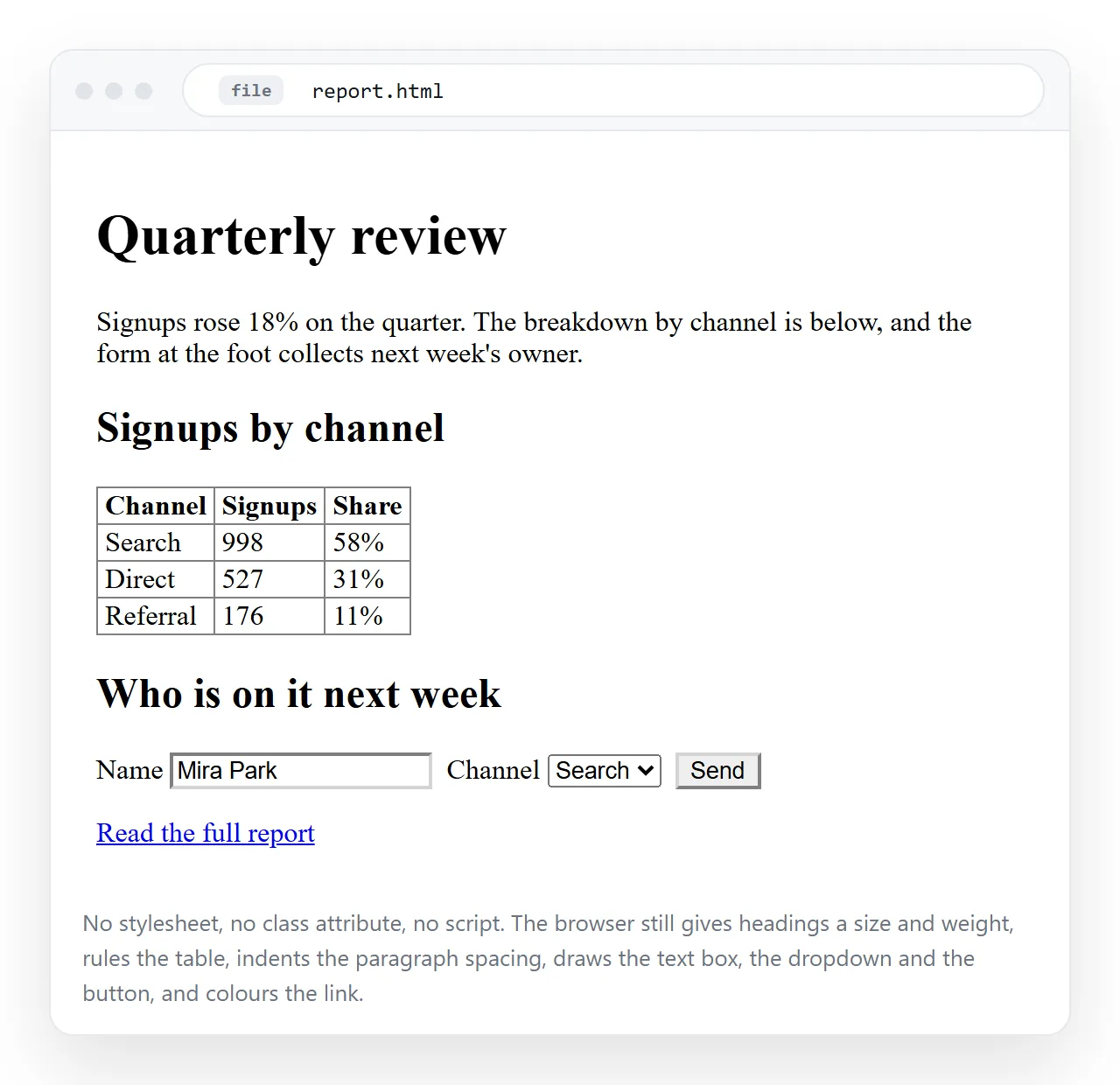
A page with no stylesheet looks plain. It is not broken. Every word is readable, the table lines up, the links work, and a screen reader reads it correctly.
The three layers, and what each one owns
| Layer | Owns | Without it you get |
|---|---|---|
| HTML | Structure and meaning | Nothing to look at |
| CSS | Appearance, layout, spacing | A plain but working page |
| JavaScript | Reaction, calculation, memory | A page that cannot change after it loads |
Read the last column downward. Only the first row is required. This is why "HTML only" projects are a real category rather than a compromise.
What HTML does by itself
- Structure a document. Headings, paragraphs, lists, quotes, sections.
- Tables of real data, with headers, groupings and captions.
- Links, between pages and within a page.
- Images, video and audio, with native controls.
- Forms, including required fields, formats, number ranges and date pickers.
- Collapsible detail, with
<details>and<summary>. - Meaning for machines, which is what semantic HTML is about.
That last one is why HTML is not just formatting. <nav>, <article> and <th scope="col"> tell screen readers and search engines what each part is.
What it needs CSS and JavaScript for
The CSS half
CSS is not decoration only. Several things people think of as capabilities are CSS:
- Layout. Columns, grids, sidebars, anything not stacked top to bottom.
- Responsive behaviour. The page reflowing on a phone.
- Animation and transitions.
- Print output. What the PDF export looks like.
- Dark mode. Following the reader's device setting.
None of these change what the page means. They change what it looks like while meaning the same thing.
The JavaScript half
Four categories, and the boundary is sharper than most explanations suggest:
- Calculation. Totals, conversions, anything derived from input.
- Memory. Keeping a value after a reload, which means local storage or a server.
- Fetching. Getting data from somewhere after the page has loaded.
- Reacting to data, as opposed to reacting to a click, which CSS often handles alone.
Notice what is not on that list. Hover effects, opening panels, modal dialogs and form validation are all available without script, which is covered in cool things to do with HTML.
What it cannot do at all
Two limits are absolute, and both cause real problems when people forget them.
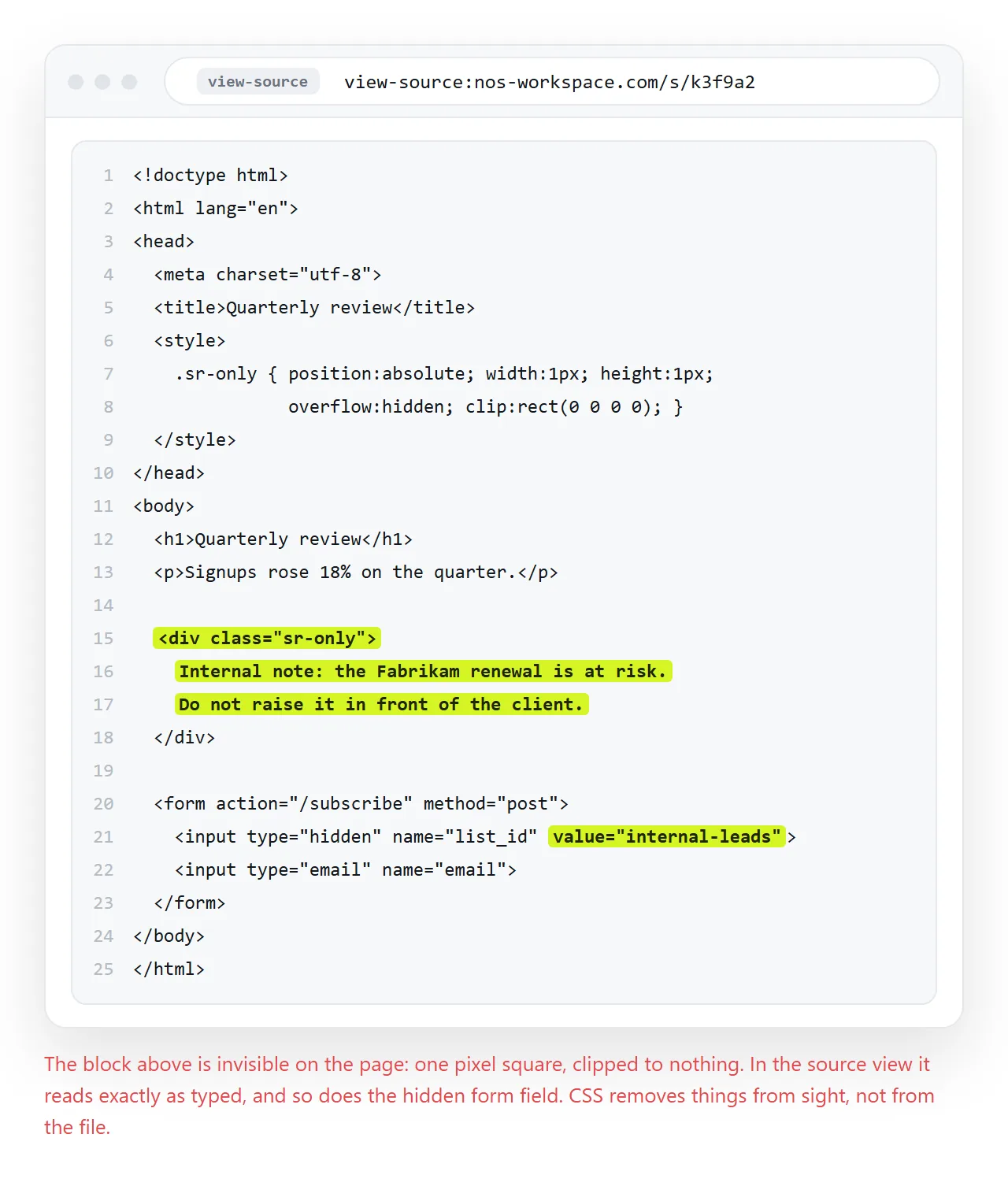
HTML cannot keep a secret. Everything in the file is visible through View Source. An API key, a password, a hidden price list, all readable. Hiding an element with CSS does not remove it from the page.
HTML cannot enforce anything. Client-side validation is a convenience for the reader, not a control. Anything that must be true has to be checked on a server.
Things people actually build
| Output | Layers used | Where it ends up |
|---|---|---|
| Weekly report with a chart | HTML, CSS, small script | A link sent on Monday |
| Pricing sheet | HTML, CSS | A link that gets updated in place |
| Meeting notes | HTML | A link in the calendar invite |
| Pricing or loan calculator | All three | A link the sales team keeps open |
| Event invitation | HTML, CSS | A link in a message |
| Onboarding checklist | HTML, small script | A link per new starter |
| Portfolio or one-pager | HTML, CSS | A link on a CV |
The right-hand column is the same in every row, and it is the part that gets skipped.
Why the sharing step is the one that fails
You can write a perfectly good page and still have nobody read it, because the file and the page are different things.
Send the .html file and three separate problems start. Mail gateways strip HTML attachments. On a desktop it opens in whatever program owns .html, which is sometimes a code editor. On a phone it usually cannot be opened at all.
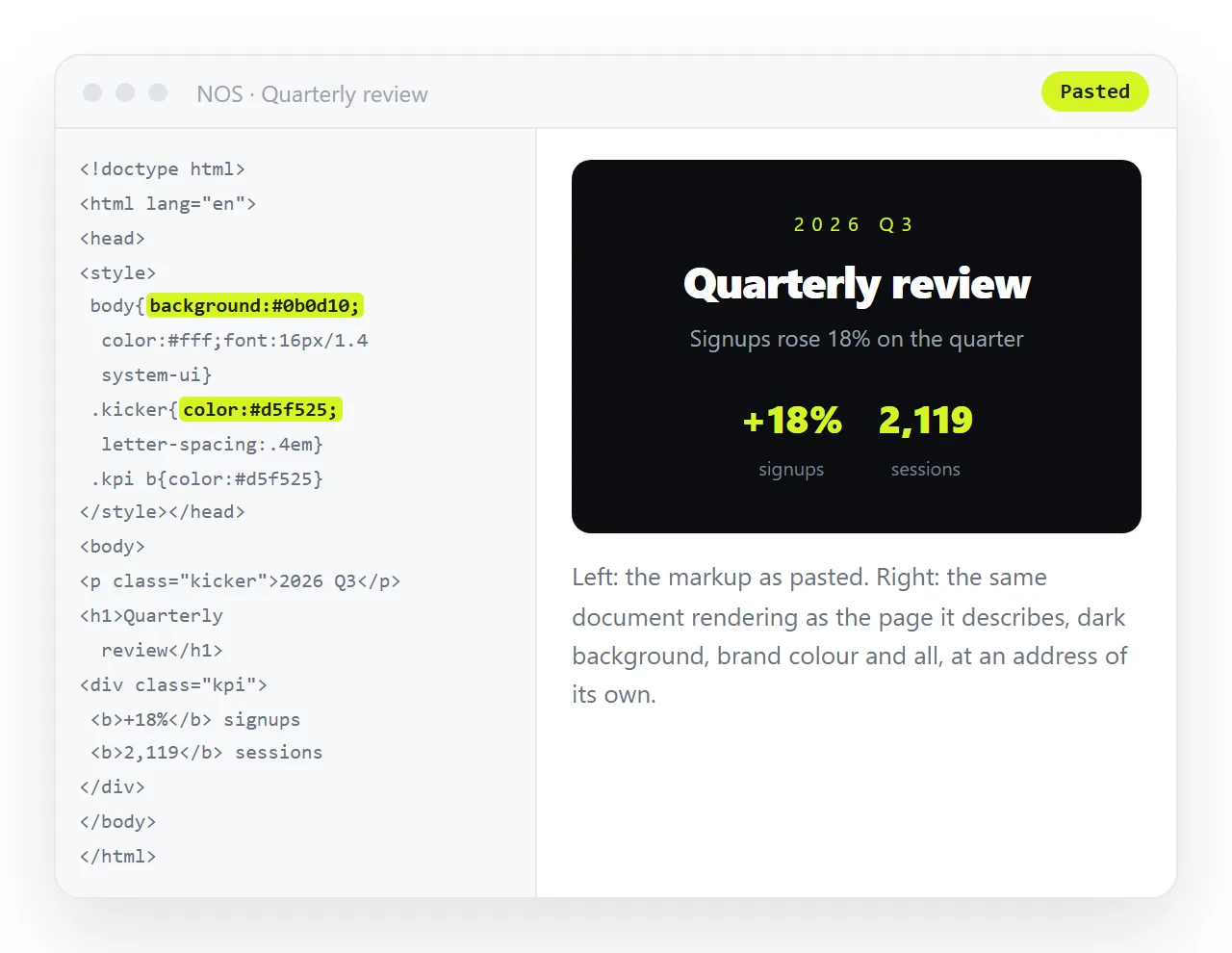
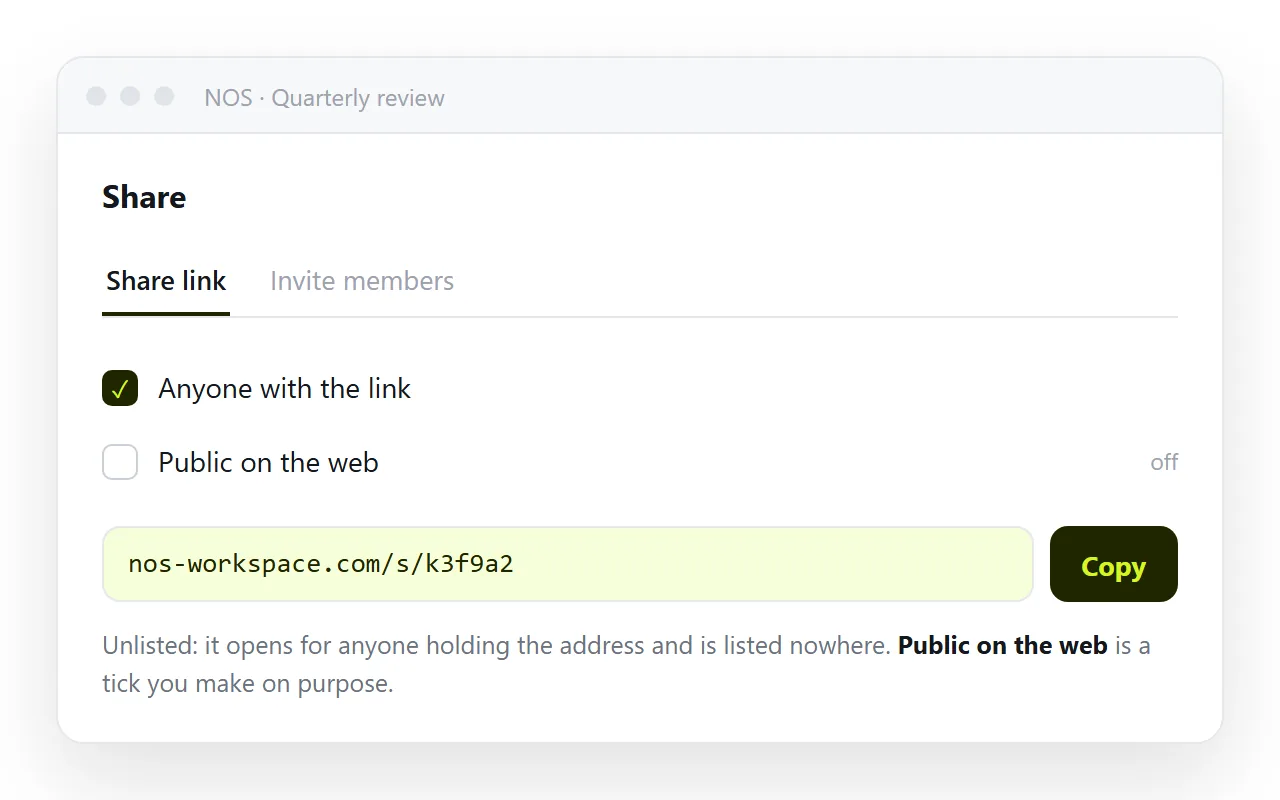
Paste the HTML into a NOS document instead and it renders as written, at an address of its own. Share, then Share link, then Create link.
The address stays the same when the content changes, so next week's numbers replace this week's at the link you already sent. Turning HTML into a link is that step alone.
Where to start
Pick something you already have to write. A status update, a price list, a set of notes.
Write it as headings, paragraphs and one table. Open it in the HTML file opener to see it as a stranger would. Then add CSS only where the plain version is genuinely hard to read.
HTML projects without CSS has a list of first projects that stay in the first layer on purpose.