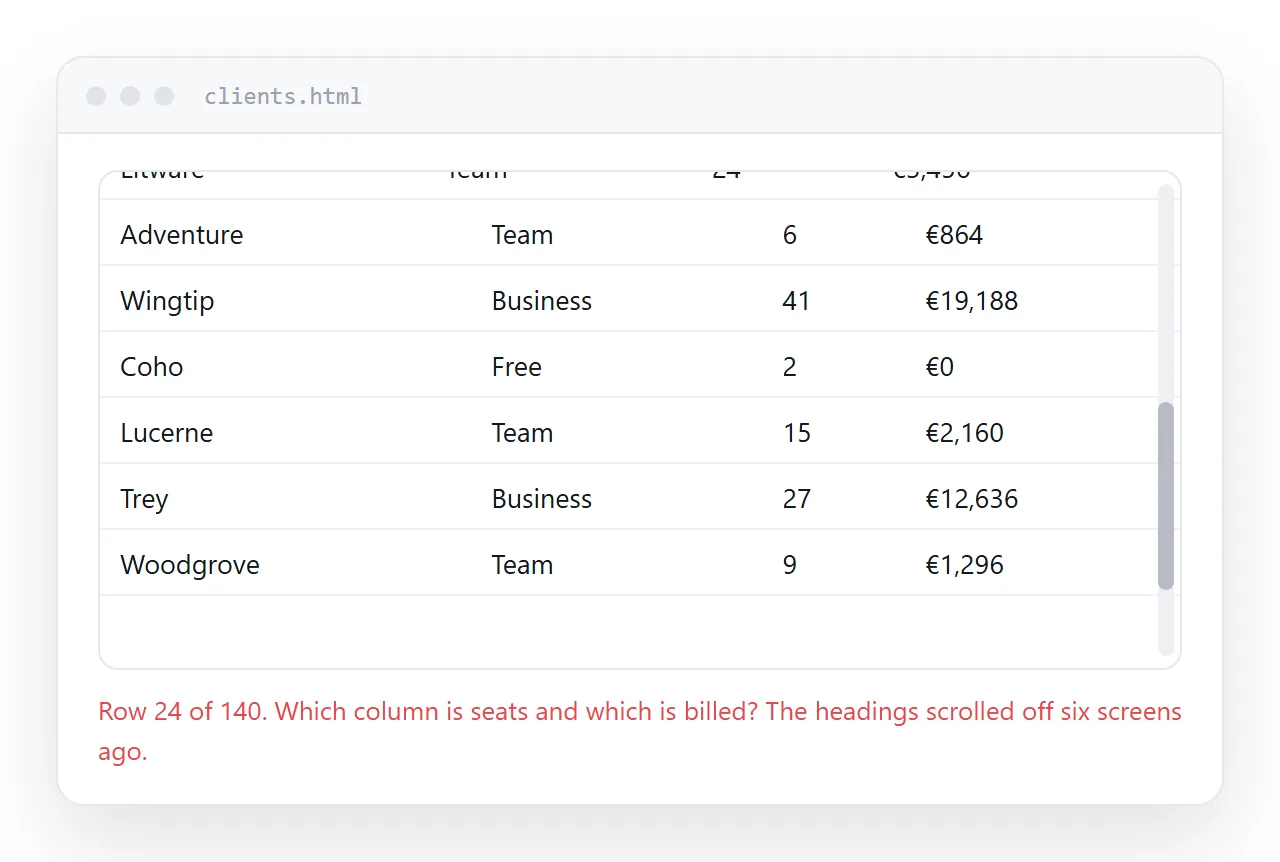
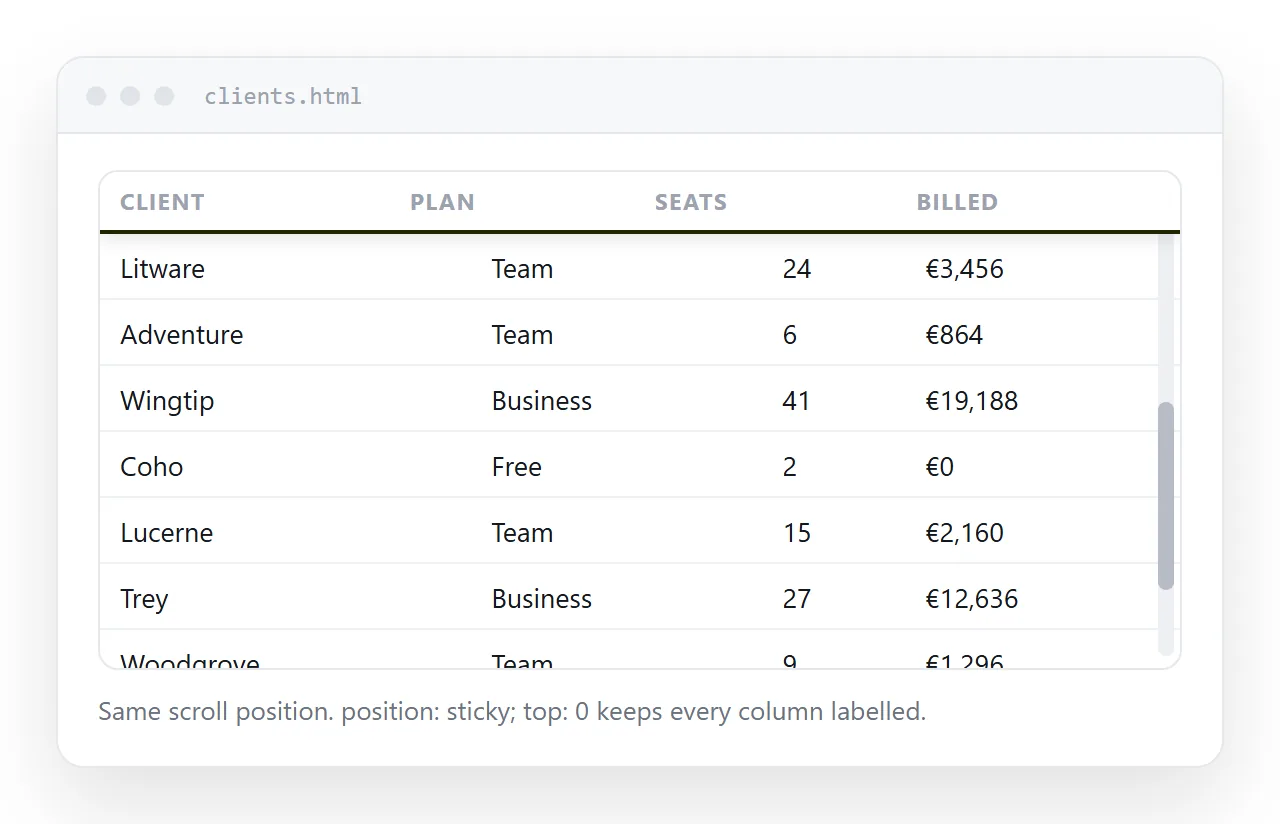
To keep an HTML table header visible while the rows scroll, give the header cells position: sticky and top: 0.
thead th {
  position: sticky;
  top: 0;
  background: #ffffff;
  z-index: 2;
}
Three declarations do the work and one is easy to skip. The background is not styling here. Without it the rows show through the header as they pass beneath.
Put it on the cells, not the row
Sticky on <thead> works in current browsers. Sticky on <tr> does not, and older engines only ever honoured it on <th> and <td>.
The cell is the safe target. Apply it to thead th and it behaves the same everywhere, including inside a wrapper.
For a two row header, offset the second row by the height of the first:
thead tr:nth-child(1) th { top: 0; }
thead tr:nth-child(2) th { top: 38px; }
The pixel value has to match the real header height. If the header wraps on a narrow screen, that number stops being true, which is one reason two row headers are worth avoiding.
What scrolls decides where it sticks
This is the part that generates most of the confusion. Sticky holds a cell against the nearest ancestor that scrolls, and there are two useful arrangements.
| Arrangement | How to get it | Reader gets |
|---|---|---|
| Page scrolls | No height on any wrapper | Header pins to the top of the window |
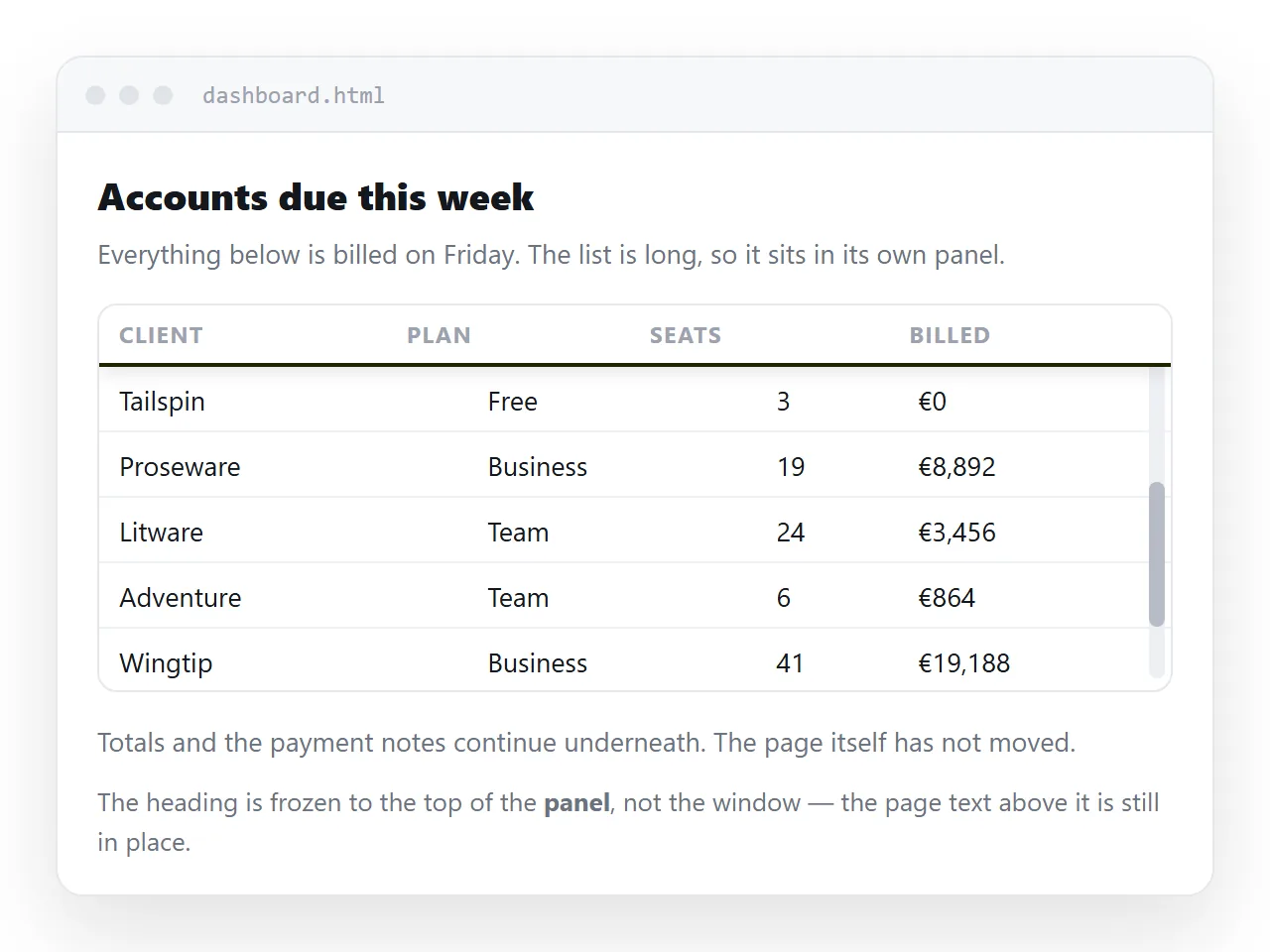
| Wrapper scrolls | max-height plus overflow: auto on the wrapper |
Header pins to the top of the box, page stays still |
The second is right for a dashboard where the table is one panel among several. The first is right when the table is the page.
.table-box { max-height: 70vh; overflow: auto; }
If your header sticks to the window when you wanted it inside the box, the wrapper has no height, so it never scrolls and cannot be the container.
The three ancestors that break it silently
Nothing warns you. The declaration is valid, it is applied, and the header scrolls away anyway.
overflow: hiddenon an ancestor. It makes that element a scroll container that cannot scroll, so the sticky cell has nothing to travel within. Common on layout wrappers added for a different reason.overflow: clipon an ancestor. Same effect for the same reason.- A fixed height on the table itself. Tables do not honour height the way blocks do, and a constrained table can leave the header nowhere to hold.
Work upwards from the table in the browser inspector until you find the element with an overflow value, and decide whether it needs one.
The background and the stacking order
A sticky header keeps its transparency. If the table is on white and the header has no background, the body rows paint straight through it as they pass.
Set a colour, and set it for both themes if the page has a dark mode. Then add z-index, because without it the header and the body cells are in the same painting layer and later content can win.
A value of 2 on the header is enough for a plain table. When a pinned first column is also present, the corner cell needs a higher value than either.
thead th { z-index: 3; }
tbody th { position: sticky; left: 0; z-index: 2; }
thead th:first-child { left: 0; z-index: 4; }
Borders on a frozen header
Under border-collapse: collapse, the rule under the header belongs to the shared edge between the header and the first body row. That edge does not travel with the sticky cell, so the frozen header can lose its underline as it detaches.
Switch to separate borders with zero spacing and put the rule on the header cell itself:
table { border-collapse: separate; border-spacing: 0; }
thead th { border-bottom: 1px solid #e3e3e3; }
Border collapse covers the trade in full. A box shadow under the header is the other option, and it reads as depth once the table is scrolled.
The alternatives, and when they are better
- A caption instead. For a table under about fifteen rows, a frozen header is noise. The reader can see the header and the data at once.
- Repeating headers in print.
theadalready repeats on every printed page in most browsers. Sticky has no effect on paper. See print stylesheets. - Stacking on mobile. Below phone width a frozen header may be a bigger obstruction than help. Responsive tables covers the switch.
Checking it and passing it on
Test it in a window that has never seen the rest of your project. The HTML file opener renders the file on its own.
An ancestor overflow rule from a shared stylesheet is the usual cause of a header that worked locally and stopped working once it was in place.
To give the table to someone, paste the HTML into a NOS document. It renders as written, sticky header included, at an address of its own. Share, then Share link, then Create link gives a link that opens in one click.
A screenshot would lose the scrolling that the frozen header exists to support, which is the argument for the link over an image or a PDF. HTML to link is the same route for any page.