A feedback link is written notes published at an address, so each point can be referenced directly instead of being quoted through an email thread.
The problem it solves is not writing feedback. It is discussing it afterwards.
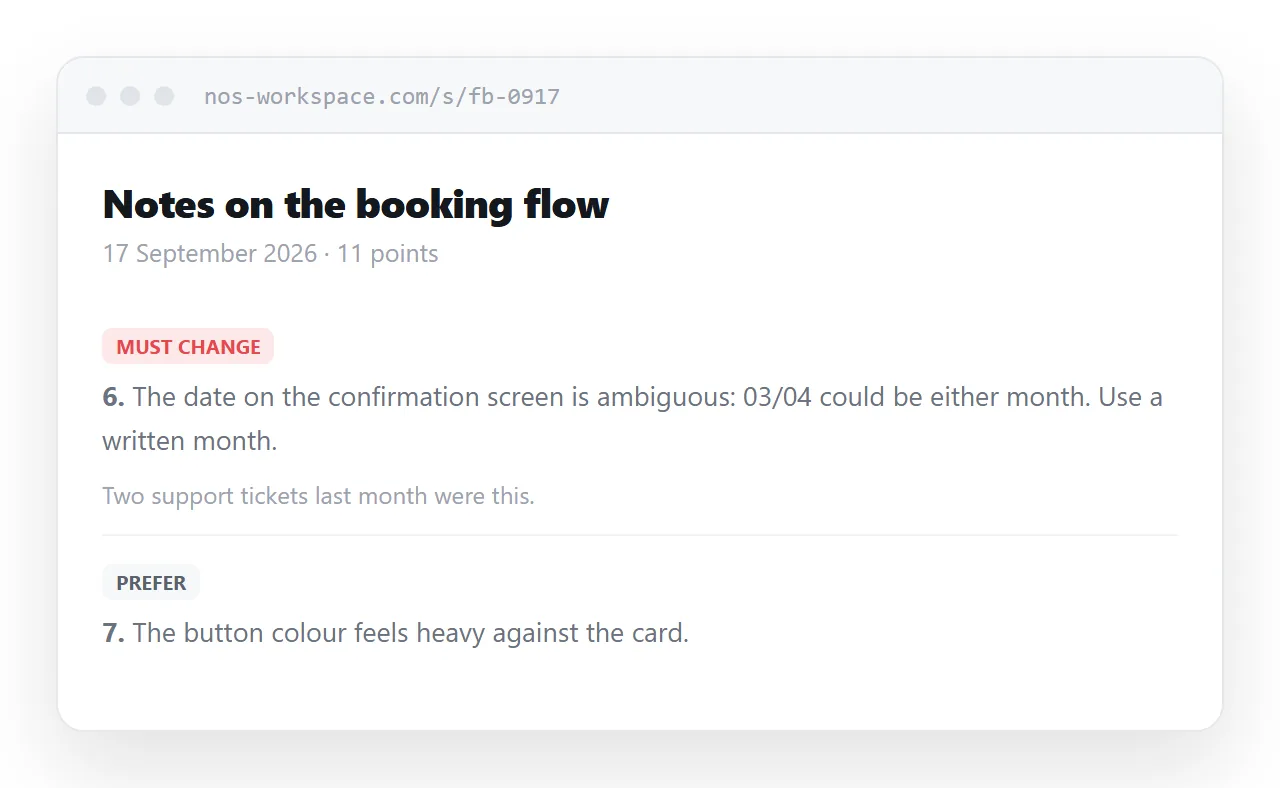
This guide covers numbering points so they can be linked, separating must from prefer, recording what was resolved, and where tool comments are the better answer.
Points need addresses
Feedback generates replies, and replies are where email fails.
By the third exchange, quoted text has been trimmed and re-indented until nobody is sure which point a comment refers to. Two people end up discussing different things in the same thread.
<li class="point" id="p-6">
  <a class="num" href="#p-6">6</a>
  <span class="tag must">Must change</span>
  <p>The date on the confirmation screen is ambiguous: 03/04 could be
     either month. Use a written month.</p>
  <p class="why">Two support tickets last month were this.</p>
</li>
The number links to itself, so anyone can copy the address of a specific point. "Point 6 is the one I disagree with" becomes something you can send.
Separate must from prefer
The most common failure in written feedback is a flat list where a typo and a structural problem look identical.
The reader then has to guess what is negotiable, and usually guesses wrong in one direction or the other: either treating preferences as requirements and resenting it, or treating requirements as preferences and shipping something broken.
| Label | Meaning |
|---|---|
| Must change | This blocks it |
| Should change | Do it unless there is a reason not to |
| Prefer | My taste. Ignore freely |
| Question | I do not understand this yet |
Four labels is enough. The question label is worth having because a surprising number of notes are really requests for explanation, and marking them as such avoids someone rebuilding a thing that was fine.
Every point needs a reason
A note without a reason invites an argument about taste. A note with a reason invites a solution.
"The date is ambiguous because 03/04 could be either month, and we had two support tickets about it" gives the reader something to solve. They might solve it differently from how you would, which is usually fine and occasionally better.
Keep reasons to one line. The point is to make the note actionable, not to justify yourself.
Record what was resolved
This is where a page moves ahead of any document.
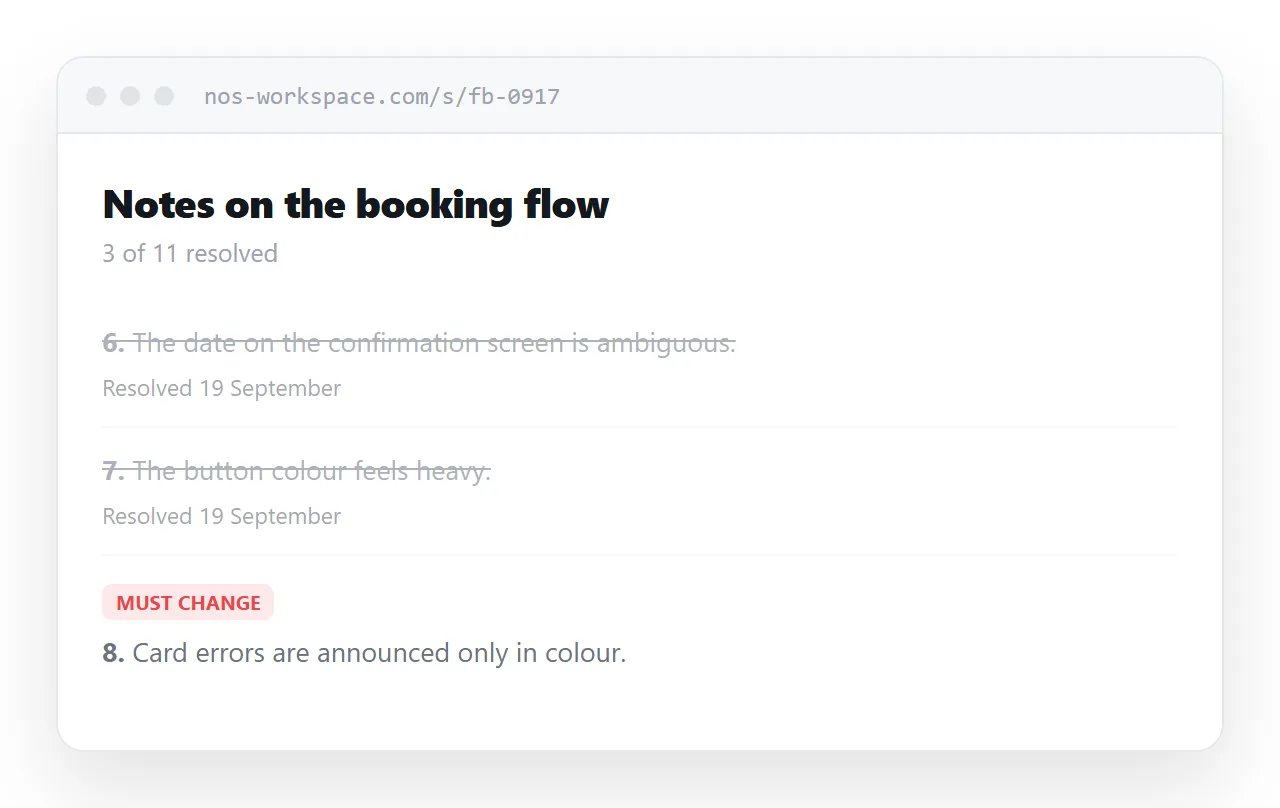
As points are addressed, mark them. The page becomes a record of the conversation rather than a static list of complaints, and the next round starts from what is outstanding.
.point.done { opacity: 0.55; }
.point.done p { text-decoration: line-through; text-decoration-color: #b8bec6; }
.point .resolved { font-size: 0.85rem; color: #5a626c; }
Date each resolution, and keep resolved points visible rather than deleting them. Someone coming back in a month needs to see what was decided and when, and a point that silently vanished reads as a point that was ignored.
Keep it private
Feedback is about someone's work, and in some cases about how they work. That is not material for a public address.
Use an address nobody can guess, keep it out of search engines, and think about who else will see the link. Feedback written for one person and forwarded to their manager reads very differently from feedback written for a manager.
If notes could be read as an assessment of a person rather than of a piece of work, that is a conversation rather than a page.
Where tool comments win
Anything positional belongs in the tool.
A comment pinned to a specific element in a design file, a line comment in a code review, a suggestion anchored to a paragraph: those carry their location with them and a page cannot match that.
Use both. Positional notes in the tool, and the page for the summary that does not attach to one place: the priorities, the structural concerns, and what you want to see in the next version.
Put it at an address
Number the points, label what is required, give each one a reason, and create a share link.
Then when they reply about point 6, you both know which point 6 is.