What is CORS?
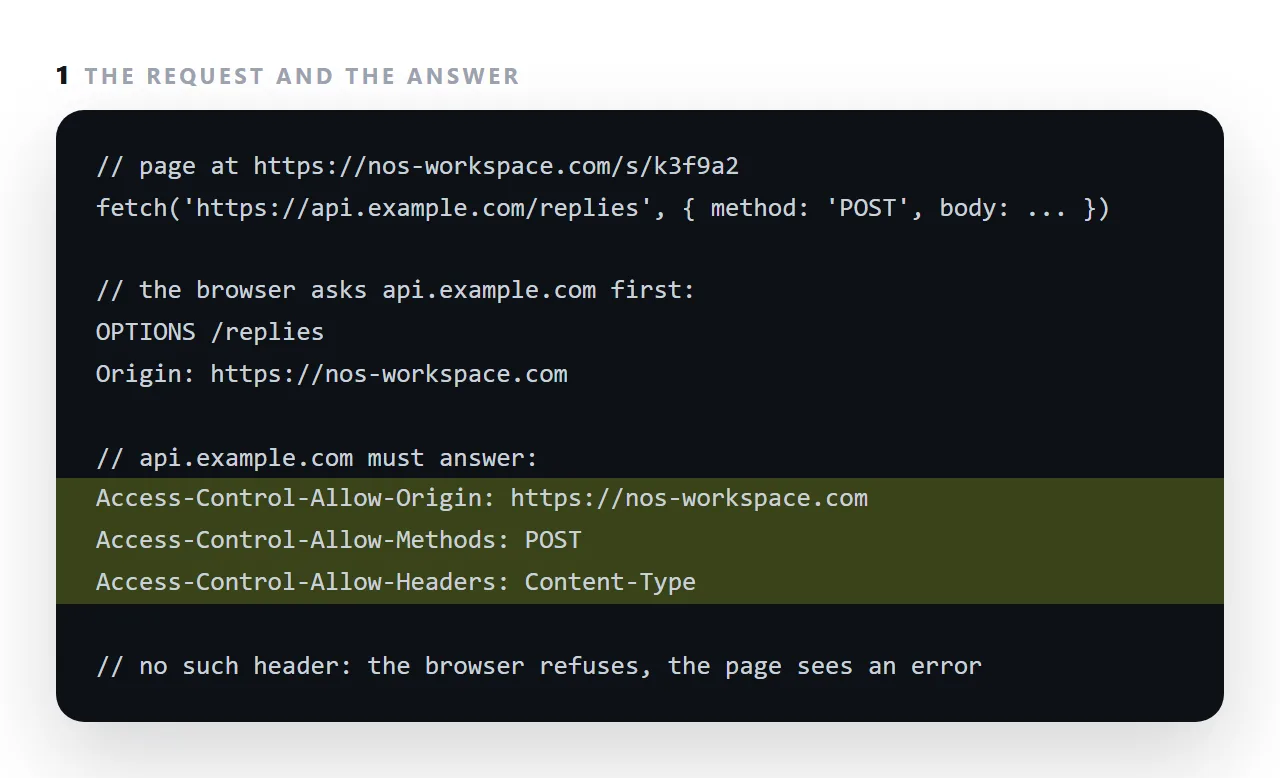
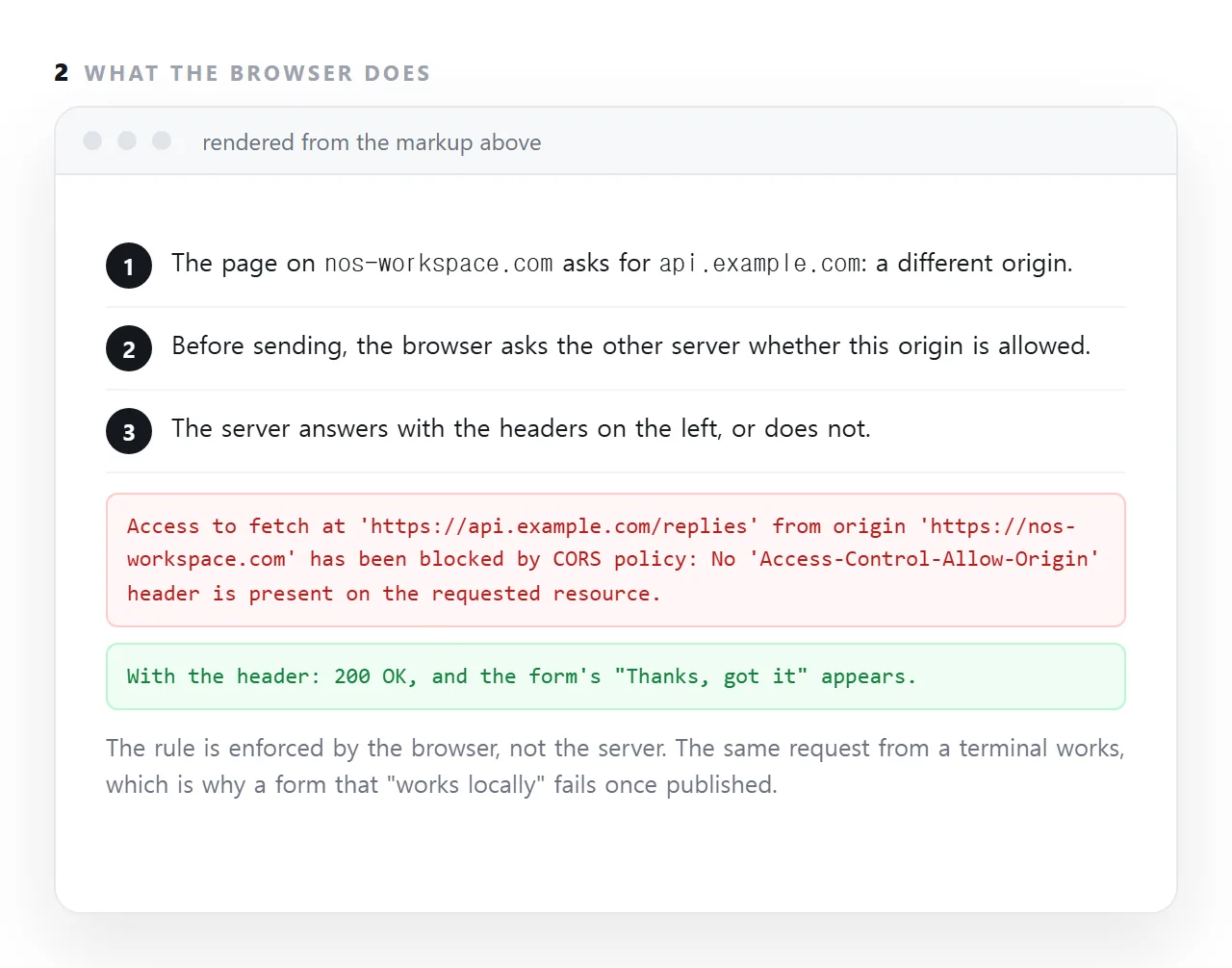
It is the rule browsers enforce on requests from a page at one origin to a server at another: the browser sends the request, and it will only let the page read the answer if the server's response carries an Access-Control-Allow-Origin header naming the page's origin.
The same request from a terminal works, because the rule is the browser's, not the server's, which is why a form that "works locally" fails the moment the page is published somewhere.
This guide covers what an origin is, why the rule exists, the exact console message, and the fix on the server side.
Access to fetch at 'https://api.example.com/data' from origin
'https://mysite.com' has been blocked by CORS policy: No
'Access-Control-Allow-Origin' header is present on the requested resource.
That message is precise and reads like an accusation against your page. It is a statement about the server you called.
What an origin is, and why CORS cares
https://example.com          ← origin
https://example.com:443      ← same (443 is the default for https)
http://example.com           ← DIFFERENT (scheme)
https://api.example.com      ← DIFFERENT (host)
https://example.com:8080     ← DIFFERENT (port)
Scheme, host, port. All three must match. api.example.com is a different origin from example.com, which surprises people who assume a shared domain is enough.
Why the rule exists
Without it, any page you visited could read any site you were signed into — your mail, your bank — using your own cookies, and send the contents anywhere. Origin separation is what stops that, and CORS is the controlled exception to it.
Which side has to change
The server being called. It must send:
Access-Control-Allow-Origin: https://mysite.com
or, for a genuinely public endpoint:
Access-Control-Allow-Origin: *
Nothing you do in the page can grant this. Not a header on your side, not a fetch option, not a proxy trick in the browser. If you do not control the server, your options are to ask them, use a server of your own as an intermediary, or use a different endpoint.
The confusing part
<script>
  fetch('https://api.example.com/save', { method: 'POST', body: data });
  // console shows a CORS error — and the server saved the data
</script>
For simple requests the browser sends the request and then blocks your script from reading the response. So the server has already acted. That is why a form submission can appear to fail and turn out to have worked.
Preflight
Non-simple requests — anything with Content-Type: application/json, a custom header, or a method other than GET, POST or HEAD — trigger a preflight first:
OPTIONS /save
Origin: https://mysite.com
Access-Control-Request-Method: POST
Access-Control-Request-Headers: content-type
The server must answer with:
Access-Control-Allow-Origin: https://mysite.com
Access-Control-Allow-Methods: POST
Access-Control-Allow-Headers: content-type
Access-Control-Max-Age: 86400
Here the block happens before the real request, so nothing reaches the server at all. Max-Age lets the browser cache the answer instead of asking before every call.
Credentials
<script>
  fetch(url, { credentials: 'include' });
</script>
To send cookies the server must reply with Access-Control-Allow-Credentials: true and name a specific origin. A wildcard is rejected when credentials are involved — deliberately, since "any site may read this with the user's cookies" is never a safe thing to say.
Why it appears at publishing time
Locally your page and your API are often both on localhost, which is one origin, so nothing is blocked. Published, they are on different hosts and the rule engages.
This is the single most common reason a form that worked locally fails once published. Test against the real origins before you rely on it.
Not CORS
Two adjacent errors that are not CORS:
- Mixed content — an
httprequest from anhttpspage. Blocked for a different reason, fixed by usinghttps. - Content-Security-Policy — your own page's policy forbidding the connection. The message names the policy, and you fix it on your side.
Reading the error correctly
The message names which part failed, and each points somewhere different.
| Message fragment | What happened | Who fixes it |
|---|---|---|
No 'Access-Control-Allow-Origin' header |
The server did not permit your origin | The server |
does not match the supplied origin |
It permitted a different origin | The server |
Response to preflight request doesn't pass |
The OPTIONS answer was wrong or missing |
The server |
credentials mode is 'include' with a wildcard |
Wildcard plus cookies is not allowed | The server, naming your origin |
has been blocked by CSP |
Not CORS — your own page's policy | You — see Content-Security-Policy |
Mixed Content |
Not CORS — an http request from https |
You — see mixed content |
The last two rows are the ones that waste time, because they appear in the same console position as a CORS failure and are fixed on the opposite side.
Testing before you publish
Run your page from a local server rather than opening the file, and point it at the real endpoint. Opening the file gives you the file:// origin, which behaves differently again — see the file protocol.
python3 -m http.server 8000
That gives the page a real origin, so a CORS problem shows up now rather than after deployment.
Three things that are not CORS
A request that never happens. If the console shows no CORS error and the Network panel shows no request, the script failed before the fetch; read the first console error instead.
A 404 or 500. The server answered with an error, and the answer may lack the header, so the browser reports CORS as well. Fix the server error first; the CORS message is a symptom.
A file:// page. A page opened from disk has no origin the server can name, so every cross-origin request fails. Serve the page at an address and test there.
Allowing everyone, and when that is fine
Access-Control-Allow-Origin: * lets any page read the response. That is correct for a public, read-only resource, a published data file or an image, and wrong for anything that identifies the reader or accepts a submission from them. For a form endpoint, name the origins that may post to it and no others.
Fixing a CORS error: 4 steps
- Read the console error. It names the origin that was refused and the address that refused it. That is the whole diagnosis.
- Add the header on the server.
Access-Control-Allow-Originwith the page's origin, plusAllow-MethodsandAllow-Headersfor what the request uses. - Answer the preflight. A POST with JSON triggers an
OPTIONSrequest first; the server must answer it with the same headers and a 200. - If you do not control the server, use a receiver that does. A form service, or your own small endpoint that allows your origin. Sharing a form covers the options.