The MIME type of an HTML file is the label the server sends with it in the Content-Type header, and it decides what the browser does with the bytes: text/html draws a page, text/plain shows the source as text, application/octet-stream saves the file to Downloads.
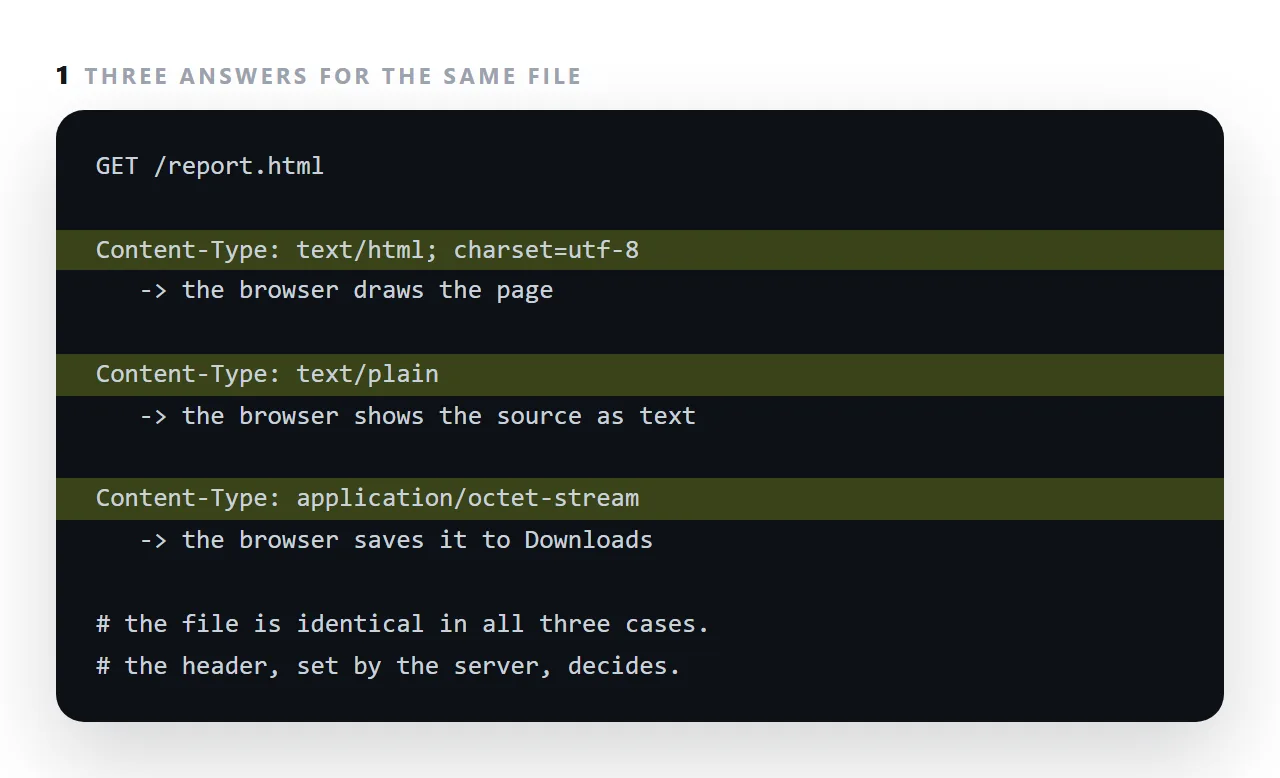
The file is identical in every case; the header is the whole difference.
This guide covers the types that come up, why the extension is irrelevant once a server is involved, the nosniff header that stops browsers guessing, how to check a response, and where the wrong type comes from.
Content-Type: text/html; charset=utf-8
That header, not the filename, decides what the browser does with your file.
The MIME types that come up
| Type | Browser behaviour |
|---|---|
text/html |
Renders as a page |
text/plain |
Shows the source as text |
application/octet-stream |
"Unknown binary" — downloads it |
application/json |
Shows or hands to a script |
image/svg+xml |
Renders the SVG |
image/png, image/webp |
Displays |
text/css |
Applies as a stylesheet |
application/javascript |
Executes |
font/woff2 |
Loads as a font |
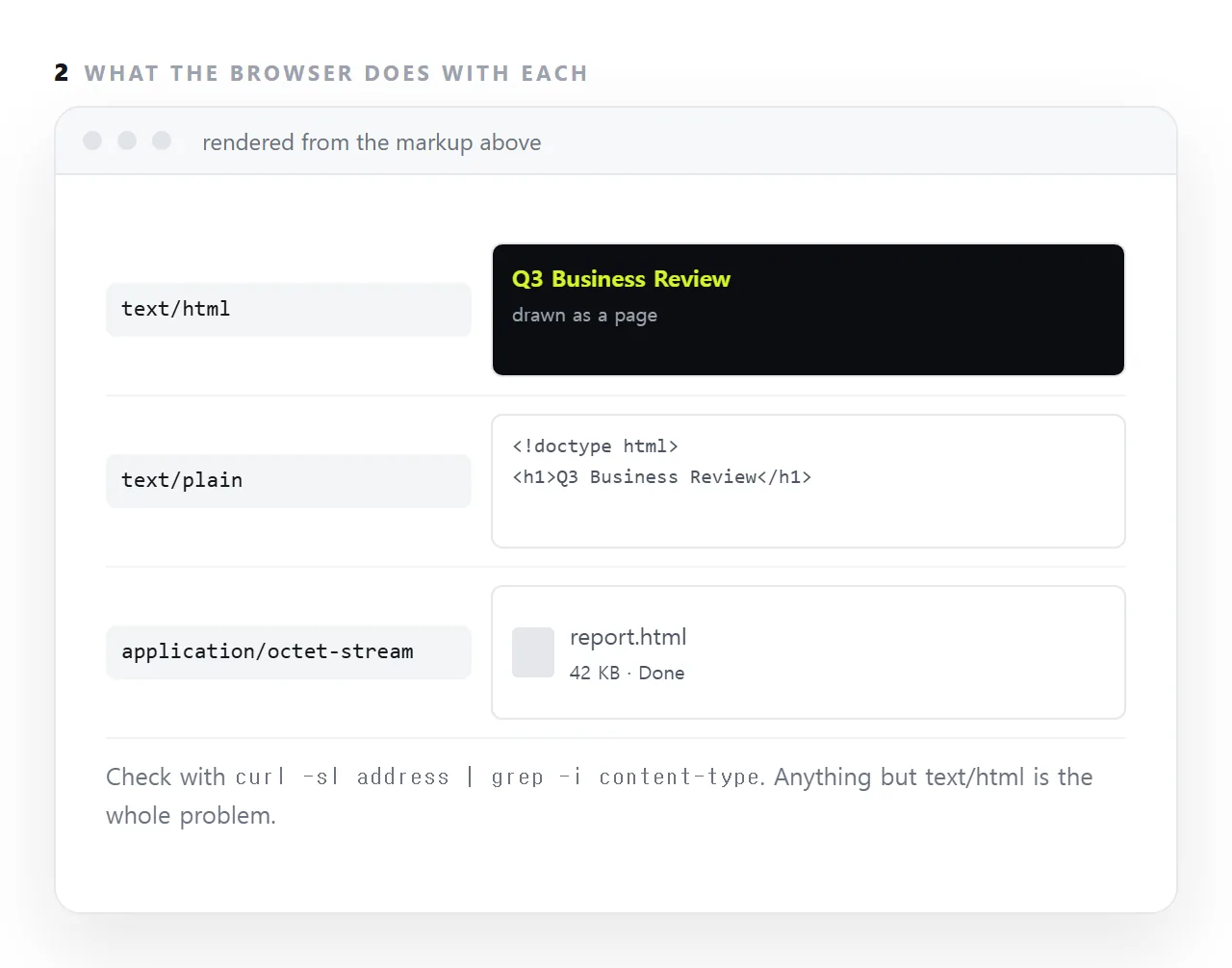
Three of those cause the usual complaints. octet-stream makes your page download instead of opening. text/plain makes it show as code. And the wrong CSS type makes a stylesheet silently not apply.
The extension is irrelevant over the network
This is the part that trips people up. Locally there is no server and no header, so the browser guesses from the extension — and guesses right. Once a server is involved its header wins absolutely.
So a file called report.html served as application/octet-stream downloads. Renaming it changes nothing.
Checking
curl -sI "https://example.com/report.html" | grep -i -E "content-type|content-disposition"
Two headers, and between them they explain every "it will not open" case:
Content-Type |
Content-Disposition |
Result |
|---|---|---|
text/html |
absent | Renders |
text/html |
attachment |
Downloads anyway |
octet-stream |
absent | Downloads |
text/plain |
absent | Shows source |
Content-Disposition: attachment overrides a correct content type. That is how mail and chat attachment links behave, and it is why those links never render your page.
Where wrong types come from
Cloud storage buckets default to octet-stream for anything they were not told about. The upload succeeded; the type was never set.
Static hosts with an incomplete extension map. Usually fine for .html and wrong for newer things — .webp, .avif, .woff2.
Code hosting raw links serve text/plain deliberately, so nobody's browser executes a script straight out of a repository.
Cloud drives serve a viewer page rather than your file at all — see HTML in a cloud drive.
Always include the charset
Content-Type: text/html; charset=utf-8
Without it the browser guesses the encoding, and a wrong guess turns every accented character and every non-Latin script into rubbish. The page also has a meta tag for this:
<meta charset="utf-8">
Both is correct. The header wins where they disagree, and the meta tag covers the case where the file is opened locally with no header at all.
nosniff
X-Content-Type-Options: nosniff
Browsers historically guessed a type when the declared one looked wrong — "content sniffing". That guessing was exploitable: an uploaded file declared as an image but containing script could be sniffed as script and executed. nosniff turns it off.
Worth setting, with one consequence: a stylesheet served with the wrong type will now be refused outright rather than working by accident. If styles disappear after adding this header, a CSS file has the wrong type — which was always true and was being papered over.
Why publishing avoids the whole topic
Somewhere whose job is serving pages sends text/html by default. There is no header to configure, nothing lands in a Downloads folder, and the charset is set for you. In NOS a pasted page is served as a page — the entire category of problem on this list does not arise.
Where the wrong type comes from
Object storage defaults to application/octet-stream for anything it was not told about at upload, which is the most common cause when a developer put the file up.
Code hosts serve raw files as text/plain on purpose, so nobody runs a script straight out of a repository. Mail and chat attachments carry Content-Disposition: attachment, which forces a download whatever the type says.
Small self-hosted servers decide the type by extension from a table, and a missing .html entry falls back to binary. In every case the file is fine and the label is wrong.
nosniff
Browsers used to guess the type from the content when the header looked wrong, which let an attacker serve a script as an image. X-Content-Type-Options: nosniff tells the browser to believe the header and never guess, and most hosts send it now.
It is also why an HTML file served as text/plain shows as text rather than being helpfully rendered: the browser is doing what it was told.
Getting the type right: 4 steps
- Check what the server sends.
curl -sIon the address and read thecontent-typeline. Anything buttext/htmlis the cause of a download instead of a page. - Set
text/htmlfor.htmland.htmon the server. A property on the object in a bucket, a line in a static host's type map, or the route's response header. - Add
charset=utf-8.text/html; charset=utf-8, so accented characters and symbols render instead of turning into question marks. - If you cannot change the server, serve the page from one that gets it right. A NOS document sends the right type without configuration: Share, then Share link, then Create link.