When an HTML file downloads instead of opening, the browser did exactly what the server asked. Somewhere between the file and the reader, a response header said "this is a download". The page itself is not damaged, and renaming it will not help.
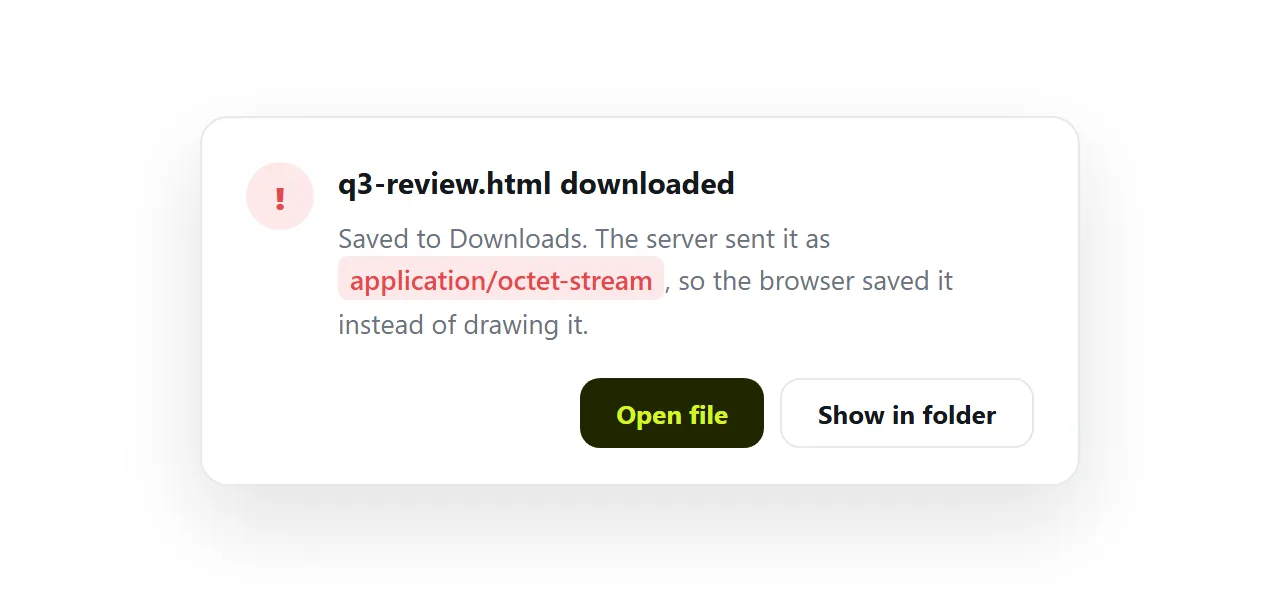
This guide shows the two headers that cause it, the one command that tells you which one you have, and what to do in the five places it usually happens.
The two headers that decide it
A browser fetching a file over the network does not look at the file extension. It reads the response headers and acts on two of them.
| Header | Value | What the browser does |
|---|---|---|
Content-Type |
text/html |
Renders it as a page |
Content-Type |
application/octet-stream |
Treats it as unknown binary data and saves it |
Content-Type |
text/plain |
Shows the source code as text |
Content-Type |
missing | Guesses, and different browsers guess differently |
Content-Disposition |
absent, or inline |
Renders it |
Content-Disposition |
attachment |
Saves it, whatever the type says |
So an HTML file downloads instead of opening for exactly three reasons: the wrong content type, a disposition of attachment, or both at once. A fourth, rarer one is a link written with the download attribute, which tells the browser to save the target no matter what the server says.
This is also why the file opens fine on your own machine. A double-click involves no server and no headers, so the browser falls back to guessing from .html and guesses correctly.
The moment a server is in the middle, its header wins and the extension stops mattering. See MIME types for the full list of types and the nosniff header that stops the browser guessing at all.
How to check which header you have
One command, and the answer is not ambiguous:
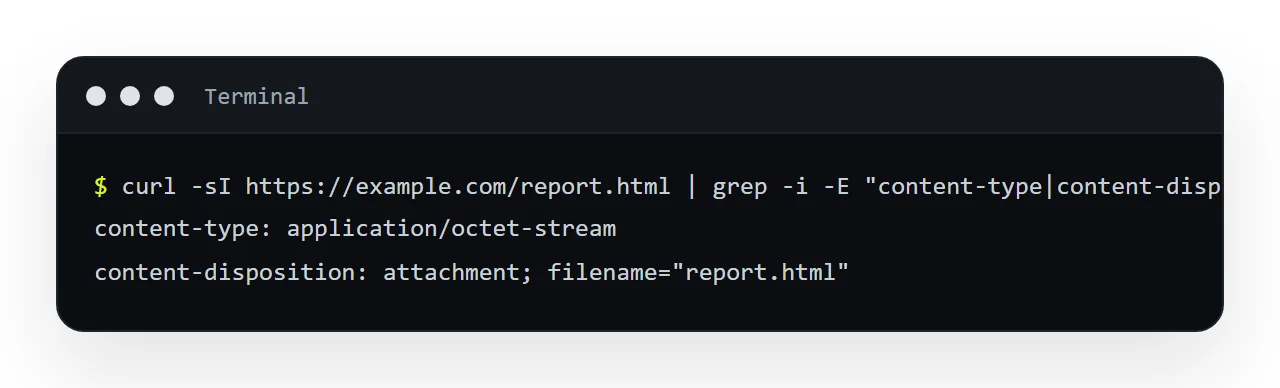
curl -sI "https://example.com/report.html" | grep -i -E "content-type|content-disposition"
On Windows, PowerShell can do the same with Invoke-WebRequest -Method Head. Or skip the terminal: open the link in a browser, press F12, open the Network tab, reload, click the request and read the response headers.
If the line says anything other than text/html, that is the whole problem. If there is a content-disposition: attachment line, that is the whole problem even when the type is right.
Where the wrong header comes from
The header is set by whatever serves the file, so the fix depends on what that is. These are the five places it usually happens.
A cloud storage bucket. Object storage services default to application/octet-stream for anything they were not told about at upload. The file went up fine; the type was never set. This is the most common cause when a developer uploaded the file, and it is fixable from the bucket settings.
A mail or chat attachment. Mail clients and chat apps deliberately send Content-Disposition: attachment on every file. They are handing you a file, not hosting a page. There is no setting on either side that changes this. An HTML file sent through mail or chat will always download.
A cloud drive share link. Drive services do not serve the file at all. The link opens a viewer page, and since HTML is not a format their viewers render, the viewer offers a download. That is a different mechanism with the same result, covered in HTML in a cloud drive.
A raw file link from a code host. These serve text/plain on purpose, so that nobody's browser runs a script straight out of a source repository. You see the markup instead of the page. Same root cause, different symptom.
A static host with an incomplete type map. Small self-hosted servers decide the type by looking the extension up in a table. If .html is missing from the table, or the file was saved as .htm and only .html is listed, the server falls back to binary. One line of configuration fixes it.
How to fix it: 5 steps
- Confirm the file itself is fine. Open it from your own disk. If it renders there, nothing inside the file needs fixing and you can stop looking at the markup.
- Read the headers the address sends. Run the
curlline above. Note which of the two headers is wrong. - If you control the server, set the type. On a bucket, set the object's content type to
text/htmlat upload or edit it afterwards. On a static host, add.htmlto the type map. On your own server, removeContent-Disposition: attachmentfrom that route. In the page that links to it, remove anydownloadattribute from the<a>tag. - If you do not control the server, move the page. Mail, chat and drives are not going to serve HTML as a page, so there is nothing to configure. Publish the page somewhere whose job is serving pages, and send that address instead of the file.
- Verify in a private window. Open the new address logged out. If it renders there, it renders for the person you send it to.
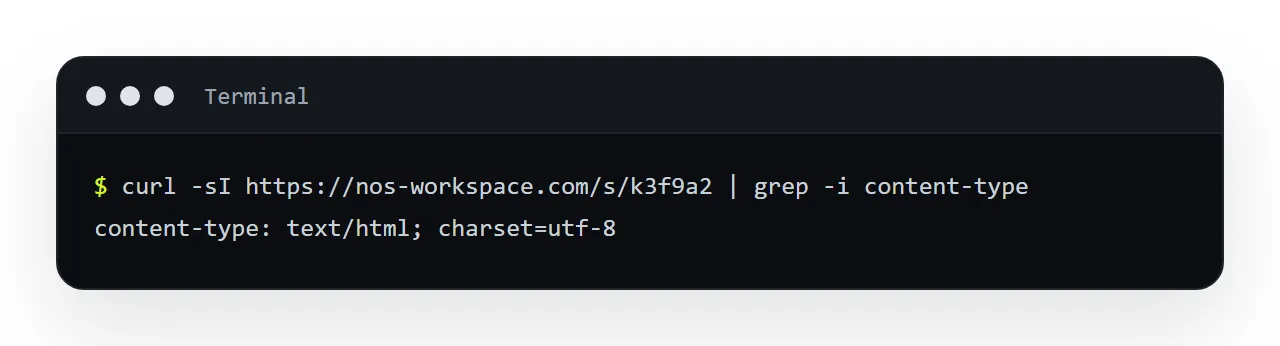
The fix that removes the problem entirely
Half of the sources above are not yours to fix, which is the practical argument for not fighting them. Put the page somewhere whose job is serving pages.
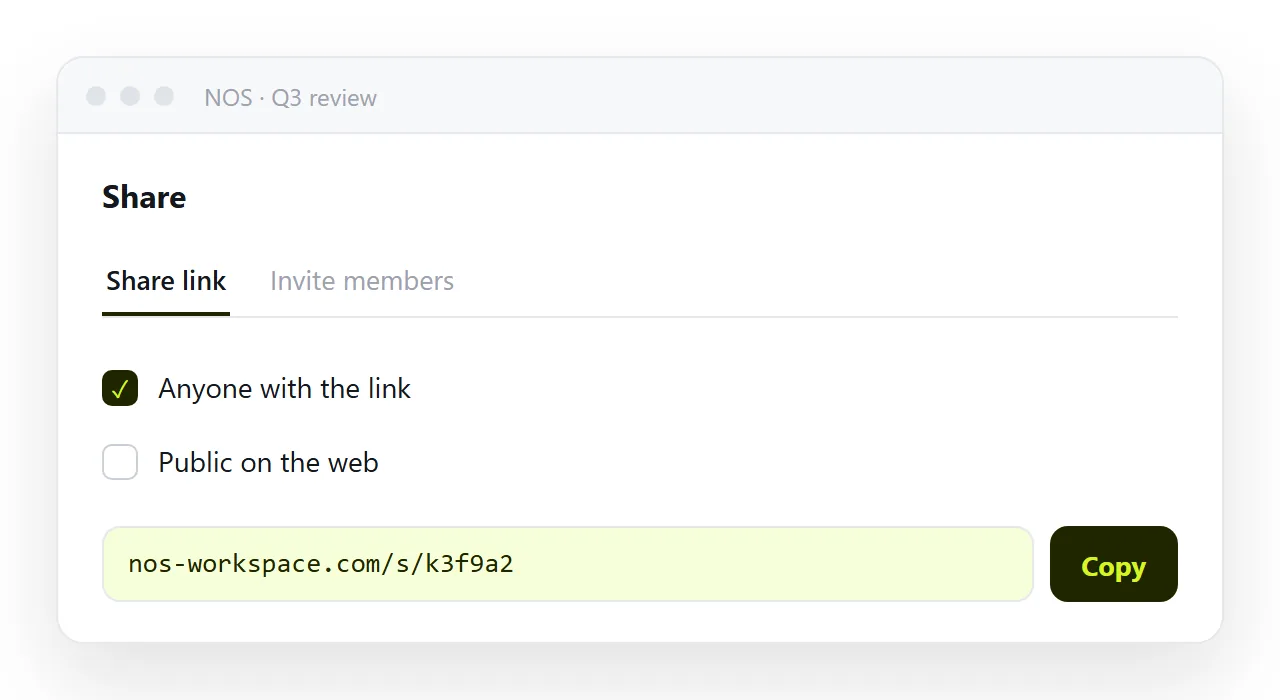
There, text/html is the default rather than something to remember, and the link opens immediately for whoever receives it, including on a phone, where a downloaded HTML file is close to unopenable.
In NOS the pasted HTML becomes a page at its own address, served as a page. There is no header to configure, no bucket setting to find, and nothing lands in anyone's Downloads folder. Fixing a typo does not change the address, so a link you already sent keeps working and shows the corrected version.
Quick diagnosis
| Symptom | Cause | What to do |
|---|---|---|
| File saves to Downloads | octet-stream or attachment |
Set text/html, or publish the page |
| Source code shown as text | text/plain |
Same |
| Renders for you, downloads for them | No header locally, wrong header at the address | Check with curl -sI |
| Downloads in one browser, opens in another | Type missing, browsers guess differently | Set the type explicitly |
| Downloads only when clicked from one page | download attribute on that link |
Remove the attribute |
| Phone saves it every time | The phone has no way to open a local page | Send an address instead |
Where the wrong header comes from, and whether you can change it
| Source | Typical header | Fixable by you |
|---|---|---|
| A cloud storage bucket | application/octet-stream |
Yes, set the object's content type |
| A mail or chat attachment | Content-Disposition: attachment |
No |
| A cloud drive share link | A viewer page, not the file | No |
| A code host raw link | text/plain |
No, and deliberate |
| A self-hosted static server | .html missing from the type map |
Yes, one line |
A link with download on it |
Browser ignores the server | Yes, remove the attribute |
| Somewhere that serves pages | text/html |
Nothing to fix |
The rule to remember
The header decides; the filename does not. When an HTML file downloads instead of opening, read the header, and then either change the thing that sends it or stop sending a file at all.