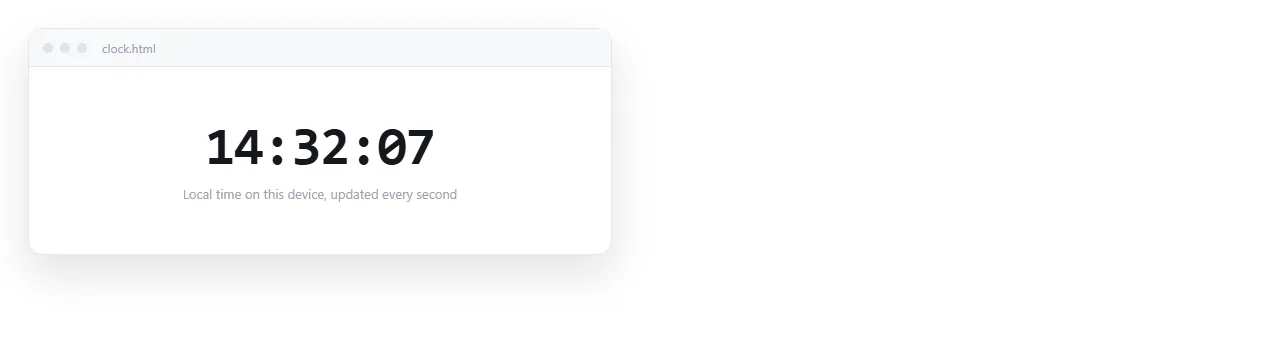
A free HTML clock widget is eight lines, and it needs no account and no third-party script:
<div id="clock" style="font:600 32px system-ui;">--:--:--</div>

<script>
  function tick() {
    document.getElementById('clock').textContent =
      new Date().toLocaleTimeString();
  }
  tick();
  setInterval(tick, 1000);
</script>
Calling tick() once before the interval starts is the detail most snippets miss. Without it the clock shows placeholder dashes for the first second.
Controlling the format
toLocaleTimeString takes a locale and an options object, so you rarely need to assemble the string by hand.
<script>
  const opts = { hour: '2-digit', minute: '2-digit', hour12: false };
  const text = new Date().toLocaleTimeString('en-GB', opts);
</script>
| What you want | Option to pass |
|---|---|
| 24 hour clock | hour12: false |
| No seconds | Omit second from the options |
| A fixed city | timeZone: 'Asia/Seoul' |
| Timezone shown | timeZoneName: 'short' |
| Date as well | Use toLocaleString instead |
Timezone names come from the standard database, so Europe/London, America/New_York and Asia/Seoul all work, and daylight saving is handled for you.
That last point is the reason not to calculate offsets by hand. Adding nine hours to UTC is correct for Seoul all year and wrong for London for about half of it.
Locale matters too, and it is separate from timezone. Passing 'en-GB' gives a 24 hour clock by default, 'en-US' gives 12 hour with AM and PM. Pass undefined to follow the reader's own setting.
Making the clock look like part of the page
A clock is a number that changes, which creates one specific layout problem: the digits are different widths, so the whole line jitters every second.
<style>
  #clock { font-variant-numeric: tabular-nums; }
</style>
One property fixes it. Tabular figures are equal width, so the clock stays still while the numbers change.
Two more small things worth doing. Wrap the clock in a <time> element if the value is a real timestamp, which gives it meaning beyond the visible text. And avoid animating the change, since a fading digit is harder to read than a replaced one.
For a large display clock, set the font size in clamp() rather than a fixed pixel value. The clock then fills a wall screen and still fits a phone without a media query.
A board of several timezones
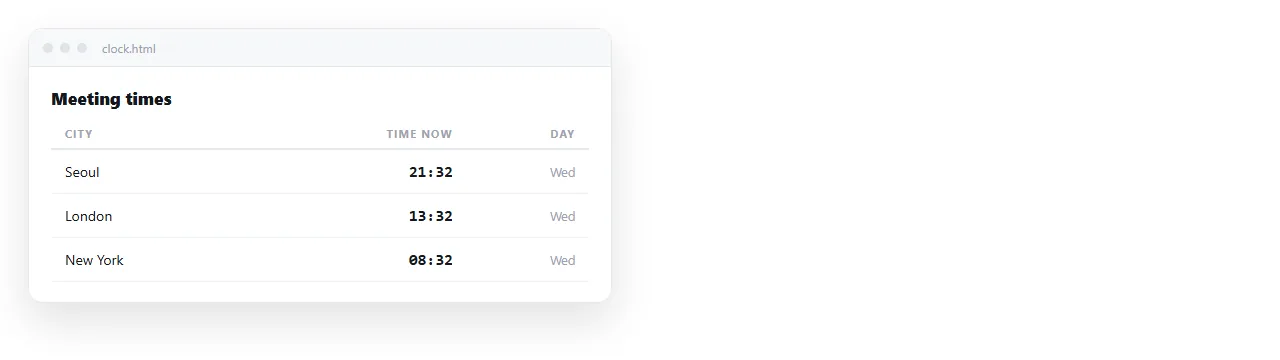
This is the version that actually earns its place in an internal page, because a distributed team checking whether it is a reasonable hour somewhere is a real question.
<table id="zones">
  <tr><th>Seoul</th><td data-tz="Asia/Seoul"></td></tr>
  <tr><th>London</th><td data-tz="Europe/London"></td></tr>
  <tr><th>New York</th><td data-tz="America/New_York"></td></tr>
</table>

<script>
  function tickZones() {
    const now = new Date();
    document.querySelectorAll('[data-tz]').forEach(function (cell) {
      cell.textContent = now.toLocaleTimeString('en-GB', {
        timeZone: cell.dataset.tz,
        hour: '2-digit',
        minute: '2-digit'
      });
    });
  }
  tickZones();
  setInterval(tickZones, 1000);
</script>
Adding a city is one table row. There is no configuration file and no service to sign up to.
Two additions make this board genuinely useful rather than decorative. Print the weekday alongside the time, because the interesting question is often whether it is already tomorrow there.
And mark working hours. A cell that goes grey outside roughly nine to six answers the real question, which is whether it is reasonable to send a message right now, without the reader doing arithmetic.
A countdown, same pattern
A countdown is the same loop with subtraction in the middle.
<div id="left">--</div>

<script>
  const target = new Date('2026-12-31T23:59:59');
  function countdown() {
    const ms = target - new Date();
    if (ms <= 0) { document.getElementById('left').textContent = 'Done'; return; }
    const d = Math.floor(ms / 86400000);
    const h = Math.floor(ms / 3600000) % 24;
    const m = Math.floor(ms / 60000) % 60;
    document.getElementById('left').textContent = d + 'd ' + h + 'h ' + m + 'm';
  }
  countdown();
  setInterval(countdown, 30000);
</script>
Note the interval is 30 seconds, not one. A countdown showing days and hours does not need to be redrawn every second, and a slower interval is kinder to a phone battery.
The target date deserves a timezone. new Date('2026-12-31T23:59:59') is interpreted in the reader's local time, so a deadline set from Seoul arrives at a different moment in London.
Append an offset, or a Z for UTC, to pin it. This is the single most common bug in countdown code, and it only shows up when someone in another country looks at the page.
Your own code against an embedded widget
Both routes exist. The trade is not about difficulty, since both are a paste.
| Your own script | A third-party embed | |
|---|---|---|
| Works offline | Yes | No |
| Can be switched off by someone else | No | Yes |
| Adds an external request | No | Yes |
| Styling under your control | Fully | Whatever the widget allows |
| Analytics or ads attached | None | Depends on the provider |
For a clock, where the browser already holds the answer, there is no information the external service has that you do not. That makes the second column hard to justify.
Sharing a page that has a live clock
A clock is the clearest possible case of something a screenshot cannot carry. The image shows one moment, and it is wrong a second later.
Paste the HTML into a NOS document. It renders and runs as written, script included, at an address of its own. Share, then Share link, then Create link.
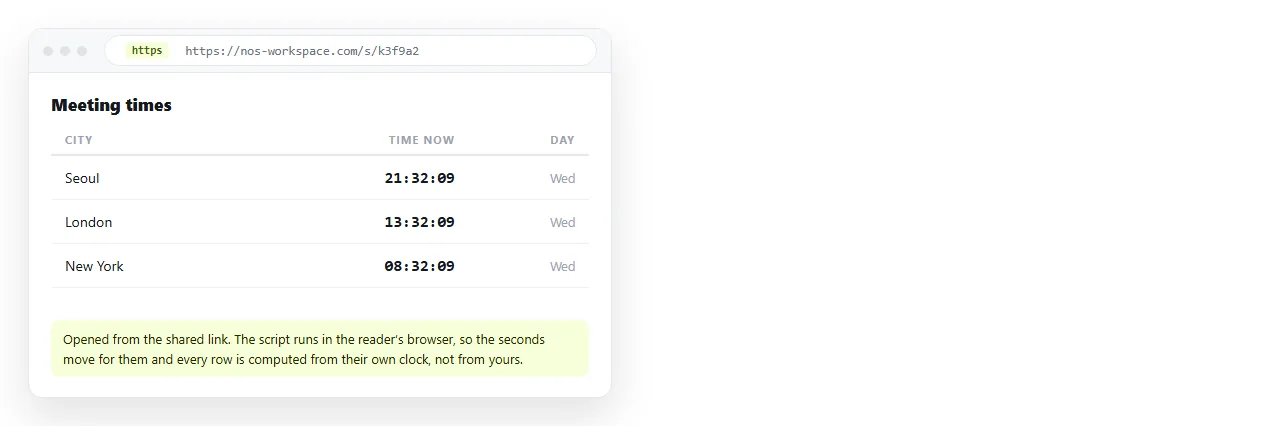
Everyone who opens the link sees a clock running against their own device, which is the point. Turning HTML into a link is that step by itself, and single HTML file apps covers building bigger things the same way.
If the clock renders as static text when you test it, open the file in the HTML file opener. A script kept in a neighbouring file does not travel with the page, and self-contained HTML explains how to fold it in.
Before you paste it into anything
- Does the element show something sensible before the first tick?
- Is the interval as slow as it can be for what is displayed?
- Is the timezone deliberate, either the reader's or a named city?
- Is the script inside the file rather than linked?
- Does it still tick when opened from the shared address?