An HTML countdown timer for email cannot be written in JavaScript, because mail clients remove script tags before displaying a message. The working pattern is an image that is rendered at the moment the reader opens the mail.
This is the one part of email HTML where the fix is not a markup adjustment. The mechanism is different from a web page, so the design has to be different too.
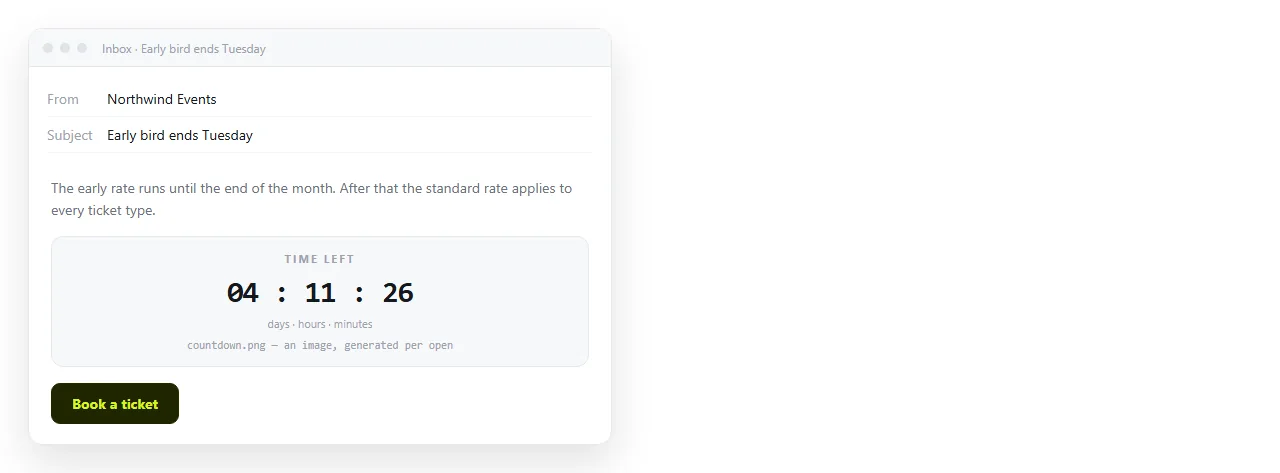
Why an HTML countdown timer for email cannot use a script
On a page, a countdown recalculates every second in the reader's browser. In mail there is no place for that code to live.
Clients strip <script> for the same reason they strip forms and embedded objects: a message is untrusted content arriving from anyone. Nothing in the message gets to execute.
So the remaining time has to be computed somewhere else and delivered as a picture.
The served image pattern
One image tag, with the target time in the address.
<a href="https://example.com/offer">
<img src="https://timer.example.com/?to=2026-12-01T09:00:00Z&style=dark"
width="400" height="96" border="0"
alt="Offer closes 1 December at 09:00 UTC"
style="display:block;">
</a>
Three things to notice. The & between parameters, because this is HTML and a bare ampersand is invalid. The alt text carrying the deadline in words. And display:block, which removes the gap under the image.
When the client requests that URL, the service on the other end works out how much time remains right then and returns the rendered frames.
What each client does with it
| Client behaviour | Result | What to do about it |
|---|---|---|
| Images allowed, GIF animates | Ticking countdown | Nothing |
| Images allowed, no animation | First frame only | Make frame one accurate |
| Images blocked until allowed | Alt text shows | Put the deadline in the alt text |
| Image proxy caches the request | A stale frame | Accept it, and keep the text deadline |
| Plain text view | No image at all | The text deadline carries the message |
Classic Outlook for Windows is the main case in row two. It renders mail through the Word engine and shows a single frame, so treat animation as a bonus and the still frame as the real deliverable.
The text fallback is not optional
A large share of readers see the message with images off, at least on first open. If the deadline exists only inside the image, those readers get a blank box and no information.
Write it in words next to the image:
<div style="font-family:Arial,sans-serif;font-size:14px;color:#444;">
  Offer closes Monday 1 December, 09:00 UTC.
</div>
Always name the time zone. A bare time is read differently by every reader who is not in your office.
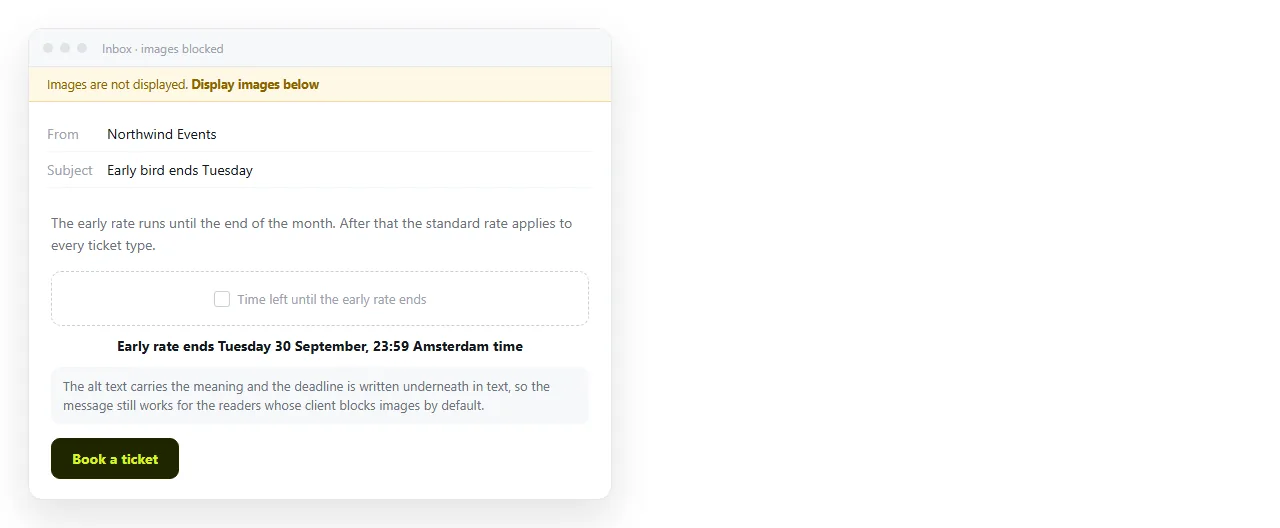
Build the message around a still image
Because animation is unreliable, the layout should still work when the countdown is a single frozen number.
- Put the image above the button, not inside it.
- Keep the button text about the action, not about the clock.
- Do not put the offer terms inside the image.
- Size the image around the usual 600 pixel container width, and set both
widthandheight.
Anything the reader needs in order to act belongs in text.
When the deadline moves
The image URL carries the target time, so a change means editing the markup and resending, which is the same frozen copy problem that affects every part of a campaign.
The messages already delivered keep their old target. There is no way to correct them. That is a reason to treat the mail as a pointer and the page as the source of truth.
Point at a live page instead
The dependable pattern for launches is a short message plus a link to the page that holds the real countdown.
Paste a script based countdown into a NOS document. It renders as written, script included, so the timer runs for whoever opens the link. Create the share link and use that as the destination of the button in the mail.
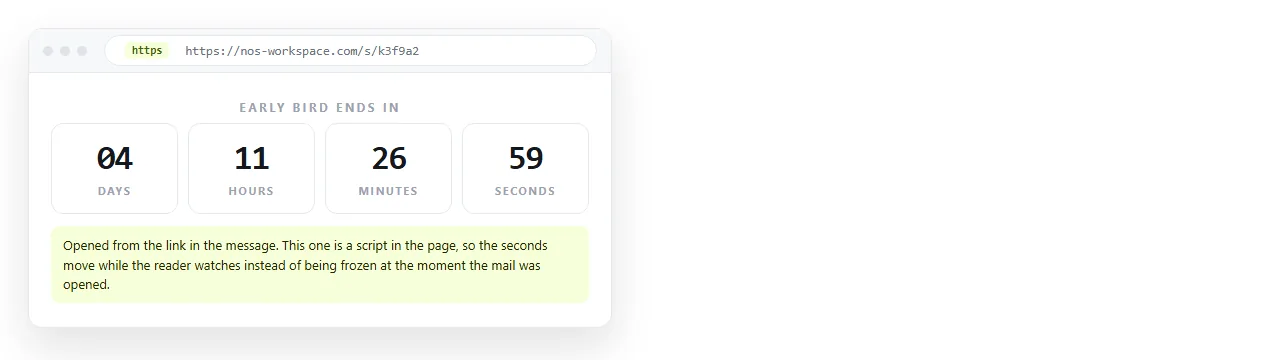
Two advantages follow. The page ticks properly, which the mail never will. And when the date slips, you edit the page and the address does not change, so the link in the message that already went out now points at the corrected date.
Where each piece belongs
| Piece | In the message | On the page |
|---|---|---|
| Ticking countdown | Image, unreliable animation | Yes, live |
| Written deadline | Yes, always | Yes |
| Terms and conditions | A line and a link | Full text |
| The action button | Yes | Yes |
| Anything that may change | No | Yes |
The rule underneath that table is simple. Mail is a frozen copy, a page is not, so anything mutable lives on the page.
Checks before sending
Run the same passes as any other campaign. Open the message HTML in the HTML file opener to confirm it stands alone outside your folder. Send real tests to the clients your readers use, with images both blocked and allowed.
Then check the image address by opening it directly in a browser. If it does not return a picture when requested cold, it will not return one to a reader either.
For the surrounding markup, see HTML email template and HTML email newsletter. For a countdown embedded in a web page rather than a message, see free HTML countdown timer embed widget.