An HTML email signature generator is a form that writes a table based signature block for you, and the output is worth reading line by line before it goes anywhere near the whole team.
The layout it produces is usually sound. The problems sit in the details a form cannot decide for you: where the logo lives, what got added, and how wide the block is.
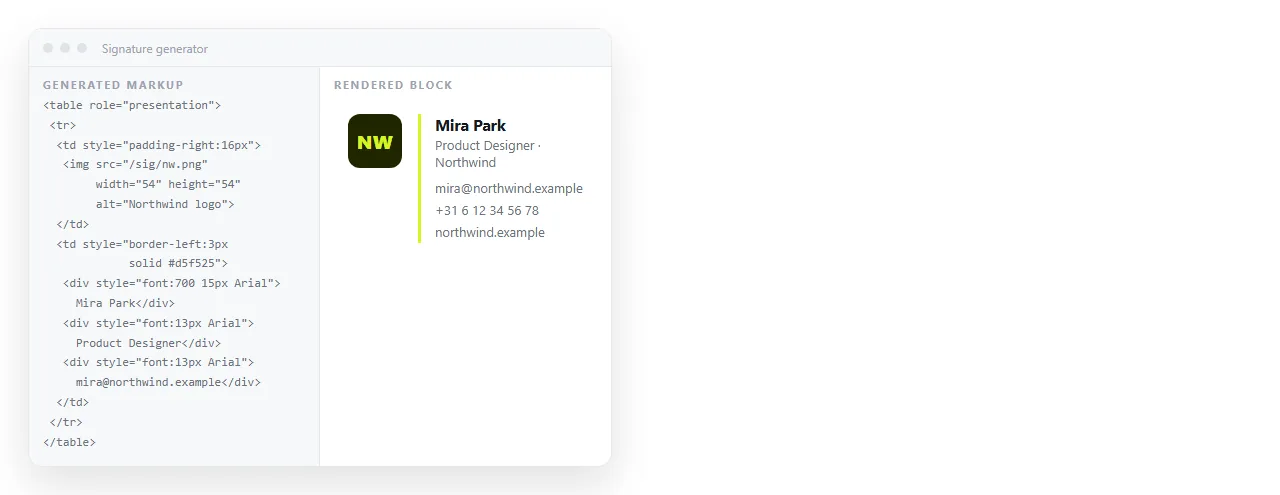
The four checks on generated output
Run these in order. Each has caught a real problem often enough to be worth the minute.
- Image addresses. Search the markup for
src=. If the logo points at the generator's own domain, your branding depends on a service you have no agreement with. Re-host it and swap the address. - Uninvited additions. Free tools sometimes append a line crediting themselves, or insert a one pixel image that reports every open. Remove both.
- Width. Anything wider than about 600 pixels will be cut off in a narrow reading pane. Measure the container rather than trusting the preview.
- Font stack. A single named font with no fallback gets substituted unpredictably. The stack should end in a generic family.
What an HTML email signature generator gets right and wrong
| Part of the signature | Generator output | What you still do |
|---|---|---|
| Table structure | Usually correct | Nothing |
| Inline styles | Usually correct | Nothing |
| Logo hosting | Often their domain | Re-host on yours |
| Tracking pixel | Sometimes present | Remove it |
| Promotional line | Sometimes present | Remove it |
| Font fallbacks | Often thin | Extend the stack |
| Plain text version | Rarely included | Write four lines yourself |
| Outlook behaviour | Untested | Send a real test |
Read the source, not the preview
The preview shows you the result. It does not show you what else is in the file.
Paste the generated HTML into the online HTML editor and look at it as text. A tracking image is easy to spot: a one pixel <img> with a long query string near the bottom of the block.
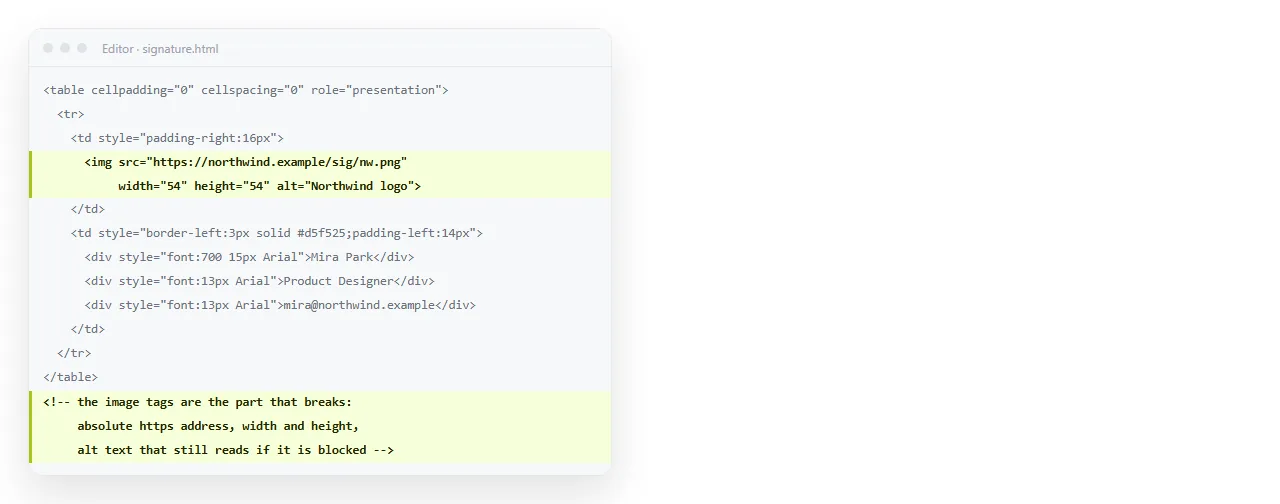
Building your own generator page
For a team of any size this is the better answer, and it is a small page.
You need three things: a form with the fields that change, a template string holding the signature markup, and a button that copies the result.
<label>Name <input id="name"></label>
<label>Title <input id="title"></label>
<button id="make">Build</button>
<div id="out"></div>
<script>
  document.getElementById('make').onclick = function () {
    var n = document.getElementById('name').value;
    var t = document.getElementById('title').value;
    document.getElementById('out').innerHTML =
      '<table cellpadding="0" cellspacing="0" border="0">' +
      '<tr><td style="font-family:Arial,sans-serif;font-size:14px;">' +
      '<strong>' + n + '</strong><br>' + t + ', Example Ltd' +
      '</td></tr></table>';
  };
</script>
Keep the template exactly as your approved HTML email signature, so the generated block is the same markup every time with only the personal fields changing.
Put the generator at an address
A generator page saved as a file on one laptop is not a generator. Everyone needs to reach it.
Paste the page into a NOS document and it renders as written, script included. Create the share link and send that. Each person opens the page, types their name and title, and copies the block into their mail client.
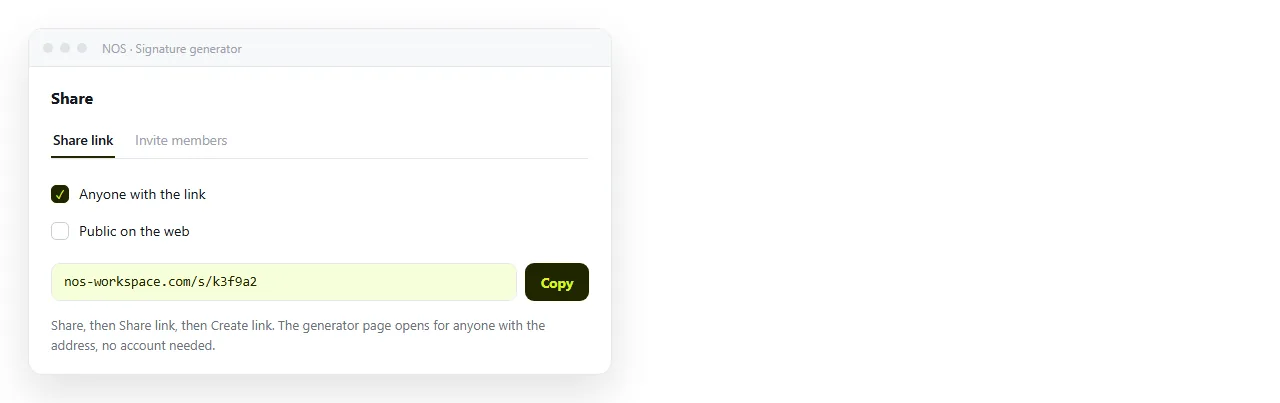
The address holds when you edit. Change the logo or the phone format, and the link people bookmarked in March serves the new version.
What to test before rolling it out
Generated or hand written, the block goes through the same two checks.
Does it stand alone? Open the file in the HTML file opener. It has never seen your folder, so a logo that vanishes there was on a folder path rather than a full address.
Does it survive the clients? Send real test messages. Check it with images blocked, which is how a large share of recipients will see it, and check a reply chain rather than a fresh message.
Rolling it out without a file chain
The usual rollout is an email with a .html file attached and instructions. That runs into every attachment problem at once: gateways strip HTML attachments, phones cannot open them, and the copy freezes the moment you send it.
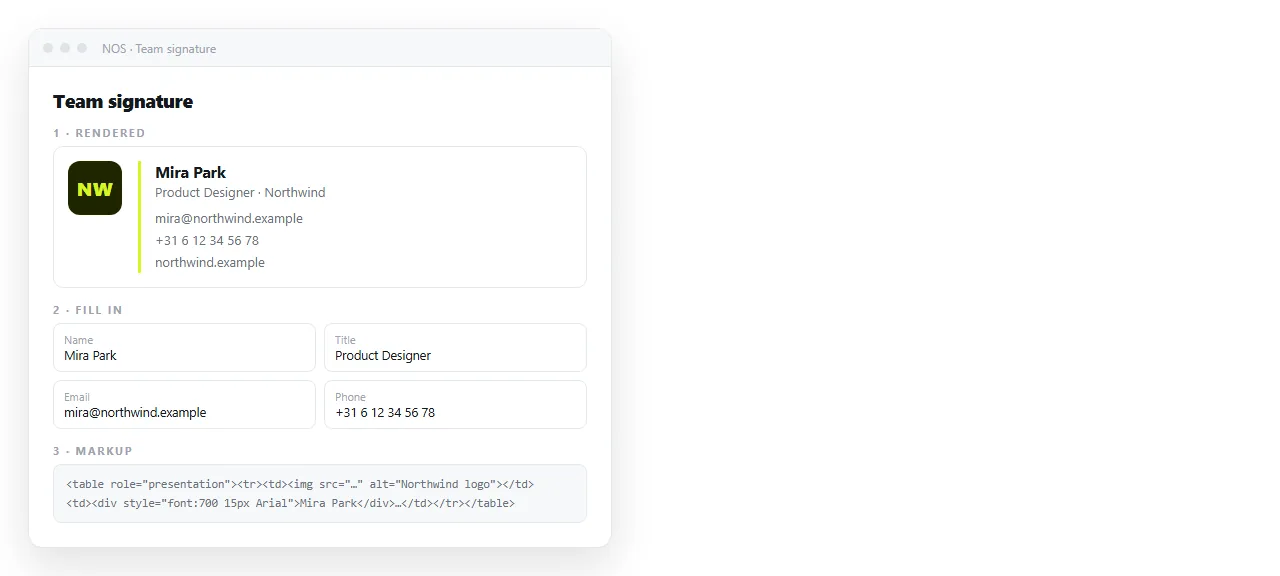
A link does the same job better. Put four things in one document:
- The rendered signature, ready to select and copy.
- The generator form for personal fields.
- The markup in a code block for anyone editing it.
- The install note per client, since Gmail and classic Outlook take different paths.
Fields worth putting in the form
Keep the form to what genuinely varies between people. Everything constant belongs in the template, where it can be corrected once.
| Field | In the form | In the template |
|---|---|---|
| Name | Yes | |
| Job title | Yes | |
| Direct phone | Yes, optional | |
| Pronouns | Yes, optional | |
| Company name | Yes | |
| Logo address | Yes | |
| Company site link | Yes | |
| Legal line | Yes |
If someone needs a field the form does not offer, that is a signal to change the template rather than to let them hand edit their own copy.
When a generator is the wrong tool
Two cases where hand writing is faster.
If your signature is four lines of text with no logo, a generator adds markup you did not need. Write the table yourself in two minutes.
If your organisation deploys signatures centrally through mail server rules, the output has to match that system's placeholder syntax, and a general purpose generator will not produce it. Work from your administrator's template instead.
For the markup itself and the install paths, see HTML email signature. For the wider rules a signature shares with campaigns, see HTML email template, and for the Word engine behaviour, HTML newsletter in Outlook.