A reminder link is a page holding everything about an upcoming commitment, so the message reminding someone can be three lines rather than fifteen.
Be clear about the division of labour: the message does the reminding, the page holds the detail.
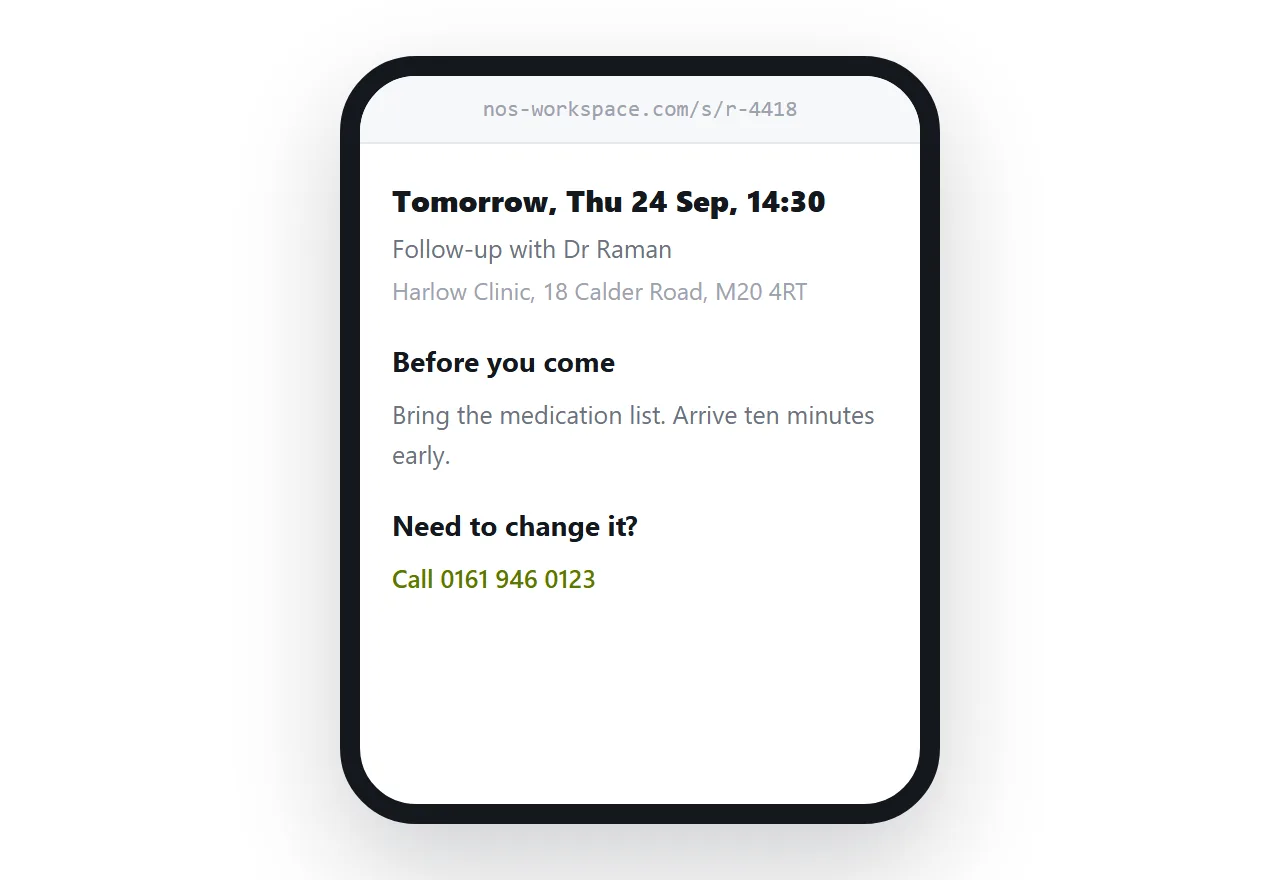
This guide covers what a page cannot do, what belongs on it, calendar downloads, and making cancellation easy.
A page cannot notify anyone
This is the limit and it is absolute. A page is inert until somebody requests it.
So the prompt has to be something that arrives: an email, a text message, or a calendar alert the recipient's own device fires. The page is what that prompt points at.
| The message | The page | |
|---|---|---|
| Arrives on its own | Yes | No |
| Carries the full details | Badly | Yes |
| Stays correct if things change | No | Yes |
| Costs something to send | Usually | No |
| Found again a week later | Hard | It is an address |
That division is why the combination works. A short message is cheap to send and easy to read; a page is where the fifteen lines live.
What belongs on it
The recipient opens this while deciding whether to leave the house.
<header>
  <p class="when">Tomorrow, Thursday 24 September, 14:30</p>
  <p class="what">Follow-up appointment with Dr Raman</p>
  <p class="where">Harlow Clinic, 18 Calder Road, Manchester M20 4RT</p>
</header>

<section>
  <h2>Before you come</h2>
  <ul>
    <li>Bring the medication list from last time.</li>
    <li>Arrive ten minutes early for the front desk.</li>
  </ul>
</section>

<section>
  <h2>Need to change it?</h2>
  <p><a href="tel:+441619460123">Call 0161 946 0123</a> or
     <a href="mailto:clinic@example.com">email us</a>. As much notice as you can.</p>
</section>
The "before you come" section is the part a bare reminder always omits and the part that determines whether the appointment is useful.
The calendar does the reminding properly
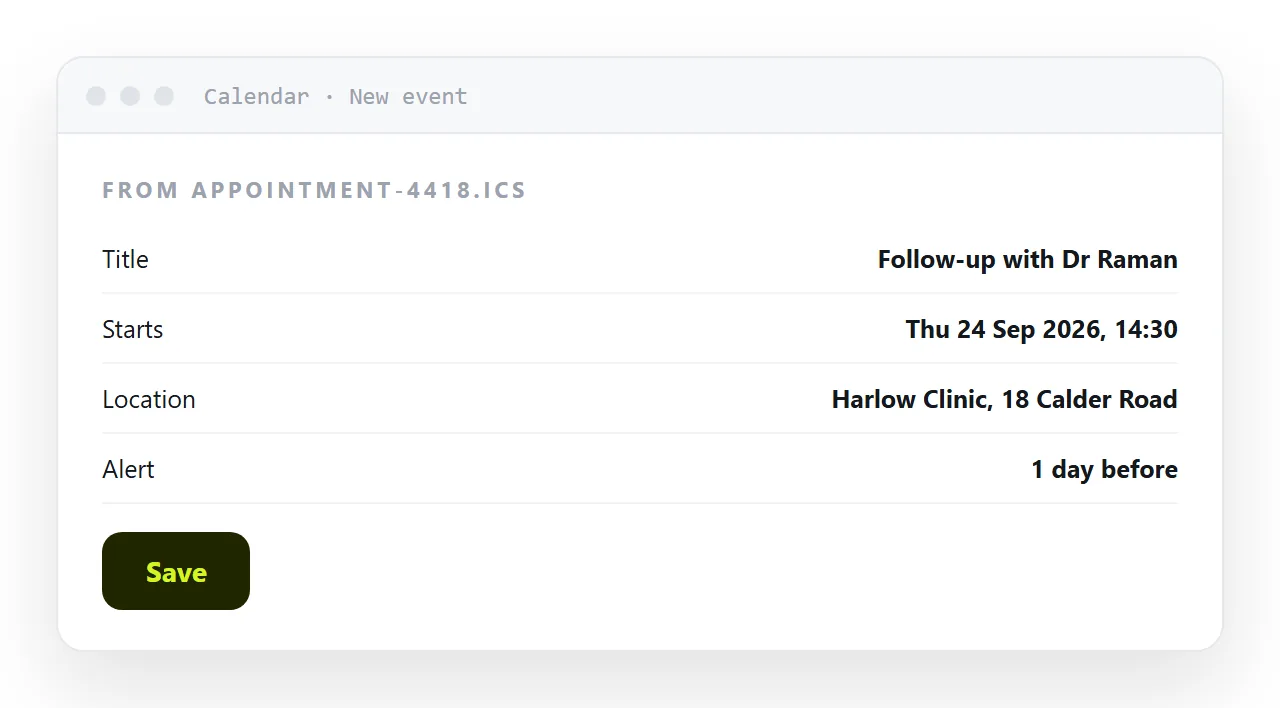
Offer an .ics download and the recipient's own calendar takes over.
That is better than anything you can send, because their calendar already knows to alert them, already sits on their phone, and already accounts for their timezone. Once the event is in there, you are not responsible for reminding them again.
Format details are in calendar invite link. Include the page address in the URL field so the calendar entry links back to the details.
Make cancelling easy
There is a temptation to make changing an appointment slightly awkward, on the theory that friction preserves bookings.
It produces no-shows instead. Someone who cannot easily cancel does not attend anyway, and you lose the slot entirely rather than getting the chance to fill it.
Put the phone number and the email on the page as tappable links, say how much notice you would like, and say plainly whether there is a charge. Clear beats vague: a stated late-cancellation policy is fairer than an unstated one.
Keep the details current
The advantage over a message is that the page can change.
A room moves, a clinician changes, the start time shifts by fifteen minutes. Edit the page and the reminder you sent last week now points at the correct details.
Add a dated line when something changes, so a recipient who read it before notices rather than assuming they misremembered.
When it should come from a system
At any volume, appointment reminders belong in whatever manages the bookings.
A system knows the appointments, sends the prompts on schedule, and does not depend on somebody remembering. If you run more than a handful a day, that is where this should live, and the page can be what the system generates.
For a small practice, a tutor, a studio, or anyone with a few appointments a day, a page each is faster than fielding the questions that arrive without one.
Put it at an address
Put when and where first, say what to bring, make cancelling easy, offer a calendar download, and send the link in a short message.
The prompt stays short and the details stay correct.