PDF vs HTML file is a choice between two opposite promises. A PDF promises the layout: it looks the same on every screen and every printer, on the day it was made, forever.
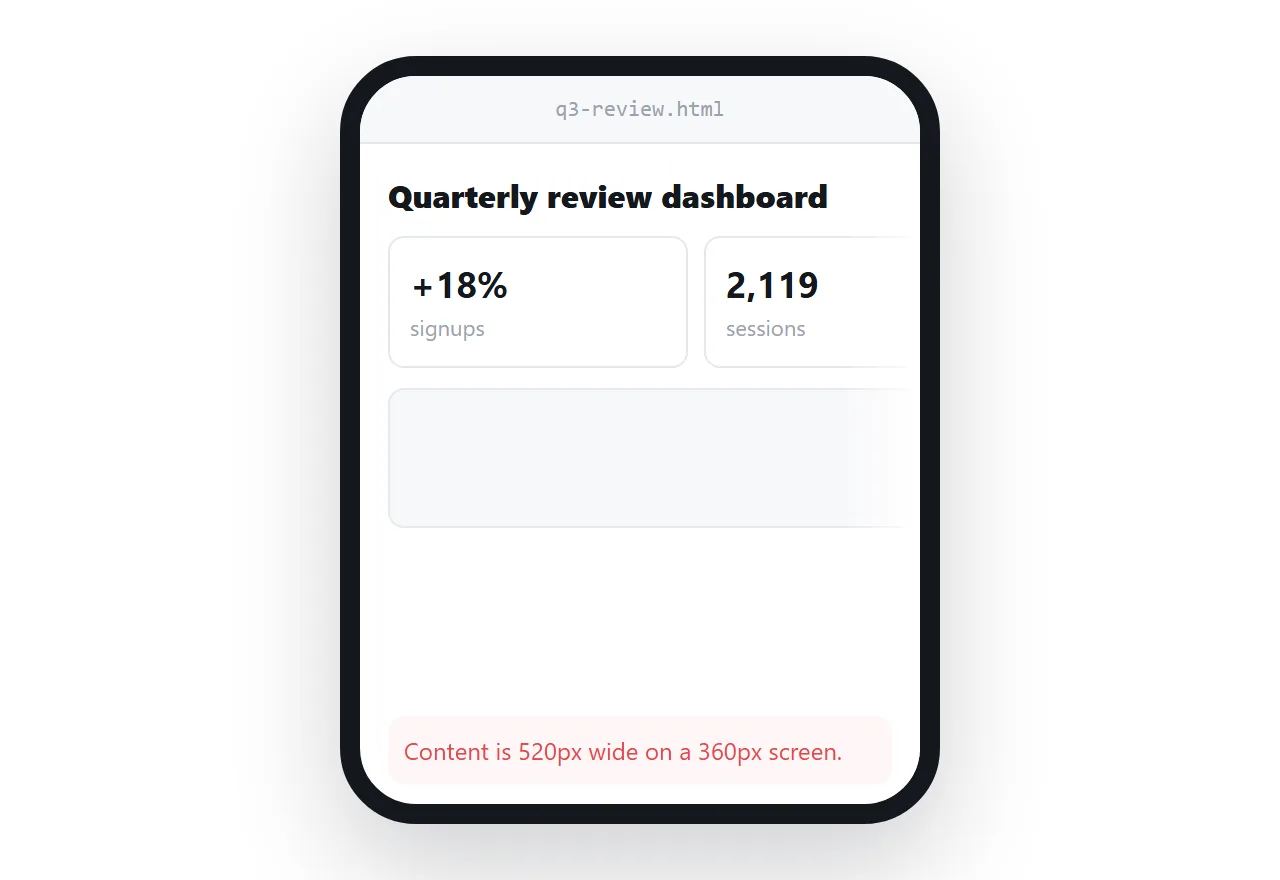
A page promises the address: it reflows to the screen it is on and shows the current content every time it is opened. Each promise is worth having in different circumstances, and most of the trouble comes from wanting one and sending the other.
This guide compares them, covers the phone problem and the staleness problem, says where each is clearly right, and gives the four steps to provide both correctly.
A PDF and a web page make opposite promises, and each promise is worth having in different circumstances.
A PDF promises the layout. Every reader sees the same thing on the same page size, forever.
A page promises the address. Every reader sees the current content, at whatever width they have.
PDF vs HTML file, compared
| Web page | ||
|---|---|---|
| Layout identical everywhere | Yes | No — it reflows |
| Reads well on a phone | No | Yes |
| Prints predictably | Yes | With a print stylesheet |
| Works offline | Yes | No |
| Stays current | No | Yes |
| Correct after sending | No — redistribute | Yes — same link |
| Link to one section | Weakly | Yes, with anchors |
| Interactive parts | No | Yes |
| Fixed record at a date | Yes | Only if you keep a copy |
| Selectable text | Yes | Yes |
The phone problem
A PDF cannot reflow. Its layout is bound to a page size, so on a phone the reader is panning around a document designed for A4 — zoom out and the text is too small, zoom in and you are dragging line by line.
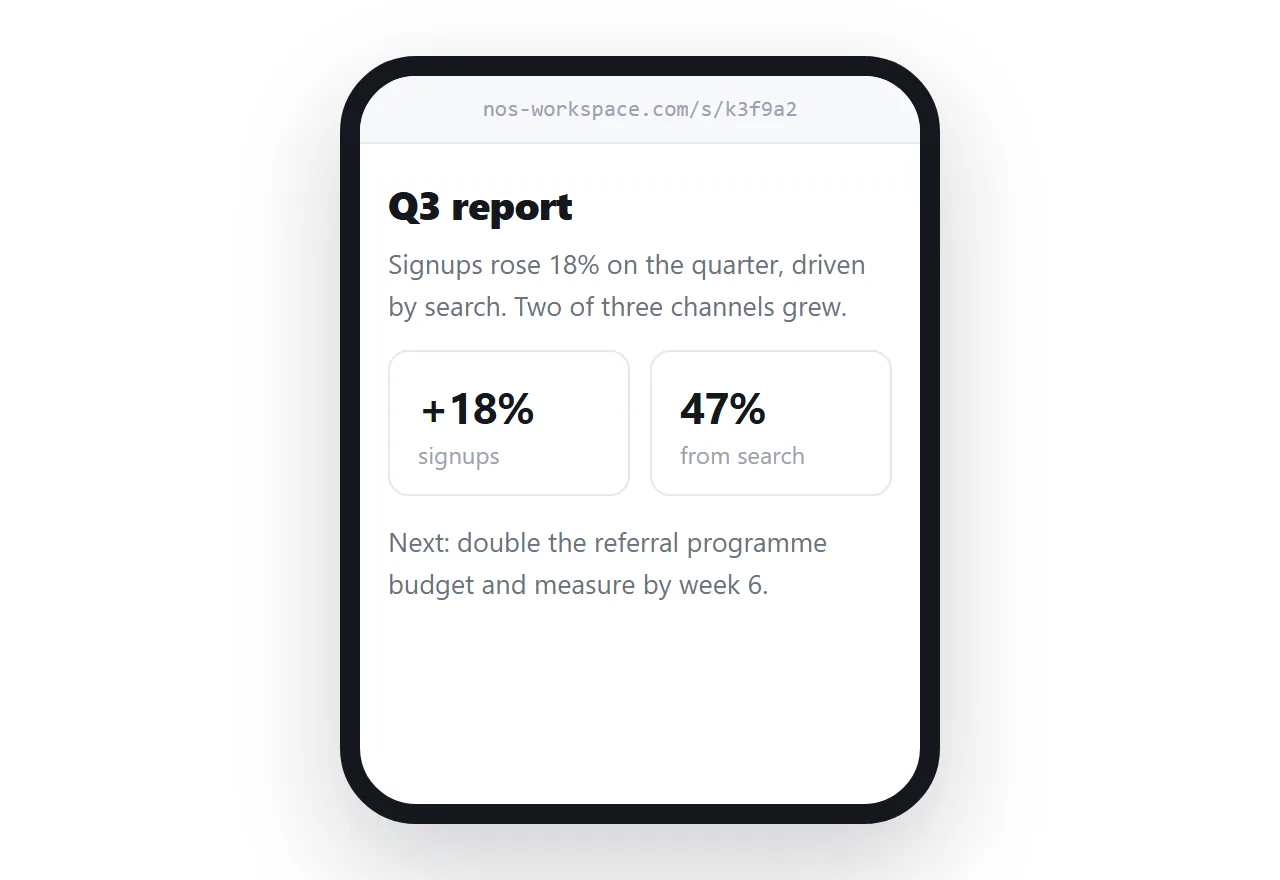
Given that a forwarded document is usually first opened on a phone, this is not a minor inconvenience. It is often the difference between the document being read and being left for later.
The staleness problem
A PDF is frozen at export, and nothing in it says so. The copy in somebody's downloads folder keeps showing last quarter's figures and keeps looking official.
This is the same failure as a screenshot, with better typography. It is inherent to any snapshot and it is the main reason not to use one for anything with numbers that move.
Where a PDF is clearly right
A fixed record. A signed contract, a quote at a date, an invoice, an audit document. Here the unchangeability is the requirement — see pricing sheets and quotes for why a quote and a price list are different documents.
Paper. Print is the destination.
Offline. A document read on a flight.
A process that requires a file. An application portal, a procurement system. Do not fight the form.
Where a page is clearly right
Anything with numbers that move. Reports, dashboards, status pages.
Anything read on a phone, which is most things sent in a message.
Anything revised. Specs, roadmaps, onboarding documents, price lists.
Anything where one section matters to one reader. Anchored headings let you link straight to it; a PDF can only say "page 7".
Providing both, correctly
The usual right answer for a report: the page is what people read, and a PDF is available for the archive.
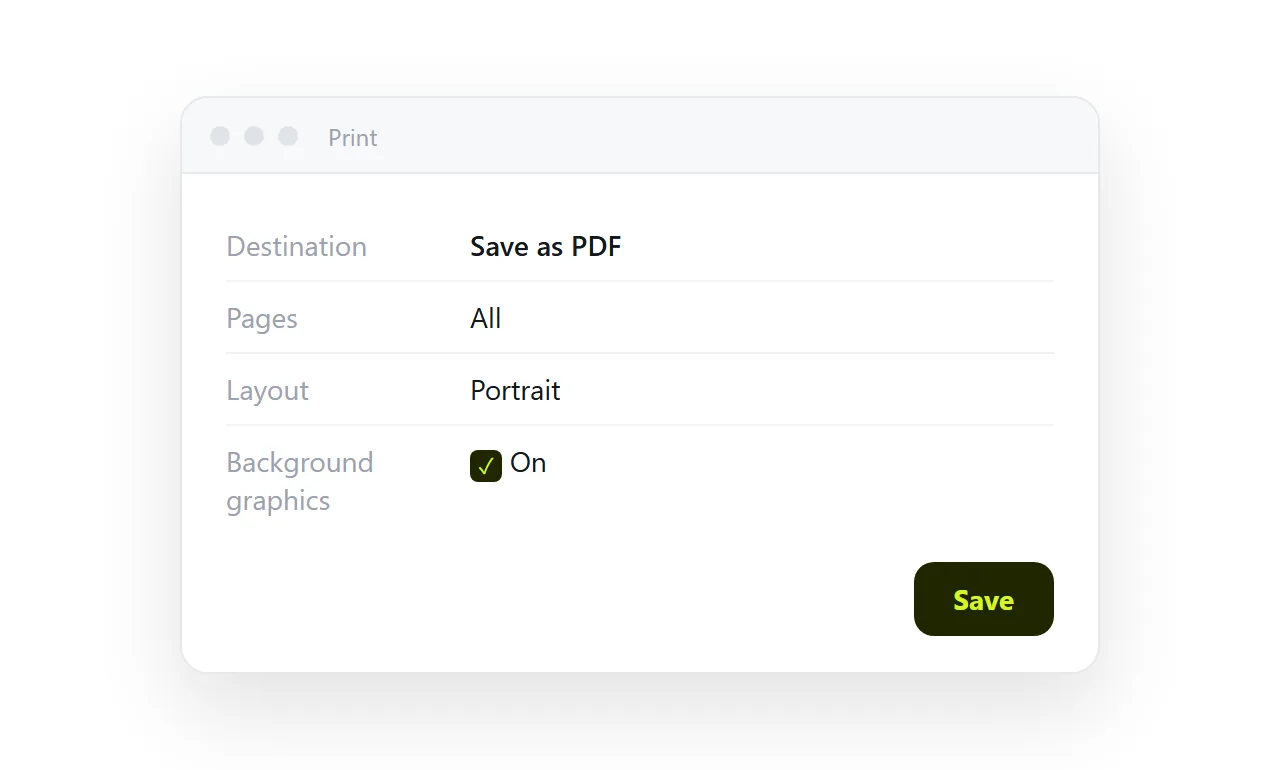
Export it from the page itself with a print stylesheet — the browser's print dialog produces better output than most converters because it is rendering the real page. See HTML to PDF for the break rules.
The one discipline required: re-export whenever the page changes, or the PDF becomes the stale version that somebody circulates. Keep one, generated from the other, in one direction.
Print, the case people confuse with PDF
Wanting something to print well is not the same as wanting a PDF.
A page with a print stylesheet prints as designed from the browser, from the current content, every time, and the reader who prints it in March and again in September gets two correct printouts. A PDF is a printout that was taken once. Reach for it when the "once" is the point.
The question to ask
Does this document need to be the same forever, or correct forever?
A contract needs to be the same. A dashboard needs to be correct. Most working documents need to be correct, and are sent as PDFs out of habit.
In NOS the page holds a fixed address with clickable text, and a PDF can be exported from it whenever a file is genuinely what somebody wants.
Naming and dating the PDF
Because a PDF is a snapshot, its name has to say when it was taken: acme-q3-review-2026-09-12.pdf, never final.pdf. Put the same date inside the document at the top, and the address of the page it was exported from underneath it.
A reader who opens the PDF in December then knows it is a September snapshot and knows where the current version lives.
Accessibility and size
A page is read by a screen reader as text with structure; a PDF exported from a page usually is too, but a PDF made from a scan or an image is not.
A page reflows for a reader with the text enlarged; a PDF does not. And a page loads the part being read; a fifty-page PDF loads all of it before the first page shows on a slow connection.
None of these decide the choice alone, but they all point the same way for anything read on a phone.
Providing the right one, or both: 4 steps
- Ask whether the document must not change after a date. A contract, a signed-off statement, an invoice: a PDF, dated and named, is the record.
- Ask whether readers will open it on a phone and quote from it. A report, a proposal, a pricing sheet: a page at one address, so the quote is from the current version.
- When both, make the page the master and export the PDF from it. A print stylesheet, Save as PDF, the date in the file name. HTML to image or PDF covers the export.
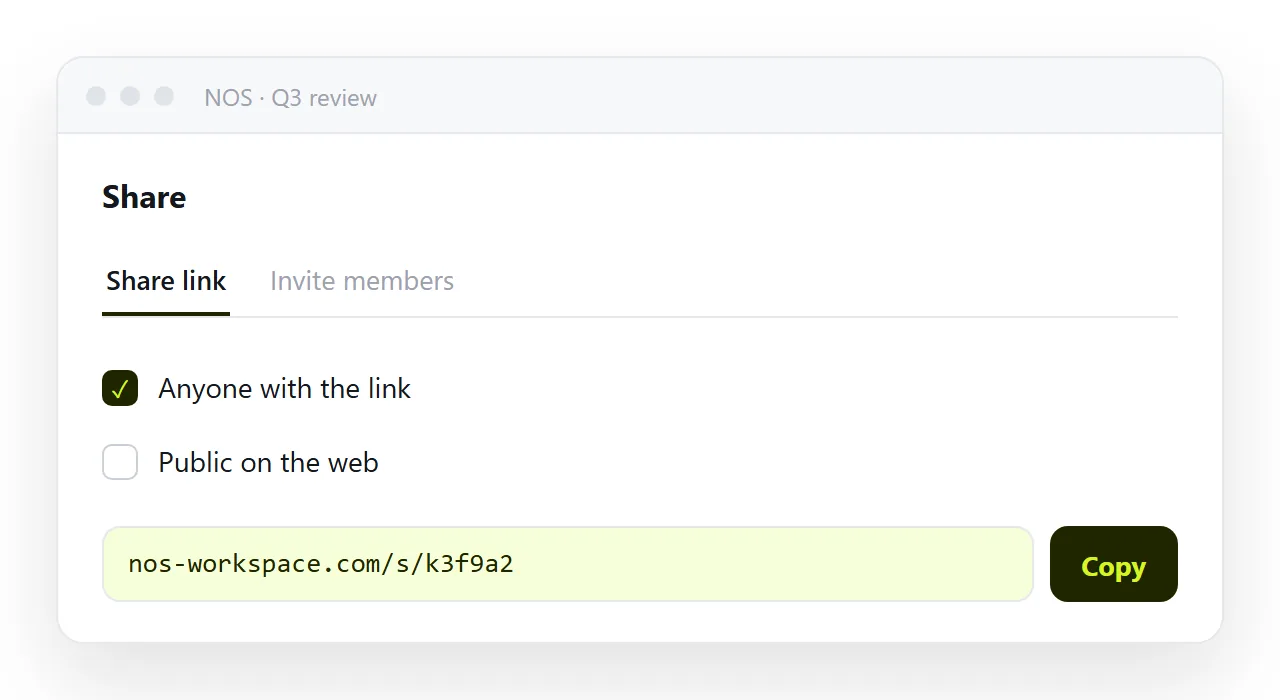
- Send the address, and attach the PDF only when asked. Share, then Share link, then Create link. The link is what stays correct; the PDF is the archive copy. Turning HTML into a link is this step.