Screenshot vs live page is the choice people make without noticing, because the screenshot is the default and it takes two seconds.
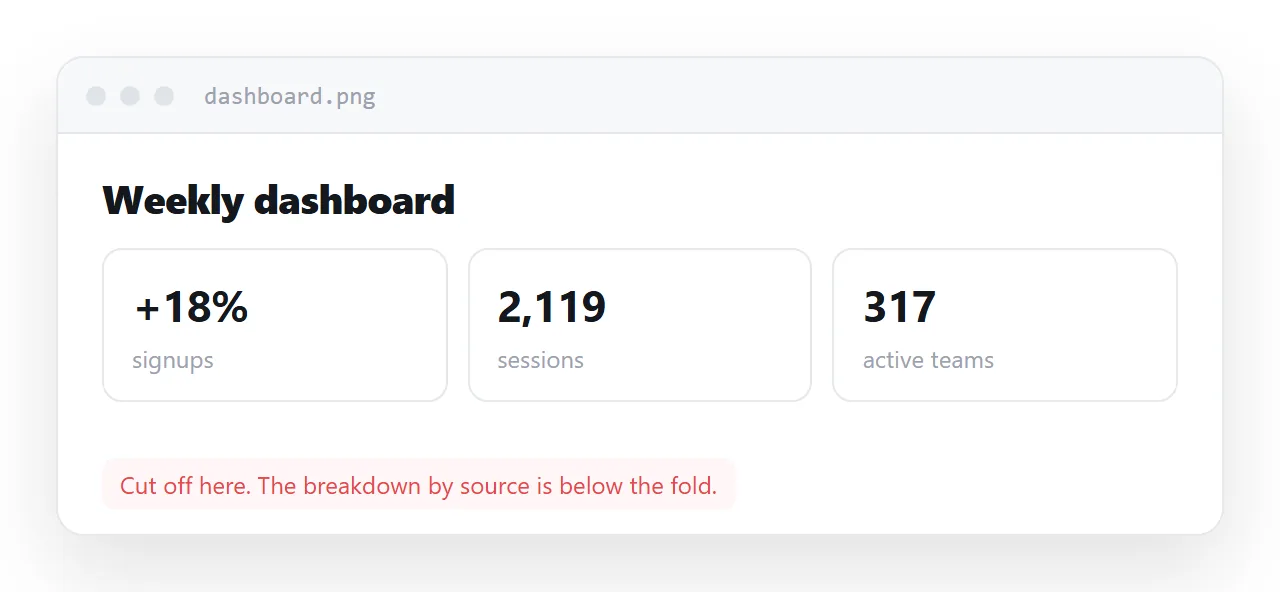
It also removes six things, and none of them announce their absence: the text stops being selectable, the numbers stop being copyable, the date is gone, a screen reader gets "image", the layout is fixed at one width, and anything that responded to a click stops responding.
This guide goes through the six, why staleness is the real cost, the three cases where a screenshot is still right, and the four steps to share the page instead.
Screenshot vs live page: the six things that go
| Screenshot | Live page | |
|---|---|---|
| Text | Pixels | Selectable, copyable, searchable |
| Numbers | Must be retyped | Copy into a spreadsheet |
| Charts and tables | One frozen frame | Still sort, still hover |
| Screen readers | Nothing at all | Reads the content |
| On a phone | One fixed width | Reflows |
| Currency | Frozen, and silent about it | Update the source, the link is current |
The bottom row is the expensive one.
Why staleness is the real cost
A stale spreadsheet announces itself — a filename, a date, a modified timestamp. A stale image of a dashboard looks exactly like a current one. There is nothing in it to doubt.
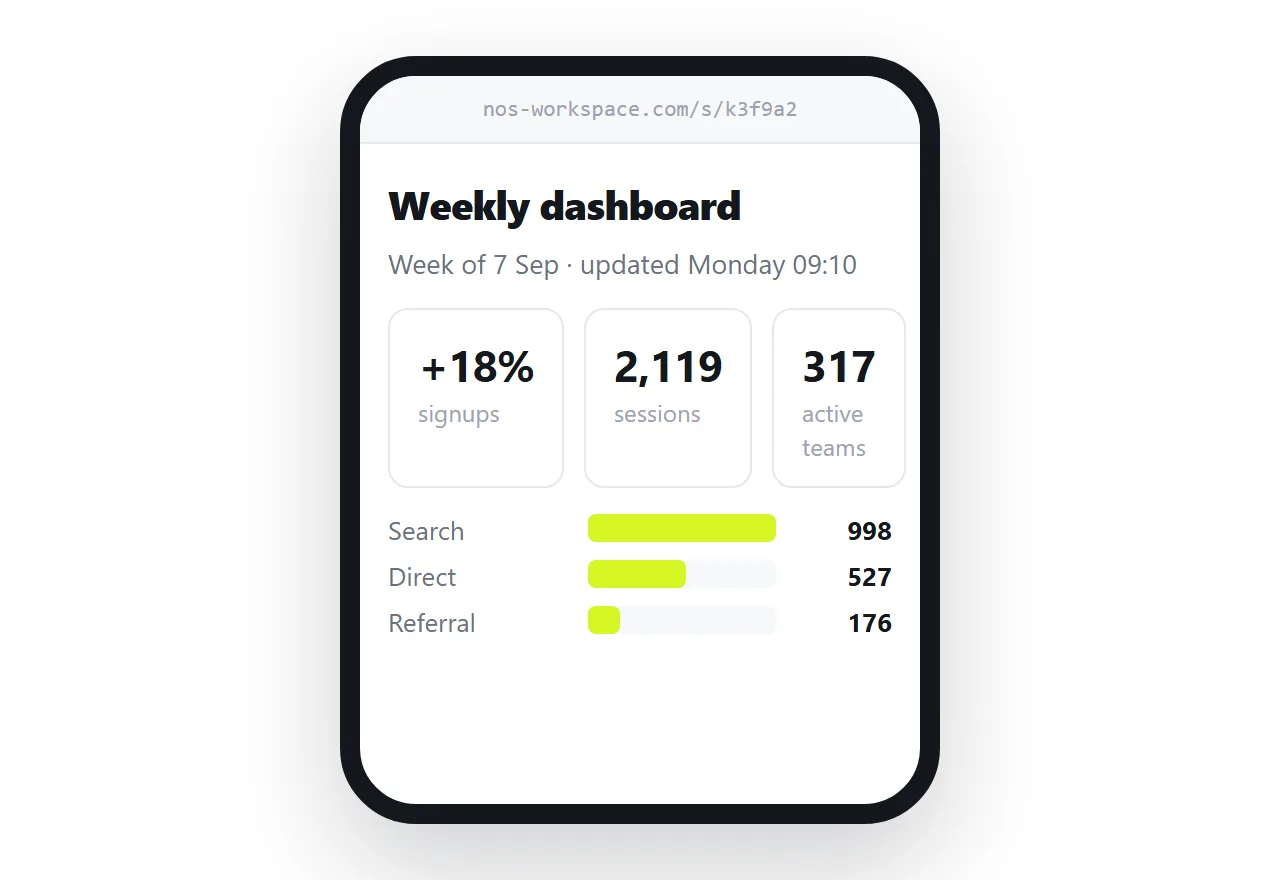
So it gets forwarded. And quoted. And a decision gets made on a figure that moved three months ago, by somebody who never knew there was a question.
This is not hypothetical carelessness; it is the predictable result of a format that carries no date and looks authoritative. A link cannot fail this way, because the reader always gets the current state.
The accessibility point
A screenshot of a table conveys nothing to a screen reader. alt="dashboard" conveys nothing either — see alt text.
If the numbers matter, an image of them excludes anybody who cannot see it, with no workaround available to them.
The three cases where a screenshot is right
The interface is the subject
You are explaining where a setting is. The picture of the panel is the content.
Even then, describe the path in words alongside — "Settings, then Access, then Request" — because the interface will change and the screenshot will silently start lying. See onboarding documents.
Reporting a fault
A picture of the broken state, with the error visible, is the most useful thing you can send. It is evidence about a moment, which is precisely what an image is good for.
The destination accepts only images
A printed handout, a slide, an upload field that takes pictures. Then export properly rather than screenshotting — see HTML to image or PDF for the print rules that keep the output legible.
A PDF is a better frozen format
If you need something fixed, export a PDF rather than capturing pixels. Text stays selectable, the layout is intended for the page size, and it prints correctly with a print stylesheet.
It is still frozen, so the staleness problem remains. That is inherent to any snapshot.
Screenshots that pretend to be current
The most expensive screenshot is the one that gets forwarded. Its sender knew when it was taken; the third person to receive it does not, and the picture carries no date.
If you must send a picture of numbers, write the date into the image itself, top left, in the same size as the headline. It is the one thing that makes a stale screenshot honest.
The habit worth changing
The reason people screenshot is that it takes four seconds and sending a link feels like it needs setup.
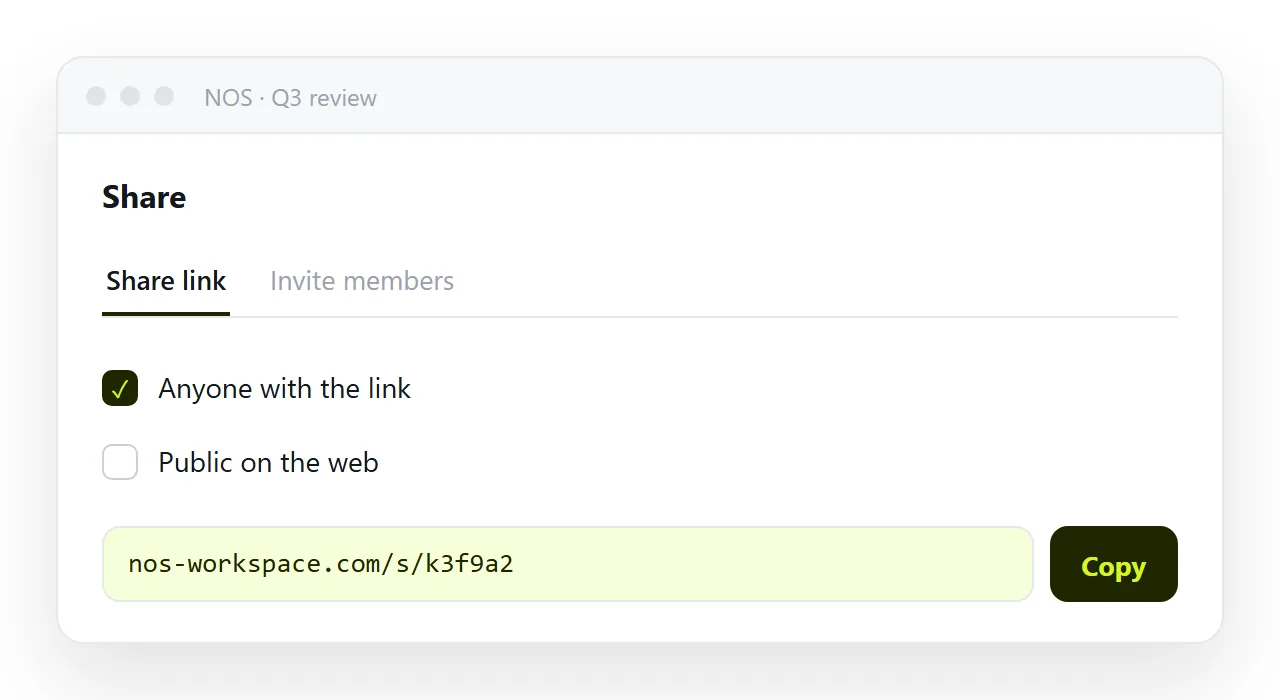
It does not — publishing the page is a paste and a click, and after that the link is reusable every week. In NOS the page has a fixed address and clickable text, so next week's figures are typed over this week's and the link you already sent is current.
Which turns a four-second action repeated weekly into a one-time action, and removes the stale-picture problem permanently.
The accessibility point, stated plainly
A screenshot of a table is, to a screen reader, "image". Every number in it is gone for that reader, and an alt of "table of results" does not bring them back.
The same table as a page is read cell by cell with its headers. If anyone on the distribution uses a screen reader, or reads with the text enlarged, the screenshot is not a lossy version of the page; it is no version at all.
What to do with the screenshots you already sent
Nothing can update them. If a number in one has since changed, send the page's address with one line saying the picture from last week is superseded, and stop sending pictures of that page. The habit changes at the moment you notice you are about to take a screenshot of something with numbers in it and paste the link instead.
A note on captures for documentation
Documentation screenshots of an interface are the good case, and they still go stale when the interface changes. Date them in the caption, keep the source page linked, and expect to retake them. That is the maintenance cost of the one kind of screenshot worth taking.
The two-second argument
The screenshot wins on the day because it takes two seconds and needs no setup.
The page takes one paste and one click the first time, and zero seconds every time after, because the address is already in the channel and the next update is an edit to the page.
Over a month of weekly numbers, the page is the faster of the two by a wide margin, and it is the only one of the two that was ever right on the day it was read.
Sharing the page instead of a picture of it: 4 steps
- Ask what the reader will do with it. Copy a number, check a date, read it on a phone, click a bar. If any of those, send the page.
- If the interface itself is the subject, or you are reporting a fault, take the screenshot. Those are the cases where the picture is the point, and a PDF is the better frozen format for everything else.
- Otherwise give the page an address. Paste it into a NOS document. Share, then Share link, then Create link. Turning HTML into a link is this step.
- Put the date on the page, not in the message. So every reader, however late they open it, knows what they are looking at.