In short
A campaign brief website gives the team one page for the audience, intended action, core message, channels, owners, and approval criteria.
Write decisions, not broad labels: name what the audience should do, what each channel contributes, and who can move the work forward.
Keep unresolved items visible. A polished page is not an approval record.
We built a fictional campaign brief for Northstar Skills Week. The task was not to make a schedule or a set of ads. It was to give a small campaign team one address where they could review the decisions that shape those later deliverables.
The finished example states the objective, intended audience, audience action, message boundary, role of each channel, owners, approval criteria, and open decisions. We shared the page, then changed its status from “Draft — needs channel owner” to “Ready for owner review.” The same public address showed the revised status. The change did not claim that anyone had approved the campaign.
What should a campaign brief website include?
Start with the decisions that another person needs in order to write, review, or place the campaign. Our example uses six parts.
- Objective: what the campaign helps the intended audience do.
- Audience: the specific group this brief addresses, plus the action you want that group to take.
- Core message: the promise the campaign can support, with a boundary around claims it cannot support.
- Channel roles: what email, a homepage, or a community post contributes instead of repeating the same copy everywhere.
- Owners: who maintains the brief, writes the copy, owns each channel, and makes the final decision.
- Approval criteria: the checks that the exact copy, destination, and owner must pass before release.
“People interested in learning” is too broad to guide a writer. The fictional page narrows the audience to newsletter readers who have opened a learning update but have not selected a workshop topic. It pairs that audience with a concrete action: open the guide and choose a session for their current task.
How do you turn the brief into one page?
Put the decision fields in the order a reviewer will need them. The example opens with objective, audience, action, and the way results would be reported. The core message comes next. Channel roles, handoffs, approval criteria, and unresolved decisions follow.
We kept the success check honest. The fictional team would report guide visits and completed selections separately, but the example claims no target and no campaign result. That keeps a planning page from pretending to be a performance report.
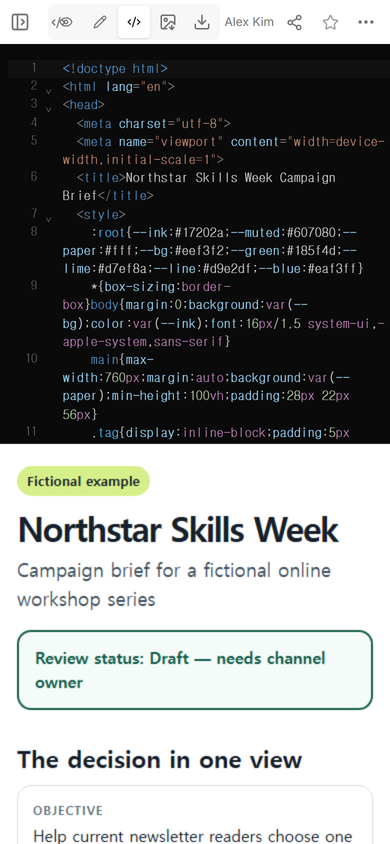
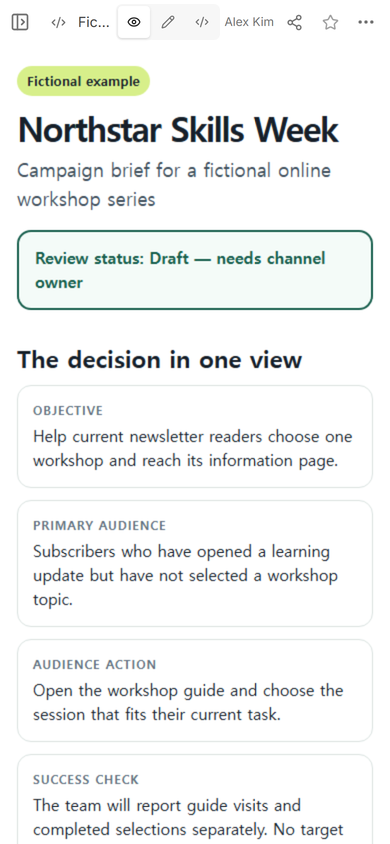
The complete fictional campaign brief example is available with the exact fields used in this walkthrough. Replace its assumptions with confirmed information from your maintained campaign records.
How do you share a campaign brief with a team?
Share the review page only after the fields are readable on a narrow screen. In our page, the two-column decision cards stack into one column, channel rows keep their labels, and the open decisions remain visible below the approval criteria.
We opened the Share panel and checked the viewer setting shown there. The panel said that a person with the link could read the page without signing in and could not edit it. We then opened the generated address at phone width.
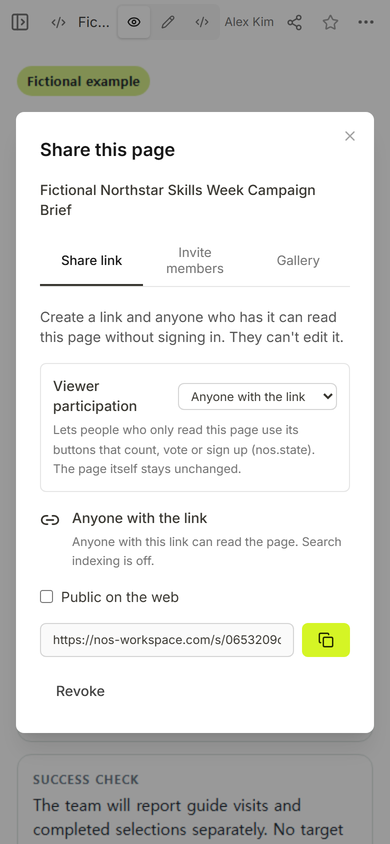
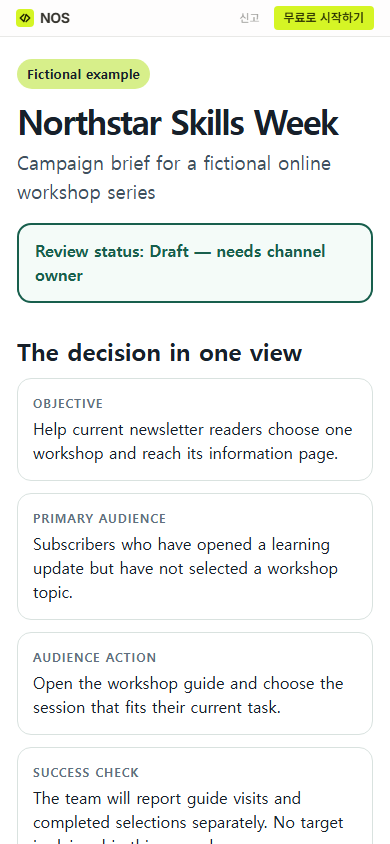
The useful friction was the unresolved owner. The rest of the brief looked complete, so it would have been easy to overlook that gap. We left it in both the status banner and the owners section. A reviewer can now see why the brief is not ready for a release decision.
Who should own a campaign brief?
Name ownership at two levels. One person maintains the brief and resolves missing inputs. Separate owners control the copy, each channel, and the final decision. A title such as “marketing” does not explain which person must answer the next question.
Northstar’s fictional campaign lead owns the brief, while a content editor owns copy. The channel owner is still unconfirmed, and a marketing reviewer is the fictional final-decision role. That separation prevents “page completed” from being mistaken for “campaign approved.”
If the same person fills several roles, list those responsibilities anyway. The point is to expose the decisions, not to manufacture extra handoffs.
Can you update the brief after sharing it?
We used ordinary Edit mode to replace the status text on the existing page. The new text was “Ready for owner review,” which means the brief can be reviewed; it does not mean that the owner accepted it. After saving, the same public address displayed that new wording.
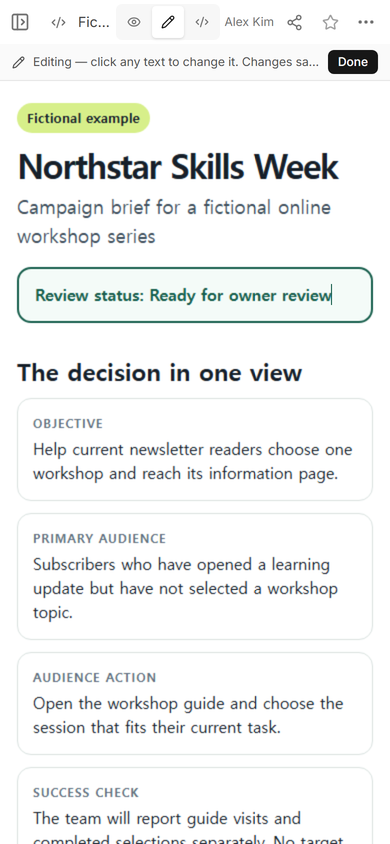
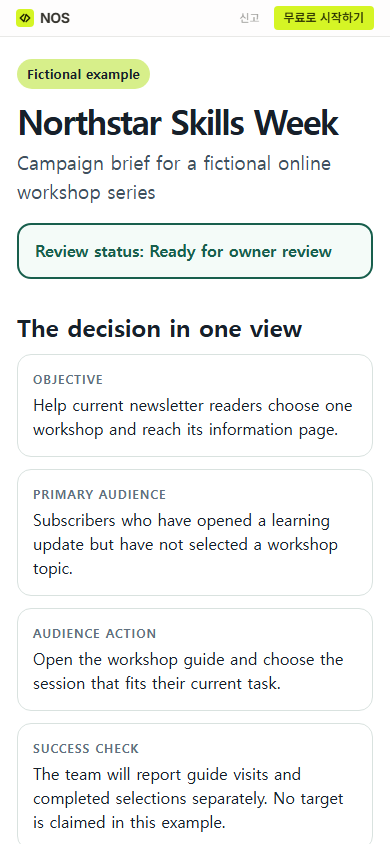
Use status language that describes the next gate. “Reviewed” can hide whether the decision was approve, request changes, or reject. Record the actual decision in the team’s maintained system and identify the exact version it covers.
What happens after the brief is agreed?
The next document depends on the work. A creative brief turns the agreed audience and message into requirements for a designer. A communication plan separates what each audience needs to know and when. An email campaign schedule tracks the readiness of individual messages, links, approvals, and planned windows.
Those pages should refer back to the campaign decision instead of silently changing it. If a channel needs a different message, update the maintained brief or record an approved exception before production continues.
When not to do this
Do not use a static campaign brief website as a substitute for access-controlled records, discussion history, legal review, audience data, or a required approval system. Do not place private customer information, subscriber lists, passwords, or confidential research on a public viewer page.
If many people must comment, approve, or compare revisions inside one system, keep those actions in the team tool built for them. Use the page as a readable review copy only when that matches the team’s process.
Using NOS for a campaign brief page
For this example, NOS held the finished HTML, showed it in View, created the viewer address shown in Share, and let us revise the existing page in Edit. The public address reflected the revised status. Keep source facts, discussion, and formal approval in their authoritative records; use the shared page to make the current brief easier to read.