In short
- Start from the exam dates, not from today. Count the study blocks you can really do before the first paper, then hand them out by subject and by weak topic.
- Give each topic a first block and then bring it back after about one, three and seven days.
- Leave one empty catch-up slot a week. A missed block goes there, not on top of tonight.
- When you move a block, check what depended on it. A review of a topic you never studied is wasted time.
We built a two-week revision timetable for a fictional Year 11 student, Mia, with four mock exams starting Monday, December 15. We put it at one link that opens on a phone. Then we acted out a plan going wrong: Wednesday's Biology block didn't happen. We moved it to Sunday, found a knock-on problem on Saturday, fixed both on the page, and opened the same link to check.
You can download the example timetable and swap in your own subjects and dates.
How do you make a revision timetable?
Most guides say "list your subjects, add breaks, be realistic." That is true but hard to act on. These are the steps we followed, in order.
- Write down every exam with its date and time. Mia's four papers run Monday to Thursday. Biology is first, so Biology needs its last review on the Sunday before.
- Count your real blocks. After school, Mia can do three 45-minute blocks on most weekdays and fewer on Fridays. Over 14 days that came to 32 study blocks, plus two catch-up slots and four rest slots. Counting first stops you from promising 50 blocks you will never do.
- Split topics, then rate them. Break each subject into topics a single block can cover, such as "enzymes" or "circle theorems." Mark each one red, amber or green for how well you know it now.
- Place first blocks for red topics early. A weak topic needs room for its reviews before the exam. If its first block is three days out, there is no time to come back to it.
- Add the reviews. Mia's cell transport block on December 1 comes back on December 2, 4 and 8. That is one, three and seven days later.
- Put past papers in the final week. Timed papers show what is still weak. Leave a block after each one to go over the mistakes.
- Keep the day before the first exam light. Cramming new topics the night before leaves no time to review them. Mia's Sunday has one short Biology review, then packing and an early night.
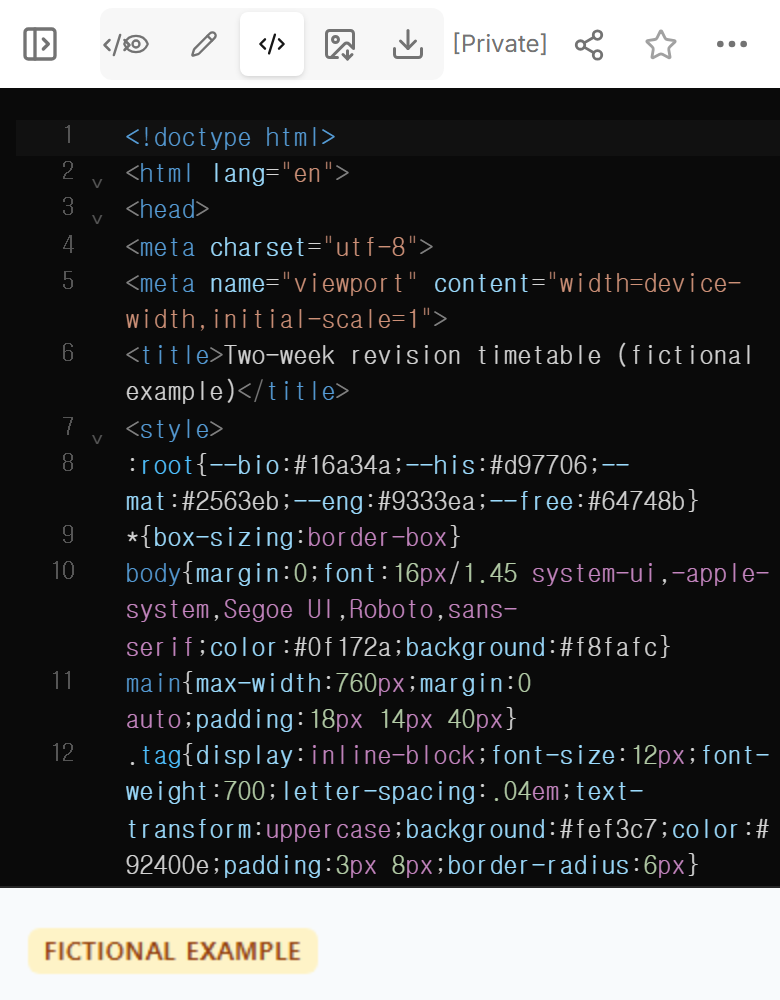
What should a revision timetable look like?
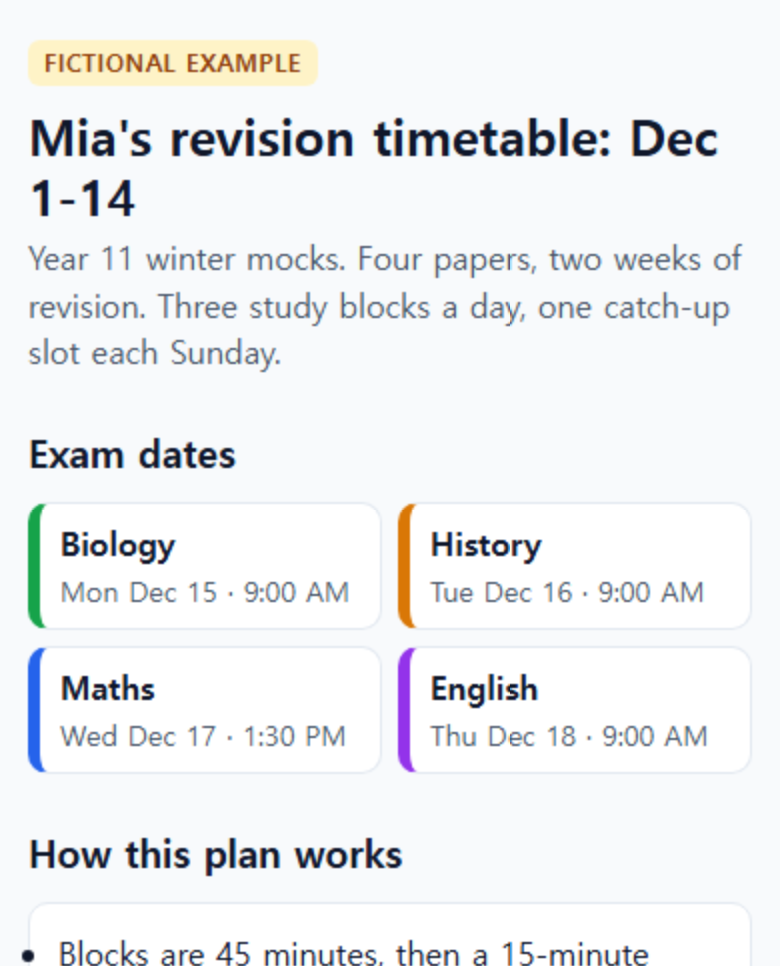
It should answer one question at a glance: what am I revising next? Ours puts the exam dates at the top, then four rules, then one card per day. Each card lists the start time, the subject and the exact topic. A block that just says "Biology" invites an evening of rereading the whole textbook.
Color helps when it is the same color everywhere. Biology is green on the exam card, in the key and on every block. A short tracker table at the bottom shows each topic, when it was last revised, and its red, amber or green rating.
A grid with seven columns and twelve rows looks tidy on a laptop. On a phone, it turns into tiny cells. One card per day stays readable on a small screen.
Putting the timetable at one link
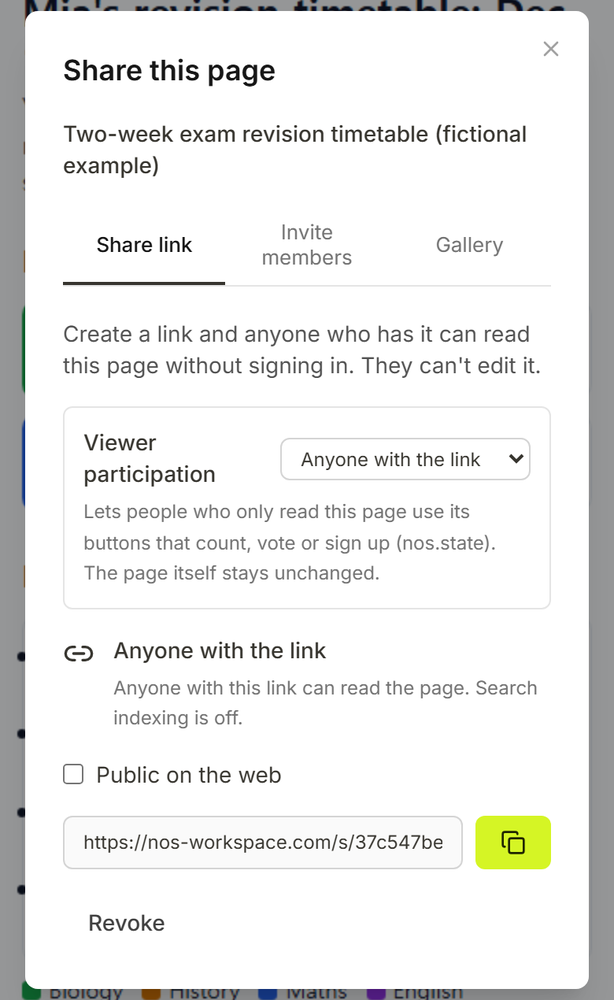
We pasted the HTML into a new NOS page and opened the Share panel. It makes a link that anyone can open without signing in. They can read the page but not change it. We left "Public on the web" unchecked. The panel says search indexing is off for a link-only page.
What happens when you miss a block?
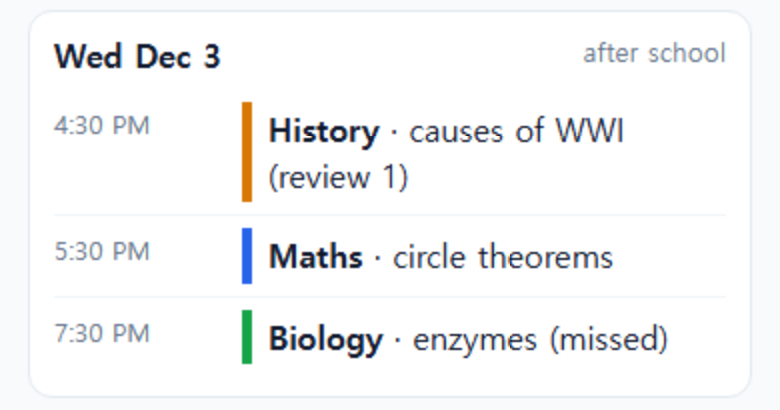
In our run, Mia's Wednesday 7:30 PM Biology block on enzymes did not happen. The rule on the page says to move it to the Sunday catch-up slot. Doing it tonight instead would push three blocks into one evening.
We opened the page in Edit mode, clicked the words "Catch-up slot (free)" under Sunday, and typed the moved topic. Edit mode changes the words in place. Done saves the change.
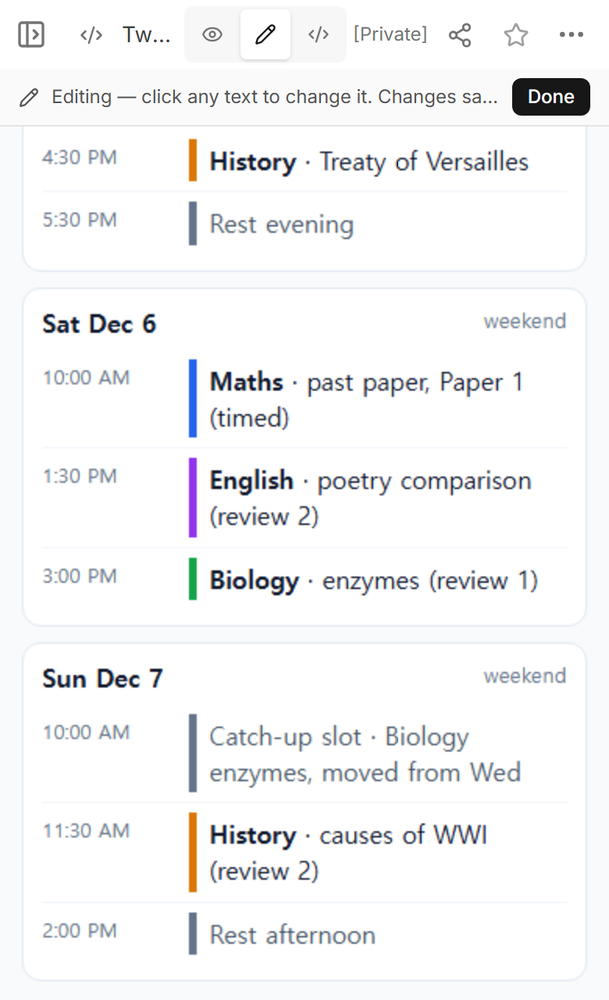
That screen showed the catch. Saturday had a review of enzymes. Mia would now study enzymes for the first time on Sunday, so a Saturday review made no sense. Moving one block had broken the chain of reviews that followed it.
We fixed both lines in Code view. On Wednesday's line we added "(missed)", so the plan stays honest about what happened. On Saturday's line we replaced the enzymes review with exam questions on cell transport, a topic Mia had already covered three times.
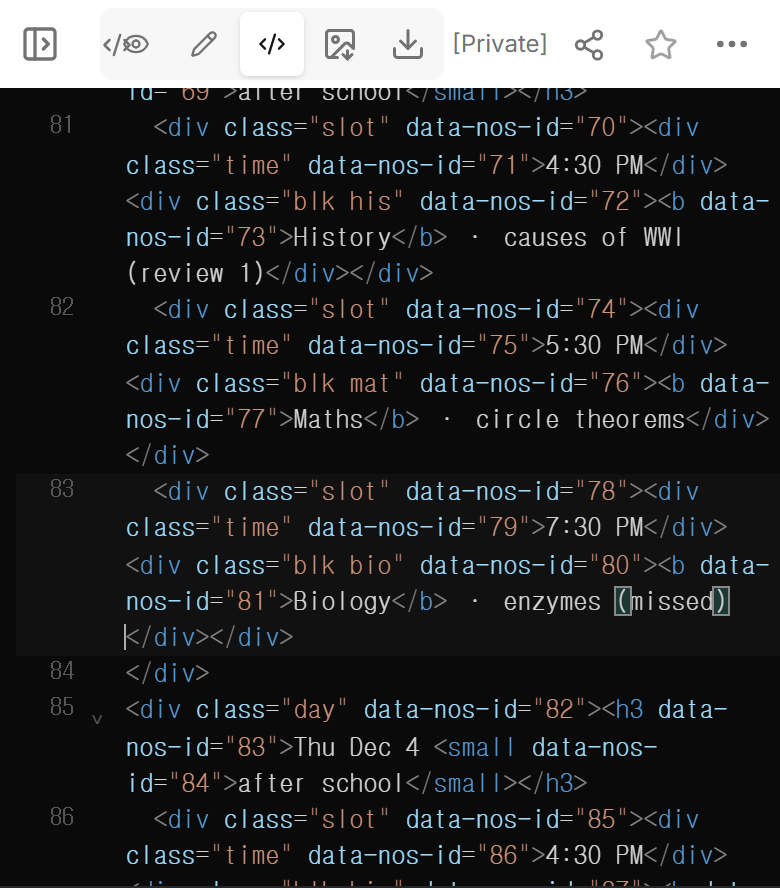
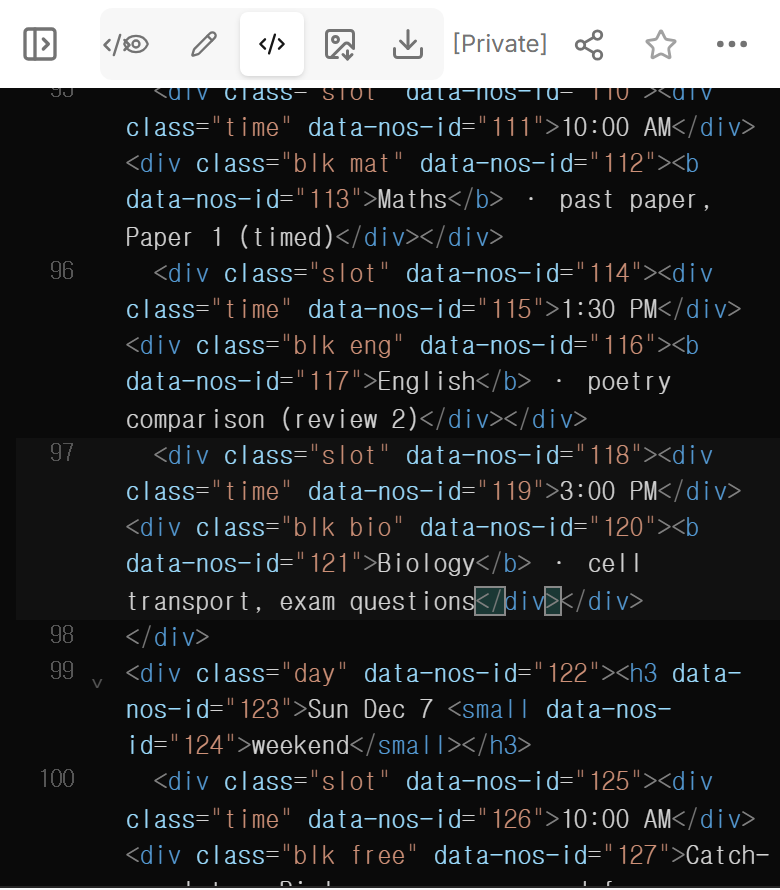
Then we opened the same share link again. Wednesday shows the missed block. Saturday and Sunday show the new order. Nobody had to be sent a new link or a new file.
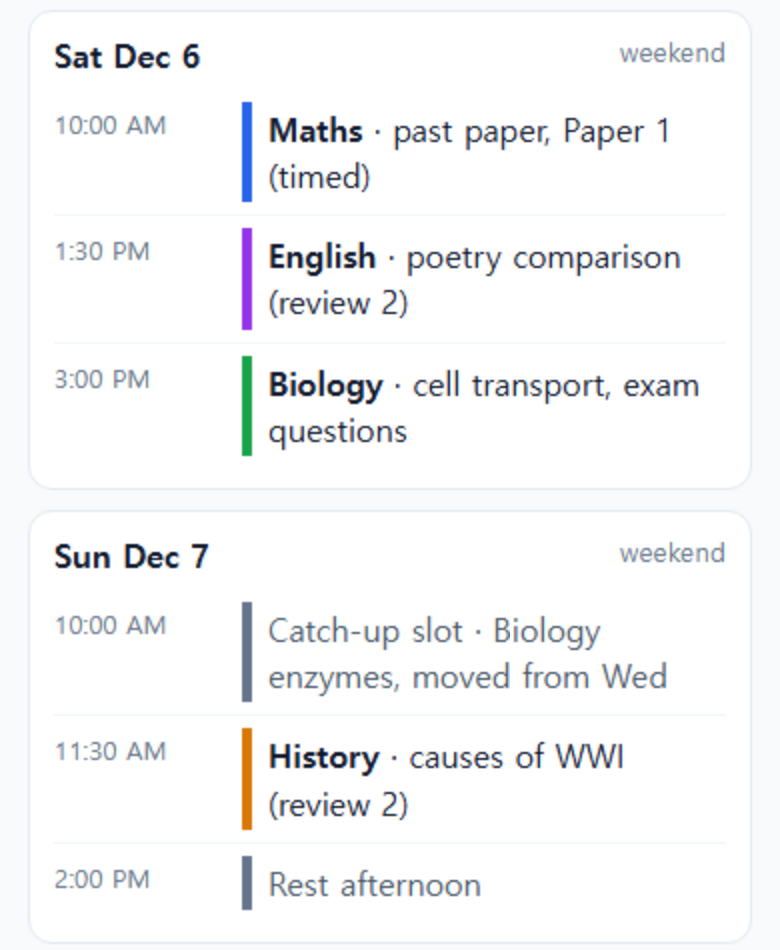
One more thing to check after a move: enzymes still has a review on Wednesday, December 10. That is three days after the new first block, so the chain still works.
What is a retrospective revision timetable?
A normal timetable is planned forward: you fix what to revise on each date. A retrospective one starts from a list of topics and records when you last revised each one and how it went. You then pick the next topic from the weakest rows that you have not touched for a while. Ali Abdaal's guide explains the idea.
The tracker at the bottom of our page is a small retrospective table. The day cards are the forward plan. Using both works well: the cards stop you from drifting, and the tracker tells you which blocks to change. The University of York's guide on spaced repetition suggests reviews on roughly the first, third, seventh and fourteenth days after learning, and notes that it takes a daily habit to work.
Exam revision timetable template: Excel, PDF or a web page?
- Excel or Google Sheets is best while you are still planning. You can count blocks with a formula and drag cells around.
- A PDF is fine to print and stick on a wall. It goes out of date the first time a block moves.
- A web page at a link is best once the plan is set and other people need to see it. It reads well on a phone, and a change shows up on the same link.
A simple path is to plan in a sheet, then put the final week or two on a page that you share.
When not to do this
- Your plan changes every hour. If you reshuffle constantly, a spreadsheet or a paper planner is quicker to edit than a page.
- You want reminders. A shared page does not send alerts. Put the blocks in a calendar app if you need a nudge at 4:30 PM.
- You want flashcards and automatic spacing. A timetable says when to revise, not what to recall. Use a flashcard app for the recall part.
- The plan holds private details. Medical notes, exam access arrangements or home details should not sit on a page that anyone with the link can open.
Where NOS fits
NOS turns one HTML page into a share link that opens on any phone without an account. You fix a word in Edit mode or a line in Code view, and the same link shows it. That suits a revision plan that a parent or tutor also looks at. The Free plan keeps three share links on at once. Paid plans are on the pricing page.
For the topics inside each block, a study guide template helps you write one page per topic. For homework that runs alongside revision, try an assignment tracker for students.