In short
Lead with the trip date, meeting place, and expected return.
Keep packing instructions short enough to check while preparing a bag.
Send families to the school's confirmed private channel for individual questions.
If a detail changes, revise the same shared page and mark the change clearly.
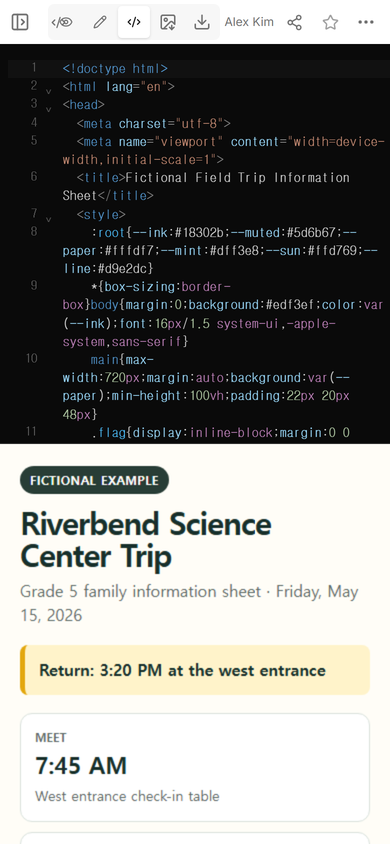
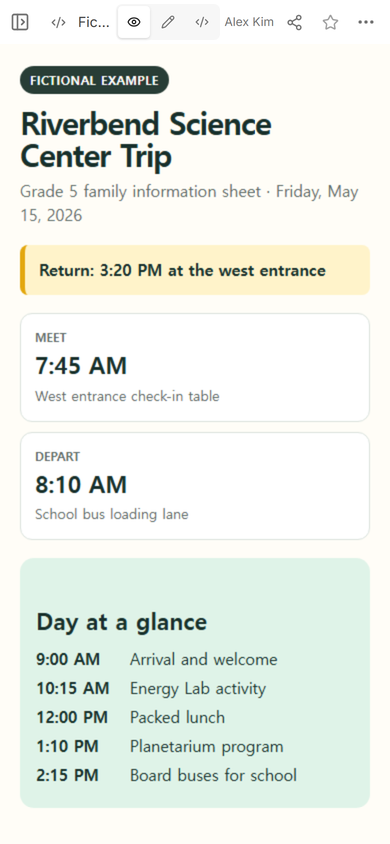
We made a fictional Grade 5 field trip information sheet for a visit to Riverbend Science Center. The page gives families a 7:45 AM meeting time, an 8:10 AM departure, a return point, a packing list, pickup instructions, and a contact route. It does not collect permission, student information, or replies.
This is a reading sheet, not a permission slip or the school's operational plan. If you need to compare consent documents, use the field trip permission slip guide. Staff can keep approvals, transportation checks, and attendance checkpoints in a separate field trip planning template.
What belongs on a field trip information sheet?
A family should be able to answer five practical questions from the first screen: Which trip is this? When and where do students meet? When and where do they return? What goes in the bag? Where should a private question go?
Put the meeting and return details near the title. Do not bury a changed return time in the itinerary or a long paragraph. In our example, the return line sits above the schedule cards, so a family does not have to search the page.
Use a fixed order
- Trip identity: destination, class, and date.
- Meet and return: local times and exact school locations.
- Day outline: only the stops families need for context.
- Pack and wear: a short list plus anything to leave at home.
- Arrival, pickup, and questions: the school's confirmed procedure and contact route.
Keep unknowns visible. If transportation, weather guidance, or an accessibility arrangement is still being confirmed, label it for confirmation. Do not turn a draft guess into a family instruction.
How do I make a field trip information sheet?
Start from the school's confirmed trip details. Write the page as a short reference sheet, not as a letter that requires families to remember which paragraph held the return time.
- Write the first-screen facts. Add the destination, date, meeting time and place, departure, return time and place.
- Add the bag check. Name each required item and any clothing instruction. Give an alternative only when the school has approved one.
- Explain pickup. State where families wait and refer to the school's actual release process.
- Protect private information. Point questions to the approved family channel. Keep student names, phone numbers, medical details, and individual arrangements off the public page.
- Read it on a phone. Check that the title, return line, and first packing items are readable without zooming.
Download the complete fictional HTML example
The example is deliberately complete enough to replace with your own confirmed details. Its names, date, schedule, and instructions are invented. Remove the fictional marker only after every field has been replaced and checked against the real school materials.
How should families receive the sheet?
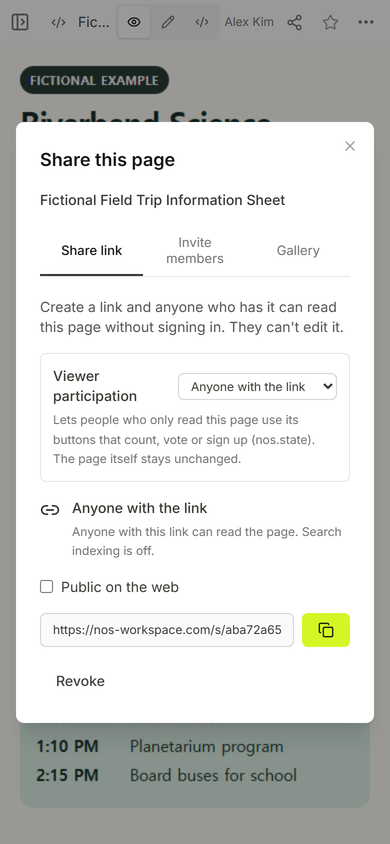
Create a reader link only after the content check. The Share panel for this example says that anyone with the link can read the page without signing in and cannot edit it. That makes the page suitable for general trip information, not private student records.
Place the link in the channel families already use for class notices. If your school also requires paper, print the same confirmed details or add a code that opens the reader link. A shared page does not prove that every family received the notice, so keep the school's required delivery and acknowledgment process separate.
What if the return time changes?
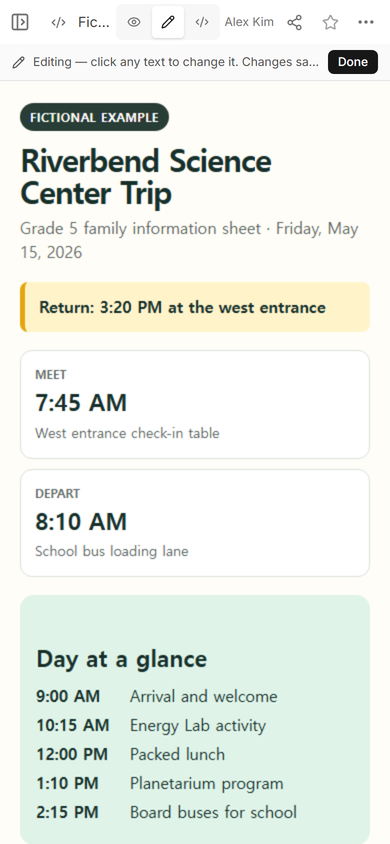
Change the existing sheet instead of creating another page. In this example, we selected the return line, replaced 3:20 PM with 3:35 PM, and added “revised.” The page kept its original reader address.
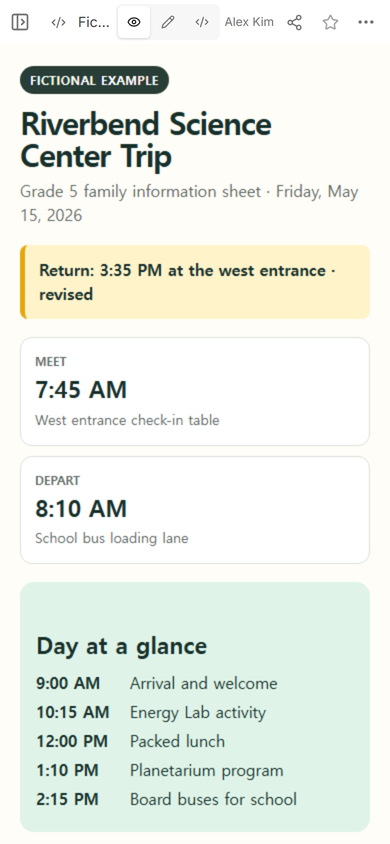
Marking the line as revised helps a reader notice that the detail changed. The page should still be only one part of the school's communication: use the school's required alert or message process to tell families that an update exists.
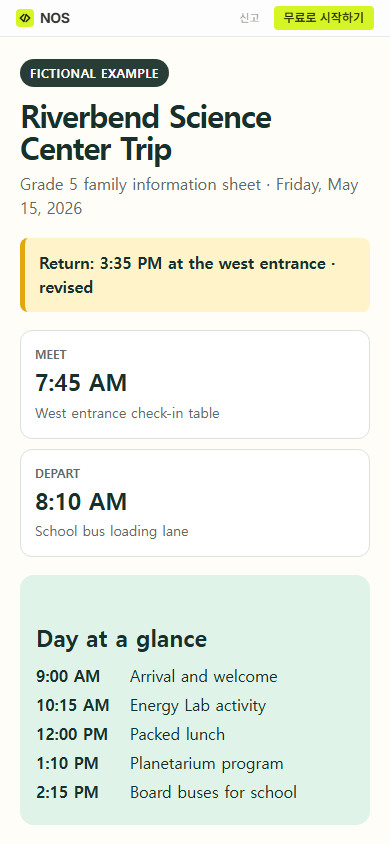
Result: the finished example gives a family one place to recheck the trip date, arrival, departure, revised return, schedule, bag list, pickup direction, and question route. It remains a public information page, not a consent record or proof of delivery.
How detailed should a field trip packing list be?
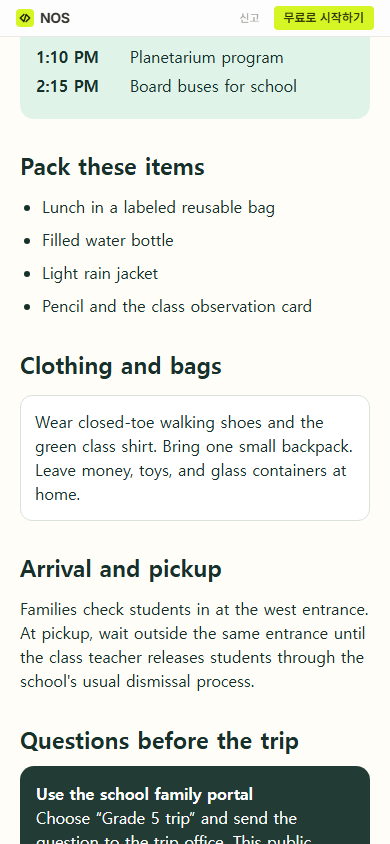
List items that change what a student needs to carry or wear. Our fictional list has four items: a labeled lunch bag, a filled water bottle, a light rain jacket, and a pencil with the class observation card. A separate note names closed-toe shoes, one small backpack, and items to leave at home.
Avoid filling the list with general advice. If lunch, medication, accessibility support, spending money, or weather gear follows a school-specific rule, copy the confirmed instruction or direct the family to the private school process.
When not to do this
- Do not use a public information sheet to collect consent, signatures, health information, or emergency contacts.
- Do not replace the school's official permission form, roster, transportation record, or private accessibility plan.
- Do not publish an unconfirmed time because the layout needs a value.
- Do not rely on the page alone when school policy requires a direct message, printed copy, acknowledgment, or translated version.
Using NOS for the family information page
NOS Workspace let us place the complete fictional HTML page in one document, review it, create a reader link, and revise the return line on that same page. The shared address then showed the corrected information. Check the current NOS pricing page before choosing a plan, and keep the school's private records in its approved system rather than on the public sheet. For a broader class page, see the one-page classroom website guide.