In short
Record one row per physical folder in the order you find it. Copy each tab as written and use the accession, box and folder together as the locator. Leave unknown dates blank and say what still needs checking.
Download the blank inventory CSV · Download the filled inventory CSV · Download the example page
What goes in a folder-level archive inventory?
At the fictional Juniper Bend Archive, Mara Vale is handing over a sample from accession A-04. Her list covers Box 01, folder 03, and Box 02, folders 01 and 02. That is three folders across two boxes. The scope tells her colleague where the check stopped.
- Accession, box and folder. Record the intake identifier, the box label and the folder label or position in that box. Keep identifiers like 01 and 03 as text when you import the CSV so the zeros survive.
- Label. Transcribe the folder title as written. Each “Meeting notes” folder gets its own row.
- Date expression. Copy the date or range you have evidence for. If the tab reads “ca. 1994,” keep the qualifier.
- Evidence and status. Name the source for the date or the gap. If the tab has no date, leave the date field blank and mark the row for follow-up.
Duke University Archives’ instructions call for the title as written and allow a blank date when the date is unknown. The RIT Archives processing manual advises recording apparent disorder in the notes and leaving the arrangement alone during the inventory.
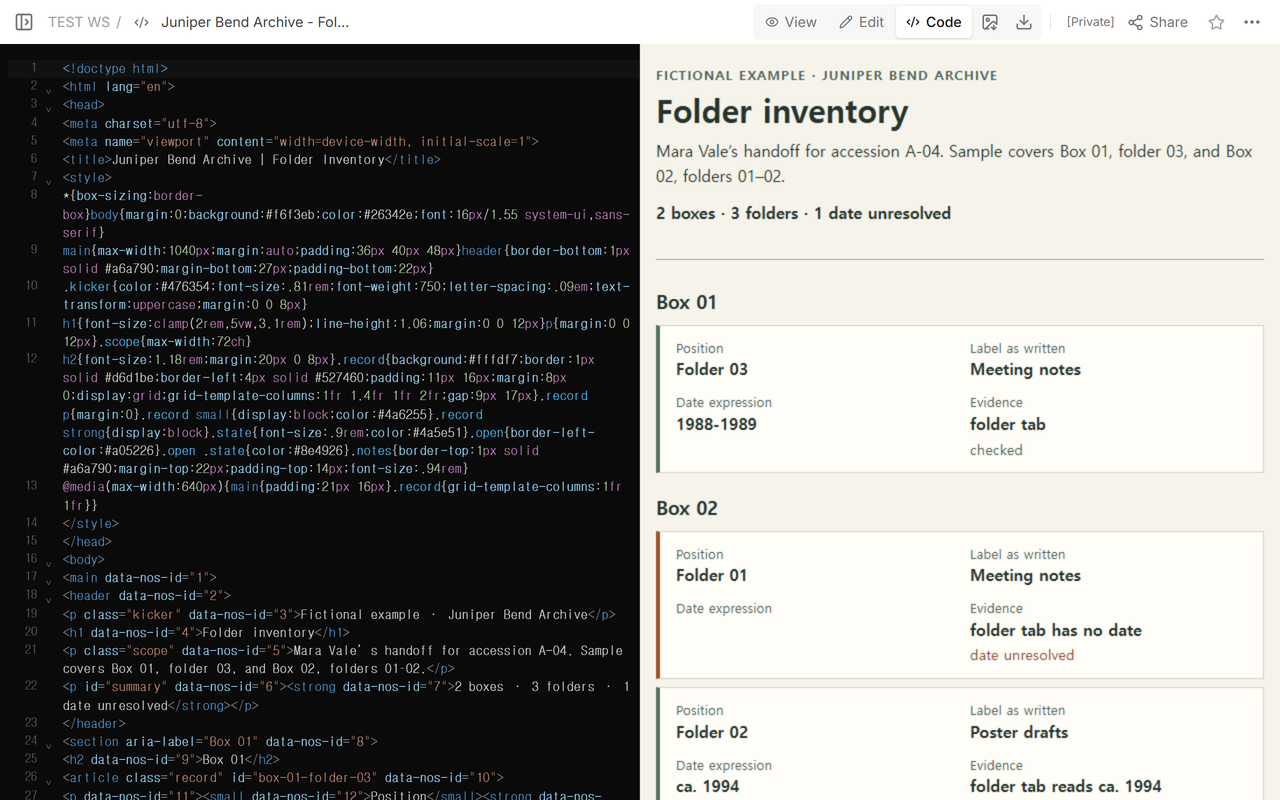
Which “Meeting notes” folder has a blank date?
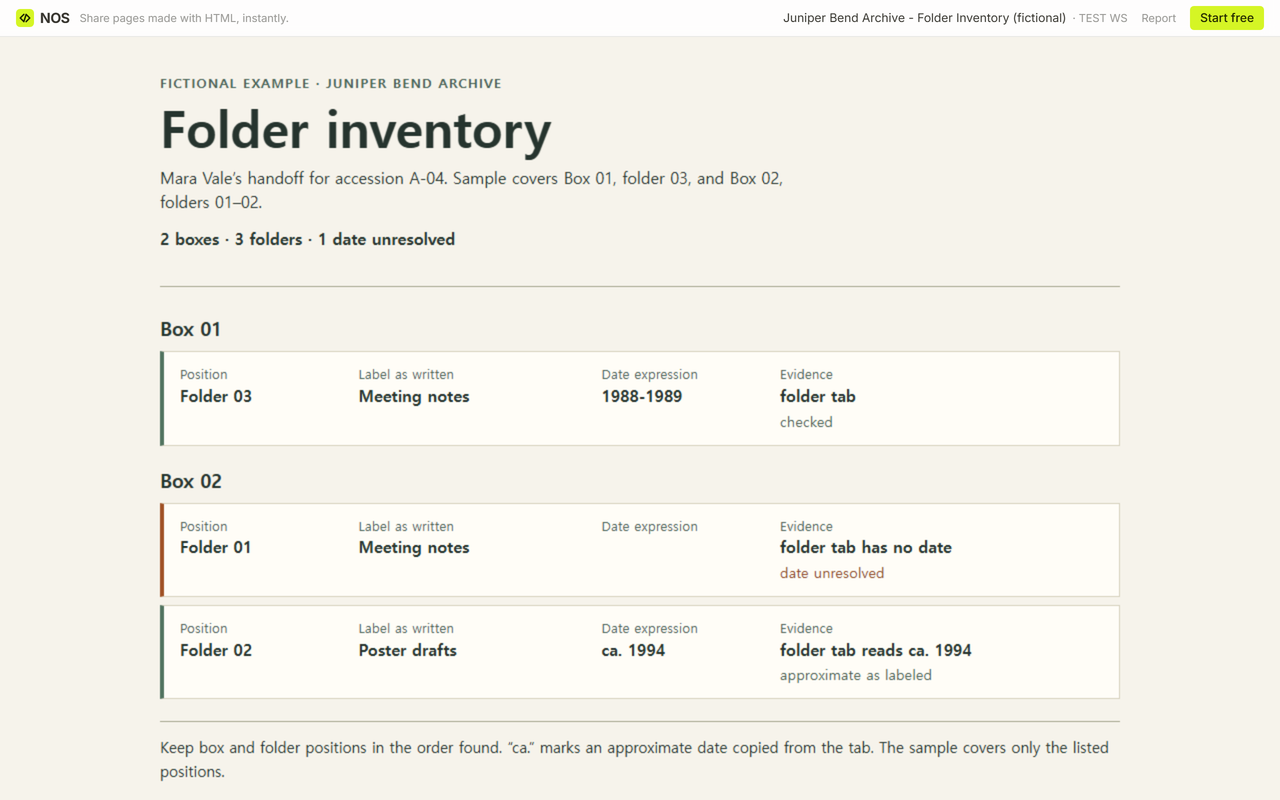
- A-04 · Box 01 · Folder 03
- Meeting notes. The tab gives 1988-1989.
- A-04 · Box 02 · Folder 01
- Meeting notes. The tab gives no date. This is the row Mara marks “date unresolved.”
- A-04 · Box 02 · Folder 02
- Poster drafts. The tab reads ca. 1994. The date remains approximate throughout the example.
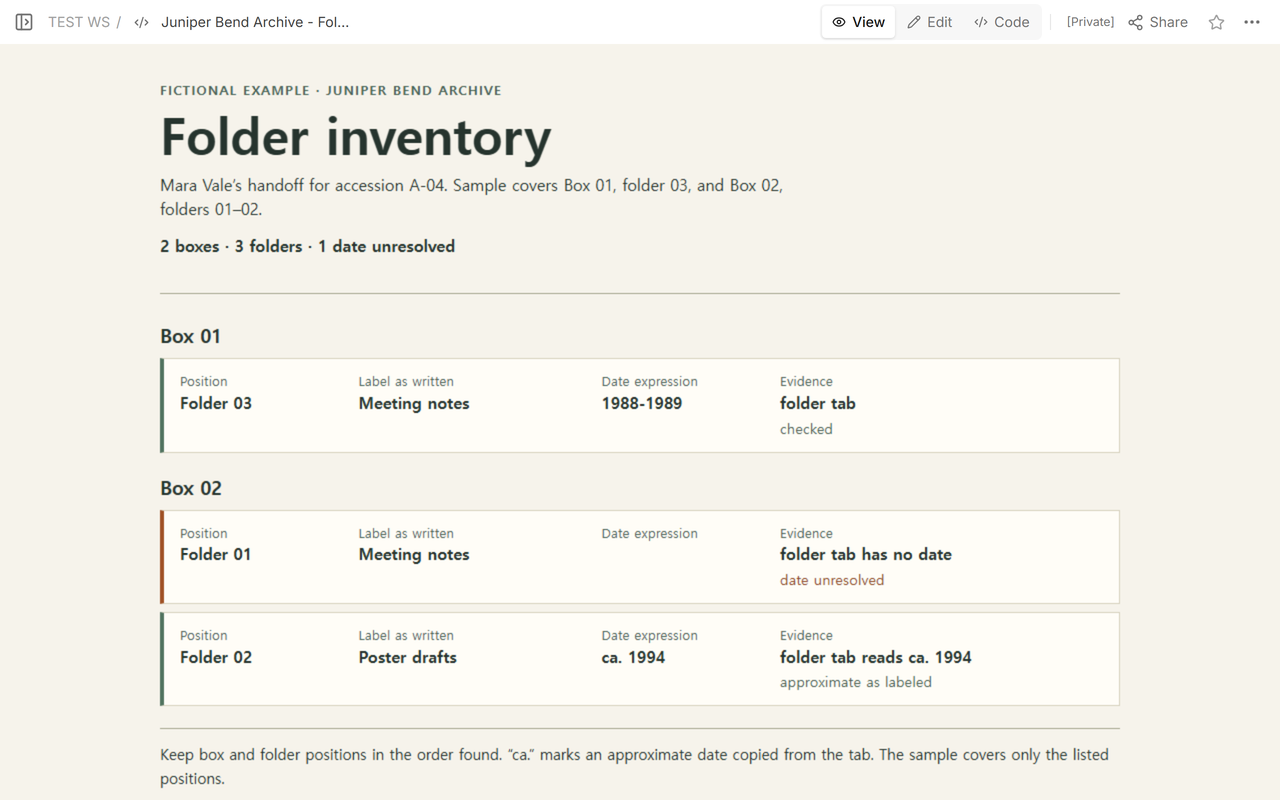
Mara can hand off “Box 02, folder 01” with instructions to check the first and last dated items. A request for “Meeting notes” alone could send her colleague to either box. If other positions remain outside the inventory, say so in the handoff.
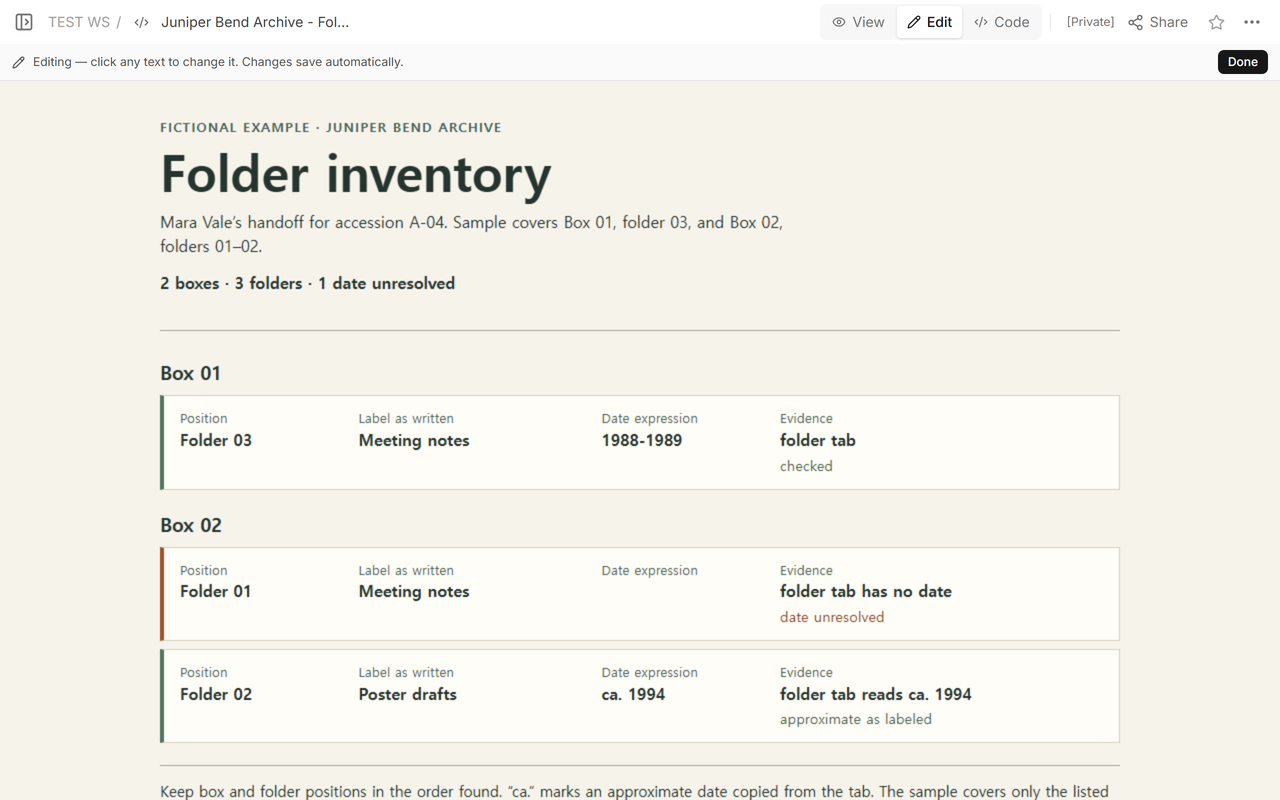
What does the reader see after the date check?
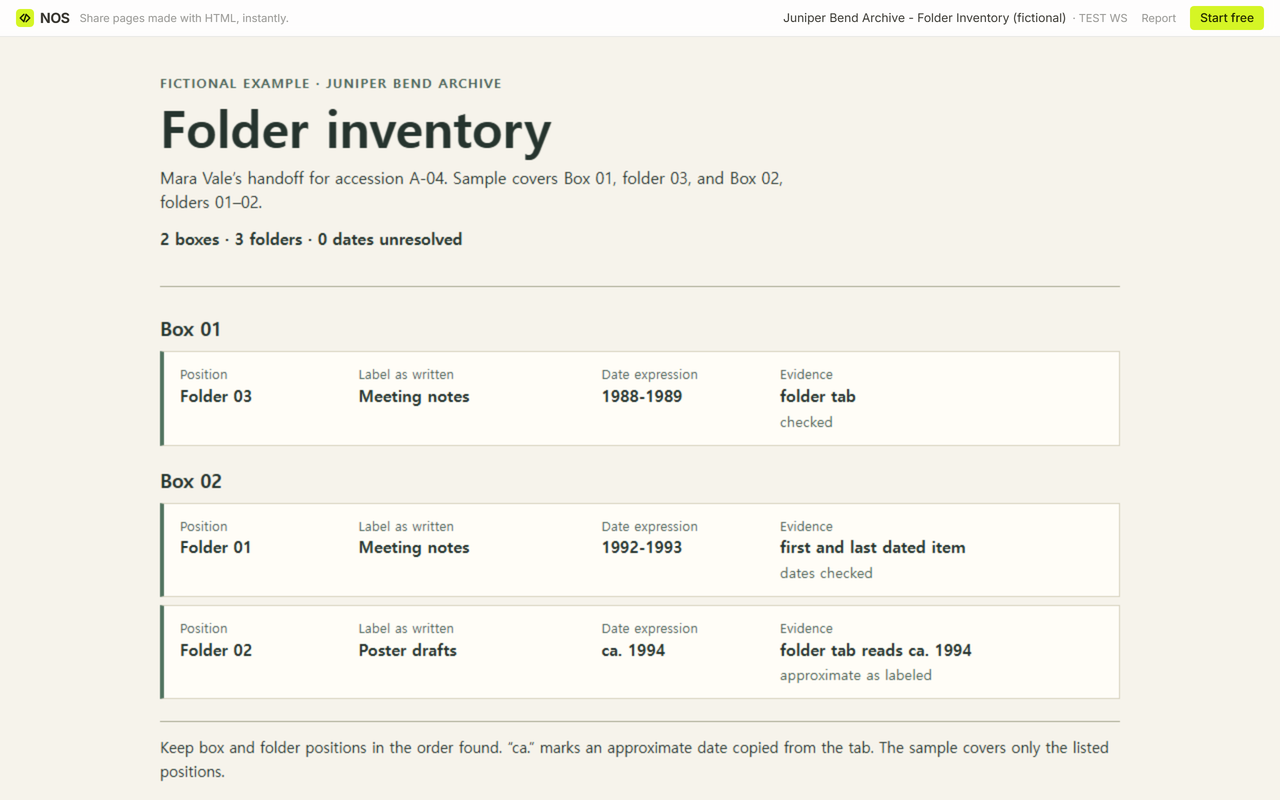
We opened the example’s Share panel and followed its reader address in a signed-out browser. That address displayed the inventory. Opening the editor address while signed out led to a login screen.
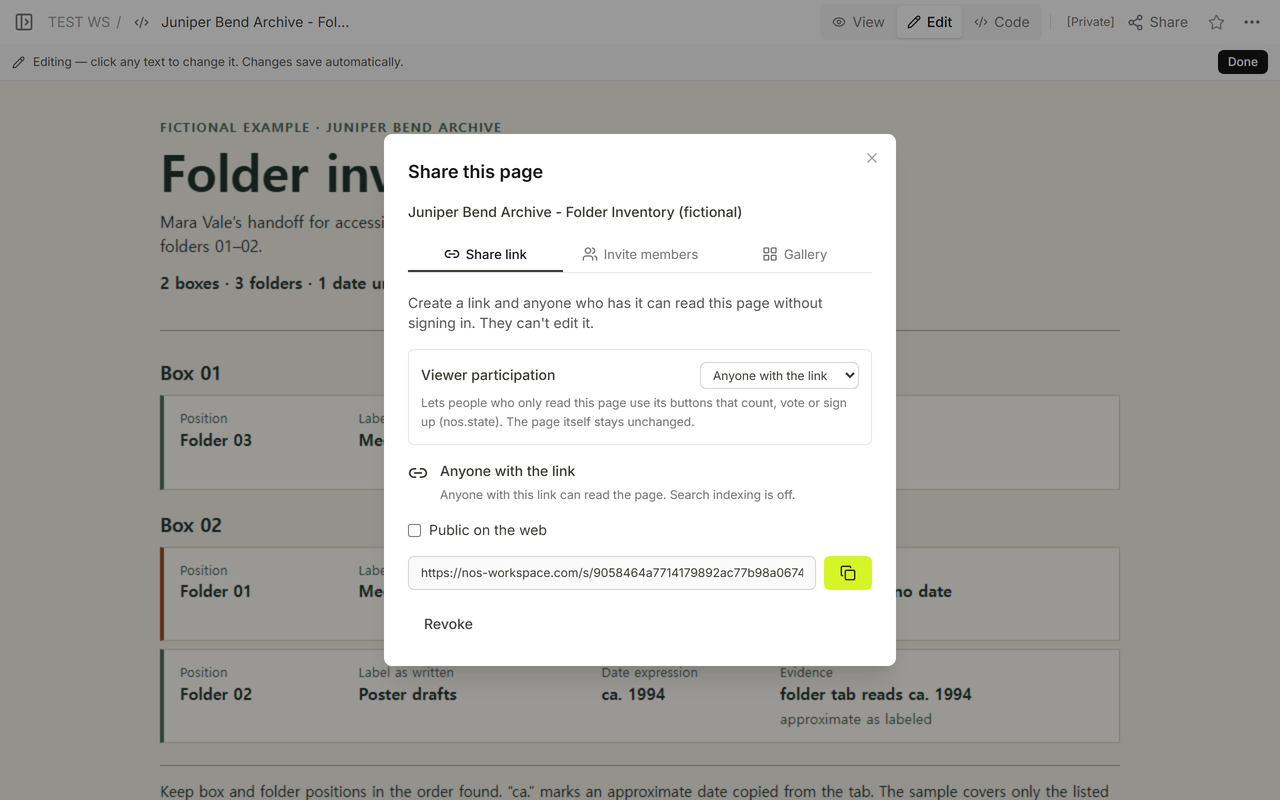
In the fictional check, the first and last dated items Mara consulted were from 1992 and 1993. We entered 1992-1993 for Box 02, folder 01 in Code, wrote “first and last dated item” in the evidence field and changed the status to “dates checked.” That range describes the evidence consulted. It leaves open whether undated items fall outside the range.
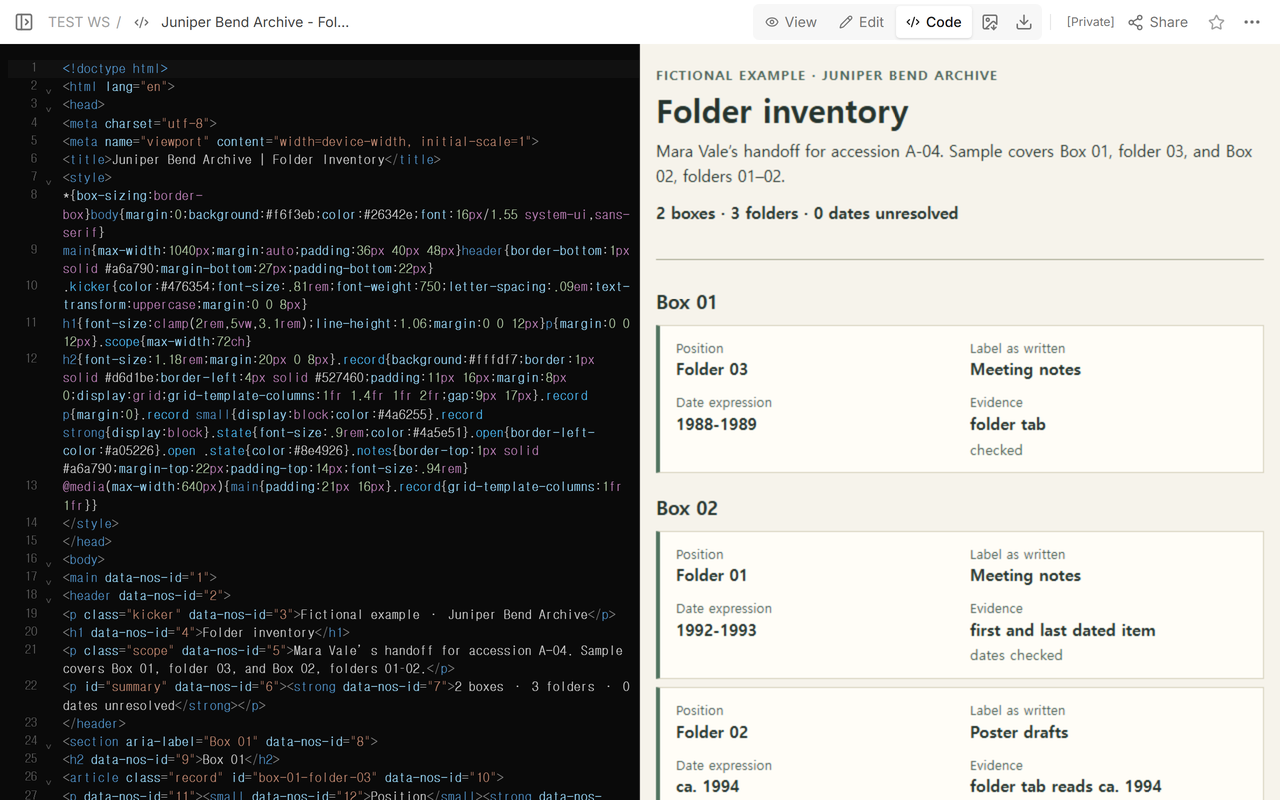
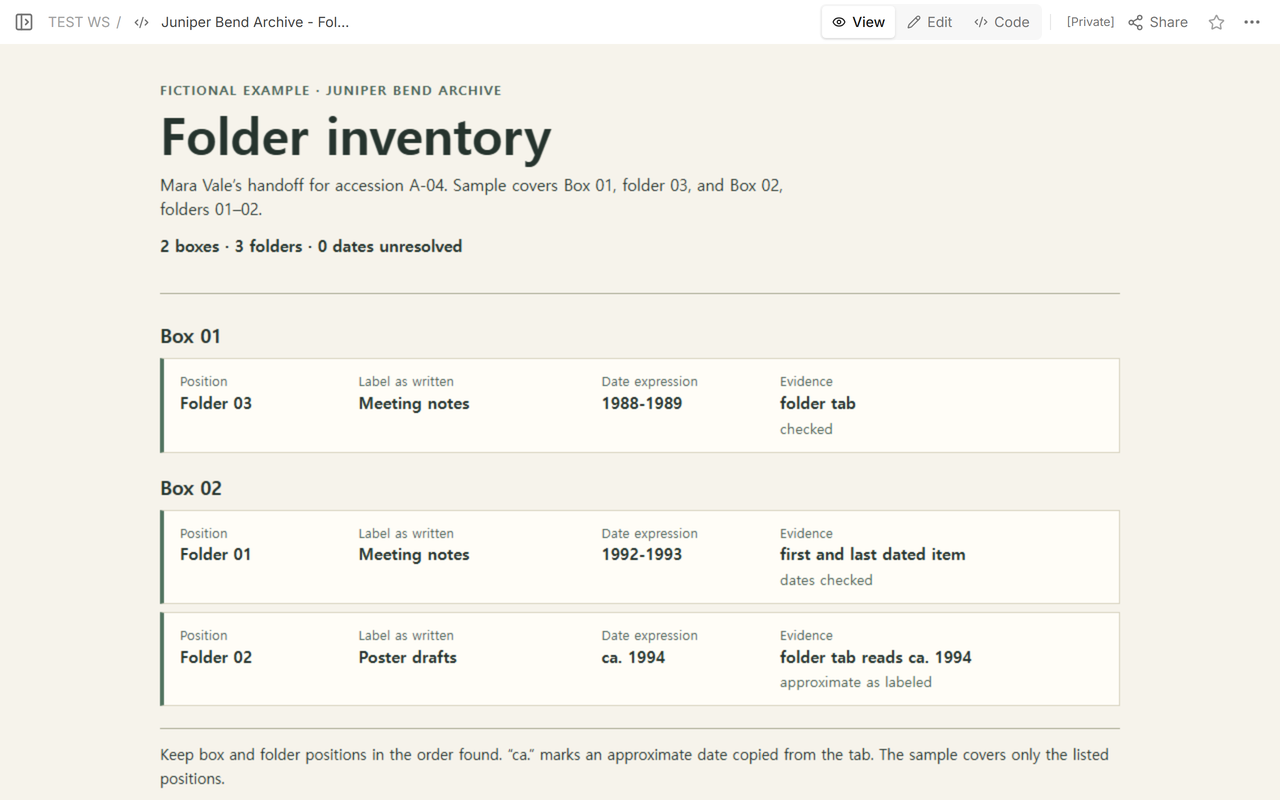
The same reader address then showed the new range and zero unresolved dates. It still showed two boxes, three folders, both “Meeting notes” rows and the approximate date on the poster drafts.
How do you hand off your own inventory?
Open the blank CSV and enter one row for each folder encountered. Write a short scope note beside the inventory that names the accession, the box and folder positions covered, and who recorded them. Before handing it over, use one row to retrieve a folder by its locator. Check that its exact label, date expression and evidence match the row. If you can only verify part of the list, write down which positions still need checking.
When not to do this
Use your repository’s approved records and procedures for access decisions, formal description, or changes to the order and numbering of a collection. For a finding-aid import, use the schema your repository specifies. The University of Idaho Library’s ArchivesSpace worksheet shows an example of that separate process. Keep restricted holdings and personal information in your approved internal system.
Where does NOS fit?
We used NOS Workspace to check how a fictional HTML handoff looked in View and at its reader link after an edit in Code. A colleague with the reader link could see the corrected example without signing in. For other inventory jobs, see the website content inventory for reconciling addresses or the art gallery catalog for listing works in exhibition order.