In short
- Start with a game that needs one input and one rule, like guess the number. Skip anything with moving sprites until that works.
- Keep the HTML, CSS and JavaScript in one file. One file is easy to test, and easy to turn into a link.
- Before you send it, try to break it: a blank box, a number out of range, the last try, and Play again.
- Share a link, not the file. If your friend finds a bug, fix the same page so the link you sent keeps working.
We wrote a small Guess My Number game as one HTML file and put it on a NOS page. Then we opened the share link at phone size and played it like a friend would. On the first try we typed 150 and then hit Check on an empty box. Both counted as guesses. We fixed that in NOS, changed one line of text, and opened the same link again. This guide walks through the whole loop.
Which JavaScript game ideas are best for beginners?
Most lists give you ten ideas and no way to choose. Use this test instead. A good first game has one thing the player does, one rule that checks it, and one message that answers back. If you can say all three in a sentence, you can build it this week.
| Game | What it teaches first |
|---|---|
| Guess the number | Reading a text box, if/else, counting tries |
| Rock, paper, scissors | Buttons, random choice, comparing two values |
| Click counter with a timer | Click events, a running score |
| Memory cards | Lists of items, matching pairs |
| Snake or Breakout | Drawing on a canvas, a game loop, collisions |
The top three run on plain page elements: a box, a button, a line of text. Memory cards add a list to keep track of. Snake and Breakout need a canvas and a loop that redraws the screen over and over. Save those for your next project. MDN's first-splash lesson also starts with guess the number, for the same reason.
How to make a JavaScript game in HTML
Every small game has the same three parts. Name them before you write any code.
- State: what the game remembers. Ours keeps the secret number, the tries left and the list of guesses.
- Input: what the player does. Here it is a number box and a Check button. Pressing Enter works too.
- Check: the rule that runs on each input. It says Too high, Too low, or You got it, and ends the game after the last try.
Our file has the page layout at the top, the styles in the head, and the JavaScript at the bottom. The heart of the game is one function. Here it is, as we first wrote it:
The check function, first version (21 lines)
function checkGuess() {
  const guess = Number(input.value);
  triesLeft = triesLeft - 1;
  guesses.push(guess);

  if (guess === secret) {
    hint.textContent = 'You got it in ' + guesses.length + '!';
    endGame();
  } else if (triesLeft === 0) {
    hint.textContent = 'Out of tries. It was ' + secret + '.';
    endGame();
  } else if (guess > secret) {
    hint.textContent = 'Too high';
  } else {
    hint.textContent = 'Too low';
  }
  triesText.textContent = 'Tries left: ' + triesLeft;
  past.textContent = 'Your guesses: ' + guesses.join(', ');
  input.value = '';
  input.focus();
}
It looks fine. It also has a bug most beginners write, which we left in on purpose so you can see it happen. The full game, with the fix, is a single file you can download and open in any browser.
We added the file to a new NOS page. Code view shows the HTML with the running game right under it. You can play it there before anyone else sees it.
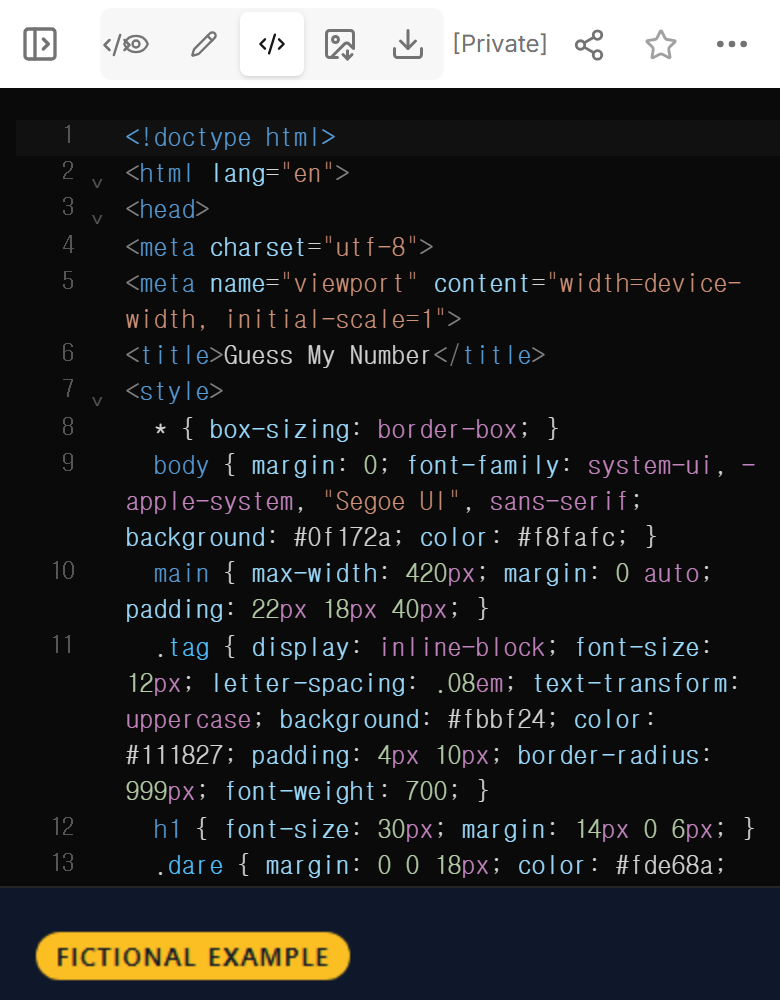
Sharing the game as a link
A link opens in your friend's browser with one tap. A file sent in a chat has to be saved and then opened in a browser. So we clicked Share.
The panel says anyone with the link can play the page without signing in, and can't edit it. Public on the web was left off, and the panel notes that search indexing is off. That suits a game made for a few friends.
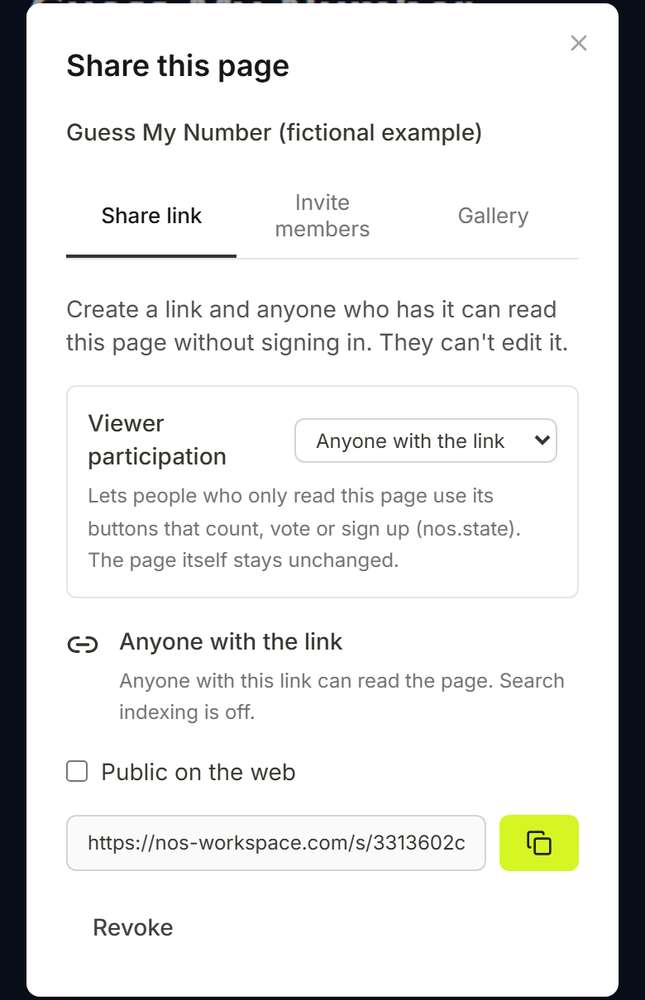
What broke when we played it at phone size
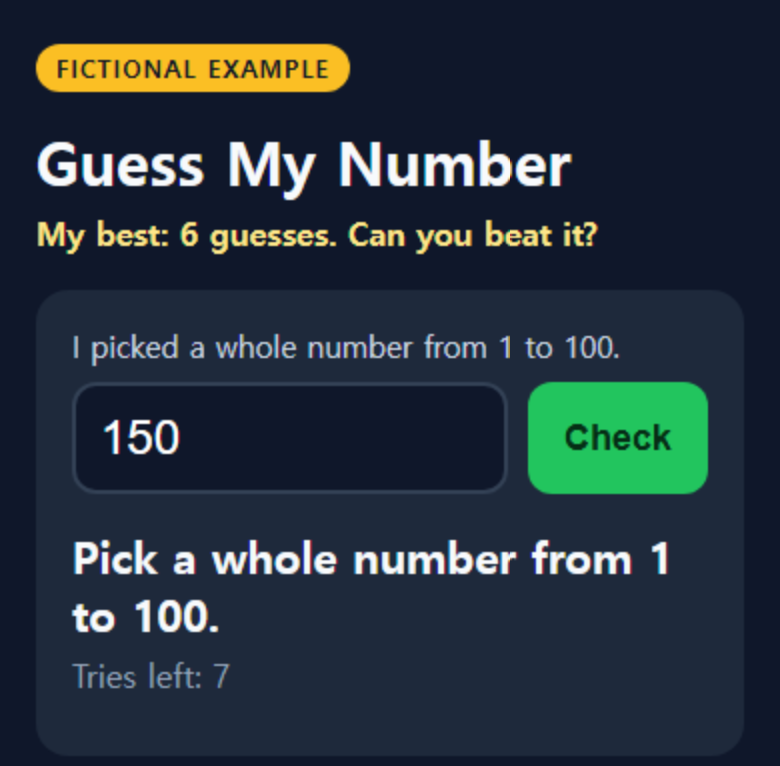
We opened the share link at phone width and did what a careless friend would do. We typed 150 and pressed Check. Then we pressed Check again with the box empty.
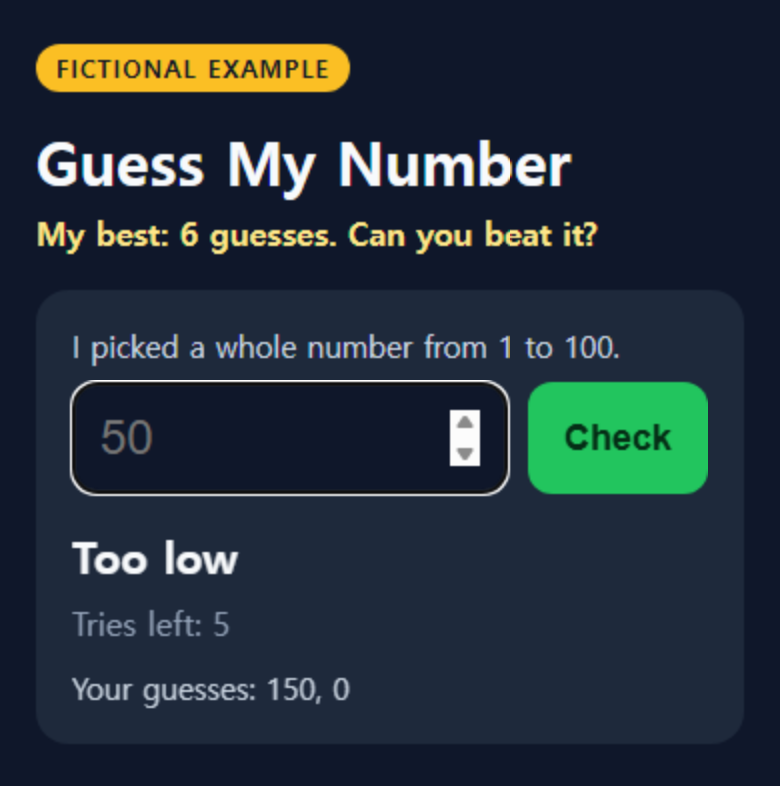
Both counted. Tries left fell from 7 to 5. The guess list shows why: an empty box turned into 0. In JavaScript, Number('') gives 0, not an error. So the game said Too low and took a try away.
This is the bug to look for in any first game. The player can send input your rules never planned for. Check it before you count it.
How to fix the game without sending a new link
We went back to Code view on the same NOS page and added four lines right after the guess is read. If the guess is not a whole number from 1 to 100, the game shows a message and stops there. No try is used.
if (!Number.isInteger(guess) || guess < 1 || guess > 100) {
  hint.textContent = 'Pick a whole number from 1 to 100.';
  return;
}
Order matters. The check has to come before the line that takes a try away. Put it after, and the player still loses a try for a bad guess. Number.isInteger also catches 4.5, since the game only uses whole numbers.
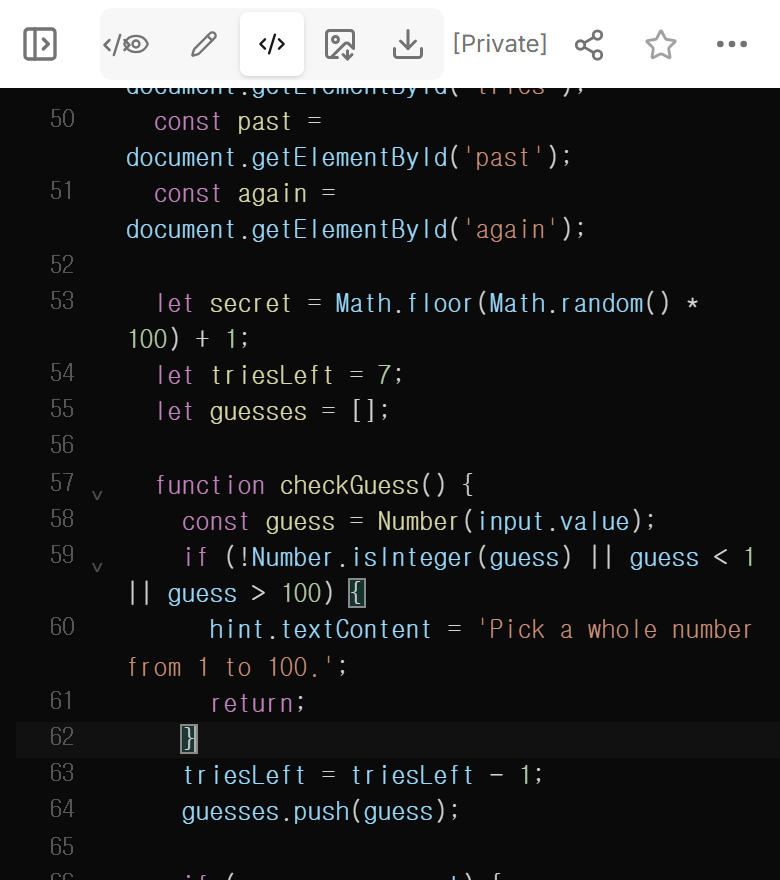
NOS saved the change as a new version of the same page. We did not copy the link again.
Does the same link show the fix?
We reopened the link we had already copied and typed 150 again. This time the game asked for a number from 1 to 100, and Tries left stayed at 7.
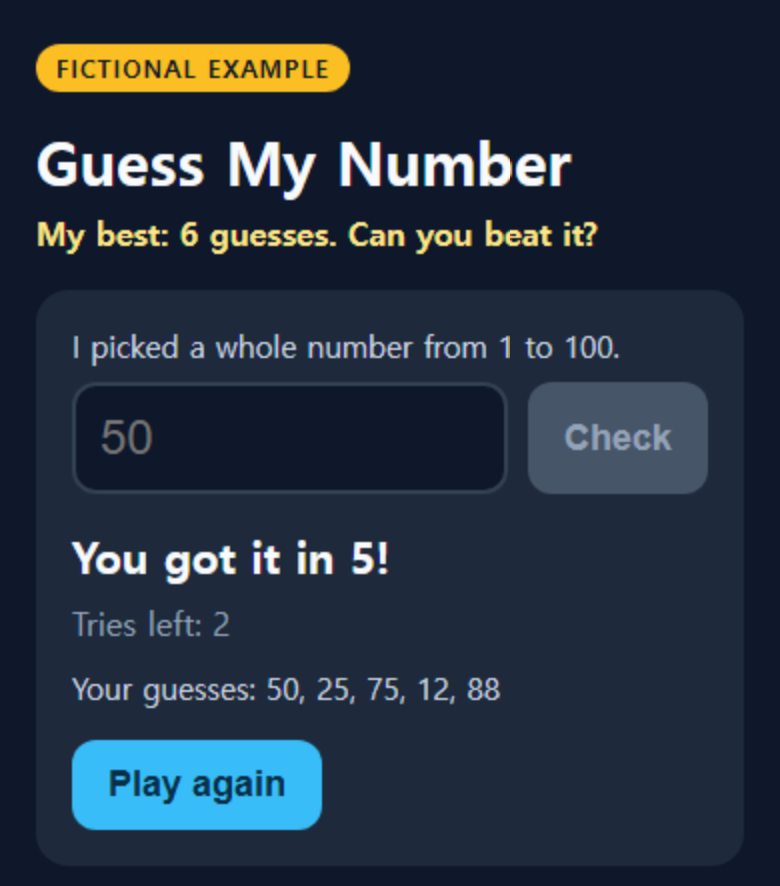
Then we played a real round. We guessed 50, 25, 75, 12 and 88. The secret was 88, so the game ended on the fifth guess and showed the Play again button.
Changing a line of text without touching code
Our round took 5 guesses, one better than the dare at the top of the page. Text like that does not need Code view. In Edit mode you click any text on the page and type over it.
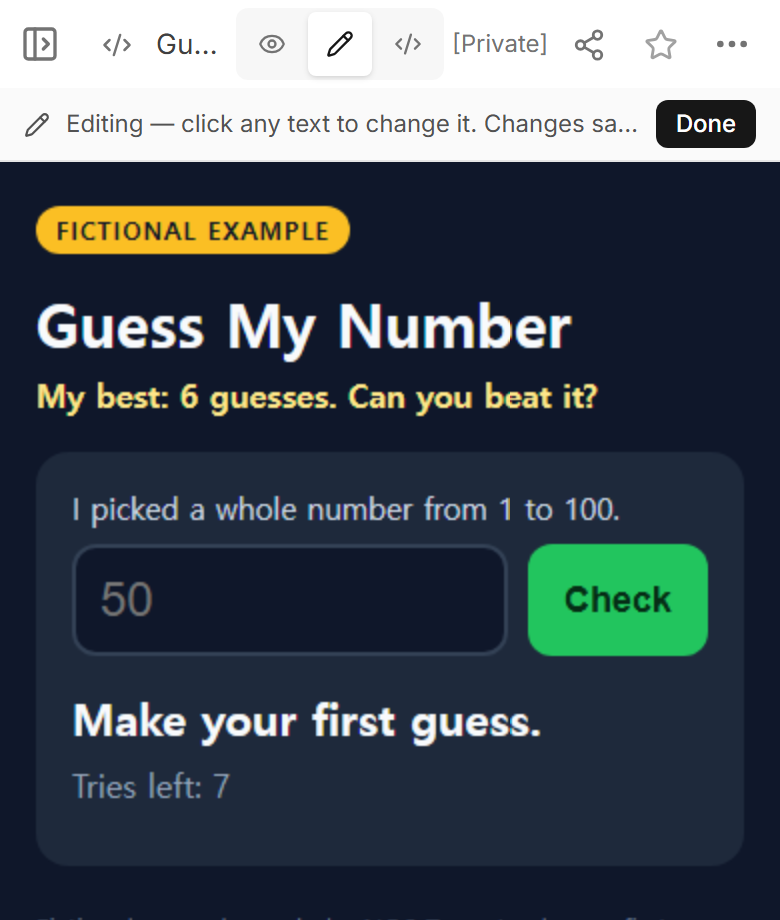
We changed the line to "My best: 5 guesses. Can you beat it?" and pressed Done. That made one more version of the page. The game code was left as it was. The link we had sent showed the new line.
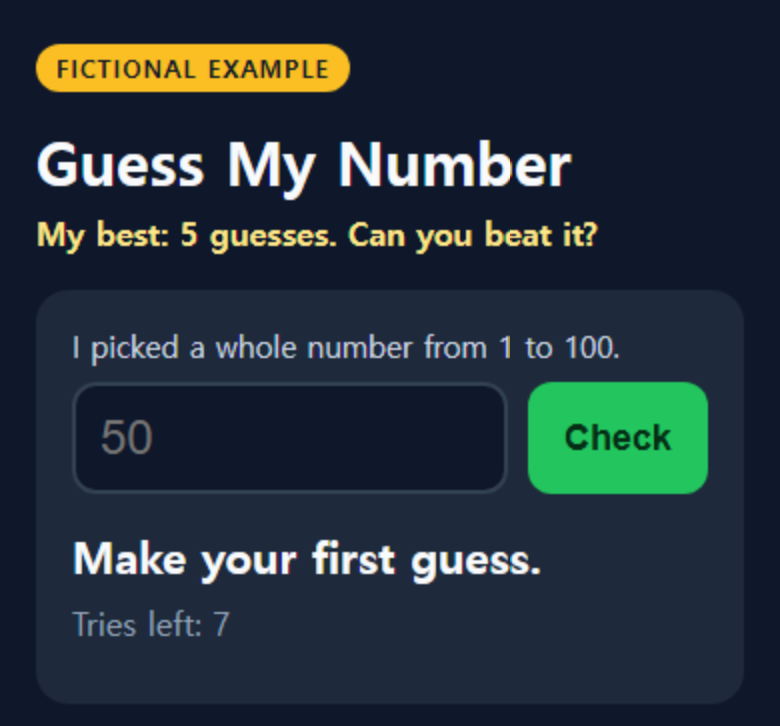
Use Edit mode for words and Code view for rules. A typo in a button label is an Edit job. A change to how many tries you get is a Code job, because the number 7 shows up in more than one place in the JavaScript.
A four-step test before you send it
- Bad input: an empty box, a number out of range, a decimal. None of them should cost a try.
- The last try: lose on purpose. The game should reveal the answer and lock the Check button.
- Play again: the tries, the guess list and the message should all reset.
- Phone width: open the share link on a narrow screen. Buttons should be big enough to tap and nothing should spill off the side.
We caught our bug on the first of these, at phone width, before anyone else played.
Can you make a game with only JavaScript?
Yes, for games that run in a browser. You still need a small HTML page to hold the JavaScript and show the board, but you do not need any game engine or library. Our game uses plain HTML, CSS and JavaScript in one file, with nothing to install.
Is JavaScript good for making games?
For browser games, puzzles, quizzes and small 2D arcade games, yes. It runs on any device with a browser, and you see each change right away. For large 3D games, most people use an engine such as Unity or Godot, which can also export to the web. As a first language for games, JavaScript lets you share what you made with nothing more than a link.
Simple JavaScript game code to copy and paste
Copying a whole game works, but you learn more by changing it. Start from our file and try one change at a time:
- Change the range to 1-50. Edit the label, the range check and its message, and the two lines that pick the secret.
- Give a warmer hint, like "Very close", when the guess is within 5.
- Show the best score so far in this visit. Keep it in a variable that Play again does not reset.
After each change, play one round in Code view before you touch the next line. If the game stops working, you know which edit did it.
When not to do this
- Two players at once, on two phones. A real-time multiplayer JavaScript game needs a server that passes moves between players. A shared page does not do that.
- A shared high-score table. Our game forgets everything when the page closes. We did not test saving scores across players.
- Games that load many image or sound files. One self-contained file is the easy case. A folder of art and audio is better served by a host built for game builds.
- Learning the basics with no browser at all. If you only want to practice loops and if/else, a coding course's built-in editor may be enough. Sharing comes later.
Where NOS fits
NOS gives your HTML page a link that opens on any phone without an account. You can play the game in Code view as you edit it, fix words in Edit mode, and every save updates the link you already shared. For a first game that you want a friend to try tonight, that is the whole job. Plans are listed on the pricing page. For more on the game itself, read how a guessing game keeps its hints honest and what fits in a single-file game. When you are ready to share more, see how to make a game link people will play on a phone.