In short
Use one row per event in a completed game. Keep the original display, the approved source value, and the time you actually entered in separate columns. Leave the source, recorded time, and change blank when the evidence is missing.
Download the blank CSV · Download the worked CSV · Open the fictional log
What belongs in a postgame clock correction log?
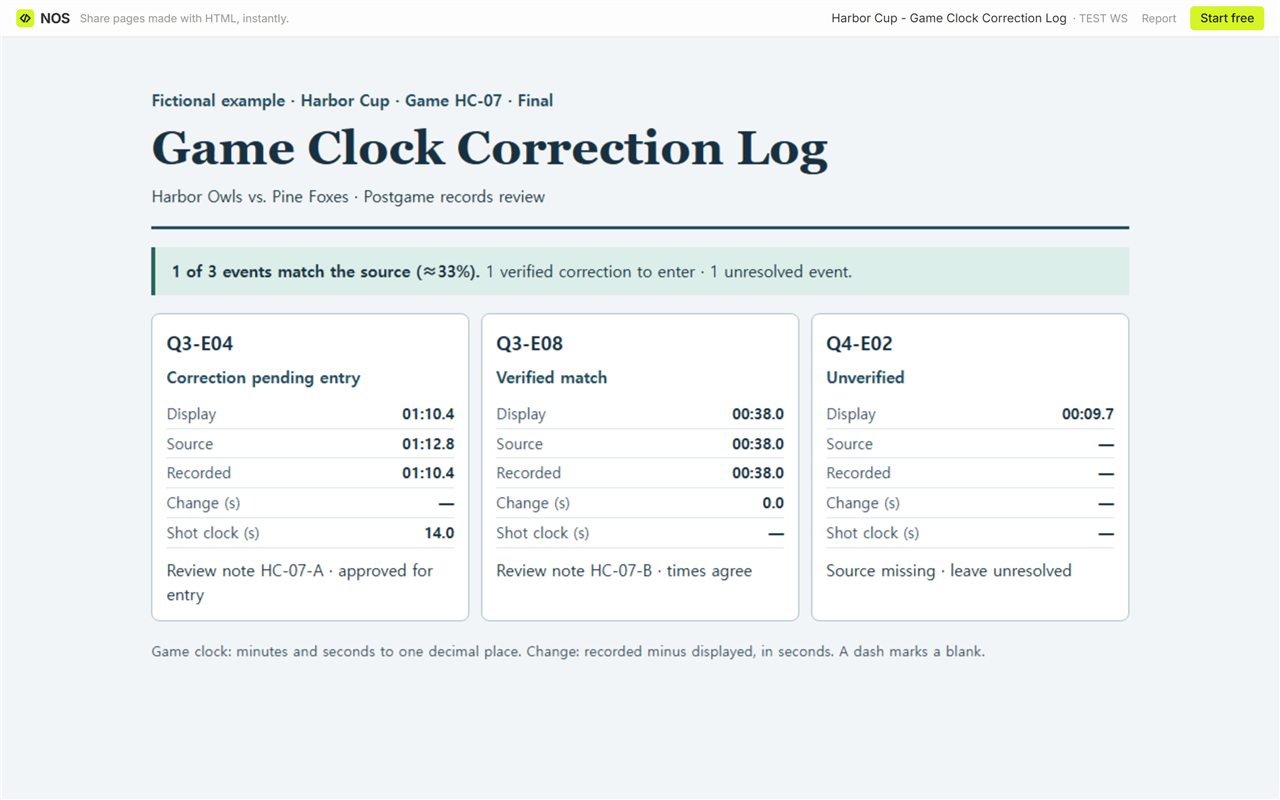
Start with the game ID and an event ID that the next reader can also find in the source. In our fictional Harbor Cup example, HC-07 is the game and Q3-E04 is the event. The display read 01:10.4. Review note HC-07-A already approved 01:12.8 for that event. Both readings belong on the row, even after you enter the correction.
In the blank CSV, use the display column for what was originally seen, the source column for the time supported by the review, and the recorded column for the time entered in the record. Add a source reference and status so the next reader can find the same decision. If you open the CSV in a spreadsheet, import the three game-clock columns as text to preserve leading zeros and the decimal place.
How do you calculate the signed change?
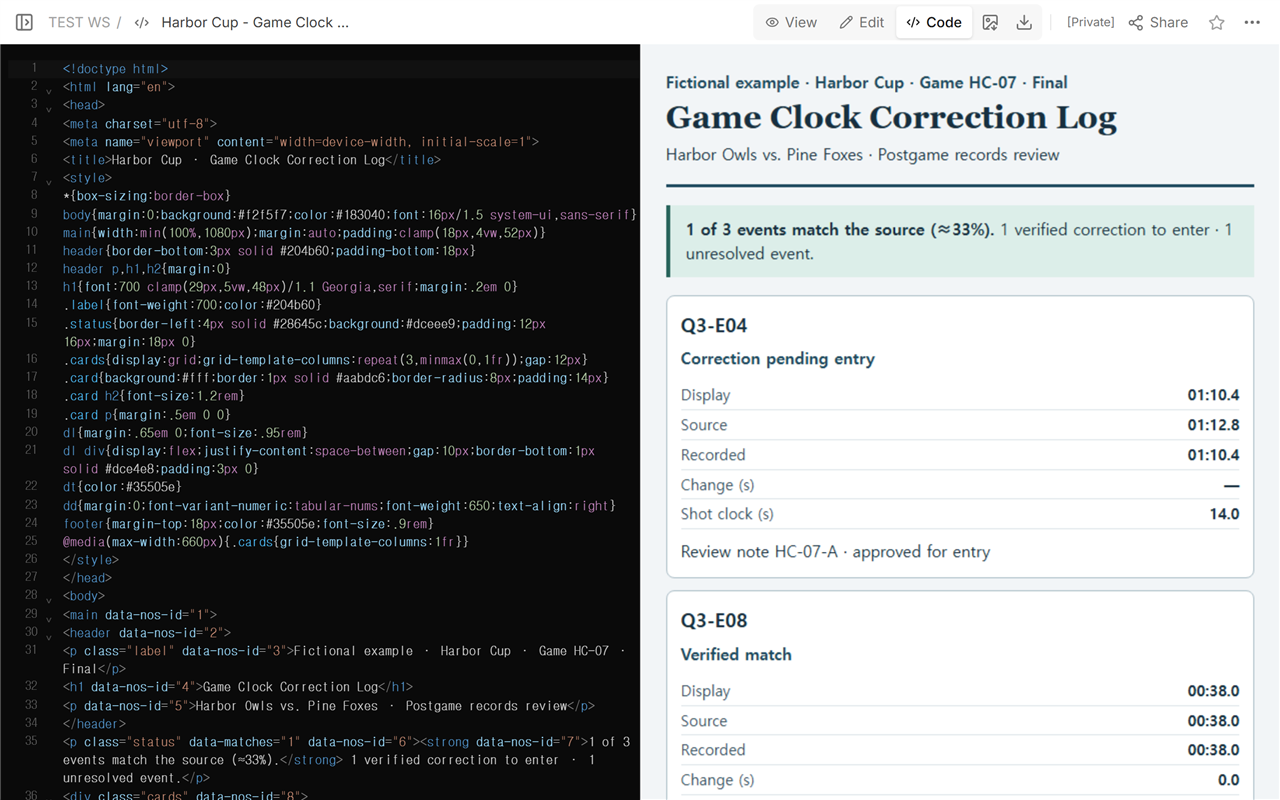
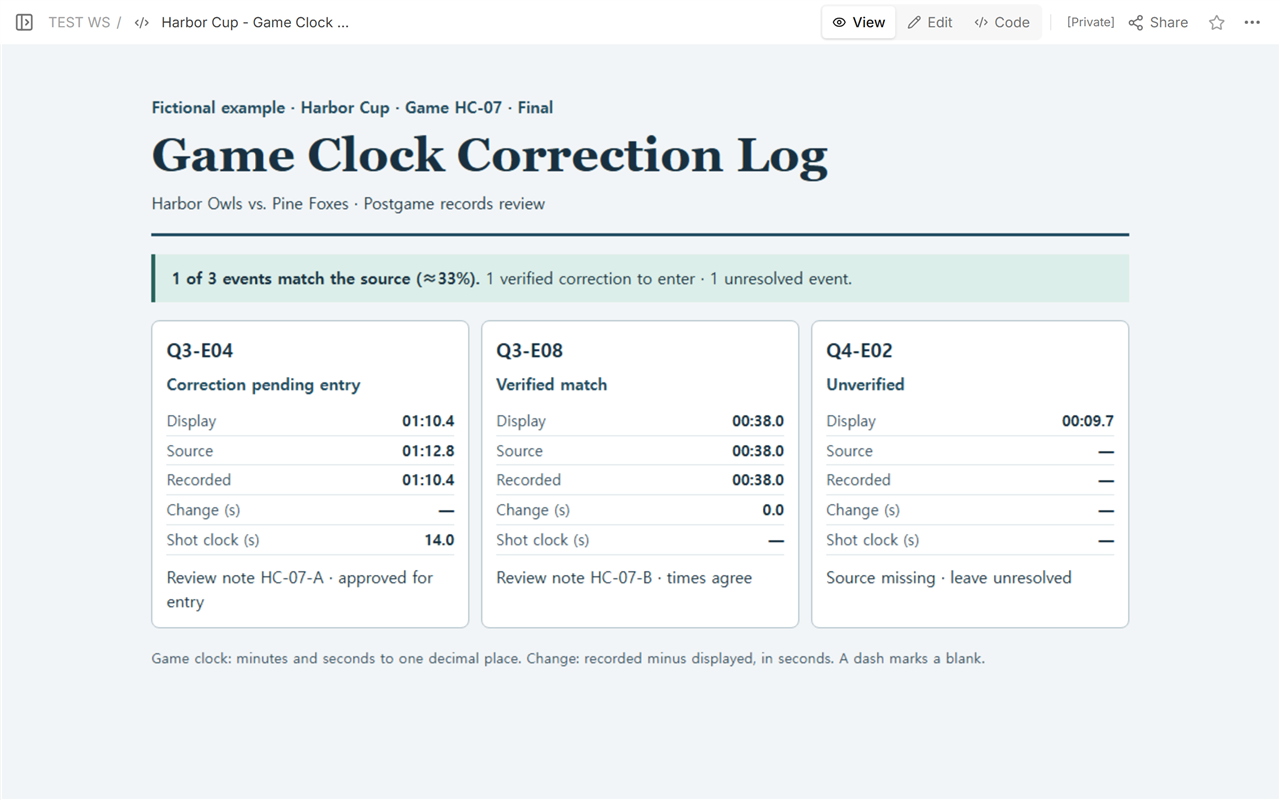
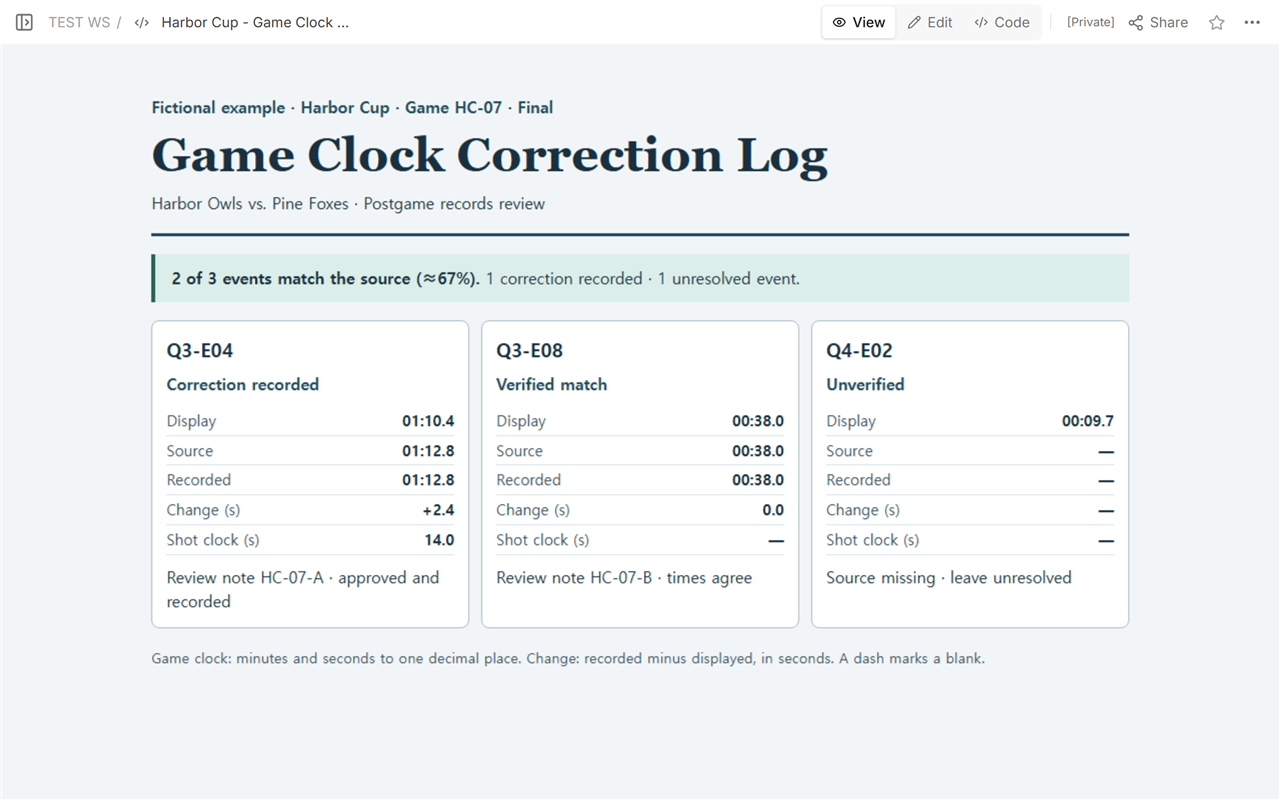
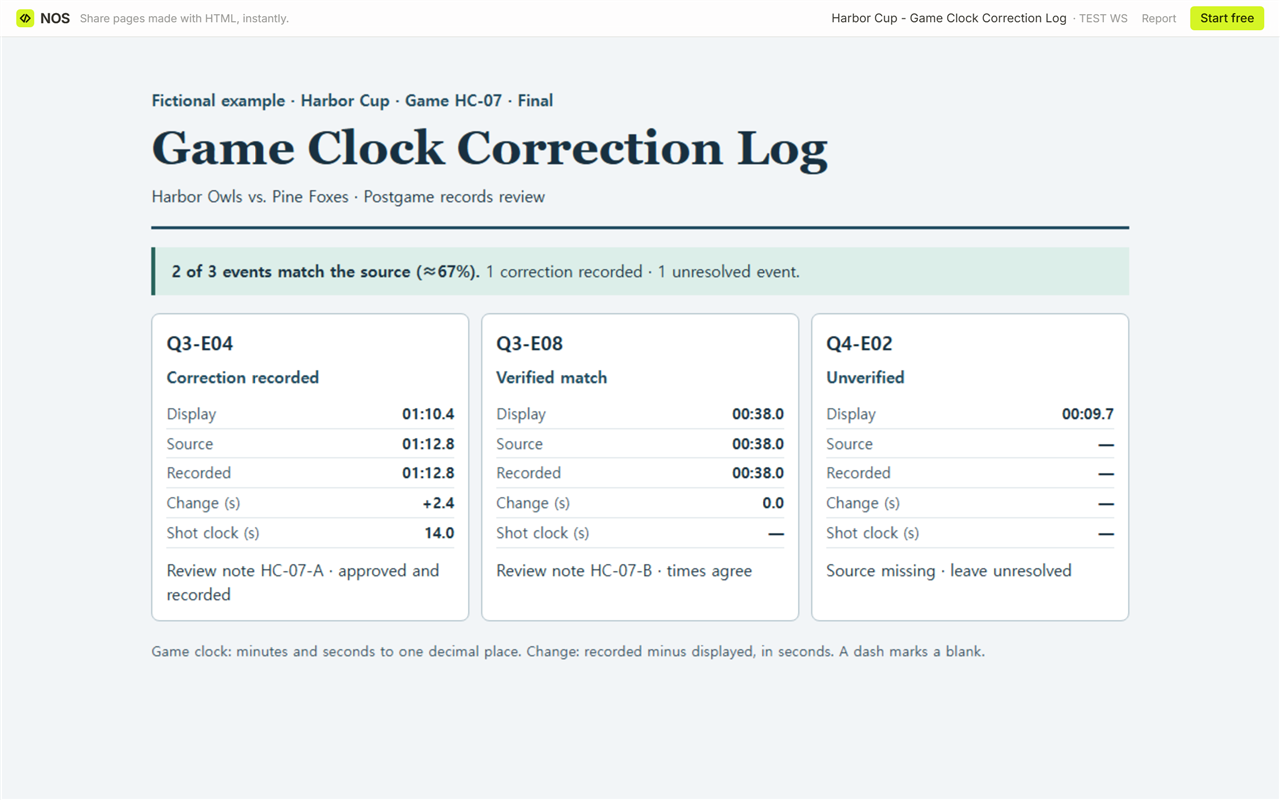
The example writes minutes before the colon and tenths after the decimal point. Read 01:10.4 as 60 s plus 10.4 s, or 70.4 s. Read 01:12.8 as 60 s plus 12.8 s, or 72.8 s. After entering the approved value, subtract the original display: 72.8 − 70.4 = +2.4 s. A plus sign means the corrected reading shows more time remaining. Keep the separate shot-clock field at 14.0 s for Q3-E04.
Q3-E08 reads 00:38.0 in all three columns, so its change is 0.0 s. For Q4-E02, preserve the displayed 00:09.7 and mark the row Unverified. The CSV leaves the source, recorded time, and change empty for that row. The page shows those blanks as dashes.
What should someone with the shared link see?
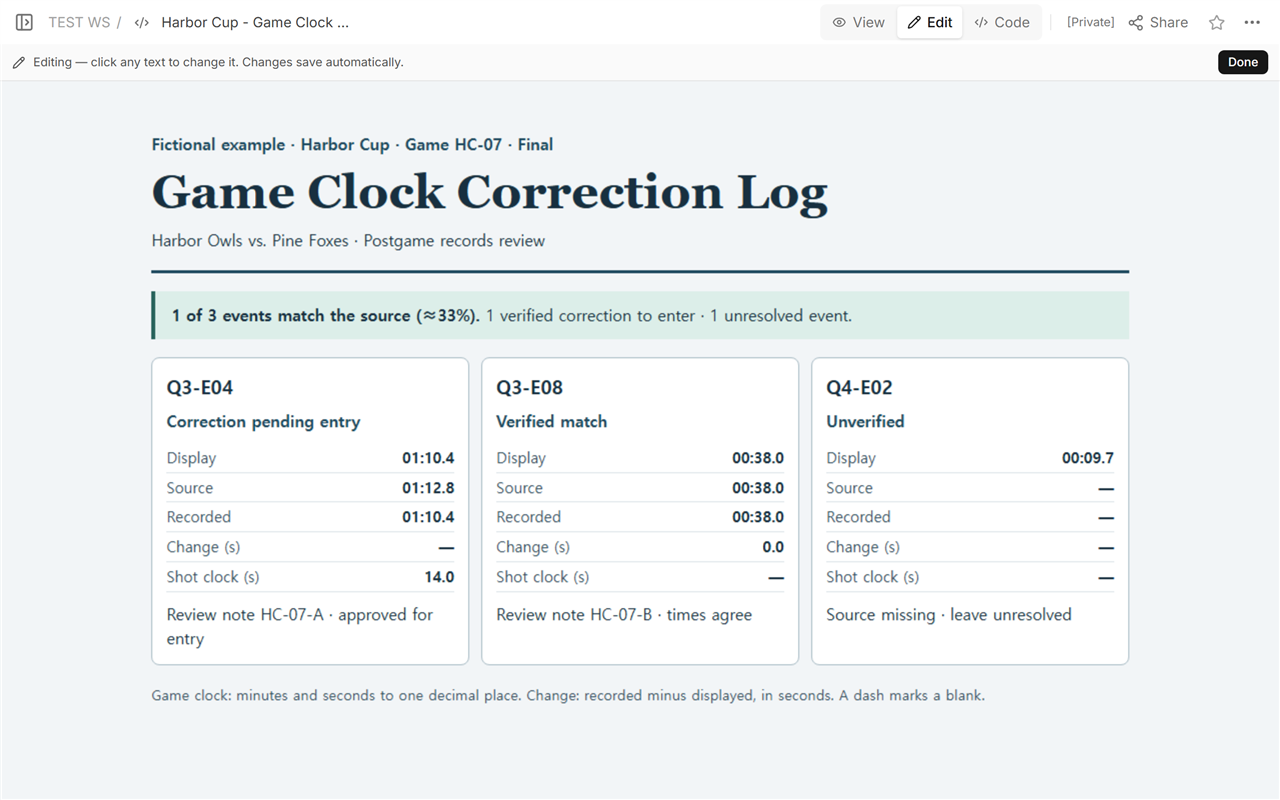
Before entering the correction, we opened the reading link and saw one verified match among the three logged events. That is 1 ÷ 3 ≈ 33%. The denominator includes the unverified event because the label describes all logged events.
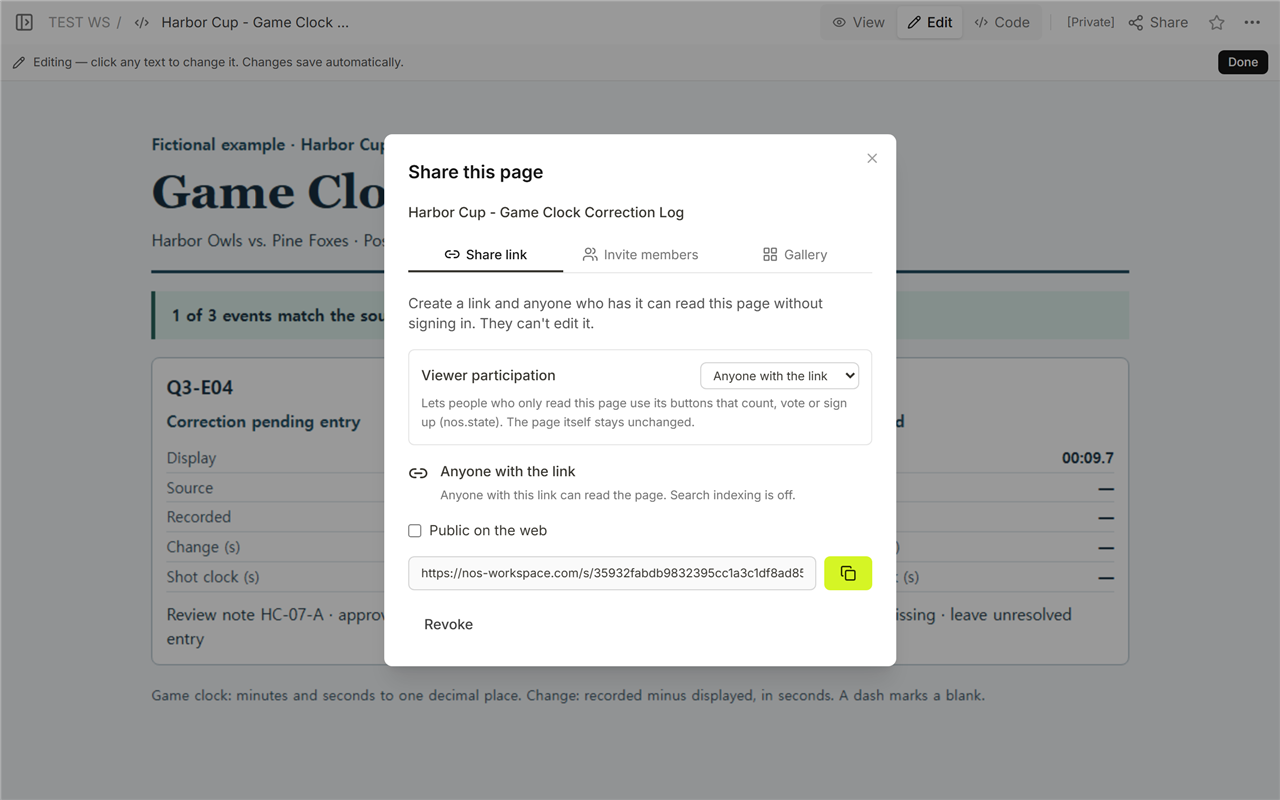
We entered 01:12.8 in the existing log and reopened the same reading address while signed out. Q3-E04 now shows the approved time and +2.4 s. Q3-E08 still agrees, so the summary reads 2 of 3 events match the source (≈67%). That is 2 ÷ 3 rounded to a whole percent. One event still needs evidence.
When not to do this
Use this template after a game has ended and any correction you enter has already been approved through your competition’s process. During play, follow your competition’s procedures. If the available material shows a clock but leaves the event in doubt, keep the reference in your notes and leave the correction fields blank. Keep restricted review material in the approved records system.
Using NOS to hand off the log
In NOS, open Code to work with the HTML and View to read the whole log. Use the reading address from Share for the handoff, and reopen it signed out to check what the recipient sees.
Send the approved correction to the person who maintains the fictional Harbor Cup play-by-play. Ask them to find game HC-07 and event Q3-E04, set Game clock to 01:12.8, and cite review note HC-07-A. Reopen that event in the play-by-play and check both the clock and the note before filling in the CSV’s handoff confirmation column.
| Field | Before | After |
|---|---|---|
| Game clock | 01:10.4 | 01:12.8 |
| Review note | — | HC-07-A |
Reopened the Harbor Cup play-by-play (HC-07): Q3-E04 shows 01:12.8 in Game clock, per review note HC-07-A.
Keep Q4-E02’s displayed 00:09.7 in the correction log because no source has confirmed it. Leave its handoff confirmation blank. Keep Q3-E04’s 14.0 s in the log’s shot-clock column because HC-07-A approves a change to the game clock only.
For other kinds of records, see the scoreboard award history or the three-inning baseball scorecard.