In short
A reading challenge website should answer the questions readers have before they choose a book.
Put the dates, audience, book choices, completion rule, and contact route on one page.
Keep personal reading records somewhere private; the public page is the shared rulebook.
NOS Team made a fictional six-week challenge for a fictional community library. The finished page names 12 book prompts, accepts several reading formats, gives one deadline, and explains how a reader finishes. It does not collect names, titles, or progress.
What does a reading challenge website need?
Start with the decision a visitor is trying to make: “Can I join, and can I finish this?” A lively banner is useful only after the rules are clear. For this example, we wrote five answers before choosing colors:
- Period: November 9 through December 20, 2026.
- Audience: fictional Lantern Library readers age 13 and up.
- Book range: print, ebook, audiobook, graphic novel, and poetry.
- Finish line: 12 books, with a different prompt assigned to each title.
- Questions: ask at the fictional library information desk.
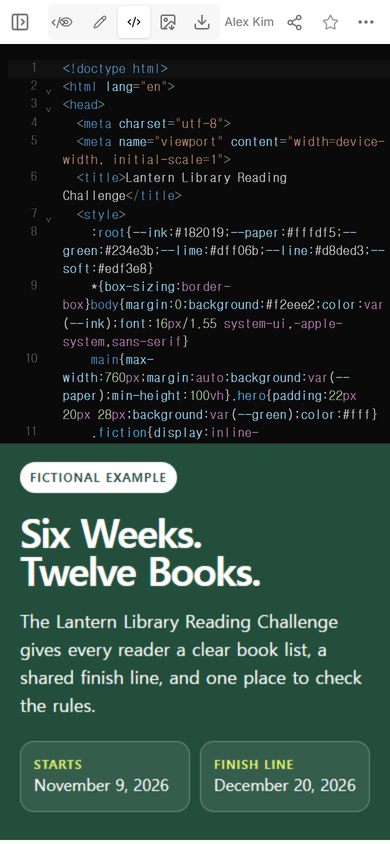
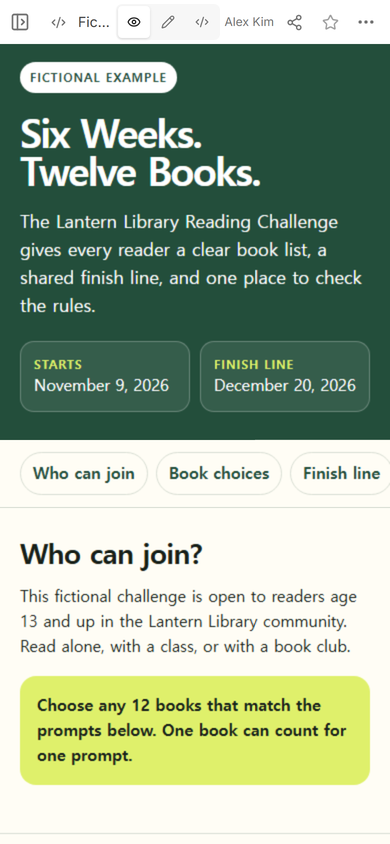
Those answers became the page structure. The headline gives the scale of the challenge. The first screen shows both dates. The sections below explain eligibility, book choices, the finish rule, and where to ask for help.
How do I make a reading challenge website?
- Write the rules in plain sentences. Settle the dates, audience, accepted formats, number of books, and final requirement before styling the page.
- Turn the rules into one mobile page. Use a short introduction, prompt cards, and a numbered finish section. Mark invented names and records as fictional.
- Open the complete page in NOS. Check the HTML and its rendered view before sharing it.
How should the book list work?
A title list makes every participant read the same books. A prompt list leaves room for choice while keeping the finish line comparable. The example uses 12 distinct prompts: a new author, a short book, a story set abroad, a true story, a recommendation, a reread, a translation, a local-library title, an idea-driven nonfiction book, a different format, a pre-2000 title, and one reader’s choice.
State whether one book may satisfy more than one prompt. We chose one prompt per book, because “read 12 books” would otherwise conflict with a reader counting one title several times. We also named the accepted formats near the list, rather than leaving audiobook or poetry readers to guess.
If participants need a private record after they start, use a separate reading log template. The challenge page defines the common goal; a log records one person’s sessions and titles.
How do I share the rules with readers?
Open Share after the page reads correctly. The panel used for this example says that anyone with the link can read the page without signing in and cannot edit it. Copy that reader address rather than the address used to edit the document.
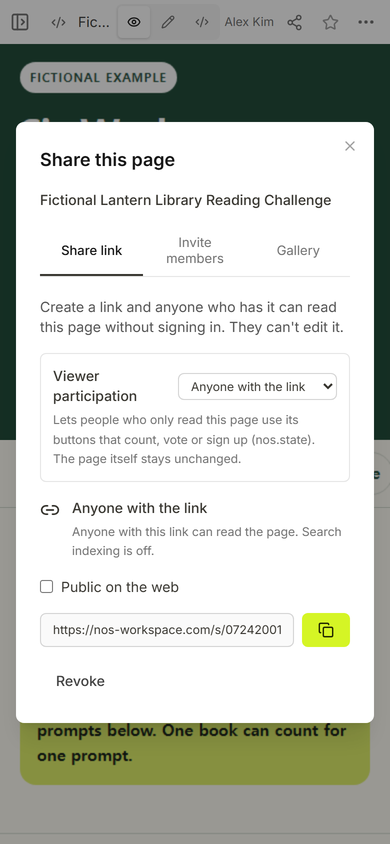
The page itself should still explain its limits. Our example says that it collects no signup details or reading records. A visitor can read the rules, but the page does not claim to register entrants or save their progress.
Can I change the challenge after sharing it?
Yes for the page used here: we opened Edit on the existing document and changed the lower line of the headline from “Twelve Books.” to “12 Books.” The first attempt selected too much text and repeated part of the heading. Selecting only the affected line fixed it before we left Edit.
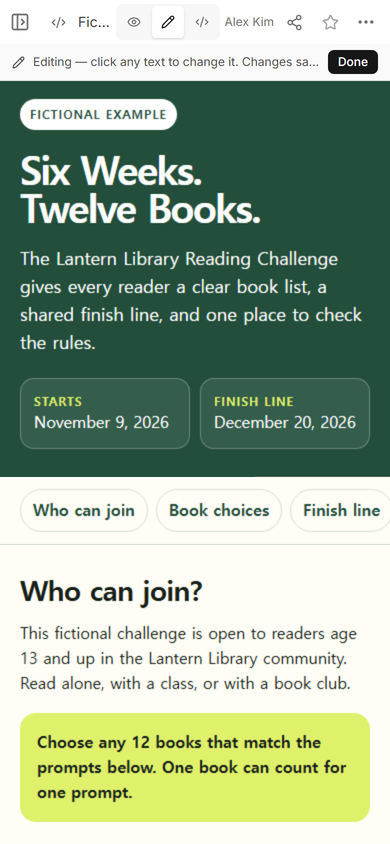
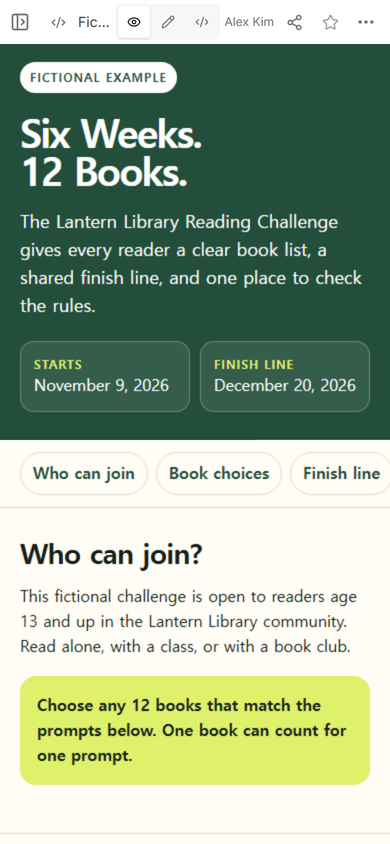
Practical tip: when a heading has a forced line break, click the exact line you want to replace. Read the whole heading again before choosing Done.
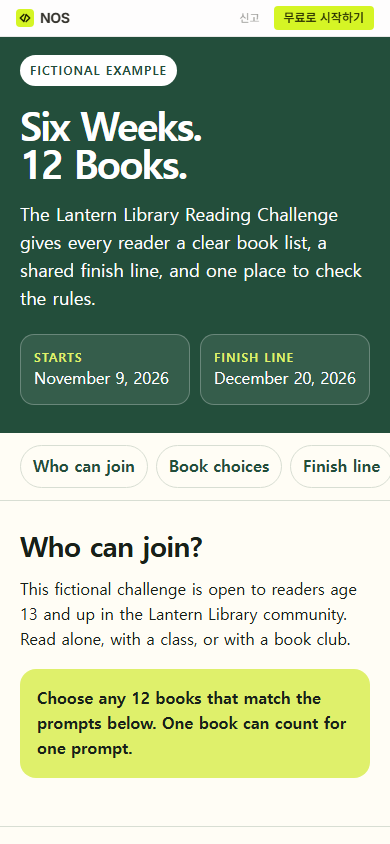
We then opened the original reader address. It showed the corrected headline, so the link already shared with readers did not need to be replaced.
How do readers track a reading challenge?
This public page deliberately does not track them. It tells everyone what counts, while each participant keeps a list in the notebook, class system, or private tool chosen by the organizer. That separation avoids implying that a static public page has accounts, submissions, or a shared progress database.
For a classroom version, the page can link to approved materials and repeat the school’s contact route. The guide to a one-page classroom website covers how schedules, links, and contact details can share one page. If readers may choose different kinds of response work as well as different books, a choice board helps state which choices may be combined.
When not to do this
- Do not use a public challenge page for private reading histories, student names, grades, or contact details.
- Do not promise registration, reminders, submissions, certificates, or leaderboards unless another system truly provides them.
- Do not reduce a complicated program to one page when readers need accounts, staff review, or different access levels.
- Do not publish a deadline until the organizer has confirmed it; a polished date is still wrong when the source is uncertain.
Using NOS for the challenge page
For this worked example, NOS held the complete HTML, showed the rendered mobile page, provided an Edit view for a text correction, and created a reader link. That is enough for a public rule page whose content is meant to be read rather than submitted. Current plan details belong on the NOS pricing page, so this guide does not copy an amount that may later change.