In short
- A team charter is one page that says why the team exists, who plays which role, who decides what, and how the team works day to day.
- The part most templates leave vague is decisions. Write each decision type on its own line, with one name next to it and a fallback for when the team is stuck.
- Keep it at one link, not in attachments. When a rule changes, you fix that one page and everyone sees the new version.
- Before you call it final, check that every person on the sign-off list has actually agreed.
We wrote a one-page charter for a made-up, six-week task force at a made-up store. The team's job: get online refunds out faster. We put the page on NOS, shared the link, then made two changes you will likely make too. Finance asked for a lower spending limit, and one sign-off came in late. Both changes went into the same page, and the same link showed them.
What is a team charter?
It is a short agreement about how a team will work together. It is not a project plan. A plan lists tasks and dates. A charter covers the rules people fall back on when they disagree, need money, or don't know who to ask.
It matters most for teams that form fast and end on a date. Task forces, cross-team pilots, and new squads all fit. Nobody has worked together before, so nothing is assumed.
What should a team charter include?
Most guides list the same parts. Atlassian's team charter guide also calls it a living document that the team revisits and updates. Our example used six blocks, in this order:
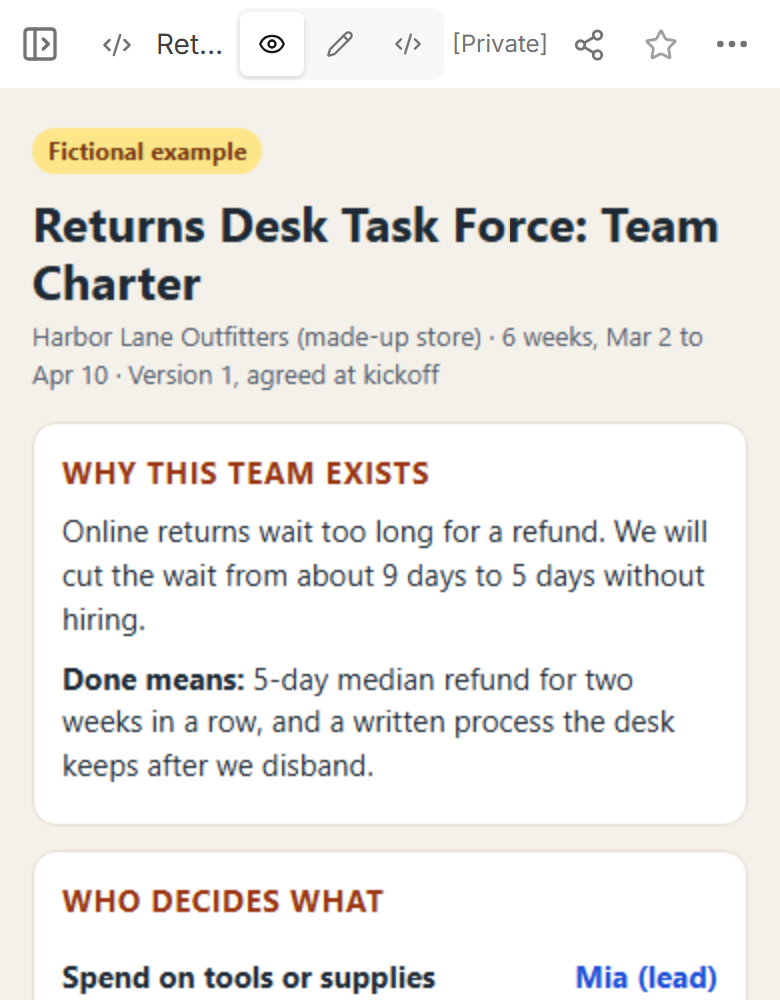
- Why this team exists. One problem, one target, and a plain definition of done.
- Who decides what. Each kind of decision, the person who owns it, and how they decide.
- Roles and owners. One line per person: what they own and what they report.
- How we work. Meeting time, where questions go, how fast to reply, where decisions get written down.
- When we disagree. The path from talking it out to someone making the call.
- Review and sign-off. A review date and each member's status.
We put "Who decides what" right under the purpose. That is the block people reach for in week two.
Writing decision rules people can use
"We make decisions together" is not a rule. It falls apart the first time two people want different things. A usable rule has three parts: the type of decision, one named owner, and how that owner decides.
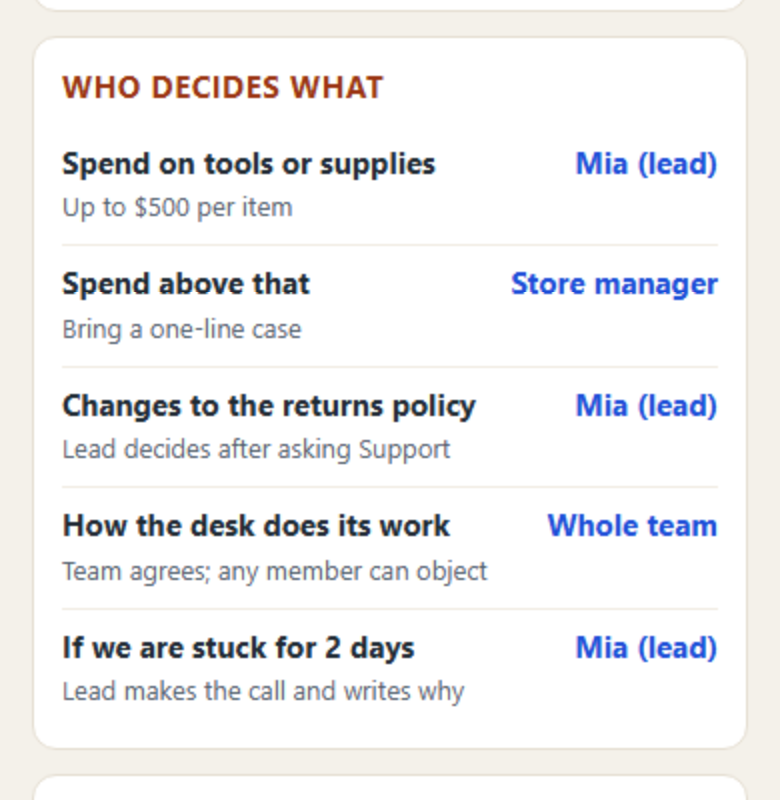
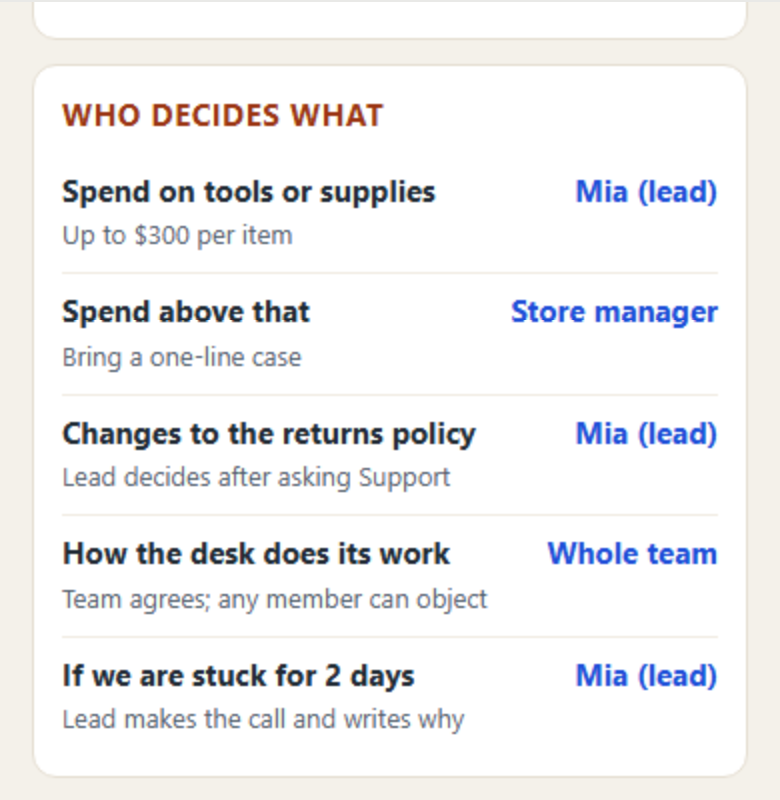
Our example has five lines. The lead approves spending up to a set limit per item. Anything above that goes to the store manager with a one-line case. Policy changes are the lead's call after asking Support. How the desk runs day to day is the whole team's call, and any member can object. The last line is the fallback: if the team is stuck for two days, the lead decides and writes down why.
That fallback line is the one most templates skip. Without it, a split team just waits.
Putting the charter at one link
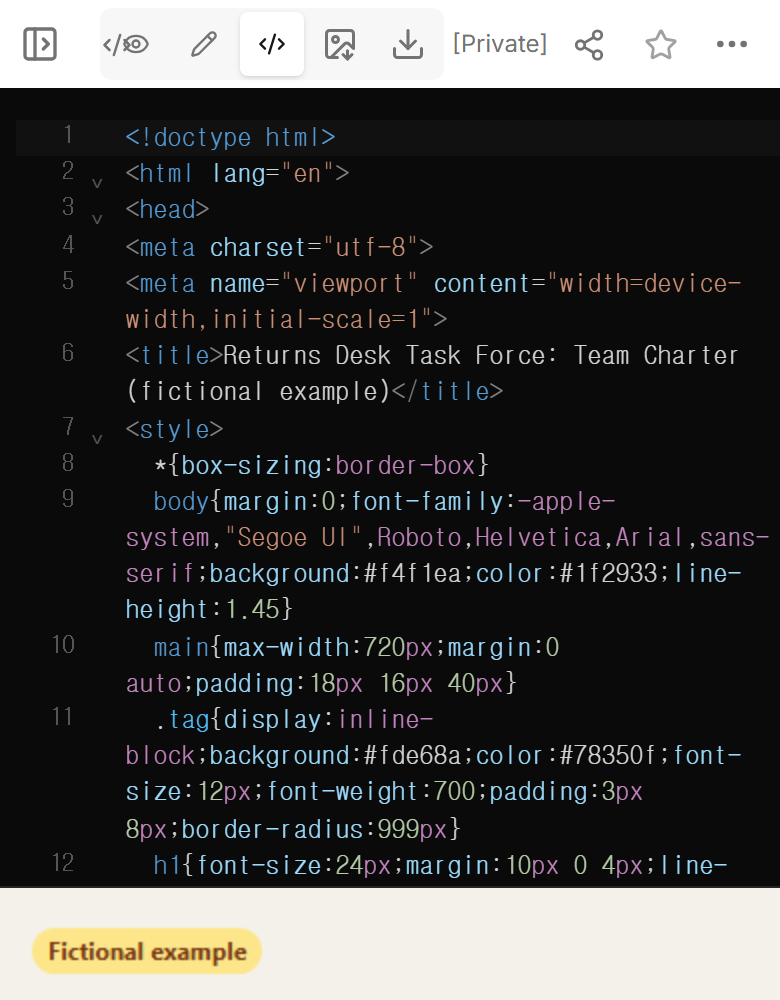
We wrote the charter as a single HTML page with a clear "Fictional example" label. You can ask any AI chat for the same thing: give it your six blocks and ask for one mobile-friendly HTML page. Then we opened a new NOS page and pasted the code into Code view.
View mode shows the page the way readers will see it.
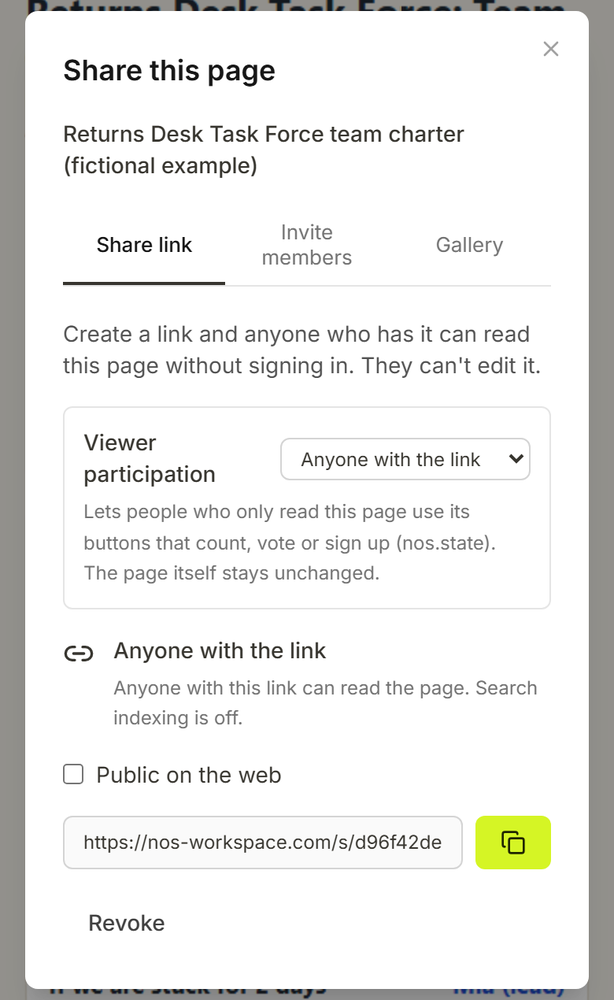
Next we clicked Share. The panel says anyone with the link can read the page without signing in, and they can't edit it. It also says search indexing is off for that link. We left "Public on the web" unchecked. A team charter is for the team, not for search results.
We opened that link at phone width. The decision rules showed the original per-item limit of 500.
Changing a rule after everyone has the link
In our story, Finance would only sign if the lead's limit dropped to 300. On a file-based charter, that means a new version, a new attachment, and a few people still reading the old one. Here it meant one edit.
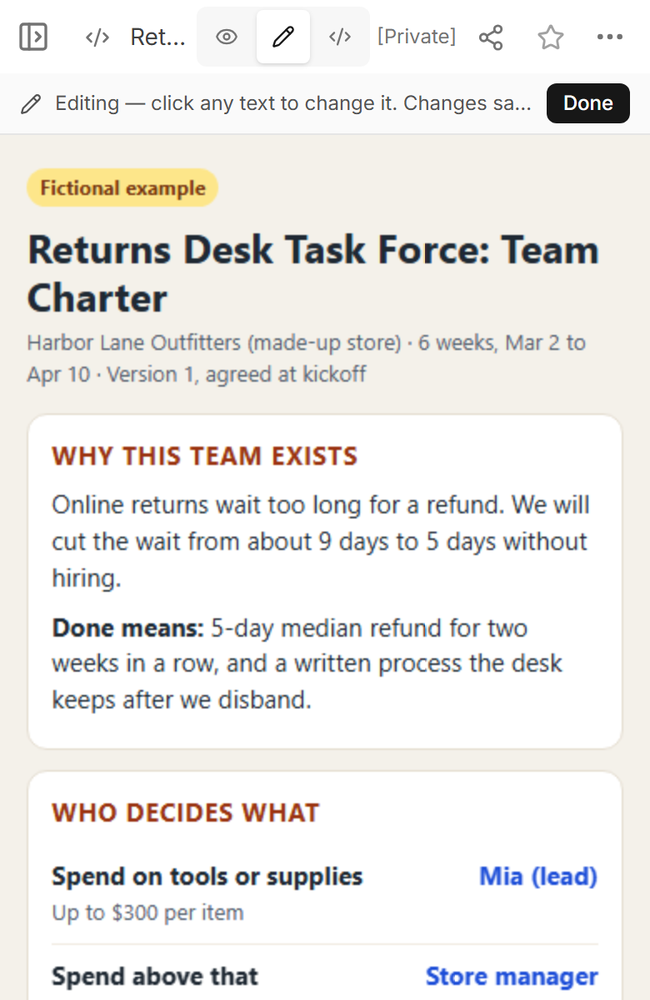
We clicked Edit, clicked at the end of the limit line, deleted the old text, and typed the new limit. Then we clicked Done. A version marker, v2, appeared in the toolbar.
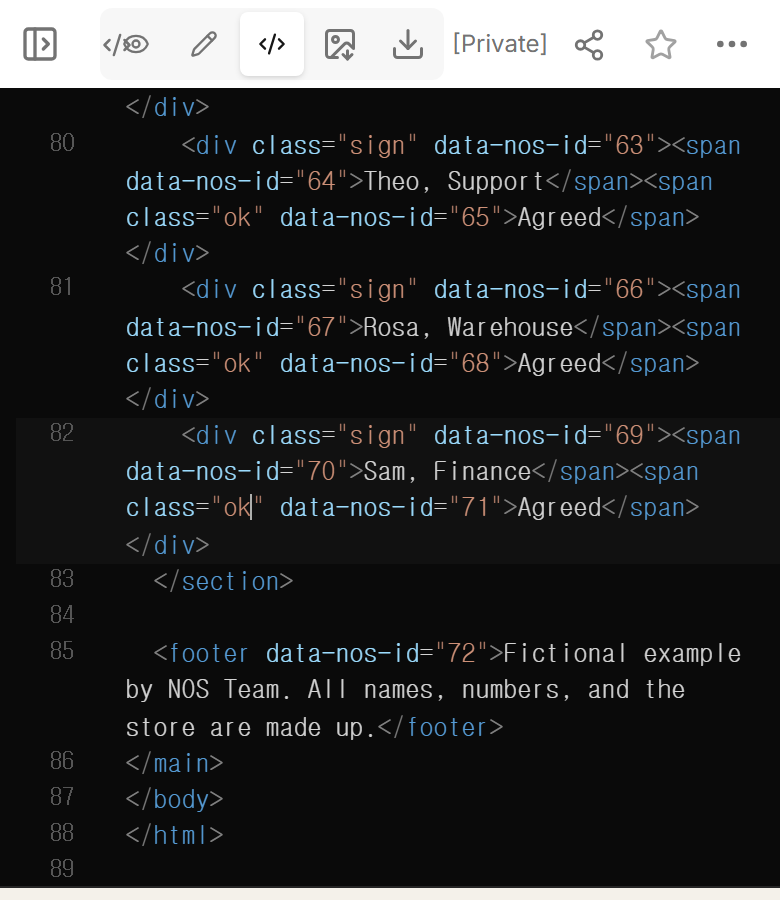
The other change was the sign-off. Finance had been marked "Pending" in orange. The color came from a class in the code, so we made this change in Code view. We changed the word to "Agreed" and the class from wait to ok, so the label turned green like the others. Code view saved on its own.
One thing surprised us. After the Edit mode change, NOS had added data-nos-id tags to the elements. We left them alone and only changed the word and the class.
Opening the same link again
We did not send a new link. We reopened the one we had shared before. The spending line showed 300.
Further down, all four sign-offs were green.
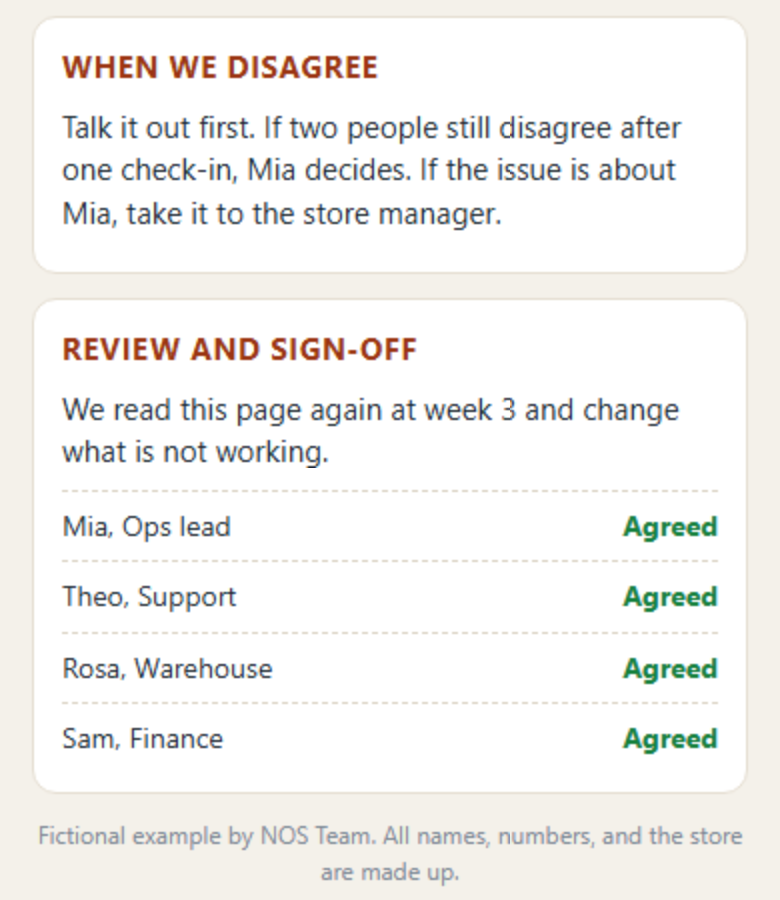
One thing we missed: the header still says "Version 1, agreed at kickoff." When you change a rule, update that line too, or add a short change note at the bottom.
Want to start from our layout? Download the example charter and swap in your own team.
Team charter vs project charter
Asana's team charter guide puts it simply: a team charter defines how the team operates. A project charter is about the project itself. It names the sponsor, the scope, the budget, and what the manager may approve. If you need that, see our project charter template. Many teams use both. The project charter gets the work approved. The team charter keeps the people working well once it starts.
Team charter vs working agreement
A working agreement is usually just the "How we work" block: meeting times, reply times, focus hours. A charter wraps that inside a purpose, roles, and decision rights. If your team already has a purpose and clear owners, a working agreement may be all you need.
How do you show team charter roles?
One line per person works for teams of up to about six. Say what each person owns, not just their title. If several people touch each deliverable, a role line gets crowded. Move that detail to a RACI matrix and keep the charter short.
Is there a team charter in agile?
Yes, a charter is not tied to one method, and agile teams use them too. Their version often leans on the working agreement and the definition of done. A retrospective is a natural time to reread it and change what is not working.
When not to do this
- When the charter needs signatures with legal weight. A shared page with "Agreed" labels records what the team said. It is not a signed contract. Use your company's signing tool.
- When members must be able to edit it themselves. People with the share link can read but not change the page. If the whole team writes the charter together, draft it in a shared doc first. Move it to a link when it is settled.
- When the content is confidential. Anyone who gets the link can read it. Keep salaries, performance notes, and customer data out of the charter.
- When the team is two people for one week. A short message with the goal and who decides is enough.
Where NOS fits
NOS is a workspace for HTML pages. You paste or upload a page, edit the words in Edit mode or the code in Code view, and share it with a link that stays the same after each change. That is why a living charter fits it well. To log the calls the team makes under the charter, a decision log sits well next to it, and a kickoff agenda helps you walk through it on day one. Current plans are on the NOS pricing page.