In short
Lead with the finished first-day route: keys, unloading, elevator, and parking.
Add the building details a tenant will look up later: shared facilities, trash and recycling, and routine maintenance.
State that every sample name, place, contact, time, and rule is fictional and must be replaced with verified property information.
Keep leases, identity files, access codes, payments, and sensitive repair details out of the public guide.
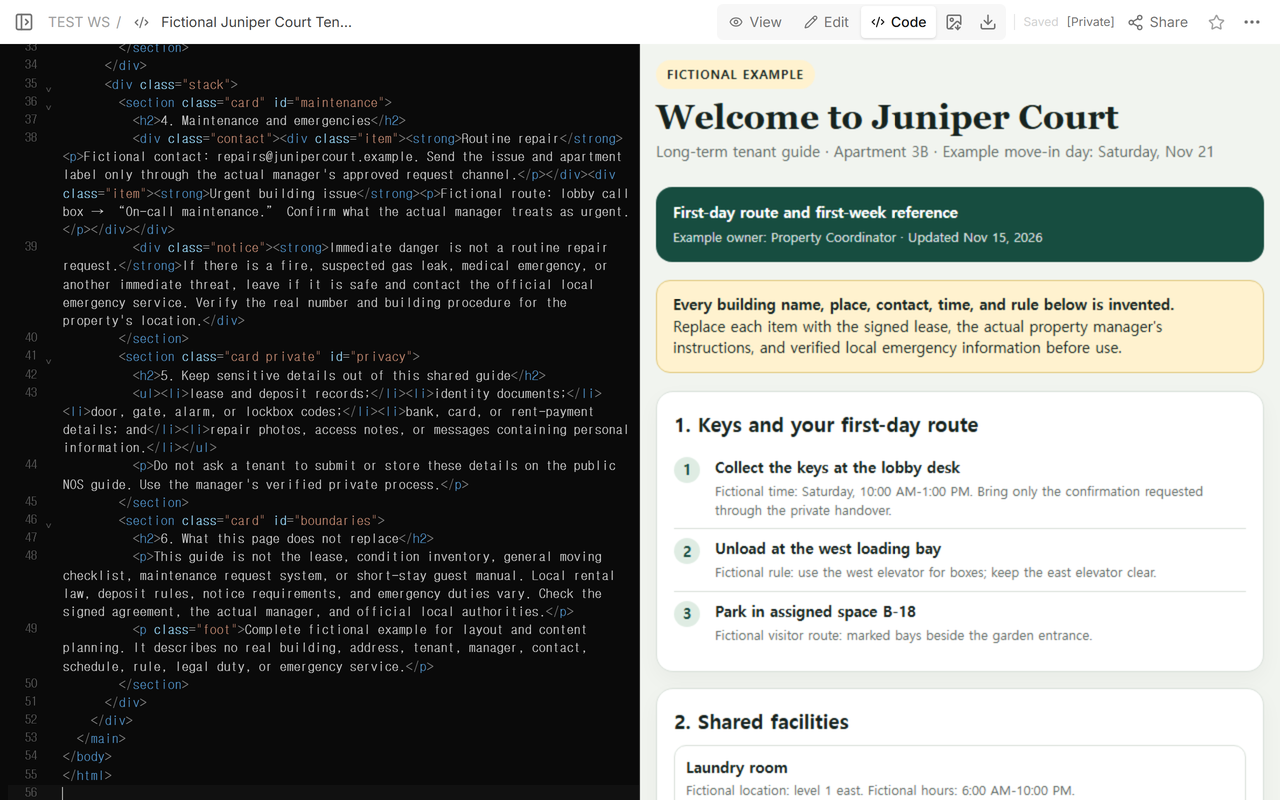
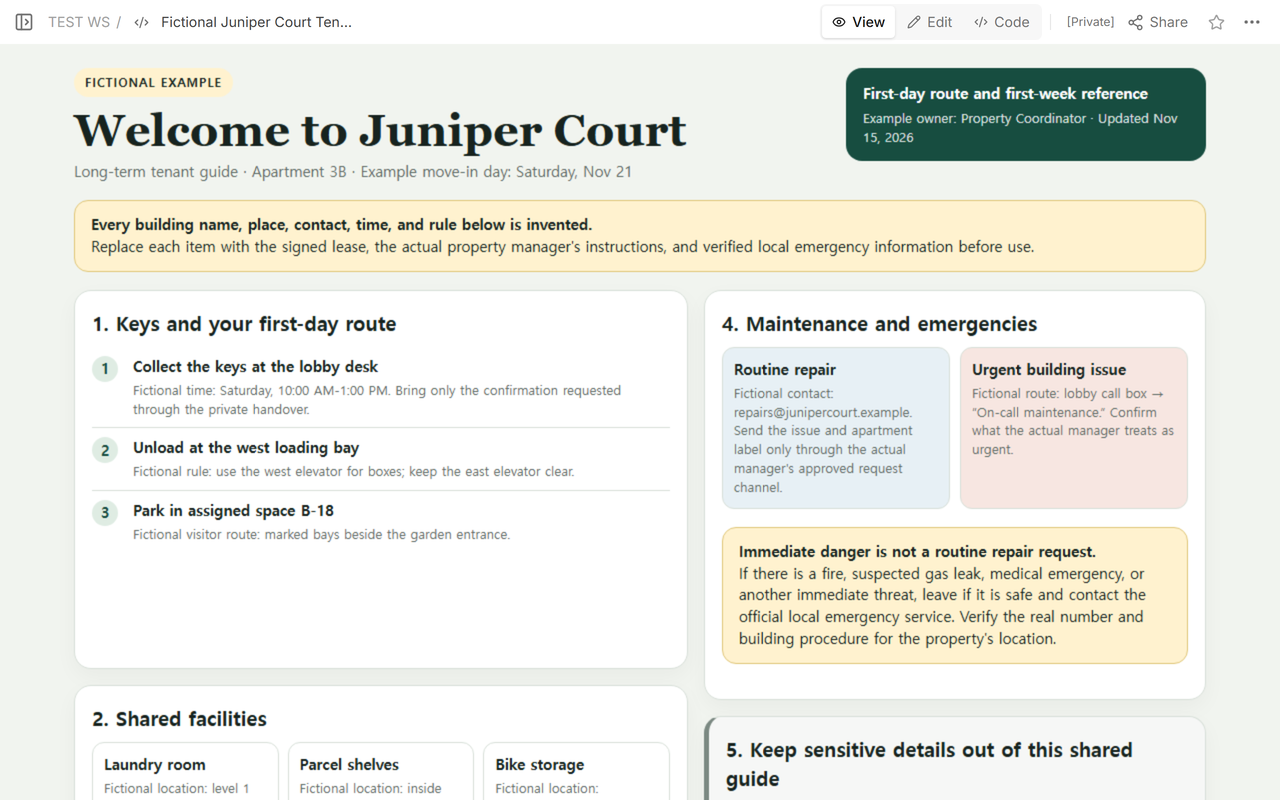
The finished fictional example below answers six questions on one page: Where are the keys? Which route should the moving crew use? Where are the shared facilities? What happens to trash and recycling? How does the tenant report a routine repair? When should the tenant stop using that route and contact an official emergency service instead?
That is the result to build. It is a long-term tenant handover, not a property condition record, a general moving plan, or a short-stay guest manual. The page starts with the actions needed on arrival and keeps legal, financial, identity, and access records in the property's verified private process.
How do you use the completed example?
Download the complete fictional tenant welcome guide (HTML) and open it before replacing anything. It already contains the arrival route, shared facilities, waste, maintenance, privacy, and source-of-truth sections shown in the screenshots.
- Open Code on a NOS page you own and replace its source with the downloaded HTML.
- Replace every fictional building, place, contact, time, route, and rule with information verified for the real property. Keep leases, identity files, access codes, payment details, and sensitive repair material in the manager's private process.
- Wait for that same NOS page to save, then open View and read the complete guide from the tenant's first action through the final source-of-truth boundary.
- Open Share, check the current reader access, and open the reader address. For later corrections, return to the same owned page, edit and save it, then refresh that same reader address to confirm the revised guide appears without sending a replacement link.
What should a tenant welcome guide include?
Start with property-specific actions rather than a general greeting. Zillow's tenant welcome letter guide lists key collection, move-in access, parking, trash and recycling, maintenance reporting, property rules, and shared laundry among possible sections. Rent.com's example covers a similar set: key pickup, moving-day access, parking, maintenance contacts, waste, and shared facilities. The Comfort Lettings toolkit treats a welcome pack as separate from the inventory and suggests utilities, parking, management conditions, waste, appliances, and repairs.
Those sources are planning references, not a universal legal checklist. Choose only the sections that the actual lease, building, and manager support. For the Juniper Court example, we used this order:
- Keys and first-day route. Give the fictional pickup window, unloading point, elevator, and parking path.
- Shared facilities. Name the fictional laundry room, parcel shelves, and bike storage location.
- Trash and recycling. Separate general waste, recycling, and the fictional collection day.
- Maintenance and emergencies. Give one fictional routine route, one fictional urgent-building route, and a clear boundary for immediate danger.
- Private handover. Tell the reader which records and secrets must not appear on the shared page.
- Source-of-truth boundary. Point back to the signed agreement, actual manager, and official local authorities.
How should the first-day route be written?
Write it in the order a tenant will move through the property. In the example, the tenant first collects keys at the lobby desk, then unloads at the west loading bay, uses the west elevator, and parks in a fictional assigned space. The page does not ask the tenant to upload an identity document or reveal a door code. It refers to a separate private handover for anything that should not be readable by everyone with the link.
Make fictional data unmistakable. Juniper Court, Apartment 3B, the pickup window, parking space, facility locations, email address, call-box route, collection day, and every rule in the example are invented. Replace all of them before real use.
Where do facilities, trash, and recycling belong?
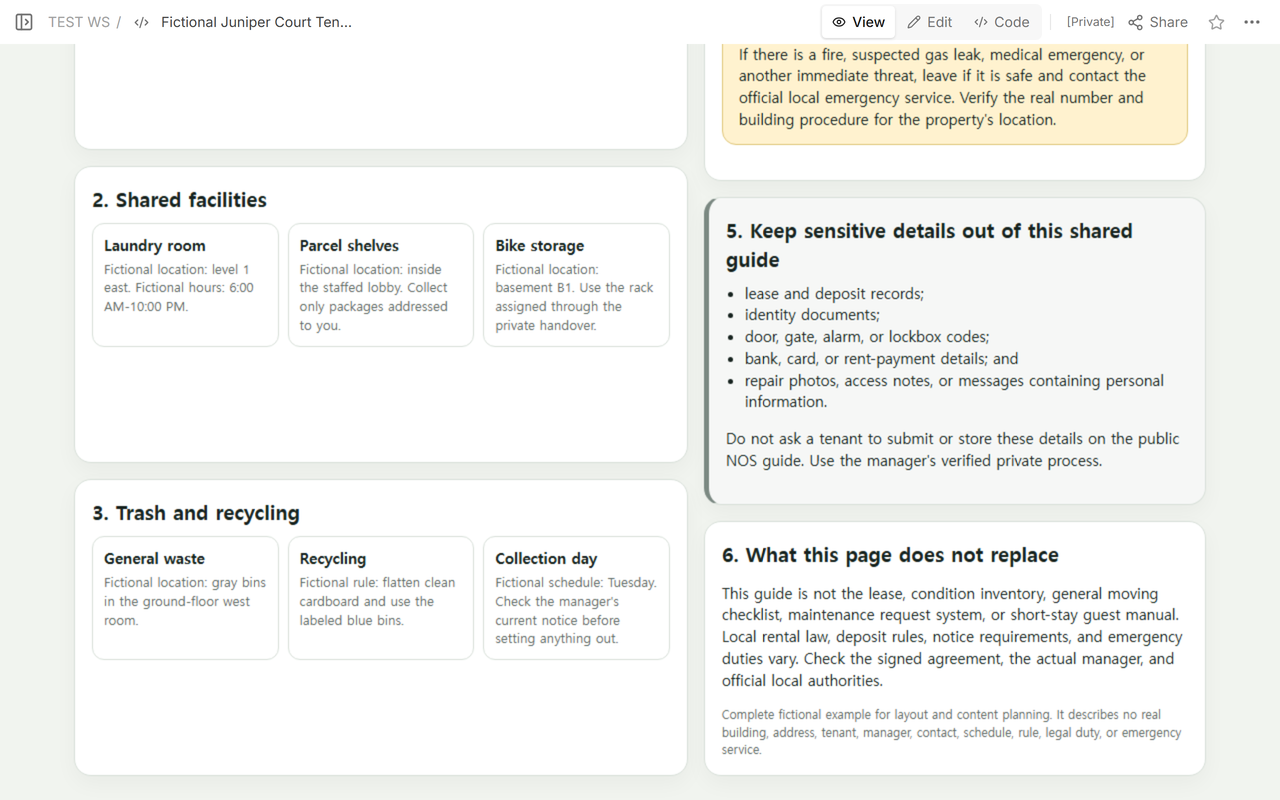
Put lookup information below the arrival route. A tenant may need the key instructions once, but the laundry location and waste routine several times. The example uses short cards so each place, time, and rule can be replaced independently. It also tells the reader to check the manager's current notice before setting anything out, because a dated example is not a live building schedule.
How do you separate maintenance from an emergency?
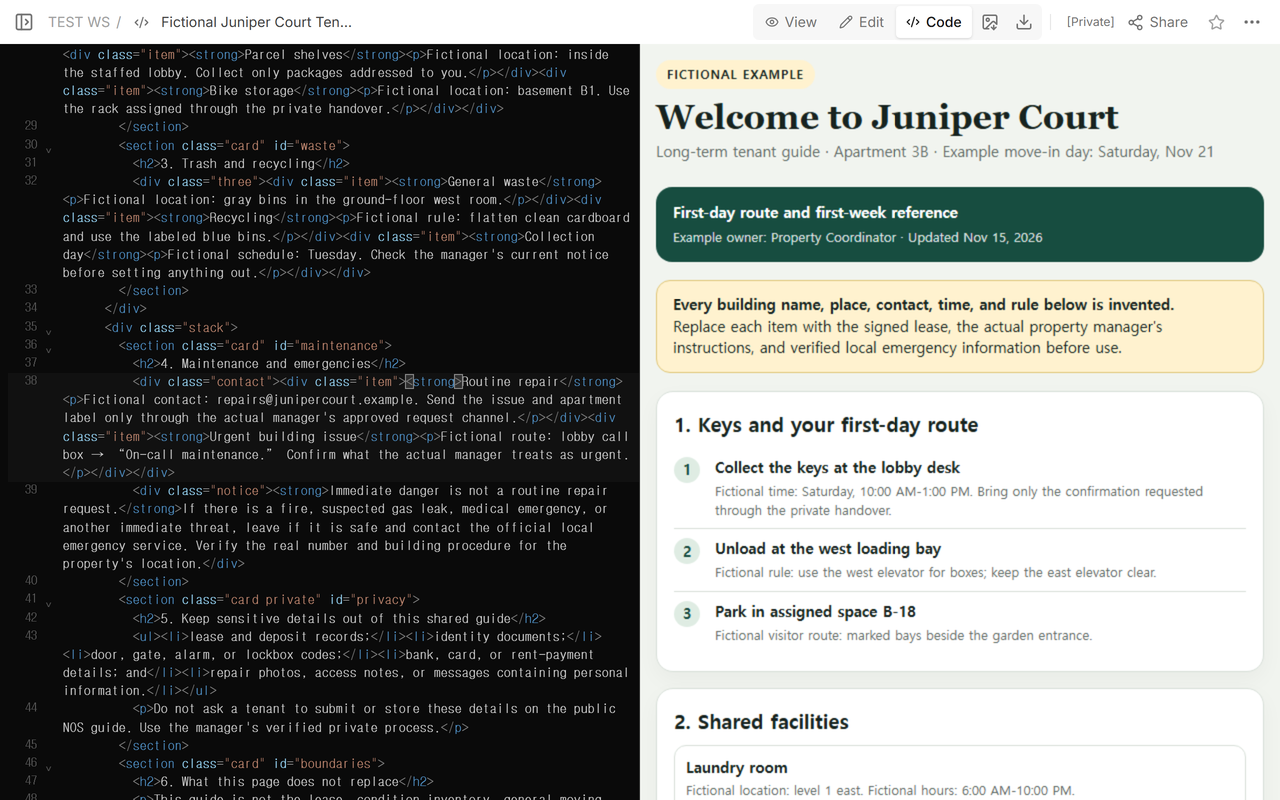
Use separate labels. The routine card in the example gives a fictional .example email and says to use the actual manager's approved request channel. The urgent-building card gives a fictional call-box route and tells the writer to confirm what the manager really classifies as urgent.
Then add a stronger boundary for immediate danger. The example says that a fire, suspected gas leak, medical emergency, or another immediate threat is not a routine repair request. It tells the reader to leave if safe and contact the official local emergency service, then tells the writer to verify the real number and building procedure for the property's location. Do not copy an emergency number or response duty from a generic template.
What must stay out of a public tenant guide?
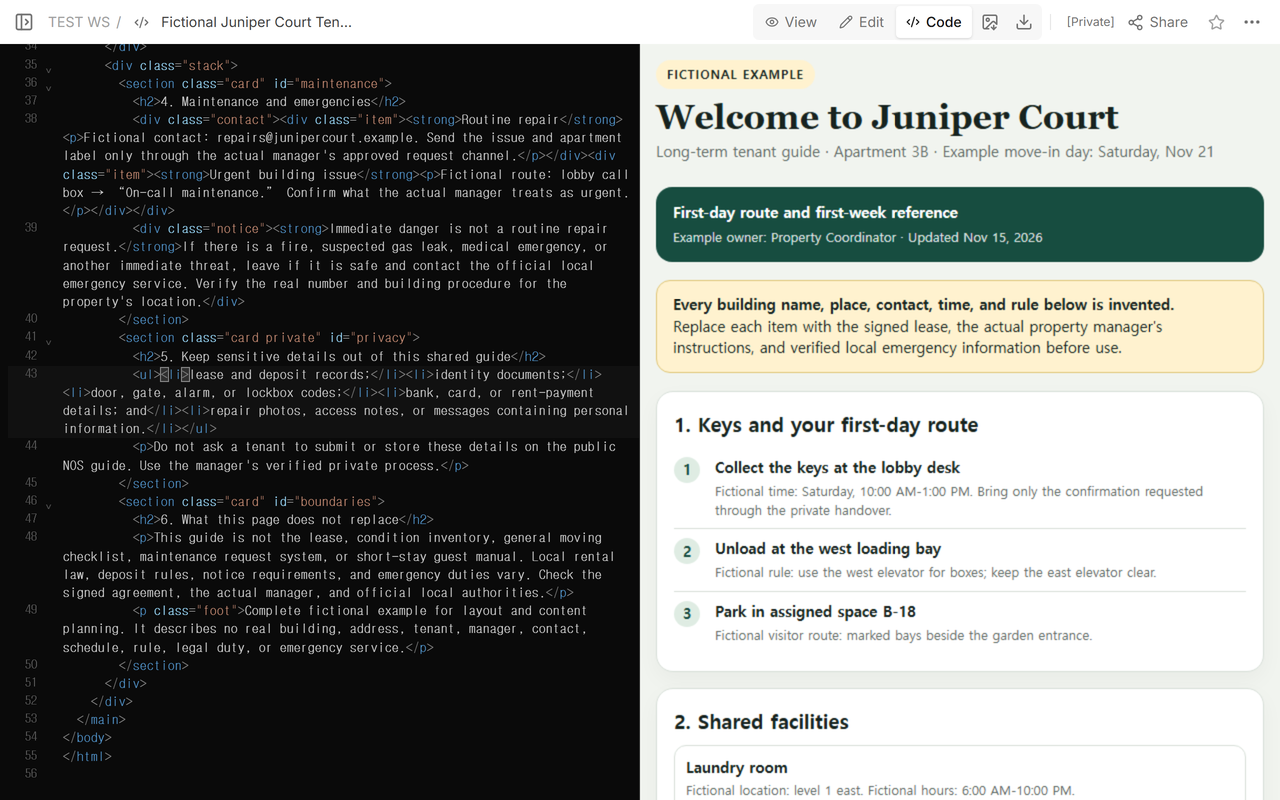
Do not collect or store a lease, deposit record, identity document, door or gate code, alarm or lockbox code, bank or card detail, rent-payment record, or sensitive repair attachment on the public NOS guide. Repair photos and access notes can expose personal information even when the original request looks routine. Send the tenant to the actual manager's verified private channel instead.
The guide should also say what it does not replace. Local rental law, deposit rules, notice requirements, and emergency-response duties differ by location and agreement. Check the signed lease, the actual manager, and official local authorities. Do not turn a welcome page into a legal conclusion.
How do you check the reader copy before sending it?
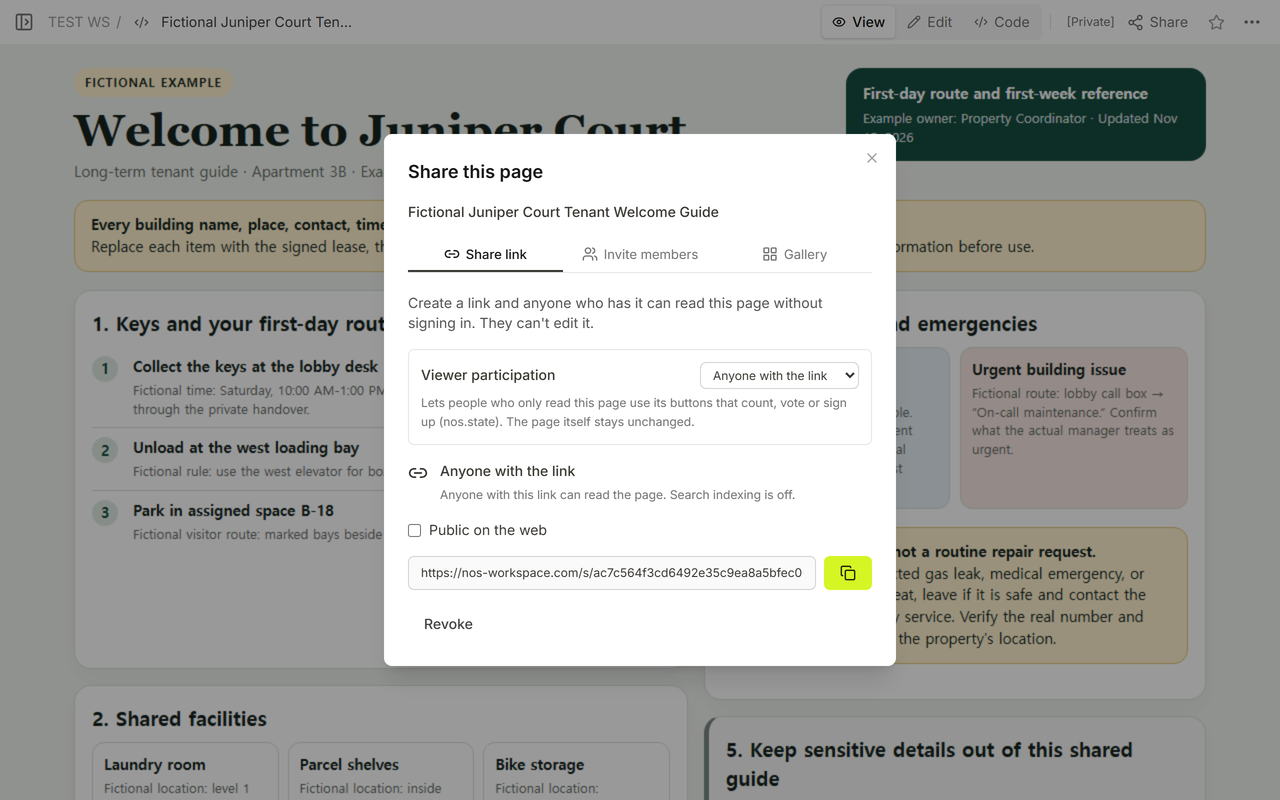
Open the final View first. Check that the fictional label is prominent and that each key, facility, waste, contact, time, and rule can be replaced without changing the guide's structure. Then open Share and inspect the actual access statement. In this test, the panel said that anyone with the link could read without signing in and could not edit. Search indexing was off for this link.
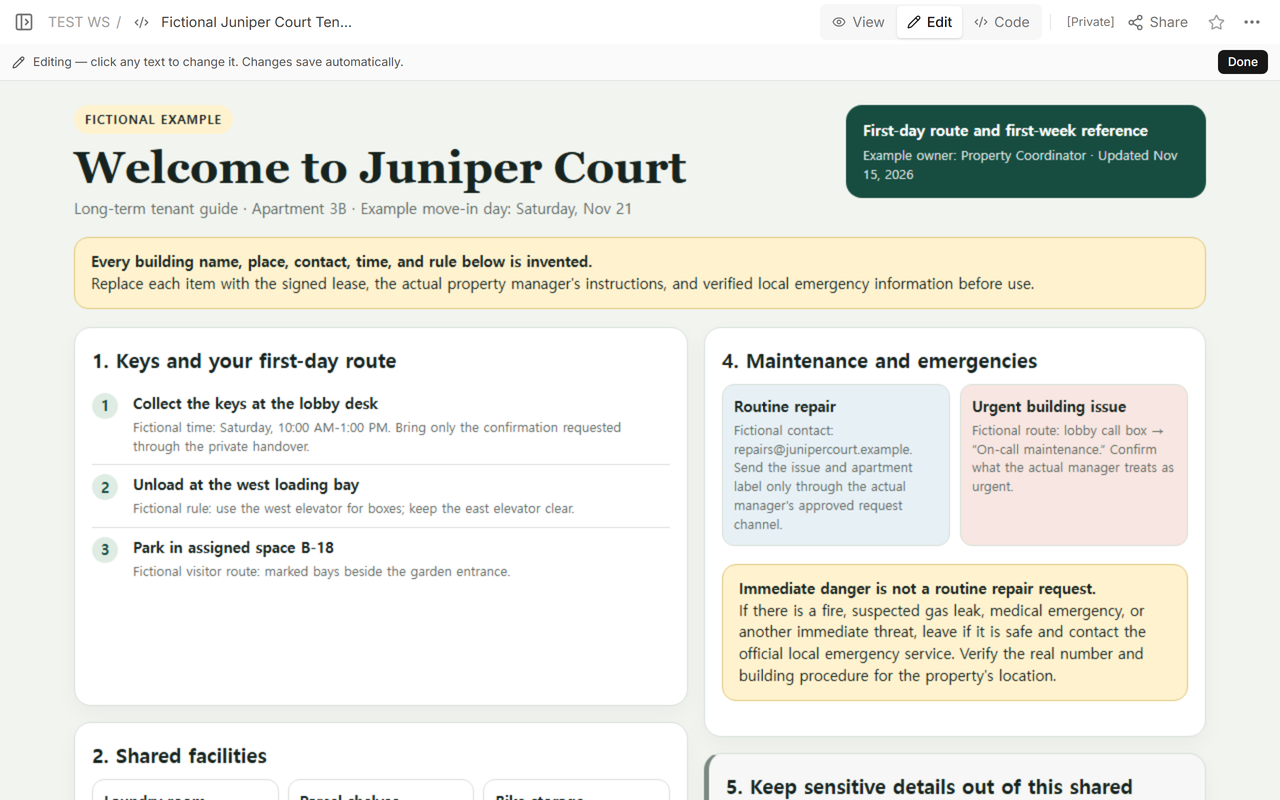
Edit opened on that owned tenant page, with the finished title, fictional warning, arrival route, and maintenance boundary still together. The visual match confirmed that we were revising the document shown in the other NOS modes.
Finally, we reopened the original reader address outside the editor. It showed the revised guide with the Nov 15 update, the same fictional warning, the key route, shared facilities, and the maintenance boundary. The reader did not receive a new address.
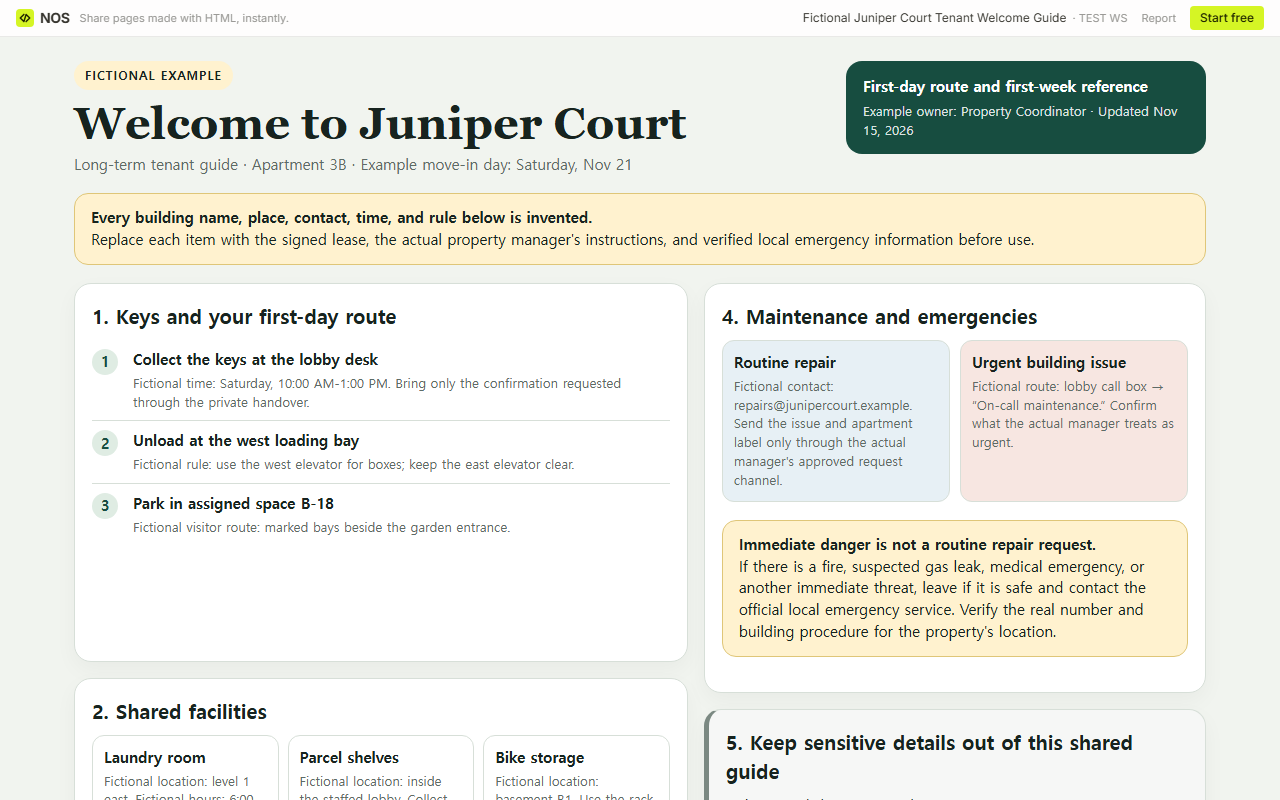
Finished result: one long-term tenant page now covers keys, first-day movement, shared facilities, waste, routine repair contact, immediate-danger boundaries, and private-data exclusions. Every operational value is visibly fictional, and the page tells a real publisher where verification must happen.
How is this different from other move-in documents?
A rental inventory checklist records items, quantities, and observed condition. It is evidence-oriented. This welcome guide is action-oriented: it tells a tenant where to go and whom to contact.
A moving checklist covers the broader move, including tasks that are not specific to one building. An Airbnb welcome guide is for a short stay and commonly centers on guest arrival and checkout. Do not reuse either as a substitute for a long-term tenancy handover.
When not to do this
- Do not use the page as the lease, deposit record, condition inventory, maintenance ticket, emergency plan, or proof of receipt.
- Do not publish real access codes, identity files, payment details, or sensitive repair information.
- Do not copy another building's hours, waste rules, maintenance contacts, emergency numbers, or legal wording.
- Do not send the page while any operational field is still an unmarked assumption.
- Do not use a short-stay guest guide when the reader has a long-term tenancy and different records, duties, and contacts.
Using NOS for a tenant welcome guide
NOS Workspace let us keep the self-contained fictional guide on one owned page, inspect it in Code, View, and Edit, create a reader-only Share address, and reopen that address after the revision. The screenshots document what happened in this test; access settings can change, so inspect the current Share panel before sending a real guide. Plan details belong on the live NOS pricing page, so no price is copied into this article.
Sources checked
- Zillow Rental Manager: Tenant Welcome Letter
- Comfort Lettings: The Complete Landlord Toolkit, especially the Moving In and Welcome Pack sections
- Rent.: How to Write the Perfect Welcome Letter for New Tenants