In short
Lead with the decision and the bounded result, not a wall of case rows.
Name the build, environment, scope, and data beside the counts.
Give each failure its observed behavior, evidence reference, and next check.
Keep blocked work and untested scope out of the failure total.
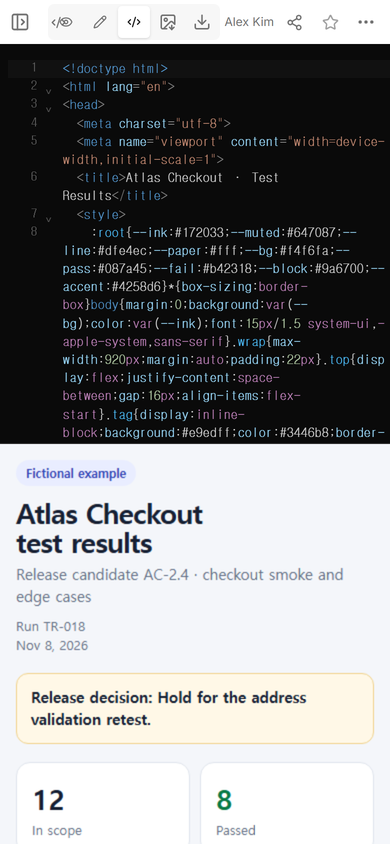
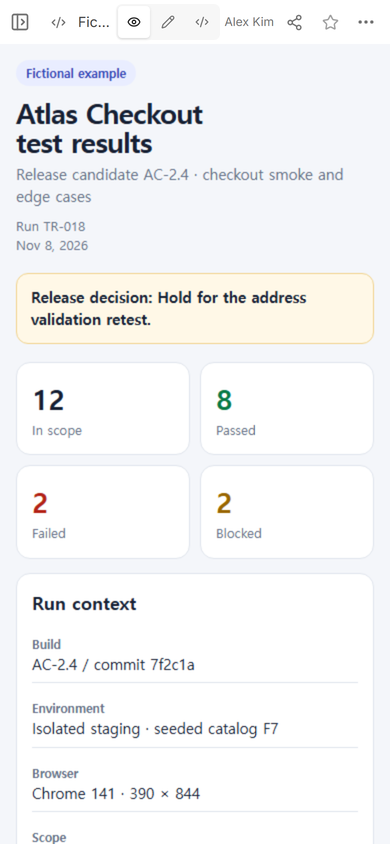
We made a fictional test results page for an online checkout release candidate. The page covers 12 cases: 8 passed, 2 failed, and 2 were blocked. We put a hold decision above those counts, attached a build and environment to the run, and gave the open failures their own evidence and reproduction links. The example is teaching data; it does not report a customer test or a real release.
The useful change was not visual polish. A reader could see the outcome before opening any evidence, then move from a failed case to the exact observation and next check. During the same work, we changed the scope line in the NOS editing view and confirmed that the revised wording appeared at the existing public share address.
What should a test results page show first?
Start with the decision the run can support. “Hold until TC-07 passes its retest” is narrower than “release failed,” and it names the unresolved condition. Put that sentence above the result counts so a product reviewer does not have to infer a decision from red and green boxes.
Next, show the denominator and split it completely. In this fictional run, all 12 in-scope cases are accounted for as 8 passed, 2 failed, and 2 blocked. The counts add up, but they do not prove release readiness. Two failed cases still require review, and two blocked cases produced no product result.
How do you report test results to stakeholders?
Use three reading levels. The first screen is for the decision. The run context is for someone checking whether the result applies to the build they care about. The case section is for the person who needs to inspect a failure or repeat it.
1. State what was tested
Record the build, test environment, browser or device conditions that matter, fixture or data identity, and the boundary of the run. “Checkout tested” is too broad when the run covered only cart, address, and payment handoff. It says nothing about refunds, order fulfillment, or production traffic.
2. Keep expected and observed behavior apart
A failed row should make the mismatch readable. For fictional case TC-07, the expected result is to remain on Address when the postal code is incomplete. The observed result is that Continue opened the payment handoff. The page does not invent the cause. It points to a recording and a short reproduction sequence.
3. Make evidence easy to reach
An evidence reference needs a stable label and a clear relationship to the case. “E-107 · address-to-payment transition with incomplete postal code” is more useful than an unlabeled folder of images. If evidence is private, link to the controlled record instead of copying sensitive data onto a public page.
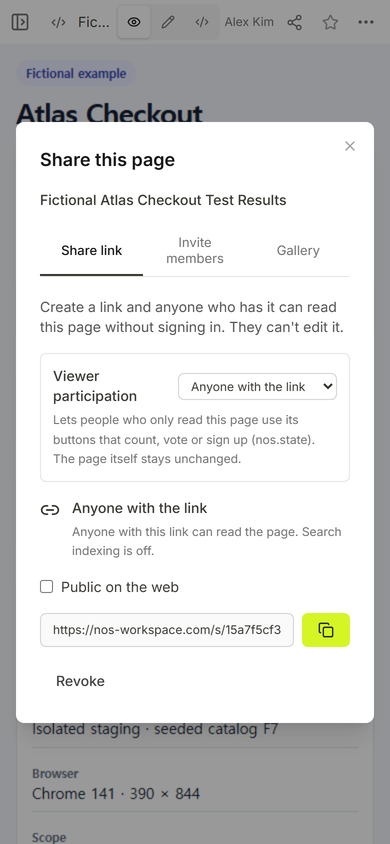
We used the viewer link for the public reading check. The workspace address remained the place for the author to edit. That distinction matters when a review page is going to people who should inspect results but not change them.
What is the difference between failed, blocked, and not tested?
Failed means the observed result did not match the stated expectation for the named run. Blocked means a prerequisite prevented the case from reaching a product outcome. Not tested means the case was outside this run or no attempt was recorded. Do not combine the three into one red count.
The fictional declined-payment case is blocked because its decline fixture was unavailable. The page says that no product outcome was observed. Calling it failed would blame the product for an execution that never reached the behavior under test. Calling it passed would be worse.
A blocked case should name the missing prerequisite and the owner of the next check when that owner is known. If the person or date has not been agreed, leave it open. A polished page should not manufacture accountability fields to look complete.
How much detail belongs on a test results page?
Put enough detail on the page for a reviewer to understand the boundary and decide where to inspect next. Keep raw recordings, long console output, and full issue discussions in their source systems. The results page is an index with conclusions, not a replacement for every test artifact.
For each open failure, include the case ID and revision, the build and environment, the exact input that matters, expected behavior, observed behavior, evidence reference, issue or decision state, and the next verification action. A pass row can be shorter, but it still needs a traceable case and result record.
Practical check: if a reviewer cannot tell whether the failed observation came from this build, the page is missing context. If the page contains a diagnosis that the run did not establish, it contains too much.
Can you update a test results page after sharing it?
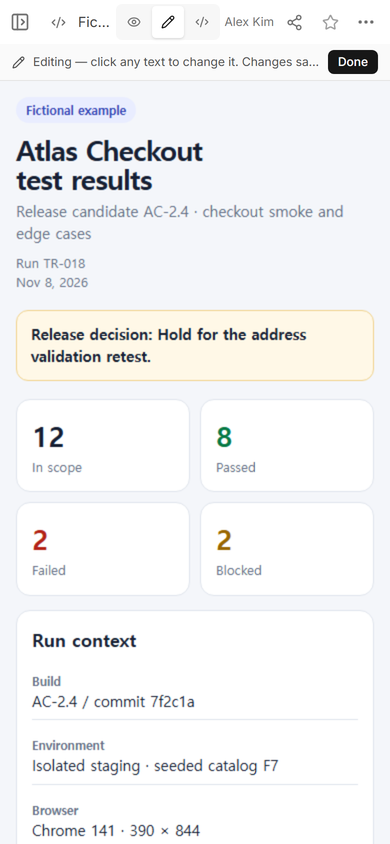
Separate corrections to the reading page from changes to the maintained test record. We opened the fictional page in ordinary Edit mode and changed its scope line from “checkout smoke and edge cases” to “address and payment handoff.” That edit clarified the page without changing any case status.
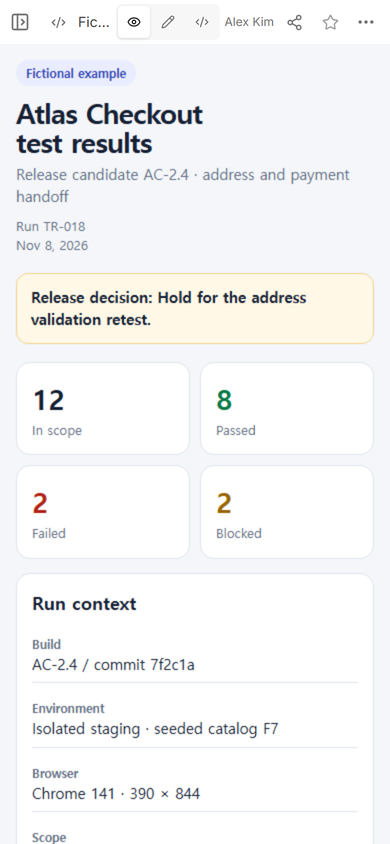
Then we reopened the original public viewer address. It showed the revised scope line. The address did not need to be replaced for this edit.
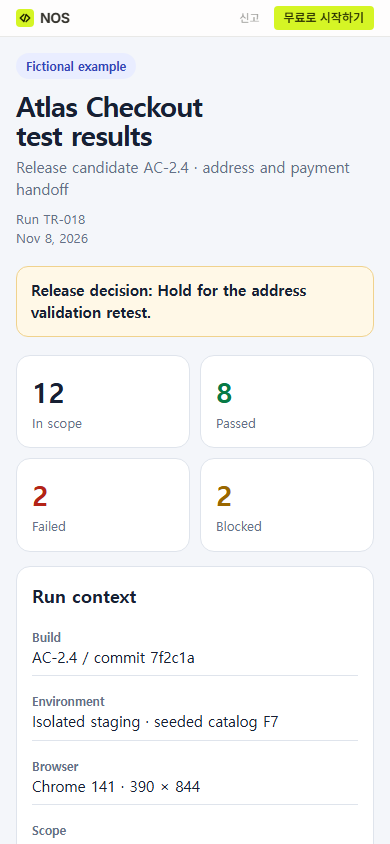
Do not use a page edit to rewrite history. If a retest changes TC-07 from failed to passed, add a new execution record or a clearly dated retest result. Preserve the earlier failure, the build it came from, and its evidence. A corrected label and a rerun are different events.
What went wrong while building the example?
The first summary named totals but left the decision to inference. A stakeholder could see two failures without knowing whether the team intended to hold, proceed with an exception, or wait for more evidence. We added a release-decision sentence and a dedicated open-failure section.
Another problem was scope language. “Checkout smoke and edge cases” sounded broad while the listed context covered cart, address, and the payment handoff. We narrowed the wording in the saved page. The tip is simple: make the headline scope agree with the case inventory before sharing the link.
When not to do this
- Do not use a static results page as the only record when your team must preserve signed approvals, restricted evidence, or a formal audit trail.
- Do not publish screenshots that contain customer data, credentials, private issue links, or production identifiers.
- Do not turn a planning document into a results page by filling expected outcomes into an “actual” column. Use a test plan before execution and a results record after execution.
- Do not treat a requirements link as proof of execution. Use a requirements traceability matrix to inspect coverage links, then keep run evidence separate.
Build the page from the completed run
Begin with the maintained run record, not memory. Reconcile every in-scope case into passed, failed, blocked, or not run. Check that the total and the split use the same denominator. Then write the decision, context, open failures, and evidence index in that order.
If an individual result is not repeatable, repair the underlying test case before polishing the summary. A good case supplies its starting state, action, expected result, actual observation, and evidence. The results page should point back to that record rather than becoming the only place the detail exists.
Open the complete fictional test results example
Using NOS for a test results page
NOS can hold a self-contained HTML reading copy, show it in View, let the author correct static wording in Edit, and provide a viewer link from Share. In this example, the public phone-width page showed the saved scope correction at the same viewer address. Keep authoritative test data and controlled evidence in the systems your team already uses; use the shared page to make the bounded outcome easier to review. Current plan details are on the pricing page.