In short
Start with a completed scene-by-scene plot, not an empty spreadsheet.
Read the play text for costume clues, then give every appearance one row.
Subtract the planned change time from the available time. A negative result needs a visible quick-change warning.
Keep fittings and construction checks separate from final performance approval.
The finished example below is for Lantern at Platform Nine, an original fictional one-act with four scenes and three characters. Performer A, Performer B, and Performer C are fictional role labels, not real actors. The plot shows two change calculations using fictional planning times. Mara has two minutes of margin. Jonah is one minute short, so his change is flagged before the plan is approved.
Download the complete fictional costume plot template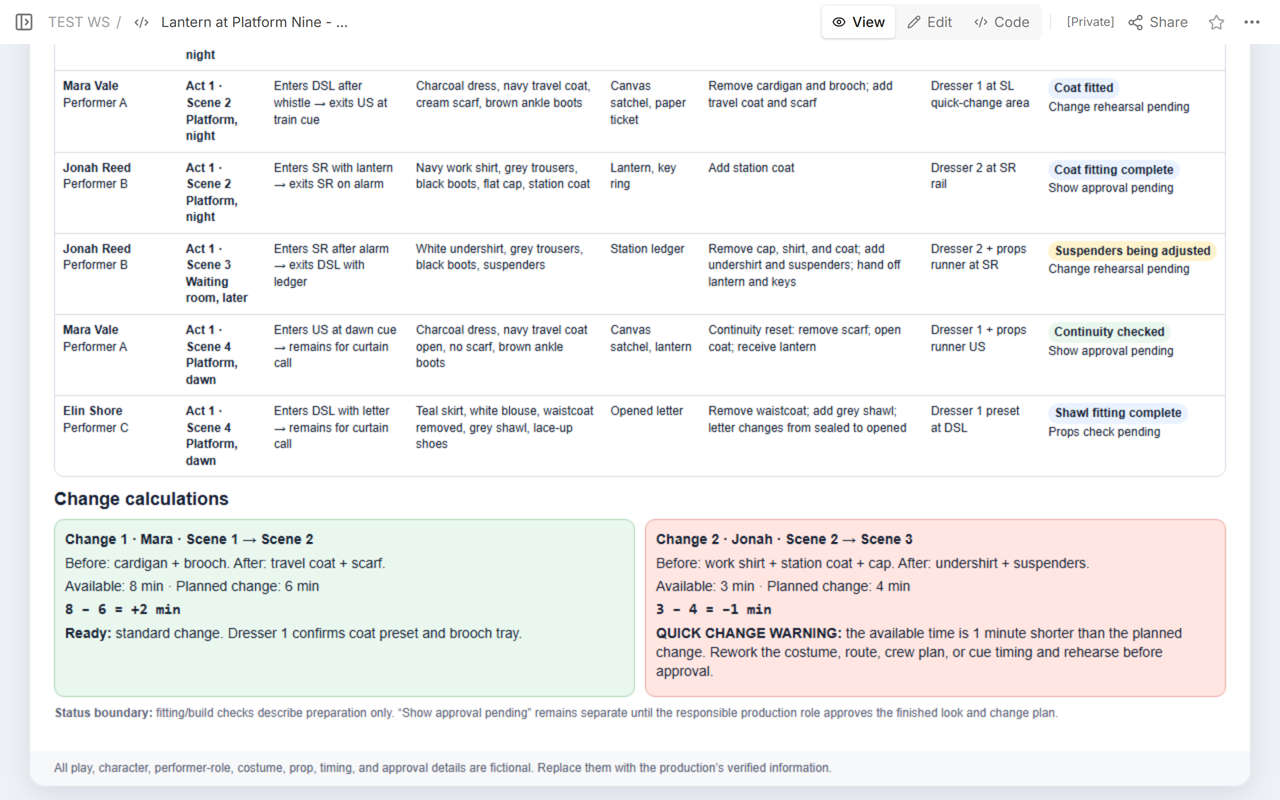
What belongs in a costume plot?
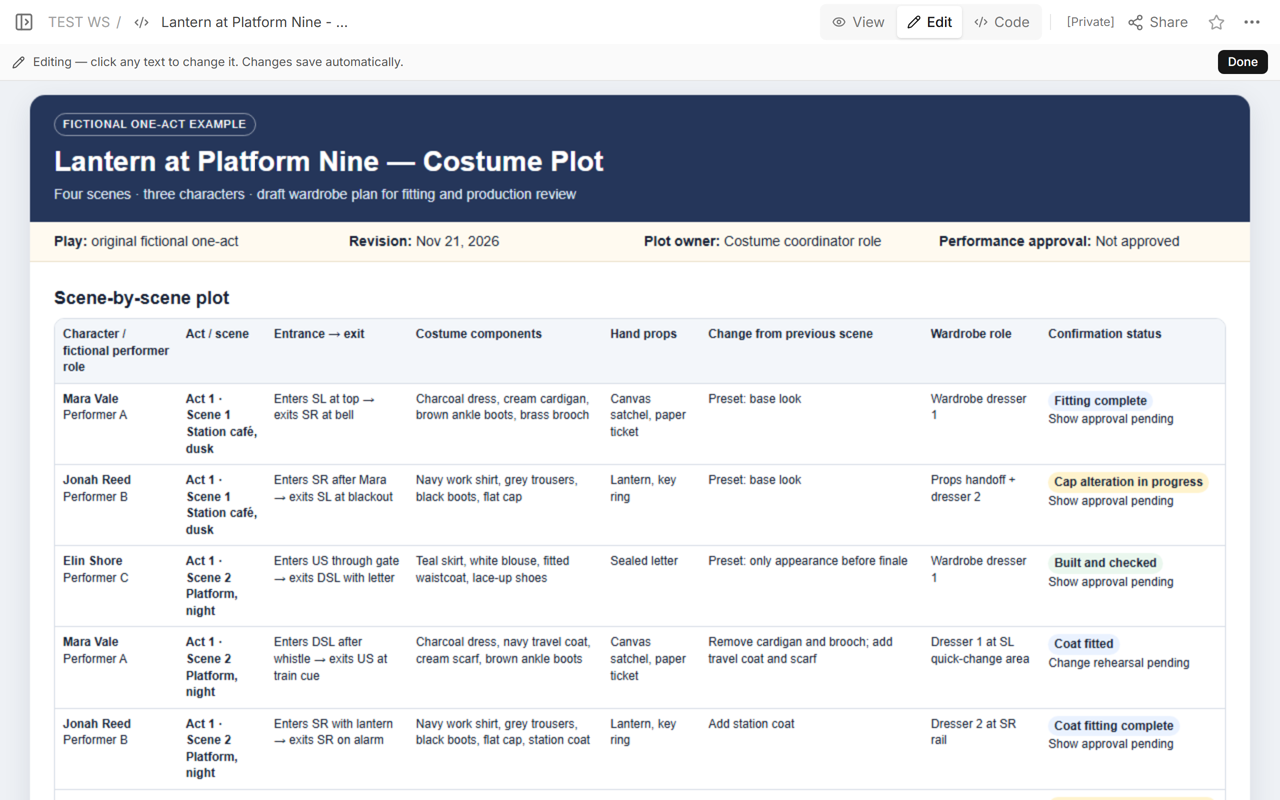
A costume plot is useful when a row answers what the wardrobe team needs to know at one appearance. In the example, each row names the character and fictional performer role, act and scene, entrance and exit, costume components, hand props, the change from the previous scene, the assigned wardrobe role, and the current confirmation state.
That structure follows the practical purpose described by Beyond Theatre Collective: track costumes by character, performer, act, and scene, identify quick changes, and coordinate wardrobe work. The plot here adds explicit entrances, exits, before-and-after components, available time, responsibility, and approval state so a change can be checked instead of merely listed.
Do not combine several appearances into one vague character row. Jonah appears in three different looks. Separate rows make it possible to see where the flat cap, station coat, lantern, key ring, undershirt, suspenders, and ledger enter or leave the sequence.
How do you pull costume clues from the play text?
Read the play from the first page to the last and keep the plot open beside it. Pinecrest Players’ costume-design assignment points to three kinds of evidence: costume details in character descriptions, costume references in dialogue, and stage directions that involve clothing or carried items.
- Mark every entrance and exit. A change window begins only after the performer leaves and ends before the next entrance.
- Capture the whole visible look. Record the base garment, layers, footwear, headwear, jewelry, and any hand prop that moves with the character.
- Write the exact change. “Travel look” is too vague. “Remove cardigan and brooch; add travel coat and scarf” gives the dresser a checkable task.
- Keep unknowns visible. If the play text does not settle an item, mark it for design confirmation instead of guessing.
Use an original play, a licensed working copy, or production notes you are allowed to use. This example does not reproduce a copyrighted play or claim experience from a real production.
Should scenes be rows or columns?
For a working plot, one appearance per row is easier to audit than one character per row with many scene columns. A row can carry the entrance, exit, components, prop handoff, dresser assignment, and status without hiding the sequence inside a wide cell.
Keep columns for facts that must be compared down the show:
- Identity: character and a fictional or internal performer role.
- Sequence: act, scene, entrance, and exit.
- Look: garments, footwear, accessories, and hand props.
- Change: what comes off, what goes on, and what is handed to another department.
- Execution: available time, planned time, location, and assigned wardrobe or props role.
- Status: fitting, alteration, build, rehearsal, props check, and separate show approval.
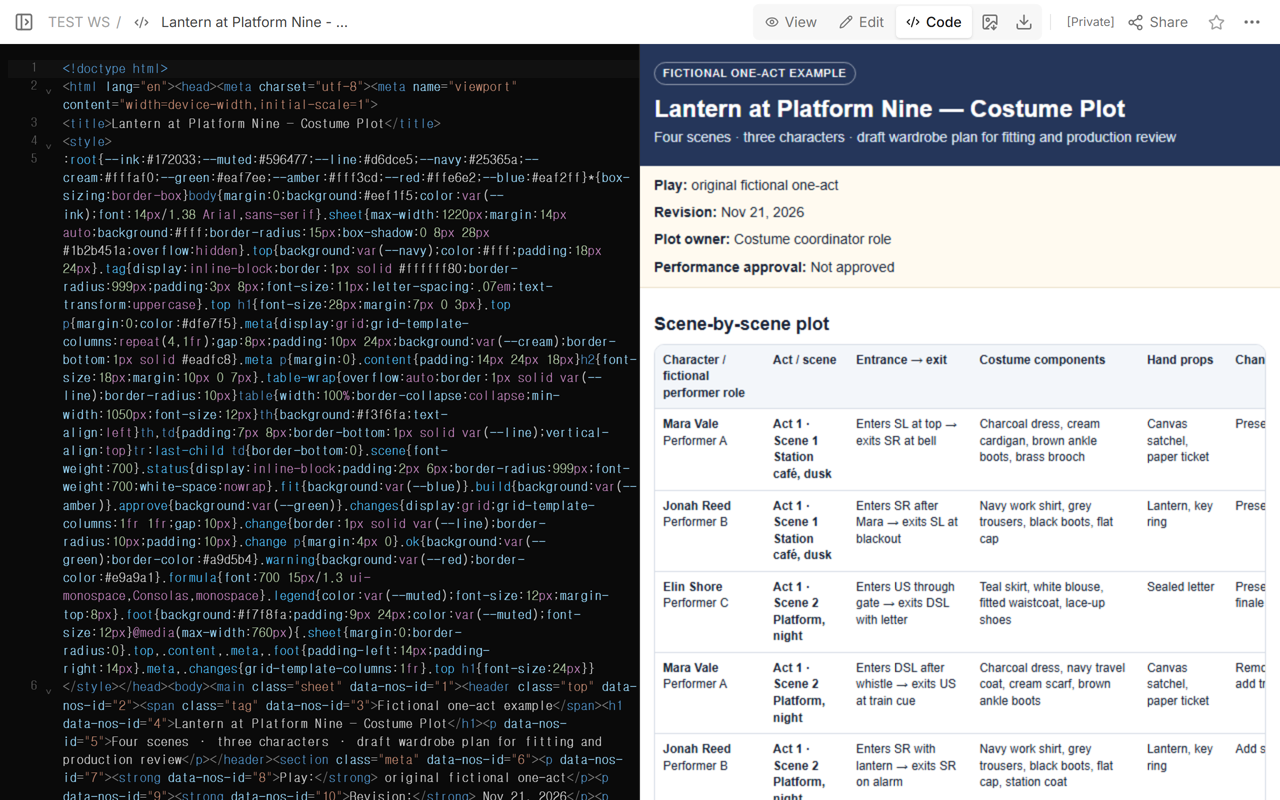
The downloaded HTML is a static table. To filter by character or scene, copy the rows into a spreadsheet and apply the filter there. If your production uses a scene-across-columns matrix, keep a separate change sheet for detailed timing and handoffs.
How do you keep costume continuity between scenes?
Read each character’s rows in order. The ending state of one row must match the starting state of the next. Mara’s Scene 2 row adds the travel coat and scarf. Her Scene 4 row keeps the coat, removes the scarf, opens the coat, and receives the lantern. Elin’s letter changes from sealed to opened, so the prop state is carried with the costume continuity note.
Check these five links for every transition:
- the performer’s exit side and next entrance side;
- the exact pieces removed and added;
- the destination of removed pieces;
- the pickup or handoff of props;
- the dresser, runner, or preset location responsible for the task.
How do you flag a quick change?
Use one calculation for every actual change:
available time − planned change time = margin
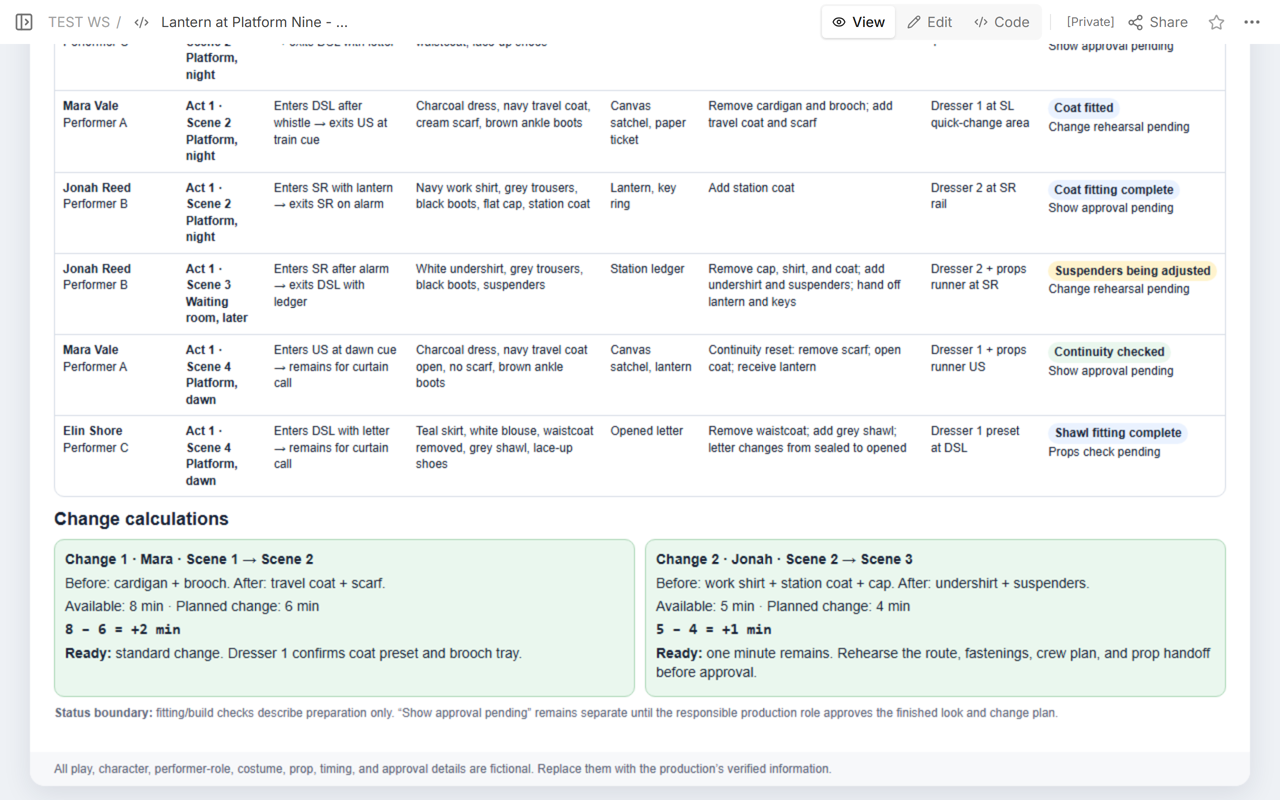
Mara · Scene 1 to Scene 2
Available: 8 minutes
Planned: 6 minutes
8 − 6 = +2 min
The example labels this a standard change, with Dresser 1 responsible for the coat preset and brooch tray.
Jonah · Scene 2 to Scene 3
Available: 3 minutes
Planned: 4 minutes
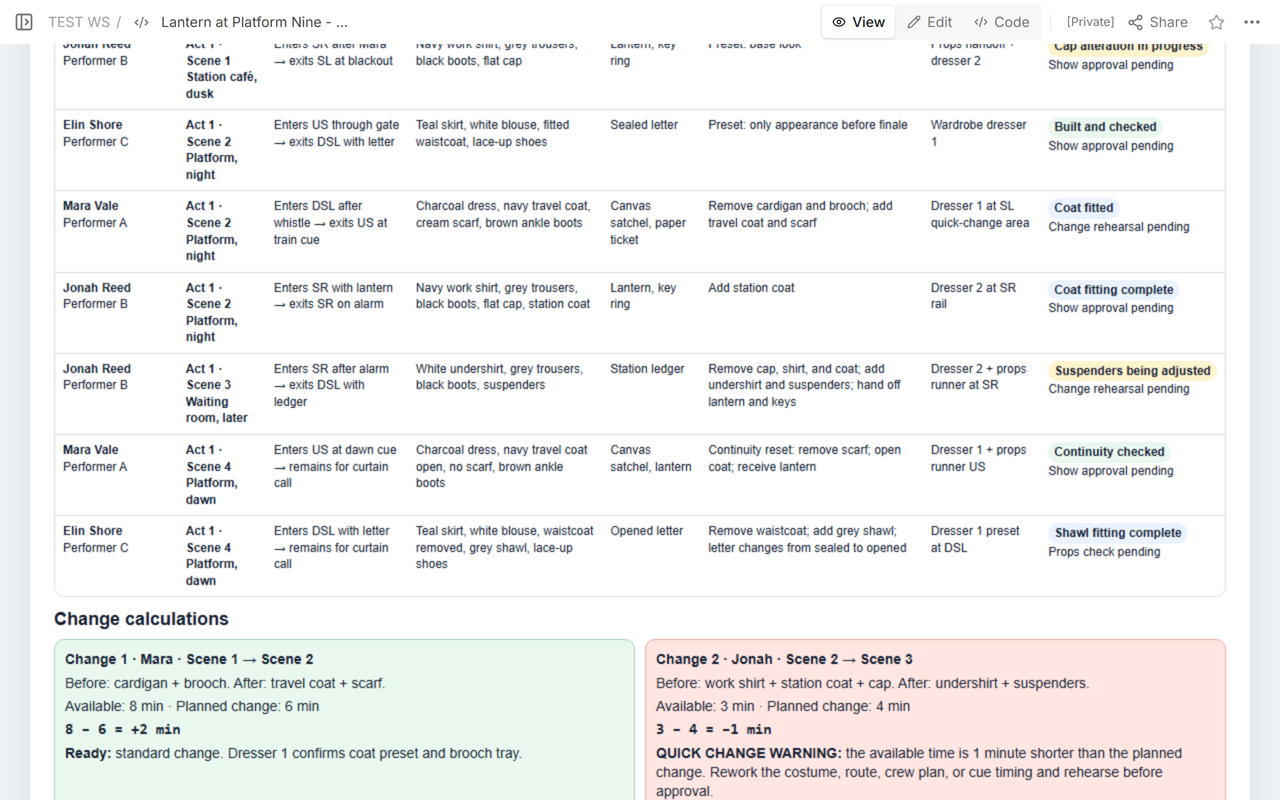
3 − 4 = −1 min
With one minute missing, add a quick-change warning to Jonah’s entry by hand. Revise the plan before approval.
A warning is not proof that a change is impossible. It identifies a plan that does not fit the current assumptions. Rework the garment fastening, backstage route, crew assignment, prop handoff, or cue timing, then rehearse and replace the planned time with a measured result from the production’s own process.
What changed on the shared example?
Jonah’s entry started with five minutes available and a one-minute margin. In Code, we changed the available time to three minutes, rewrote the displayed subtraction from 5 − 4 = +1 min to 3 − 4 = −1 min, and added the quick-change warning and its highlight by hand. We saved the page and opened View to check the new time, subtraction, and warning.
Edit was also opened on the same page to confirm that the production-facing text could be corrected without creating another document.
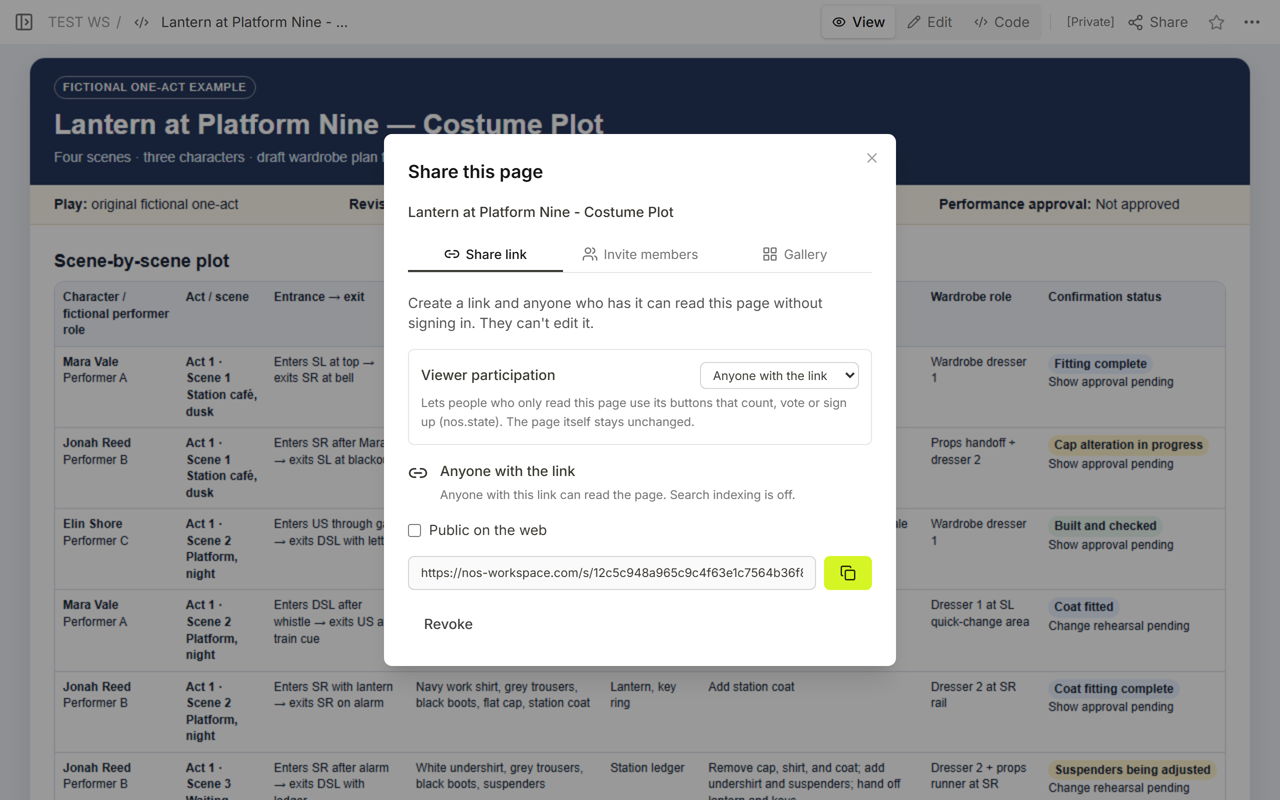
The Share panel kept the original reader address. It stated that anyone with the link could read the page without signing in and could not edit it.
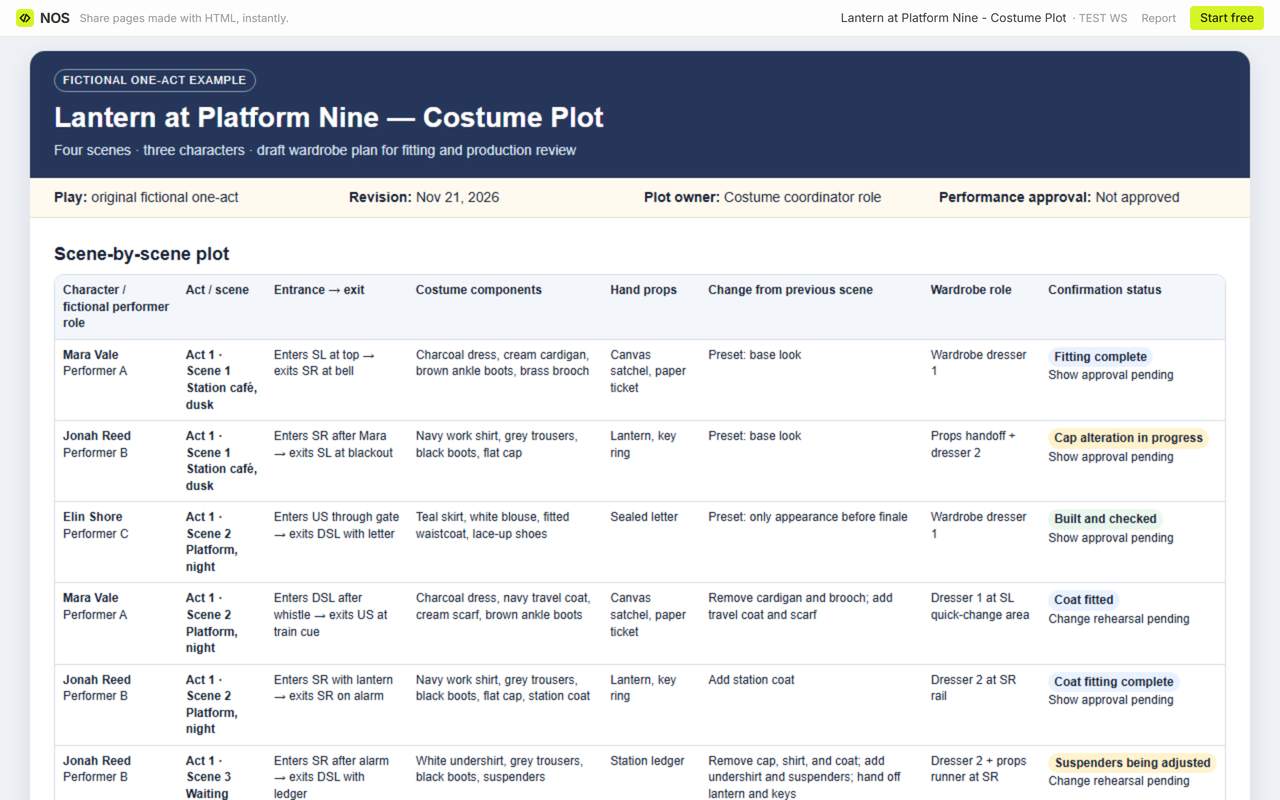
We reopened the same public link and checked Jonah’s entry there too. The shared plot showed three minutes available, the updated subtraction, and the quick-change warning.
How should fitting and build status differ from show approval?
Preparation states answer narrow questions. “Fitting complete” means the fitting step is recorded as complete. “Cap alteration in progress” means work remains. “Continuity checked” means the listed sequence has been checked. None of those labels should silently become approval for performance.
Keep a separate show-approval field with the responsible production role and approval date. In this fictional example, the page header says “Performance approval: Not approved,” and the rows say “Show approval pending” where applicable. Change rehearsal and props checks also remain pending where the example has not completed them.
When not to do this
- Do not use a fictional template as a real production’s approved wardrobe plan.
- Do not copy costume details or dialogue from a copyrighted play into a public page unless you have permission.
- Do not mark a change safe because the arithmetic is positive. The route, fastenings, privacy, accessibility, staffing, and rehearsal result still need production review.
- Do not treat a fitting, alteration, build, or continuity check as final show approval.
- Do not publish performer measurements, personal contact details, medical information, or private backstage access instructions.
Using NOS for a review copy
NOS Workspace kept the completed HTML plot and provided Code, View, Edit, and Share on the same saved page. In the observed example, the reader address showed the updated English plot after the timing changed. Use that shared page as a sanitized review copy; keep measurements, private performer information, licensed play material, official approvals, and authoritative production records in the systems chosen by the production.
Related guides
Use the drama lesson plan template when the task is revising a physical storytelling choice from observer evidence. Use the event itinerary template when people need a timed route between sessions. Neither guide replaces the costume continuity and change-time checks in this plot.