In short
An author one sheet is a single-page summary of one book and its author.
Put the title, hook, cover, ISBN, publisher, publication date, format, page count, price, description, bio, and contact routes on the page.
Label sample values as fictional. Replace every placeholder with confirmed book data before real use.
Download the blank template or the finished fictional example below.
NOS Team made a finished one sheet for The Glass Orchard, a fictional novel by a fictional author. The first screen shows the result before the instructions: a print-ready page centered on one book, not a catalog of titles, a speaking offer, or a bundle of press assets.
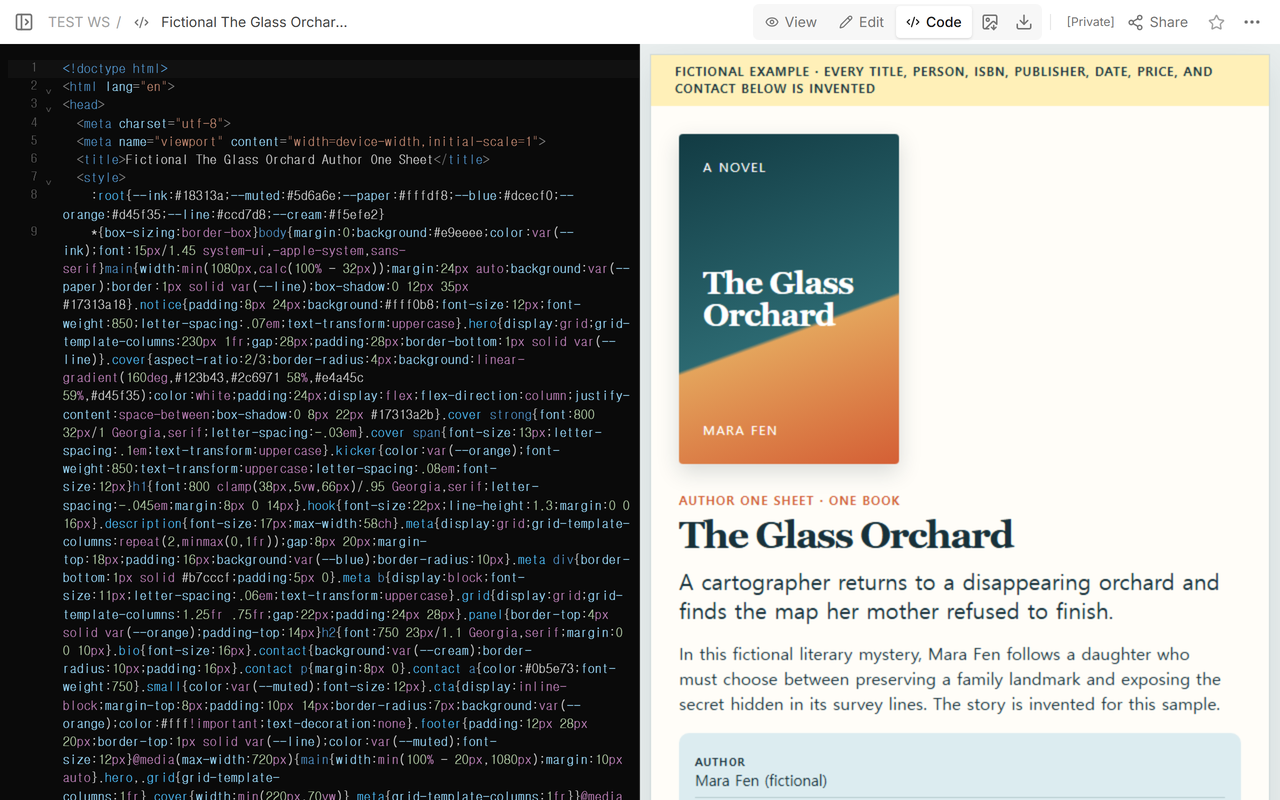
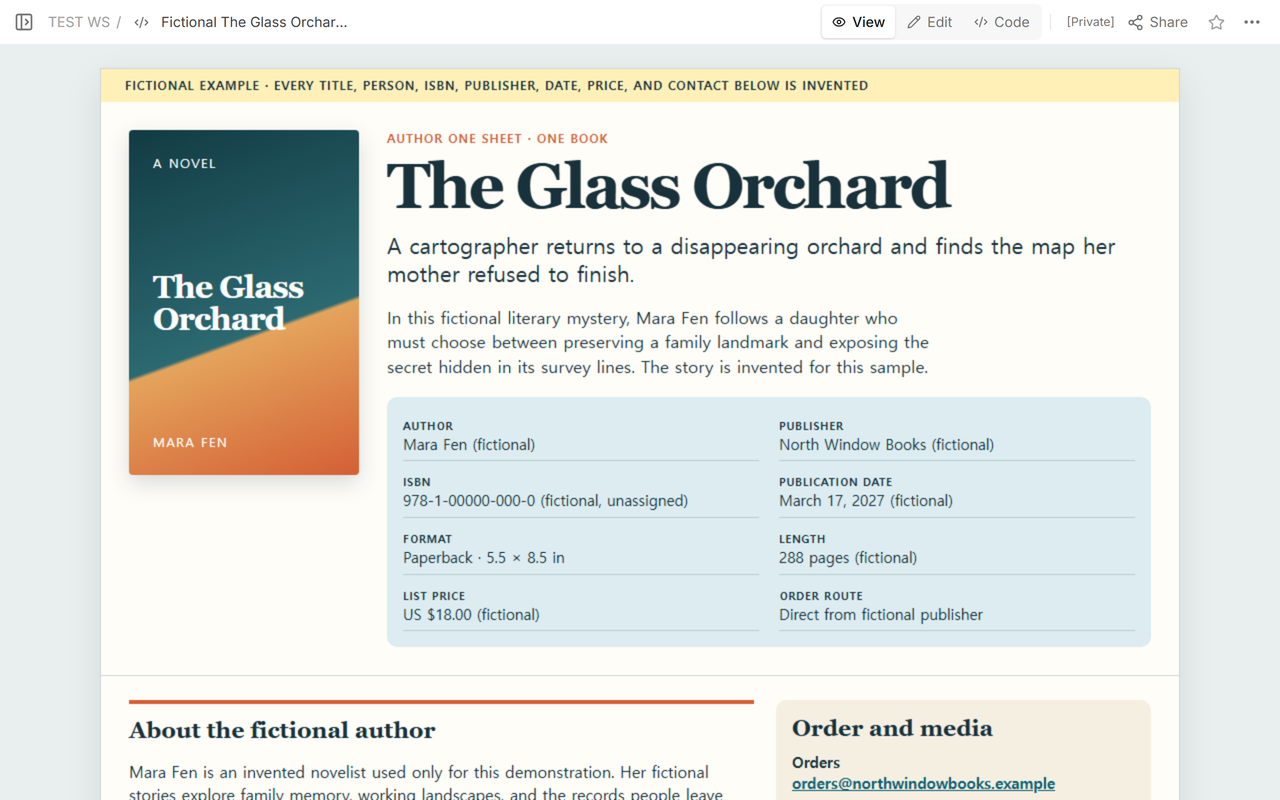
The sample includes an invented cover, one-line hook, short description, author bio, target readers, publisher, publication date, paperback format, page count, list price, order route, and media route. Its ISBN is deliberately labeled fictional and unassigned. The page does not describe a real book, person, publisher, price, or publication record.
What does a finished author one sheet look like?
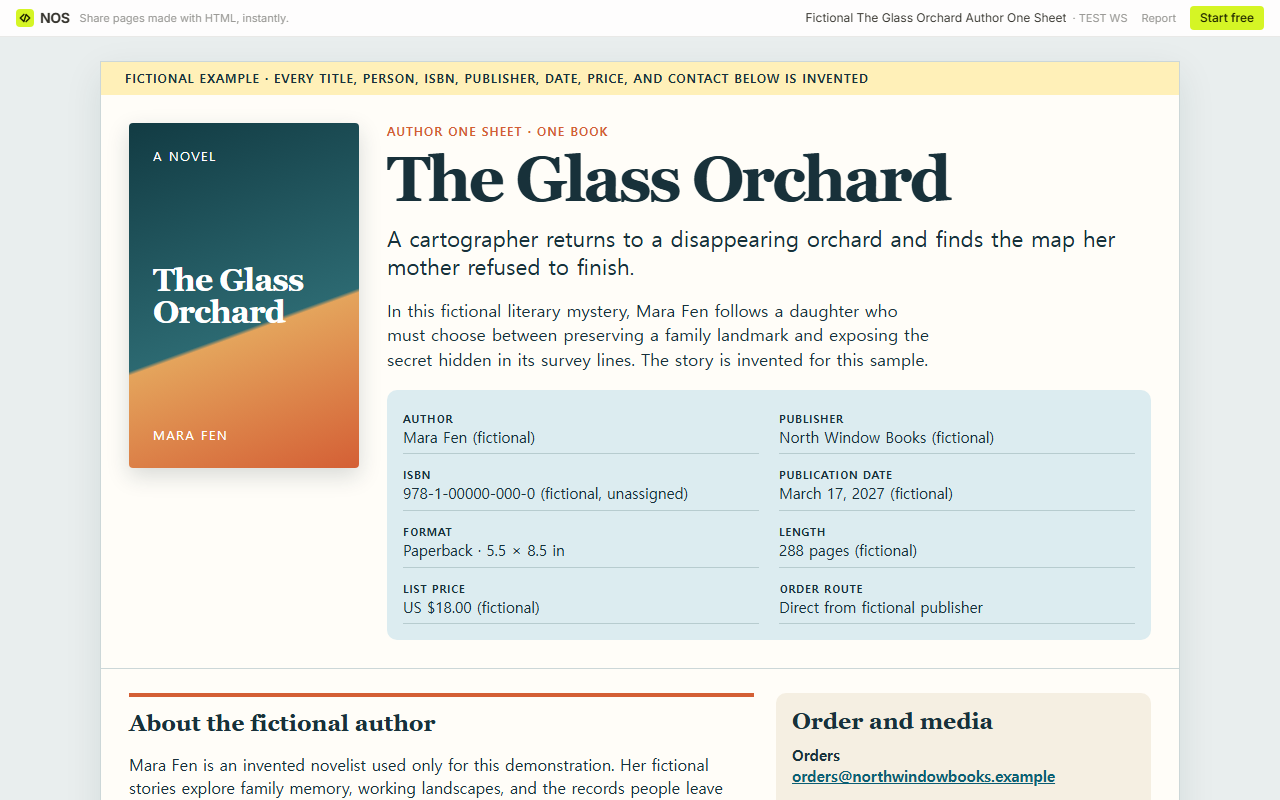
The top of the completed page answers the first questions without scrolling: What is the book called? What is it about? Who wrote it? What does the cover look like? The metadata block then gives a bookseller, librarian, reviewer, or journalist the exact fields needed to identify the edition.
The lower section keeps the author bio and the next action together. The order contact is separate from review-copy and interview requests. Both use reserved .example addresses, so the demonstration cannot be mistaken for a working contact route.
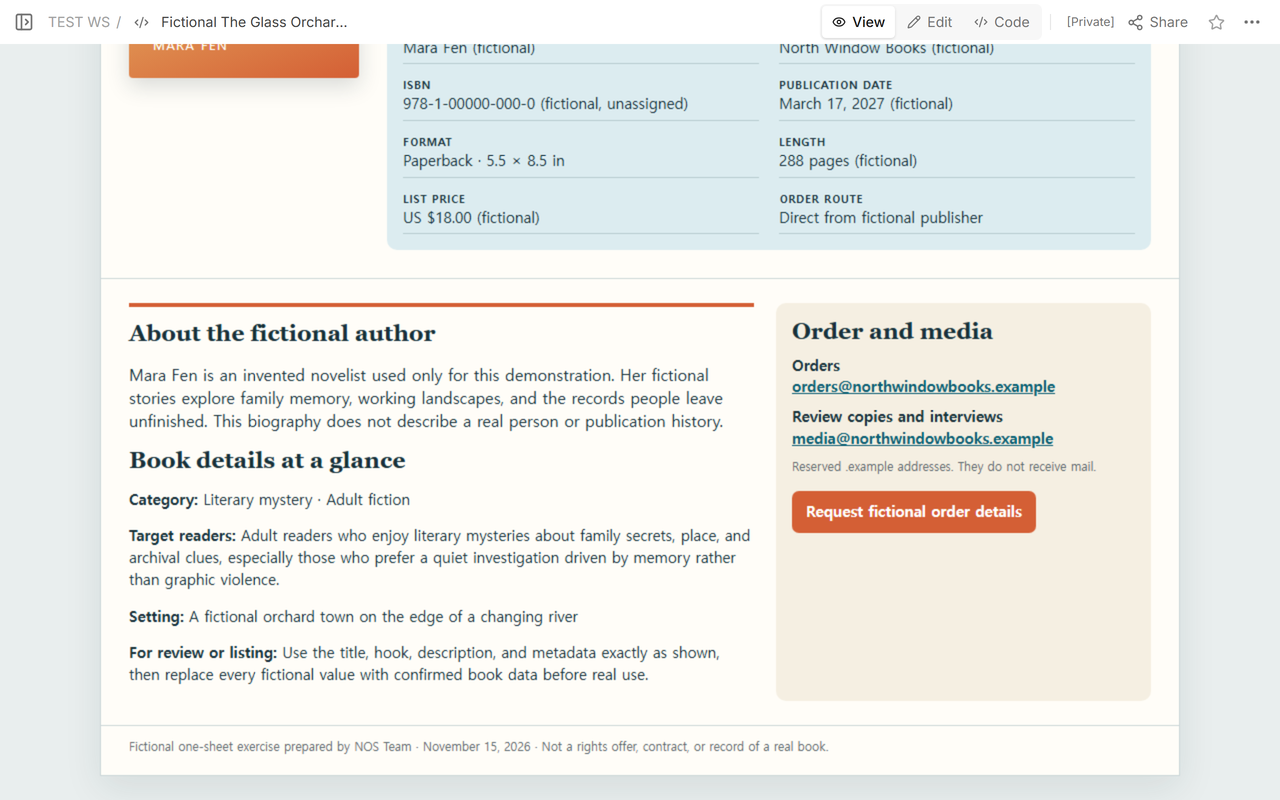
Finished result: a recipient can identify one edition, understand the premise, judge which readers it suits and why, read a short author bio, and choose the right contact without opening another document.
What should an author one sheet include?
Jeniffer Thompson describes an author one sheet as print marketing for a book that brings the important information about the author and book onto one sheet. Her guide lists the publisher and media contact, author website, headshot, bio, hook, description, retail price, ISBNs, trim size, page count, publication date, and distribution.
- Book title and cover. Use the cover for the edition described by the metadata.
- One-line hook. Give the book’s central promise in one sentence.
- Short description. Explain the setup and stakes without turning the sheet into a full synopsis.
- Target readers. Name a specific reader and explain why the premise, tone, subject, or reading experience fits them. A genre label alone does not answer this.
- Author bio. Use a concise third-person paragraph based on approved facts.
- Edition metadata. Add the assigned ISBN, publisher, publication date, format, trim size, page count, and price with currency.
- Order route. Name the distributor, retailer, publisher contact, or order page that actually handles this edition.
- Media route. Give reviewers and interviewers a monitored contact that is distinct from ordering when different people handle those requests.
One-book test: if a field describes another title, a speaking package, a company logo library, or a full rights schedule, move it elsewhere. This sheet should let the reader act on this book.
How do you turn the template into a printable page?
Open the blank download and replace every bracketed field. Keep the book cover and title near each other. Put the hook, description, and target readers before the metadata, then place the bio and contact routes below. The included print styles fit the page to US letter paper; use your browser’s print preview to inspect the final result before saving a PDF or printing.
We pasted the completed HTML into the existing NOS page. Code showed the entire source. View showed the reader version without the editor. The book remained the only product on the page in both modes.
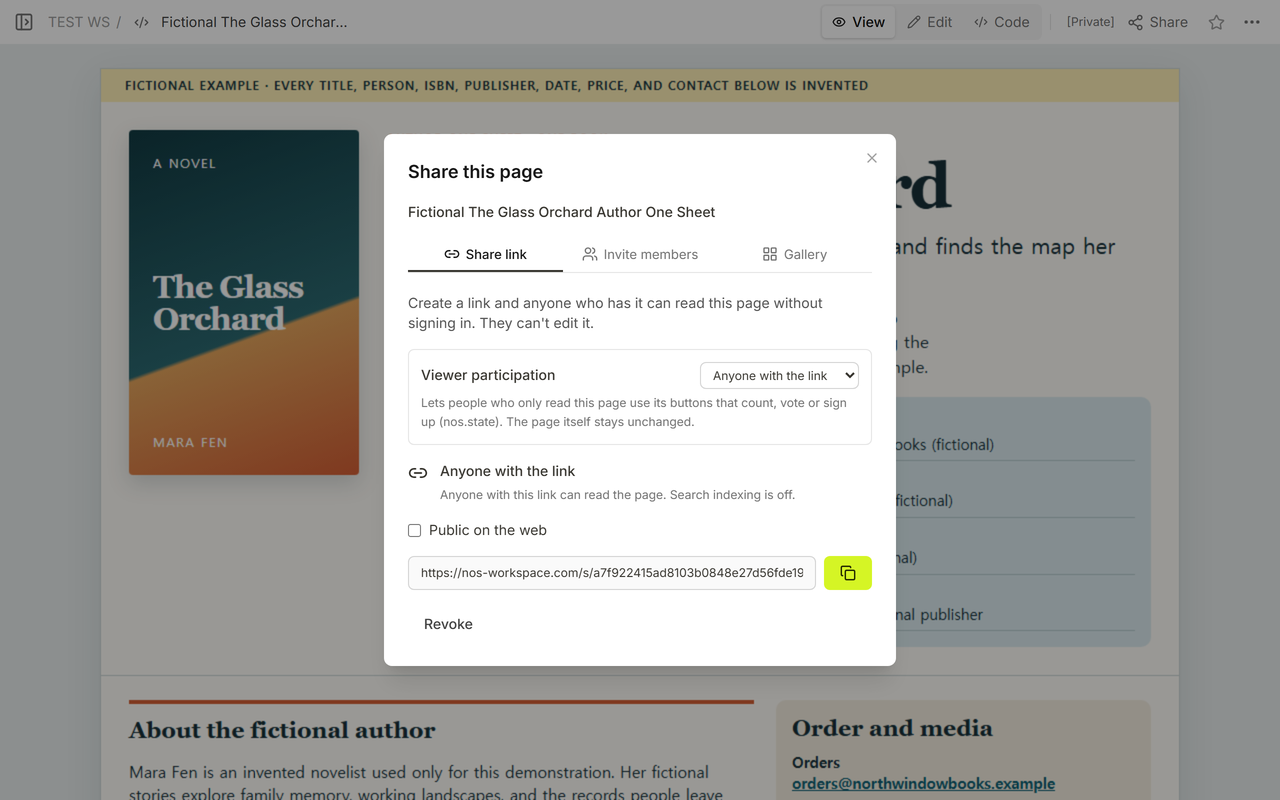
In the captured Share panel, anyone with the link could read without signing in and could not edit. We used the reader address only after confirming that the fictional label and one-book metadata were visible.
How should you label fictional example values?
Do not present a made-up ISBN, publisher, release date, price, email address, or accomplishment as real. The completed example repeats its fictional status at the top and labels individual values where a reader might otherwise mistake them for current data. The sample ISBN is explicitly unassigned, and the contact addresses use the reserved .example domain.
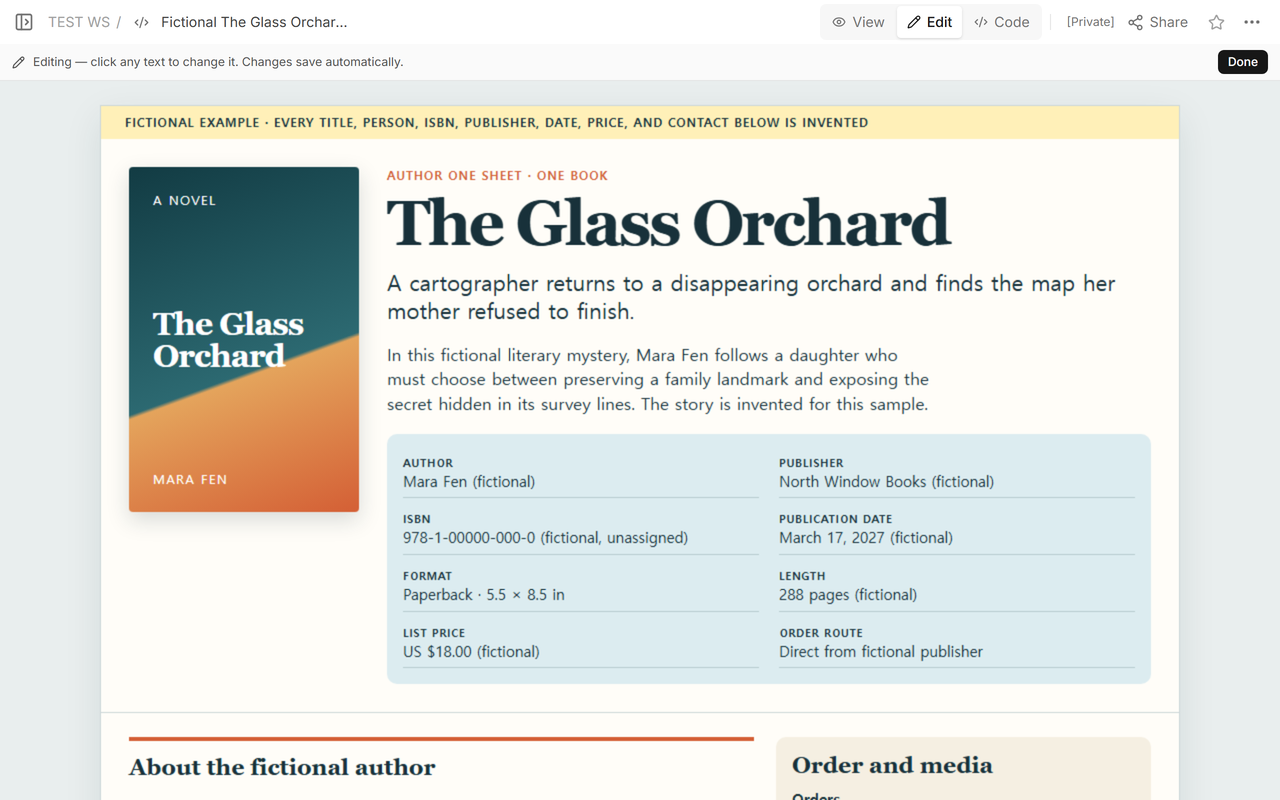
Edit mode let us inspect the same saved page before reopening the reader address. The top edit view kept the fictional warning, cover, title, hook, and metadata together.
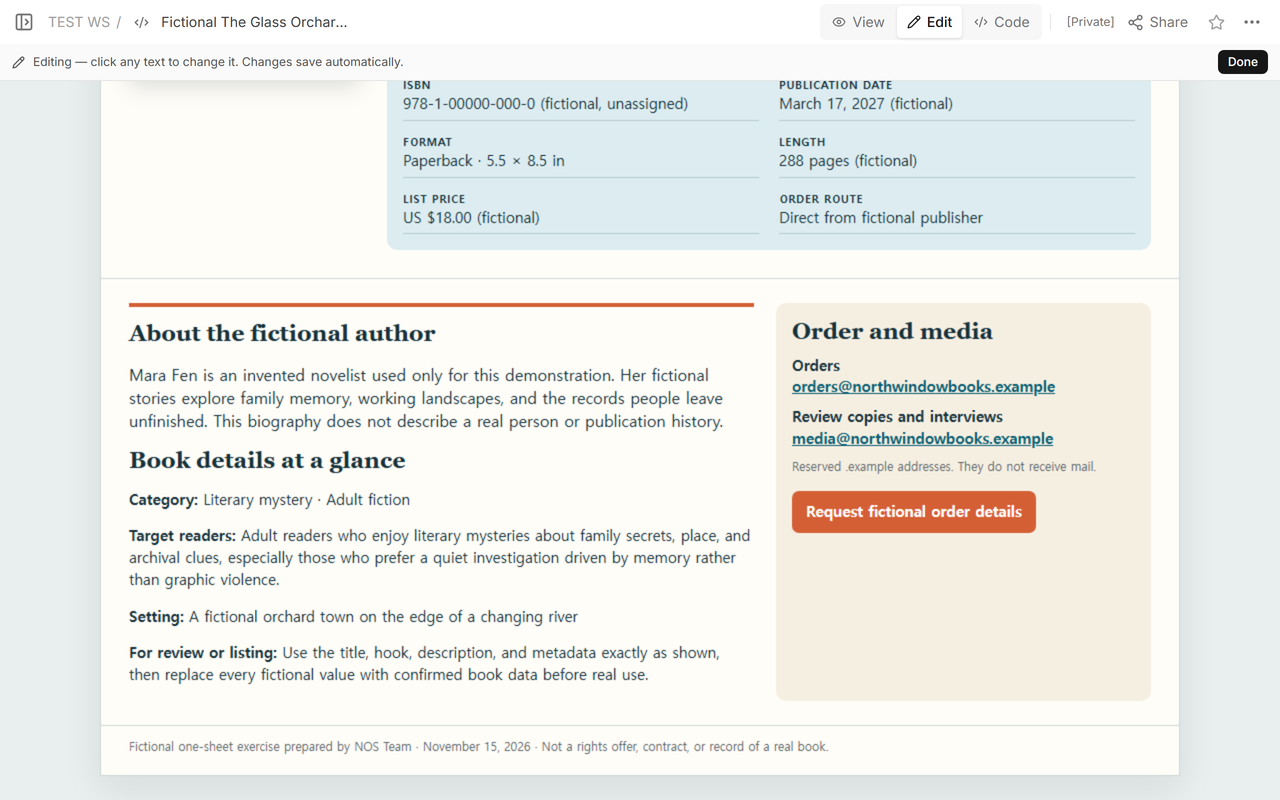
Further down, the author bio, order route, media route, and disclaimer stayed on the same page. There are no awards, endorsements, sales figures, or publication claims in the example because none were available to verify.
How do you share and update an author one sheet?
After saving, open the reader address and check the exact edition facts against the book’s approved records. In our test, the original reader address displayed the rewritten one-book example after the page was updated.
When a price, publication date, format, page count, contact, or description changes, edit the existing page and repeat the check. Do not use the one sheet as the source of truth for a contract or rights decision; it is a promotional summary, not a legal record.
Is this different from a speaker one sheet or press kit?
Yes. A speaker one sheet helps an event organizer choose a talk, format, length, fee, and booking route. This author one sheet helps a book-industry or media reader identify and act on one book.
A press kit link collects quotable company facts, logos, photos, and media contacts. An author one sheet can travel with a press packet, but it should still work as a single-page summary of one book.
When not to do this
- Do not use a one sheet instead of a full book proposal, manuscript, contract, or rights schedule.
- Do not invent an ISBN, price, review quote, award, sales number, publisher, or publication history.
- Do not mix several editions without labeling the ISBN, format, page count, and price for each one.
- Do not publish an order or media address unless someone monitors it.
- Do not force a speaker booking sheet or a full press asset library onto this page.
How can NOS hold the page?
NOS Workspace let us save the self-contained HTML, compare Code and View, inspect the page in Edit, and create a reader-only Share address. The existing reader address then showed the rewritten one-book example. See the current pricing page for plan details; this guide does not copy a price that may change.