In short
Give each deployment its own row. Match the recovered bundle to the deployment ID and the card recorded at retrieval. Keep the actual retrieval time separate from capture times. Compare file IDs against an inventory before you mark a folder reconciled.
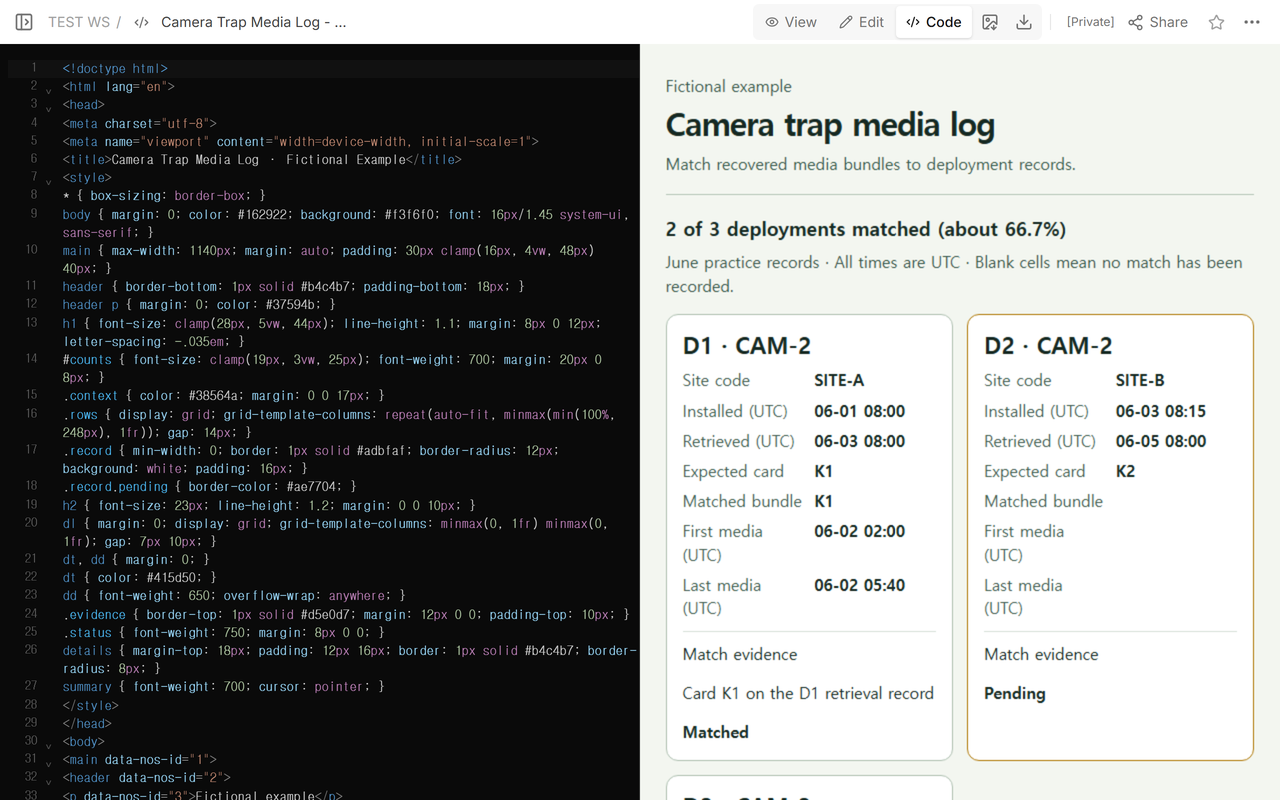
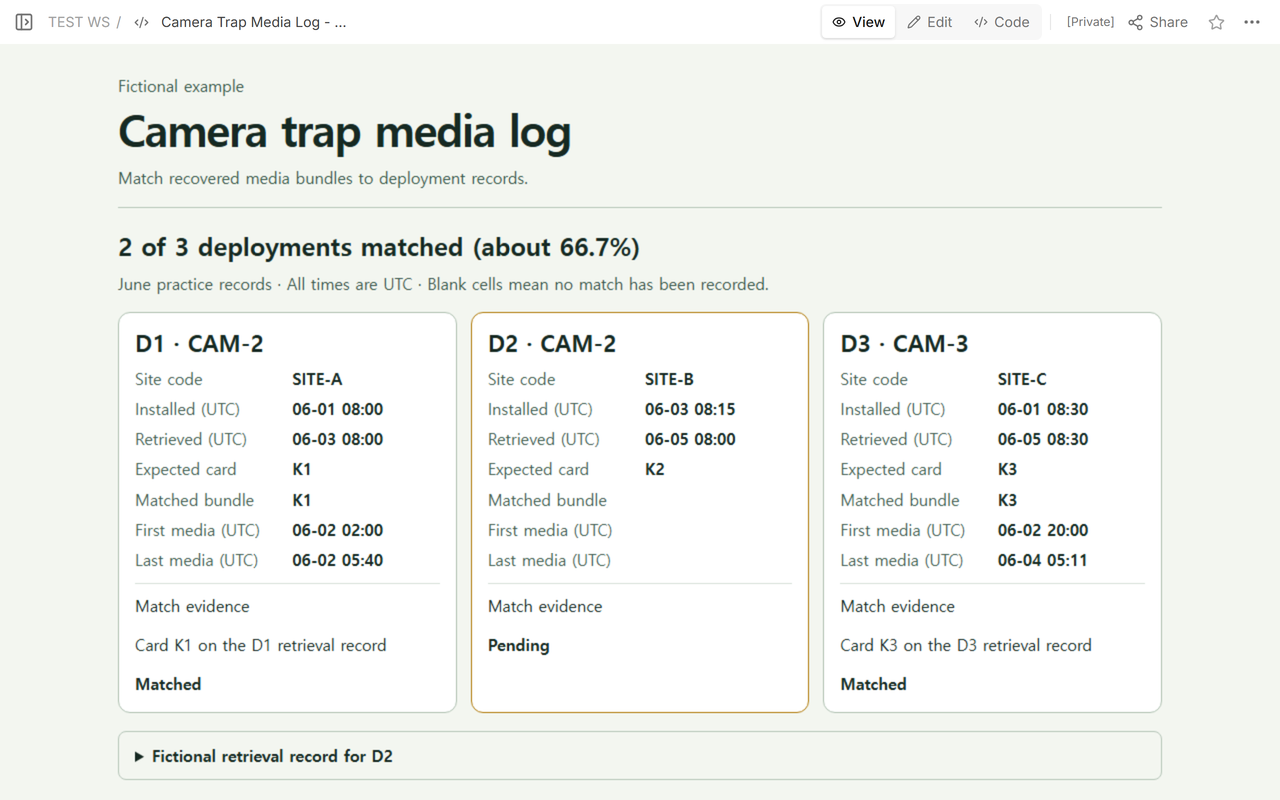
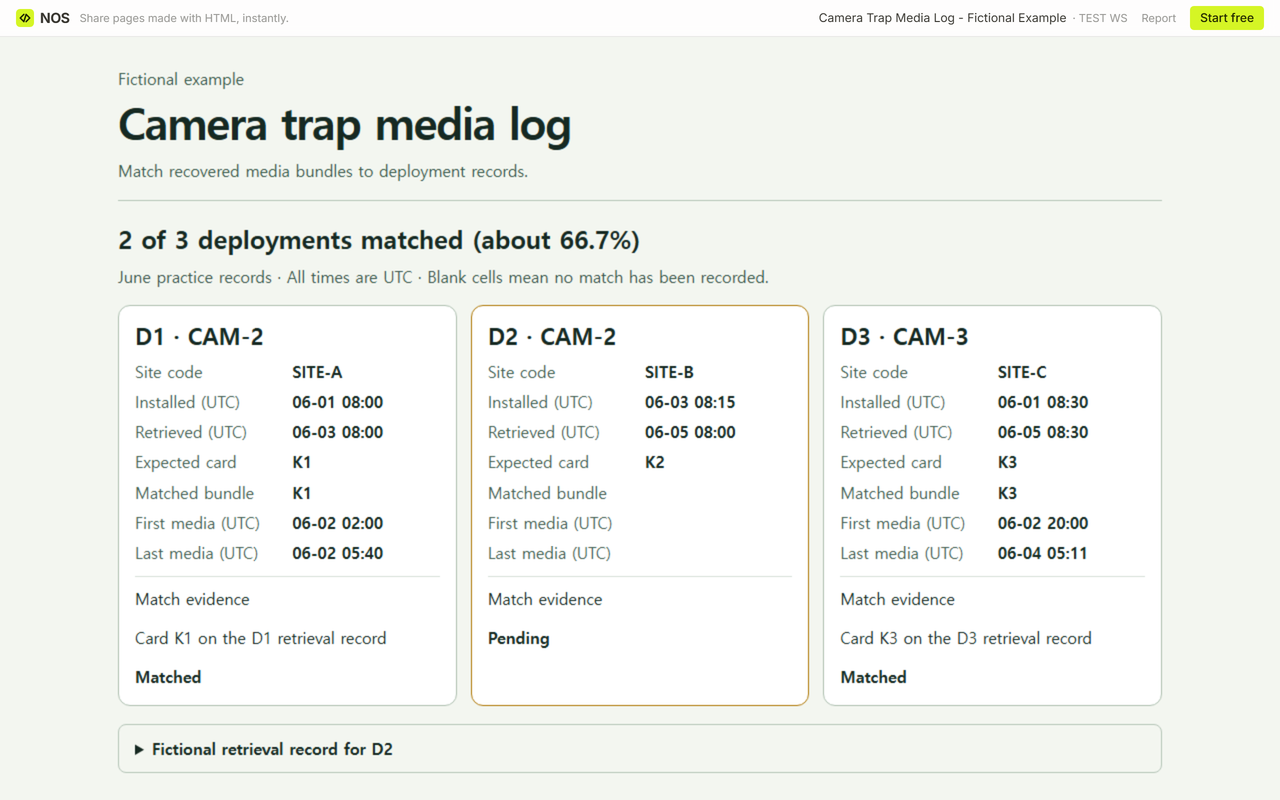
A camera comes back with a memory card, then goes out again. When two recovered bundles come from the same camera, which one belongs to each trip? In this fictional exercise, CAM-2 appears on D1 and D2. The retrieval slip is what lets us assign K2 to D2.
Download the blank camera trap media log (CSV) or download the completed three-row example (CSV). The completed HTML example includes the retrieval slip and the file checks. The fictional file inventories (JSON) list the entries behind each count.
What belongs on each deployment row?
Copy the deployment ID, camera ID, site code, installation time, and actual retrieval time from the field record. Keep a column for the expected card and another for the verified media bundle. Add the first and last media timestamps, the evidence for the match, and a link status. For each interval, record the expected IDs and the IDs you actually find, including repeated IDs. Keep the file status separate from the link status. Write the time zone where the next reader will see it. All times in the example are UTC, and SITE-A through SITE-C are invented location codes.
The GBIF camera trap guide groups media by deployment and describes how deployment dates can extend beyond the first and last captures. The Nature Up North field sheet has separate boxes for the camera number, SD card number, and retrieval date and time.
How do you resolve a missing bundle?
- Start with the deployment ID. D1 already pairs with K1, and D3 pairs with K3. D2 has a retrieval time and expects K2, but its verified bundle and both media timestamp fields are still blank.
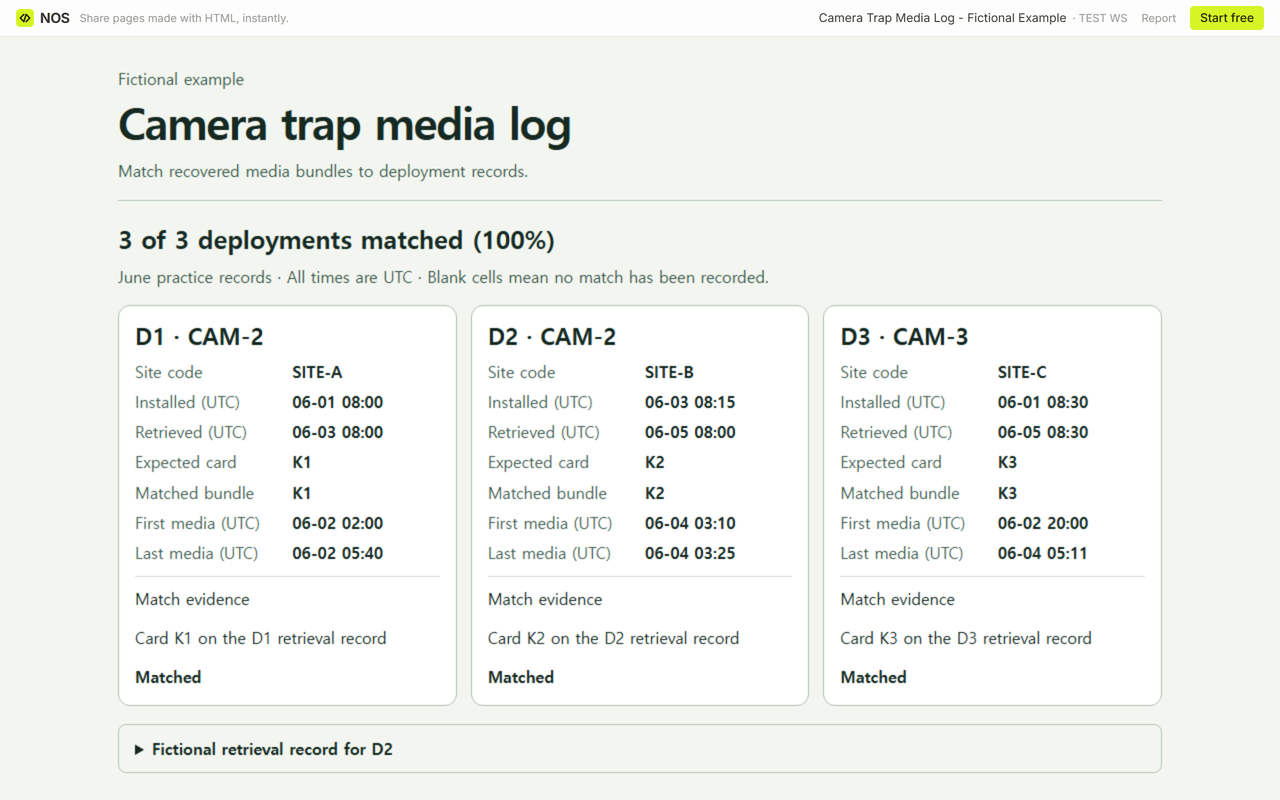
- Read the retrieval slip for D2 and check it against the recovered bundle label. The slip pairs D2 and CAM-2 with card K2, and the recovered bundle is labeled K2. Record that link as evidence before setting the row to Matched.
- Copy K2’s first and last media timestamps into their own fields. The first is June 4 at 03:10 UTC and the last is June 4 at 03:25 UTC. Keep D2’s actual retrieval at June 5 at 08:00 UTC.
If the card label is unreadable or two rows claim the same bundle, leave the connection pending and note which evidence is missing or conflicts. A timestamp inside the deployment window can support a proposed match. D1 and D2 still need separate records even though the same camera served both.
What does the match count tell you?
Count confirmed deployment-to-bundle links and divide by all deployment rows in this batch. At first, 2 of 3 deployments were matched (about 66.7%, rounded to one decimal place). Once D2/K2 was verified, 3 of 3 were matched (100%). The denominator stays at three deployments. CAM-2 appears twice, and a bundle can contain several files.
Keep a field-record retrieval time even while the bundle is unverified. In the blank template, leave actual file IDs and counts empty until you inspect the folder. Enter zero for missing files or extra copies only when the check finds none. The blank download has a header and one empty entry row.
Can a folder have the right count and still be incomplete?
Compare IDs within each deployment window. The example uses an inventory from the retained cards as the expected list. Count an expected ID as present once, and record each copy beyond the first under extra copies.
- D1/K1. Expected 2 (K1-01, K1-02). First intake 2 (K1-01, K1-02). Both expected IDs were present. The delivery list stayed the same.
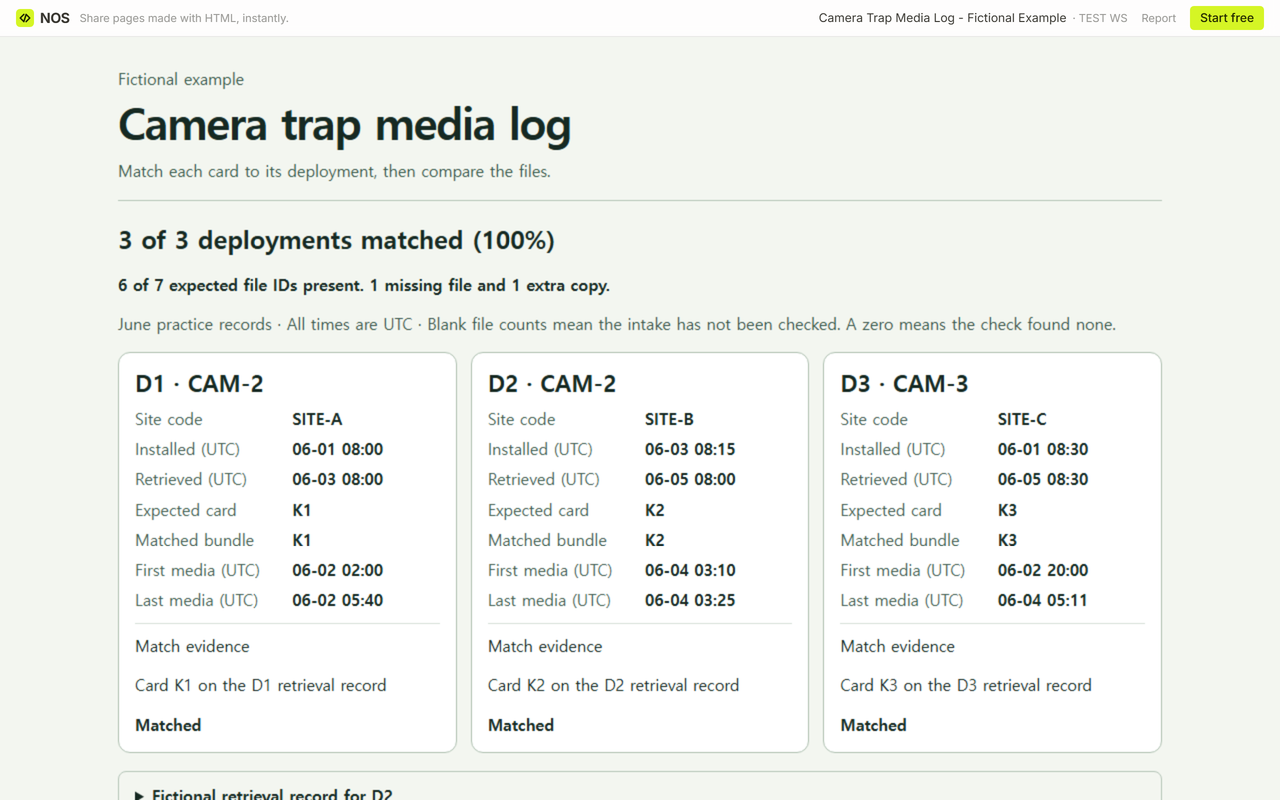
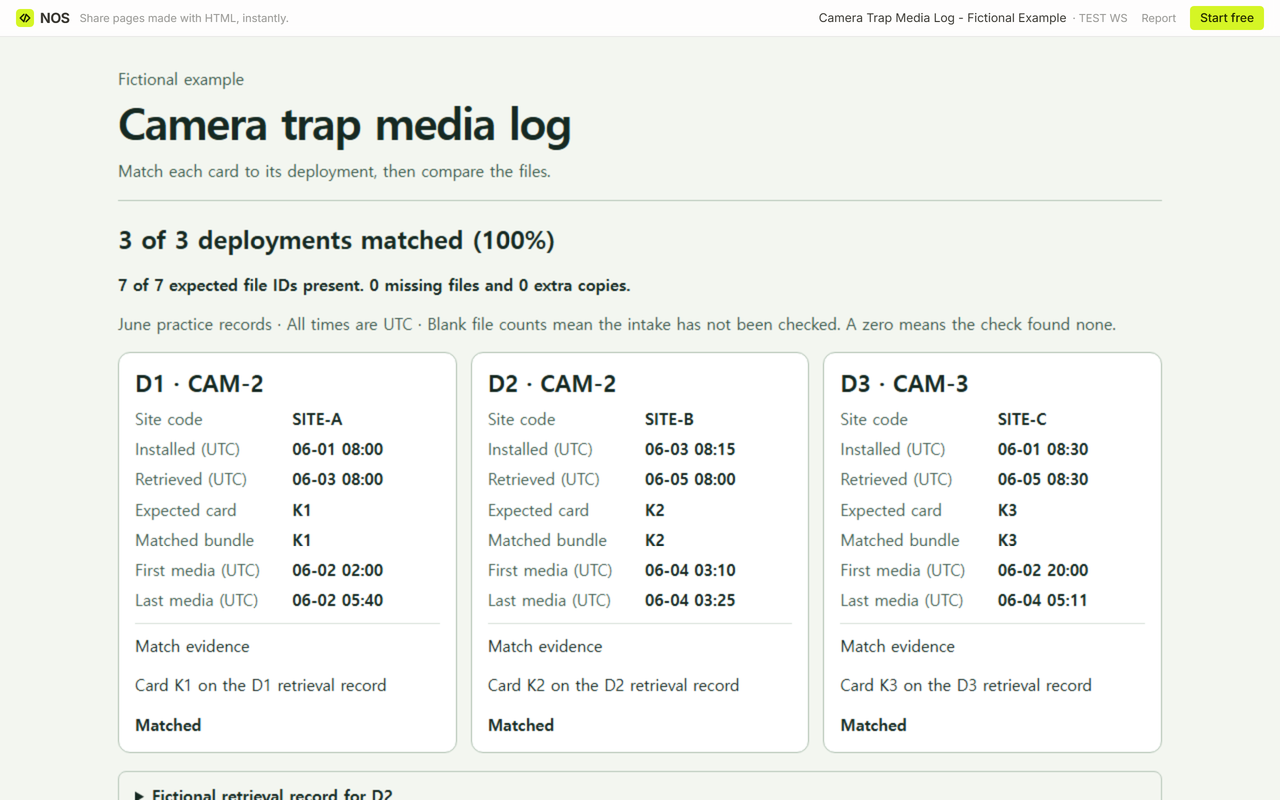
- D2/K2. Expected 3 (K2-01, K2-02, K2-03). First intake 3 (K2-01, K2-01, K2-03). Missing K2-02 and one extra copy of K2-01. After checking the retained card and excluding the extra copy from delivery, the final list was K2-01, K2-02, K2-03 (3 files).
- D3/K3. Expected 2 (K3-01, K3-02). First intake 2 (K3-01, K3-02). Both expected IDs were present. The delivery list stayed the same.
Before K2 was linked, D2’s actual inventory and counts were blank. At the first file check, all 3 deployments were linked, and 6 of 7 expected IDs (about 85.7%) were present across 7 copies. After the correction the delivery contained 7 of 7 expected IDs (100%), with zero missing files and zero extra copies.
When not to do this
Use this log for reconciling bundles you have recovered. Keep sensitive site details and identifiable imagery in the records intended for them. Use a separate process for field setup, species identification, or estimates of active sampling time. This sheet tracks the bundle assignment and checks the copies listed for delivery.
How did we check the reading copy?
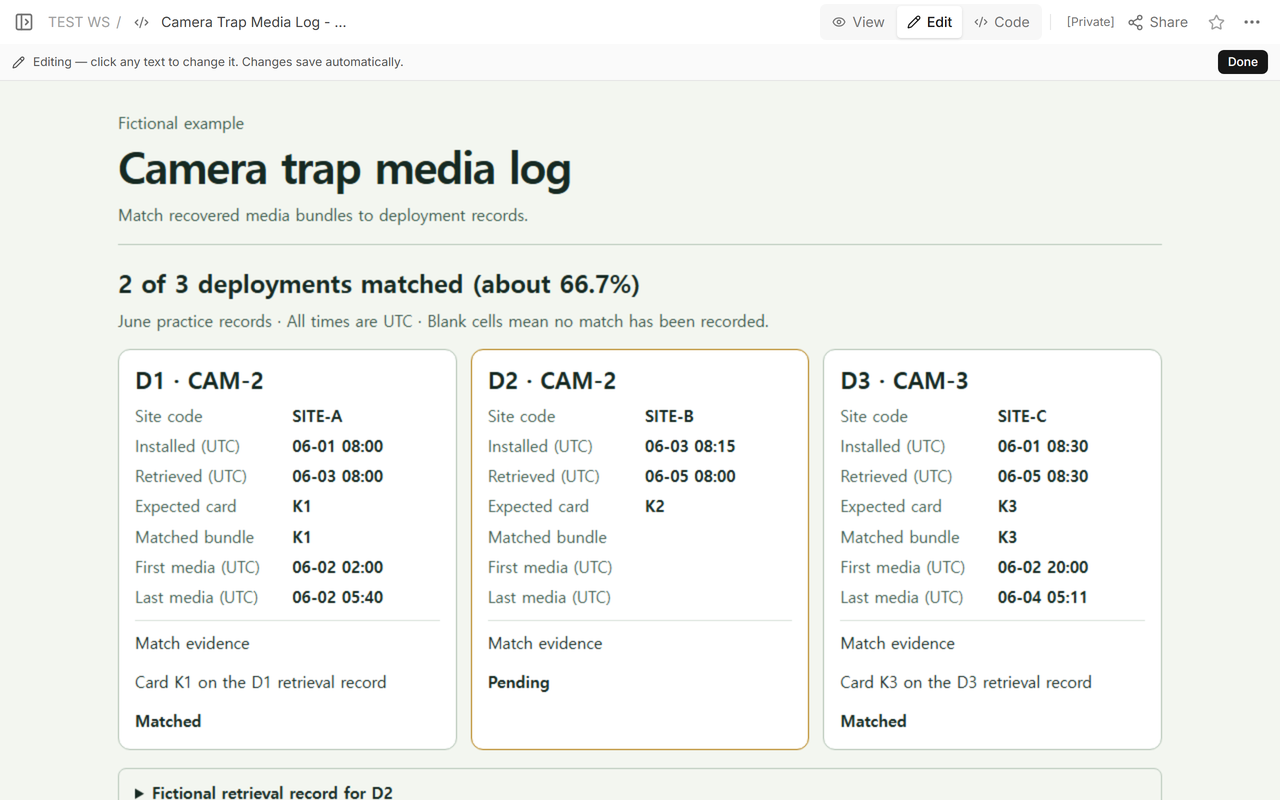
We opened the fictional log in NOS Workspace, checked the pending row, then saved the D2/K2 correction to the same page. We reopened the fictional log’s reader address while signed out to check the missing file and extra copy, then opened it again to verify the corrected counts. Opening the editor address while signed out led to the login screen.
Use the historic building photo log to trace individual images to a marked plan. The equipment checkout log helps track who has an item and when it comes back.