In short
Build the handbook around family tasks: arrival, authorized pickup, daily supplies, illness, medicine, and contact.
Summarize each routine, then name the complete policy that controls it.
Keep child names, health details, custody information, and pickup lists off a public page.
Test the shared page on a phone and recheck it after every edit.
A parent handbook should answer a question at the moment it comes up. A family at the door needs the pickup procedure, not a tour of every center policy. Staff still need the official documents and private records behind that short answer.
We built a fictional handbook for an invented Willow Room. The page groups arrival, pickup, supplies, illness, medicine, contact, and official policy locations. It does not contain a real child, family, staff member, address, or center rule.
What belongs in a daycare parent handbook?
Start with the questions that change what a family does that day. Use the center's approved sources rather than writing from memory.
- Arrival: where the handoff happens and what completes check-in.
- Pickup: how the center checks authorization and where a family requests a change.
- Supplies: what comes each day, what needs a label, and which items depend on a private care plan.
- Illness and medicine: where the current rule lives and which private route a family uses.
- Contact: the confirmed channel for a routine question and the separate route for urgent or child-specific information.
Do not invent a fever threshold, exclusion period, medicine rule, contact address, response promise, or pickup exception. If the approved source is missing, mark the item for confirmation instead of filling the gap with a plausible answer.
How do you turn the policies into one useful page?
1. Write for the family action
Lead each section with what the family does. Put the source line directly below it: for example, “Official source: Health Policy, Medication Administration.” This keeps a short explanation connected to the document staff must update first.
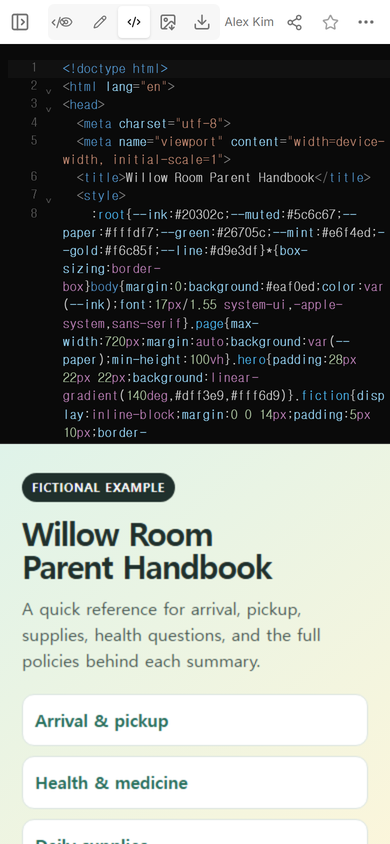
The fictional example uses collapsible answers and a search box. A family can look for “pickup,” “medicine,” or “clothes” without reading the whole page. The page also says that its sample routines must be replaced before anyone shares it.
Download the complete fictional HTML example
2. Check the first phone screen
Put the most-used destinations near the top. In our example, families first see Arrival & pickup, Health & medicine, Daily supplies, and Who to contact. The fictional label and replacement warning are also visible before the detailed sections.
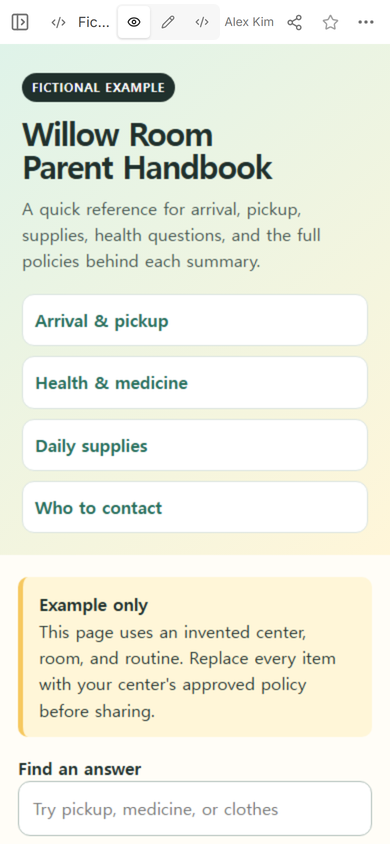
Read every summary beside its official source. A friendly page can still be wrong. The short version should never silently become another policy.
3. Create the reader link
Open Share only after the content has been checked. The panel we used states that anyone with the link can read the page without signing in and cannot edit it. That makes the page easy to reopen, but it also means the handbook must contain only information suitable for everyone who receives the address.
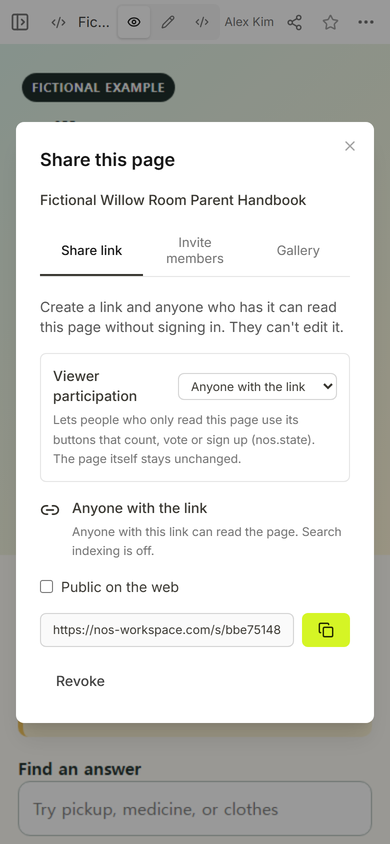
Keep private records elsewhere. The public handbook can explain how an authorized-pickup change is requested. The actual names, health details, custody information, and signed authorizations belong in the center's approved private system.
How do you update a parent handbook without breaking it?
Edit the existing page, then reopen the same reader link. We used the normal Edit mode to change the lower line of the example heading from “Parent Handbook” to “Family Handbook.”
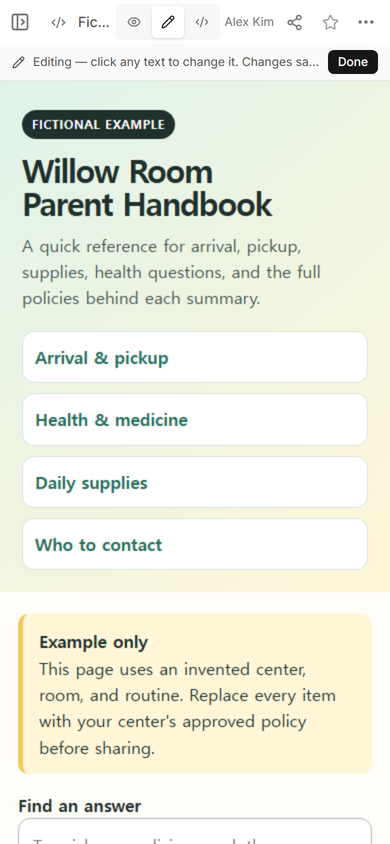
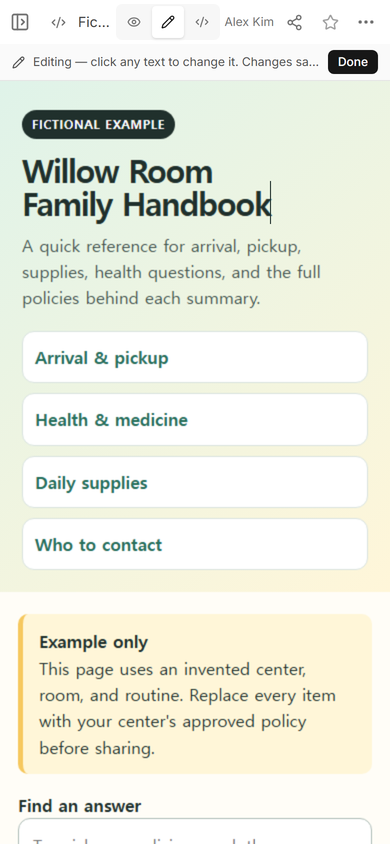
The first attempt selected only the text after the manual line break. That is useful to know for any designed heading: after a direct text edit, read the entire heading rather than checking only the words you typed. We corrected the lower line and saved again.
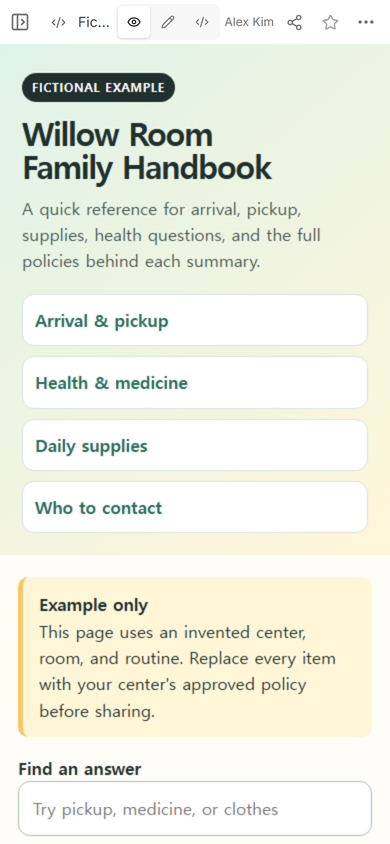
Finally, we reopened the original shared address. It showed the corrected heading, while the arrival, health, supplies, and contact links remained in place.
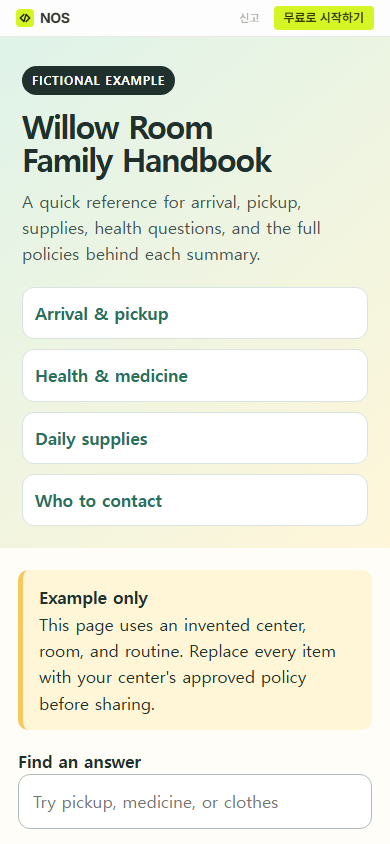
Finished result: one fictional phone-friendly reference page, one reader link, and a visible source line beneath each summarized procedure.
How is this different from a parent newsletter?
A handbook holds routines that families need to find again. A newsletter carries dated news and this week's action. Keep those jobs separate so a pickup rule does not disappear inside last month's update. For dated preparation requests, use the parent newsletter template. For the first classroom introduction and a confirmed reply route, use the parent welcome letter.
If the center needs a broader page with a schedule and frequently used links, the one-page classroom website guide shows that structure. The handbook should remain the stable reference for routines and policy locations.
What should staff check before sharing?
- Compare every date, threshold, authorization step, and contact route with the current approved source.
- Remove personal child and family information.
- Mark the page clearly if it is still a draft or fictional example.
- Open every internal link and policy link.
- Read the page at phone width and try the words families are likely to search.
- Ask another staff member to find the pickup-change route and medicine procedure without coaching.
- After a correction, reopen the existing reader link and inspect the whole changed section.
When not to do this
- Do not use a public handbook to collect forms, acknowledgements, medicine instructions, or pickup authorizations.
- Do not replace the complete policy, signed enrollment material, or private child record with a summary page.
- Do not publish an unconfirmed contact route or health rule just to make the draft look complete.
- Do not rely on one online format when the center's actual process requires another language, a printed copy, or a different accessible format.
Using NOS for the handbook page
NOS Workspace let us place the complete fictional HTML on one page, compare Code, View, and Edit, and create a reader link from the Share panel. The shared example opened at phone width without a reader sign-in, and the original address showed the saved title correction. This is a public reference page, not a private family record or a form that confirms receipt.