In short
A decision tree website asks one bounded question, uses the answer to choose the next branch, and ends with an action the reader can understand.
Map the branches before styling the page, label every ending, and add a Start over control.
Test every route, including branches that are easy to overlook.
Use a static tree only when the result can be calculated in the reader's browser without accounts, stored records, or private data.
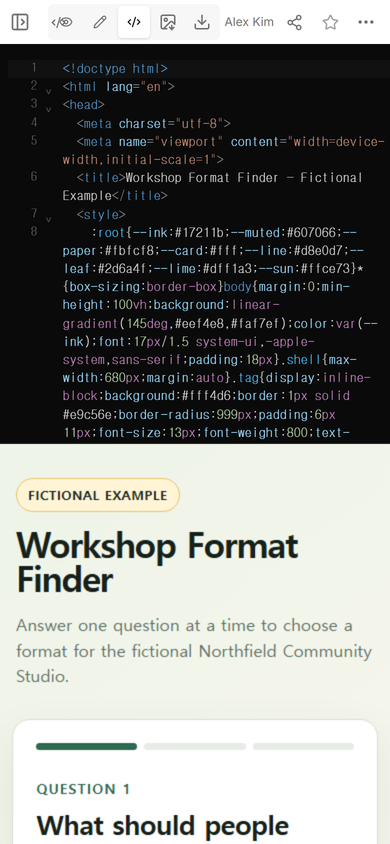
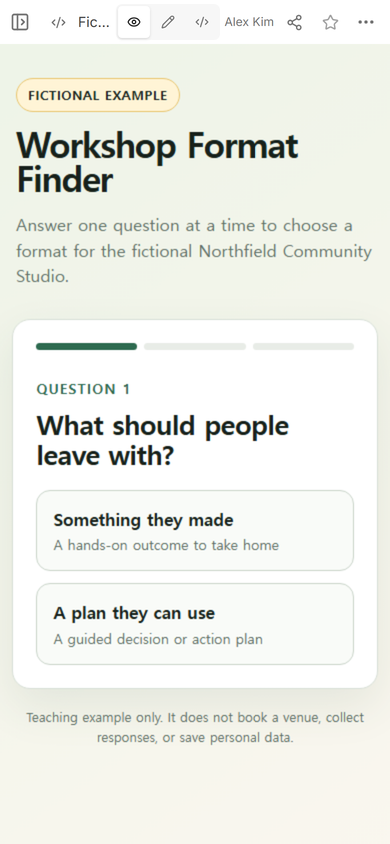
NOS Team built a fictional workshop format finder for Northfield Community Studio. The example does one job: it asks what participants should leave with, follows two more answers, and recommends a workshop format with a next action. It is a teaching fixture, not a claim about a real studio or event.
Open the complete fictional decision tree example. You can also use the finished file as a starting point and replace the questions, branches, and results with your own reviewed content.
What makes a decision tree website different from a flowchart?
A flowchart shows the full structure at once. A decision tree website can hide irrelevant branches and let the reader move through one route. That makes the experience easier to follow on a narrow screen, but it also means the author must make every answer lead somewhere valid.
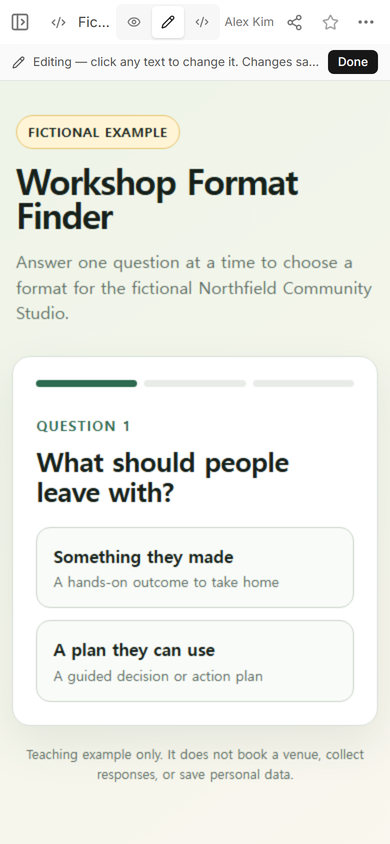
The workshop finder starts with two outcomes: making something or leaving with a plan. Choosing a plan does not show equipment questions. It moves directly to whether participants will discuss one shared case.
How do you plan the branches before building the page?
Write the endings first. Each ending should name a result and the next action. The fictional tree has endings such as Demonstration workshop, Guided remote kit, Decision clinic, and Private planning sprint. Those labels are useful because they change what the organizer prepares next.
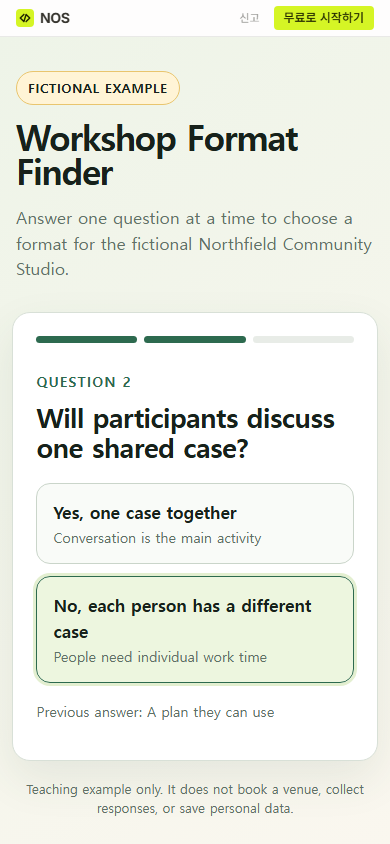
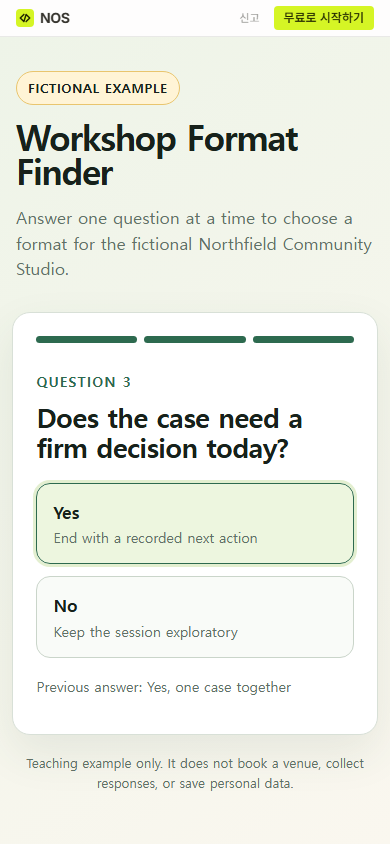
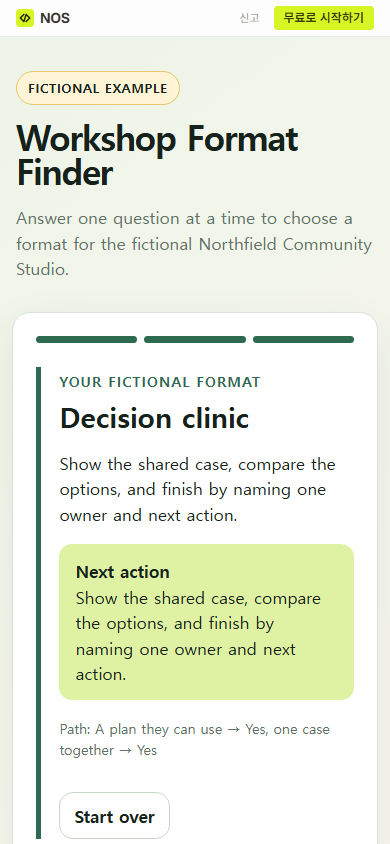
Then work backward. Ask only questions that separate one ending from another. In the tested route, “A plan they can use” leads to a question about a shared case. “Yes, one case together” leads to whether the group needs a firm decision. The final Yes answer produces Decision clinic.
For every answer, write the destination beside it. Every destination must be another question or a named result. If two answers always lead to the same place, consider removing that question.
Keep the answer labels meaningful without the surrounding page. “Yes” and “No” work when the question remains visible. Labels such as “Shared case” and “Individual cases” are easier to review in a branch map because they carry their own meaning.
What should each result contain?
A result needs more than a category name. State what the result means, then give one action that moves the reader forward. The tested route ends at Decision clinic and tells the fictional organizer to show the shared case, compare the options, and finish by naming one owner and next action.
The page also shows the chosen path and a Start over button. The path helps a reader notice a mistaken answer. Start over returns the tool to the first question without asking the reader to reload the page.
How do you test a branching website?
Count routes, not just screens. This example has eight endings, so a complete review reaches all eight results. For each route, check the question order, the result label, the next action, the displayed path, and Start over. Also check that using Start over clears the earlier path.
Review the wording separately from the mechanics. A route can work perfectly and still give unsafe or vague advice. Ask the person responsible for the subject matter to approve the questions and results. A browser can follow your branch rules; it cannot decide whether those rules are appropriate.
The first attempt to capture later questions by reading the outer share page did not find the buttons because the live example is isolated inside the page. We used normal pointer clicks on the visible choices instead. For readers, the important check is the same: test the controls as they actually appear, rather than assuming that visible text proves a button works.
How do you share the decision tree?
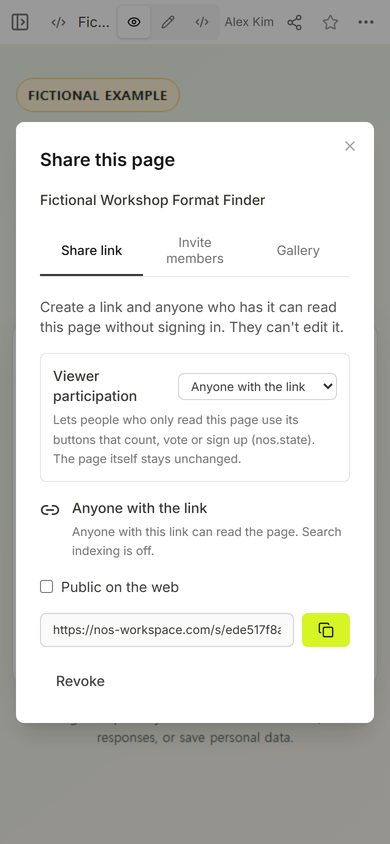
Open the finished page in View mode before sharing it. Check the first question at phone width, then follow representative paths through to their results. In this example, the NOS Share panel created a reader link and stated that people with the link can read the page without signing in and cannot edit it.
Editing mode is for the page owner. The reader link opens the public version. Keep that distinction clear when you test: a correct result in the owner view does not replace a check of the public link.
When not to do this
Do not use a static decision tree for medical, legal, financial, safety, or eligibility decisions that require professional judgment, current rules, or an auditable record. Do not collect sensitive answers in a page that was designed only to calculate a result in the browser.
A branching page is also the wrong tool when a person must review the case, when the rules change often, when the answer depends on live inventory, or when the result must be saved to an account. In those cases, use a maintained system with the required review, storage, access control, and change history.
Where does NOS fit?
NOS Workspace can hold the complete decision tree page, show it in View mode, and create a reader link from the Share panel. That is enough for this self-contained fictional example because its questions and results run in the page and it does not submit answers anywhere. If you are starting from a finished file, the HTML to link tool explains the basic sharing step. Use a decision matrix instead when the reader needs to compare several options against weighted criteria, or study the branching story guide when the goal is narrative rather than a recommendation.