In short
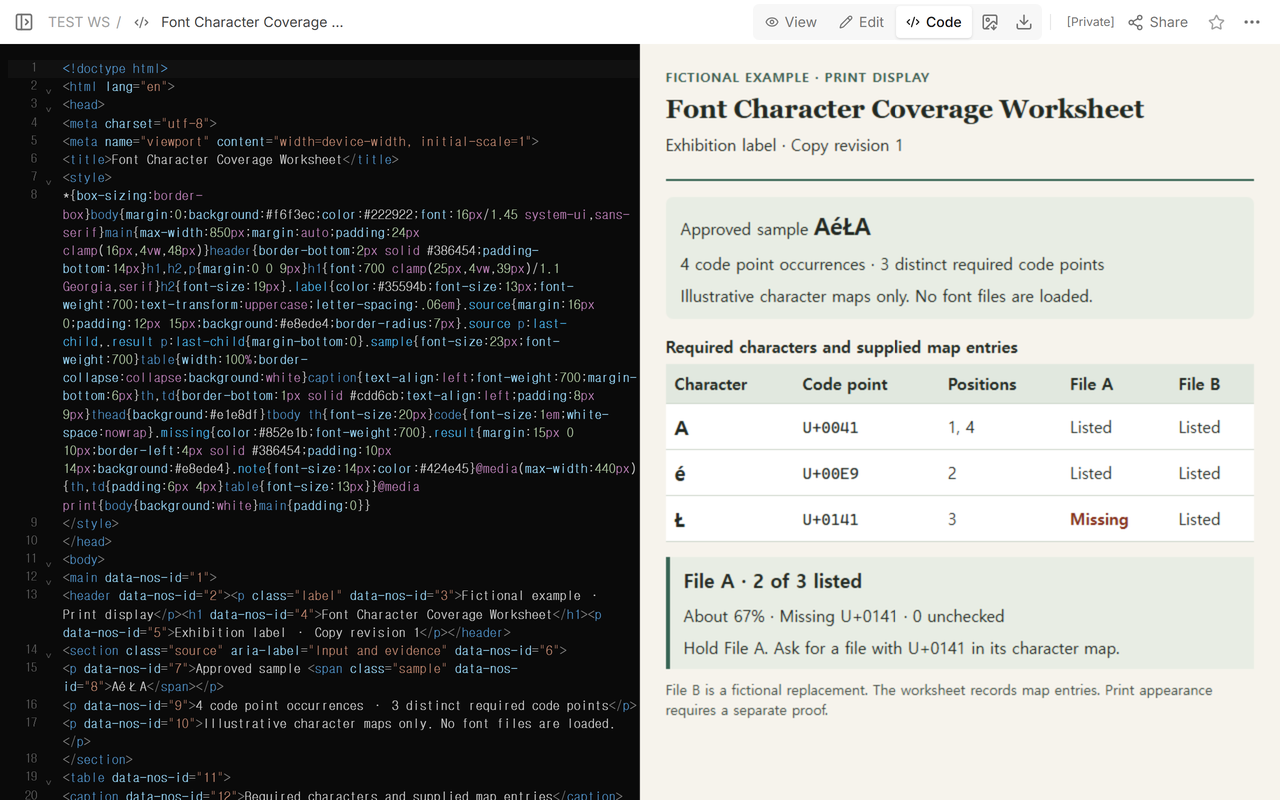
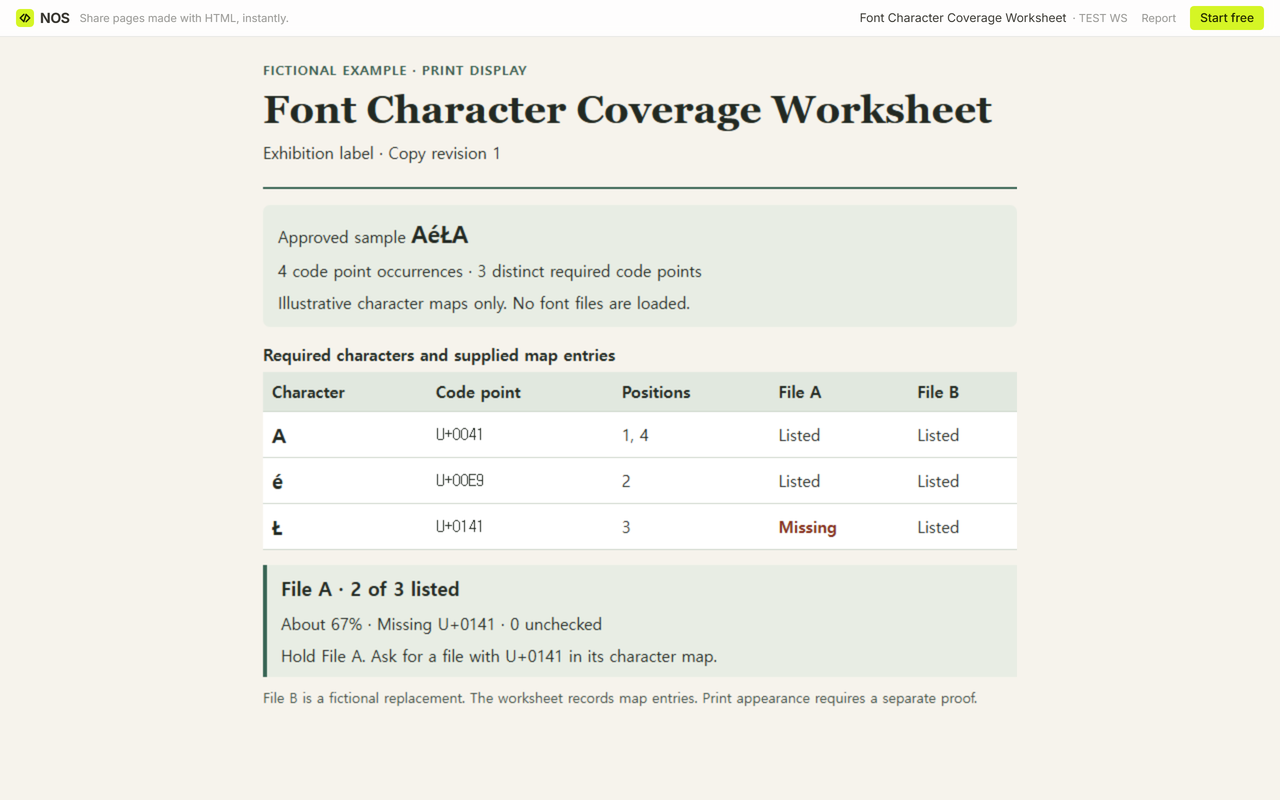
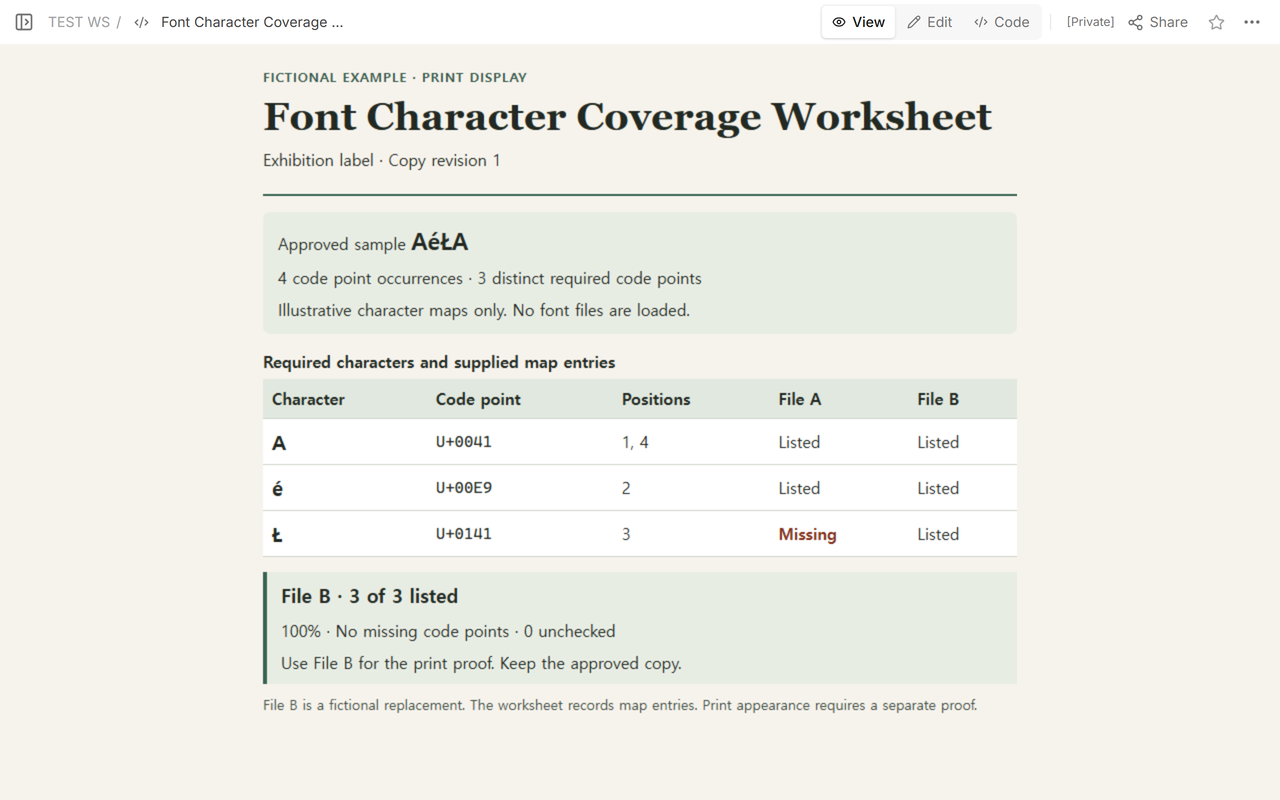
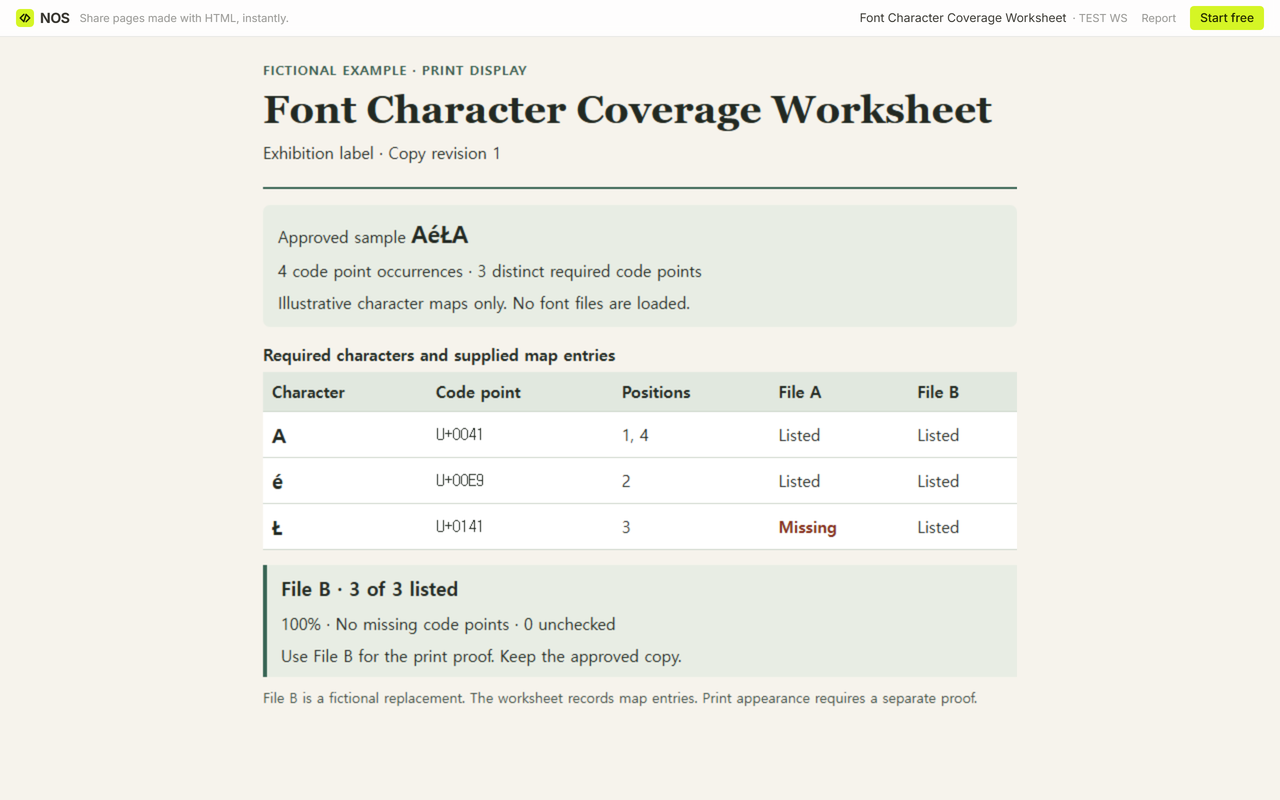
Take the exact copy going to print, make one row per distinct Unicode code point, and check each row against the character map from the exact font file. In the sample AéŁA, the first file is missing U+0141. The replacement lists all three required code points.
Use the blank worksheet for your own label, or download the filled example to see a finished handoff. The example uses invented character maps. Open the shared worksheet to see the decision the reviewer receives.
Which characters does the exhibition label need?
Start with the text the printer will receive. Copy the heading, names, and other short lines set in the face you are checking. Note the copy revision and where each character appears, so the person fixing a gap can find it in the layout. Give each code point its own row. A code point is the Unicode number written as U+ followed by hexadecimal digits.
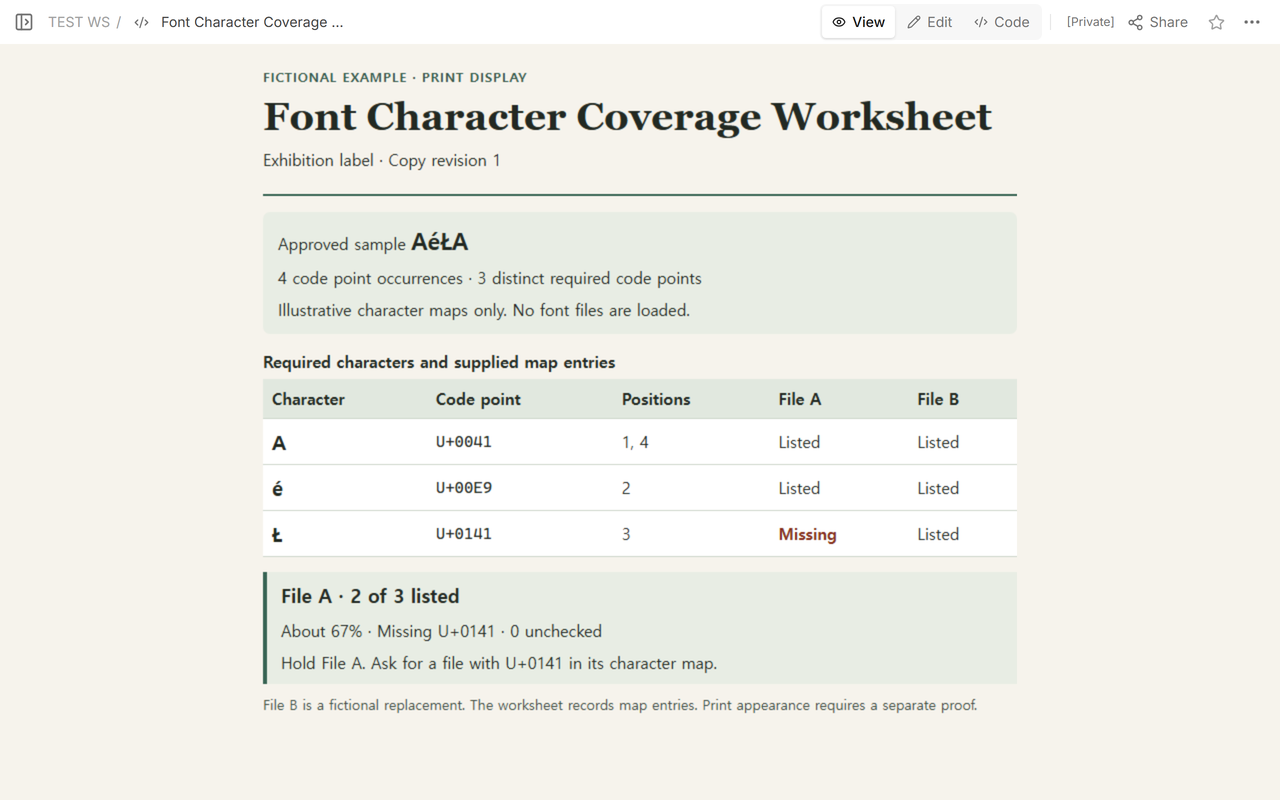
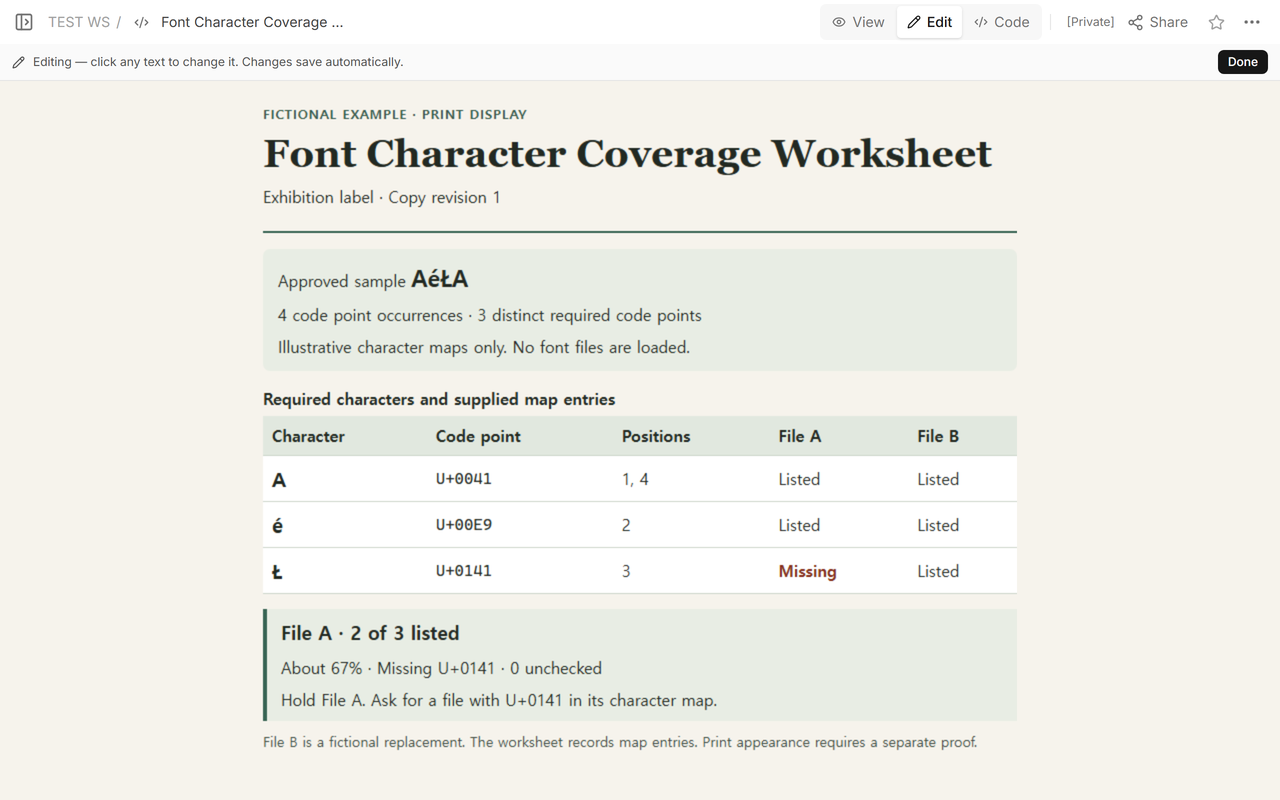
The fictional label uses the short sample AéŁA in composed form. It contains four code point occurrences and three distinct code points. A (U+0041) appears at positions 1 and 4. é (U+00E9) appears at position 2, and Ł (U+0141) at position 3. Keep the position notes and count A once in the total. If your production copy uses a base letter followed by a combining mark, record both code points. Record the text form you checked and repeat the check if the print copy changes.
How do you check the exact font file?
Write down the filename, version or delivery label, and map source for each file. Ask the supplier to send a Unicode character map for that exact file, or inspect its cmap table with a font inspection tool. The FontTools character-map reference describes the Unicode mapping its reader can return. Compare each required number to the file’s mapping and mark it Listed or Missing. Use Unchecked when you cannot get a usable map for that file.
A browser can draw a character using a fallback font. The fact that Ł appears on screen tells you the text rendered somewhere in the font stack. To give File A credit for that row, look for U+0141 in File A’s own map. Our worksheet loads no candidate font files.
What goes in the handoff to the print reviewer?
Give each file a listed, missing, and unchecked count. For a fully checked file, divide the number listed by the number of distinct required code points and multiply by 100. File A lists A and é, so 2 ÷ 3 × 100 is about 67% rounded to a whole percent. File B also lists Ł, so 3 ÷ 3 × 100 is exactly 100%. With three checked rows and none listed, the result is 0%. With an empty sample or any unchecked required row, leave the percentage blank and include the unchecked count.
Send the gap itself with the decision. Here the hold message is “File A is missing Ł, U+0141, at position 3.” The updated handoff names File B for the print proof and keeps the approved copy. Someone receiving the sheet can see the comparison behind the choice and ask about the precise character if the file changes again.
When not to do this
Use a print proof to judge spacing, line breaks, and the appearance of the finished label. For joined or combining sequences, also check how the whole sequence shapes in the production application. A complete set of map entries answers the narrow question of which code points the file lists. A proof still needs the chosen file and the actual text.
What does a reader see after you update the worksheet?
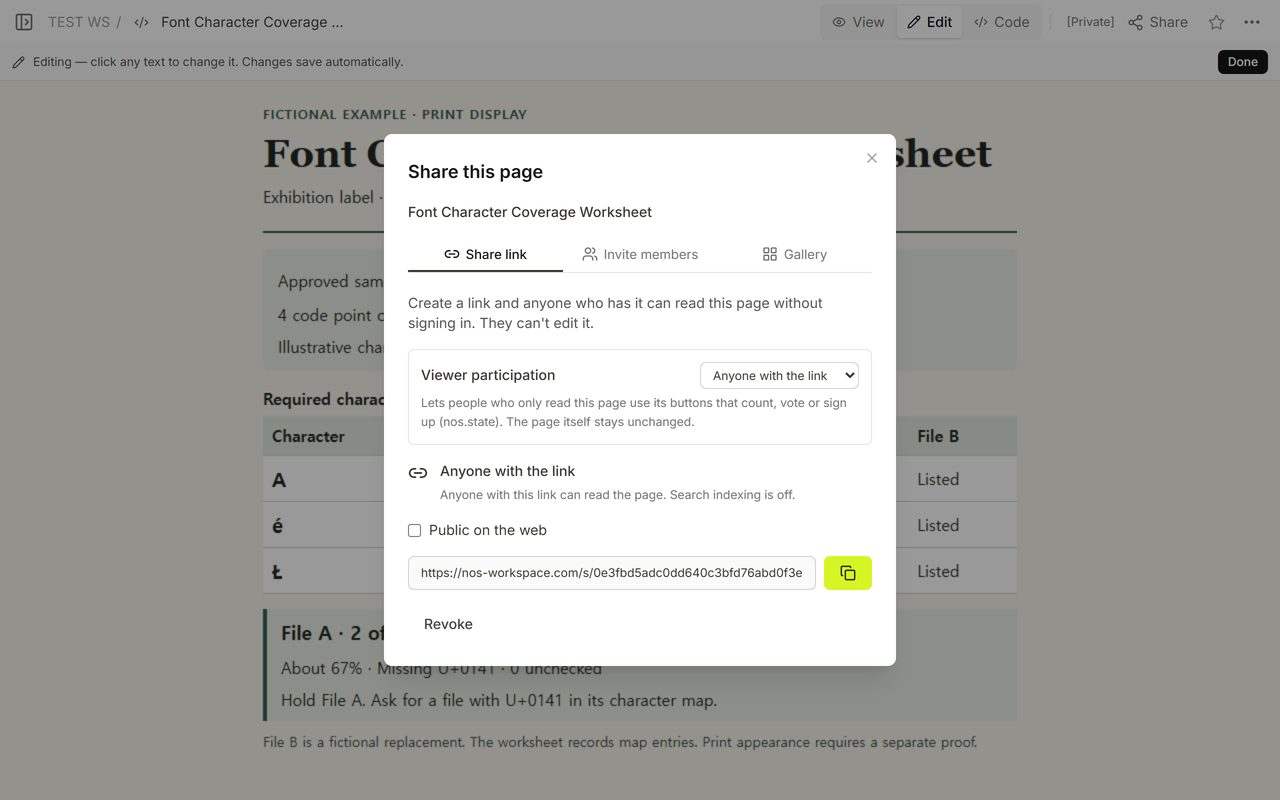
We used a NOS HTML page for the fictional handoff. Code showed the worksheet source, View and Edit showed the review rows, and Share provided a link readers could open without signing in. We changed the decision on that page from holding File A to proofing File B. The same read-only link then showed the new decision. Use the download if you need a separate copy you can fill in or print.
If your problem is getting a font into a web page, see how to load a web font and set a fallback. If the character is already covered and you need a different language-specific shape, see how language-specific glyph selection works.