In short
The paper flyer needs four things people can read from a car: the words GARAGE SALE, the days and start time, the address, and three or four headline items.
Everything else goes on one phone-friendly page: the full item list, a map button, payment, parking, and a rain plan. Print that page's link as a QR code on the flyer.
When something sells, edit the page. The QR code keeps pointing to the same address, so sold items and small changes never mean a reprint. Scan the printed sheet once before you make copies.
We made a fictional two-day sale on Maple Court to test this. The page lists big items with prices, small stuff by category, and a "Latest update" box near the top. We shared it as a read-only link, then marked two items sold after the link was already out. One edit went wrong on the way, and we show how we fixed it.
What to put on a garage sale flyer?
Split the information by where people read it.
On paper, keep it short and big:
- GARAGE SALE (or YARD SALE, whatever your area calls it)
- Days and start time, such as "Sat and Sun, 8 AM"
- Street address
- Three or four items that pull people in: furniture, tools, kids' gear, a lawn mower
- A QR code with "Full list and map" printed under it
On the linked page, give the details a shopper checks before getting in the car:
- A map button that opens directions
- Big items with prices, small items by category
- Payment you accept (cash, a payment app)
- Parking, early-bird rule, and what happens if it rains
- A "Latest update" line at the top for sold items and changes
The update line is the part paper cannot do. A flyer printed on Thursday cannot tell anyone on Sunday morning that the crib is gone.
How to make a garage sale flyer with a QR code
1. Write the page. Ask an AI chat for "a one-page mobile HTML garage sale page" and paste in your real days, address, and items. Or download our fictional example and change the text. Keep it to one file.
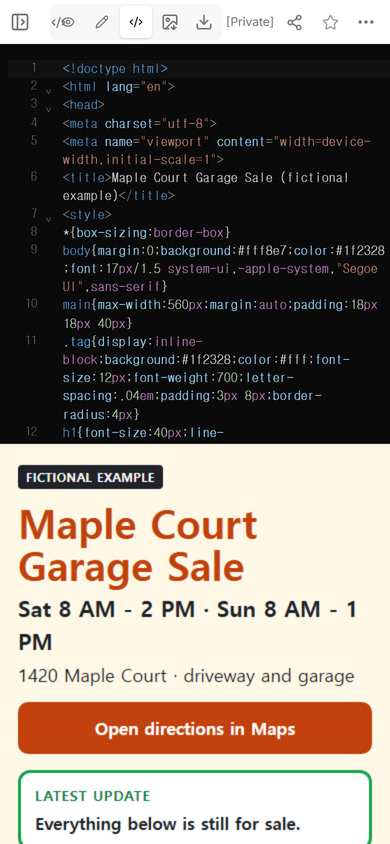
2. Paste it into NOS. Create a page and open Code. You see the HTML and the live page together, so typos show up right away.
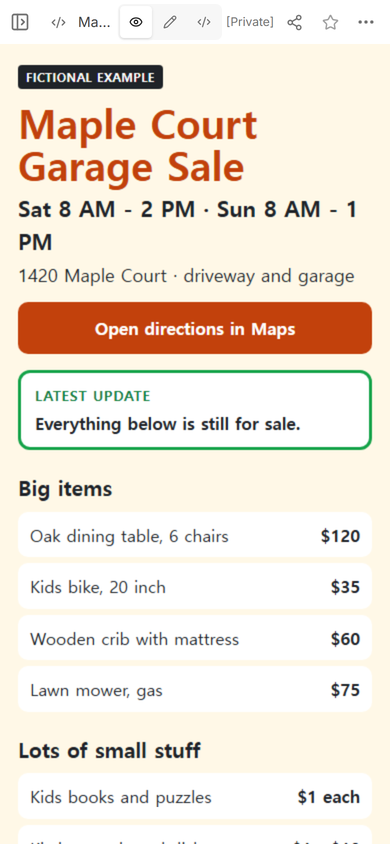
3. Check it at phone width. Switch to View. Most people will open the page from a phone in a driveway, so the dates, address, and map button should fit on the first screen.
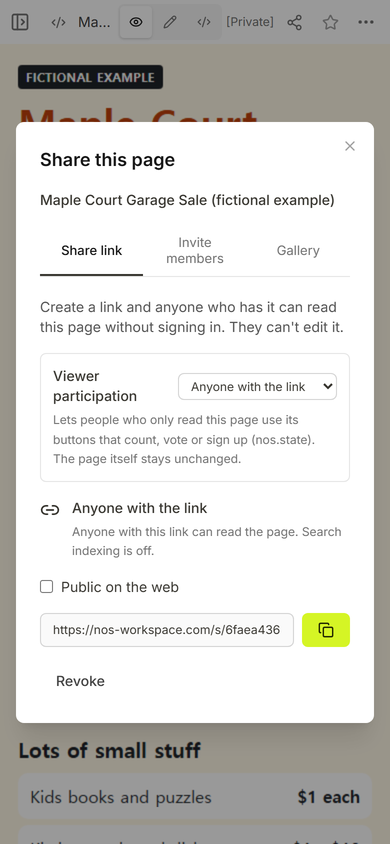
4. Create the link. Open Share. The panel says anyone with the link can read the page without signing in and cannot edit it. Search indexing was off for our page. Copy the link.
5. Turn the link into a QR code. Any QR maker that takes a web address works. Our guide on turning an HTML page into a QR code covers size and print checks. Put the code on the flyer with a short label.
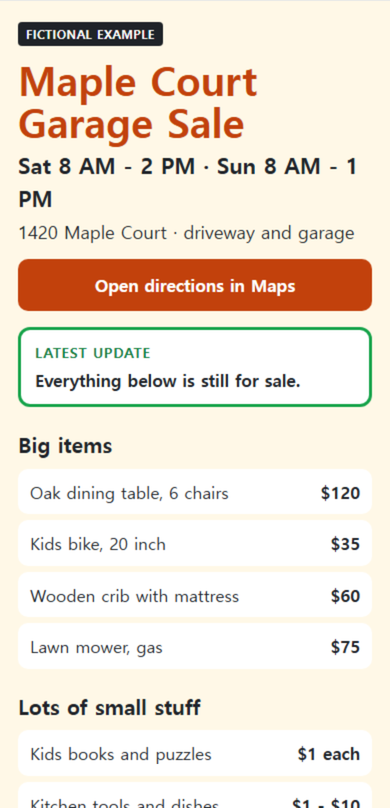
Here is what a shopper sees after scanning: the same page, with no sign-in.
How do you mark items sold without reprinting?
Edit the page you already shared. Do not create a new one, or the QR code on every flyer will point to the old version.
We opened Edit and clicked the "Latest update" line. In Edit you click any text on the page and type over it, then press Done.
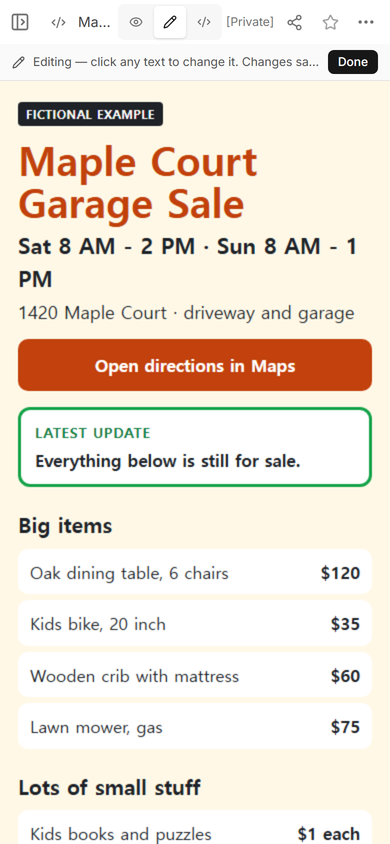
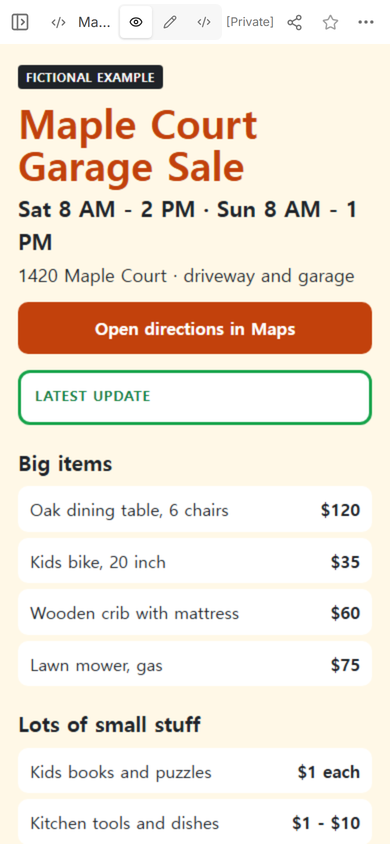
Here is where we got stuck. We deleted the whole sentence first, planning to type the new one. Once the line was empty, there was nothing left to click, so our new text never went in. Done saved an empty box.
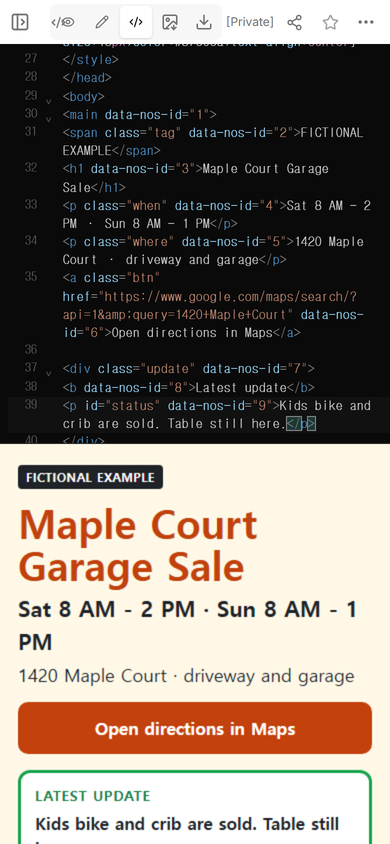
Code view fixed it. The empty line is still in the HTML as an empty paragraph. We put the cursor between its opening and closing tags, typed "Kids bike and crib are sold. Table still here.", and saved.
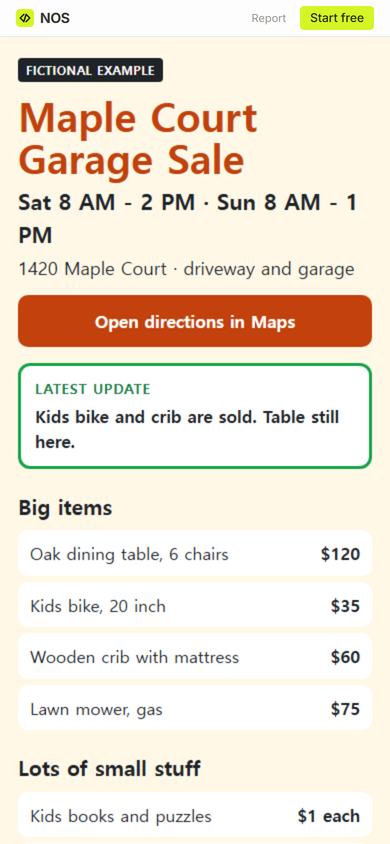
Then we opened the original shared link again. The new line was there. Same address, same QR code, new information.
The lesson for Edit: change words inside a line instead of wiping it to nothing. If a line does end up empty, fix it in Code.
How to advertise a garage sale online
Use the same link everywhere. Post it in your Facebook Marketplace, Nextdoor, or Craigslist listing, in a neighborhood group chat, and in a text to friends. Each post can stay short, because the page carries the details.
This also saves you from editing five posts when the table sells. You change one page. Every post, flyer, and sign that points to it shows the update.
Put the address in the map button rather than only in the text. A Google Maps search link opens the address in Google Maps, and our guide on linking HTML to a map location shows the format.
How many garage sale signs do I need?
Count the turns, not the houses. A driver coming from the nearest busy road needs a sign at every place they have to turn, plus one at your driveway. A cul-de-sac right off a main road might need two. A house deep in a subdivision needs more.
Road signs are not flyers. Keep them to an arrow, the word SALE, and the street name. Save the QR code for flyers people can stand in front of, such as a bulletin board or your own driveway sign. Check your city or HOA rules first. Some limit where signs can go and how long they can stay up.
Garage sale flyer ideas that work with a link
- "Full list and map" under the QR code. People scan when they know what they will get.
- One photo of the best item on paper, the rest on the page.
- A Sunday line on the page, such as "Half off after noon." You can add it Saturday night without printing anything.
- A "Sold" note in the update box instead of deleting items, so early visitors see what moved.
One idea to skip: stuffing flyers into mailboxes. Federal law (18 U.S.C. 1725) bars putting unstamped "circulars, sale bills, or other like matter" in a mailbox. Use doors, bulletin boards with permission, and online posts.
When not to do this
Skip the linked page for a one-morning sale with a handful of items. A clear paper sign is enough, and a QR code adds a step for nothing.
Skip it if many of your shoppers do not use smartphones. Put the full list on paper instead.
Do not put private details on the page. The link is readable by anyone who has it, and a flyer on a pole gives it to everyone who walks by. Use a street address you are fine announcing, and leave off your phone number unless you want calls.
And if you need holds, deposits, or online payment for items, use a marketplace listing built for that. A static page shows information; it does not take orders.
Where NOS fits
NOS turns a single HTML page into a read-only link you can put behind a QR code, then lets you change that page in Edit or Code while the link stays the same. That is the whole job here: one current page behind every flyer and post. See the pricing page for current plans. If you are planning something bigger than a driveway sale, our guide to sharing an event as one link covers schedules and venue details.