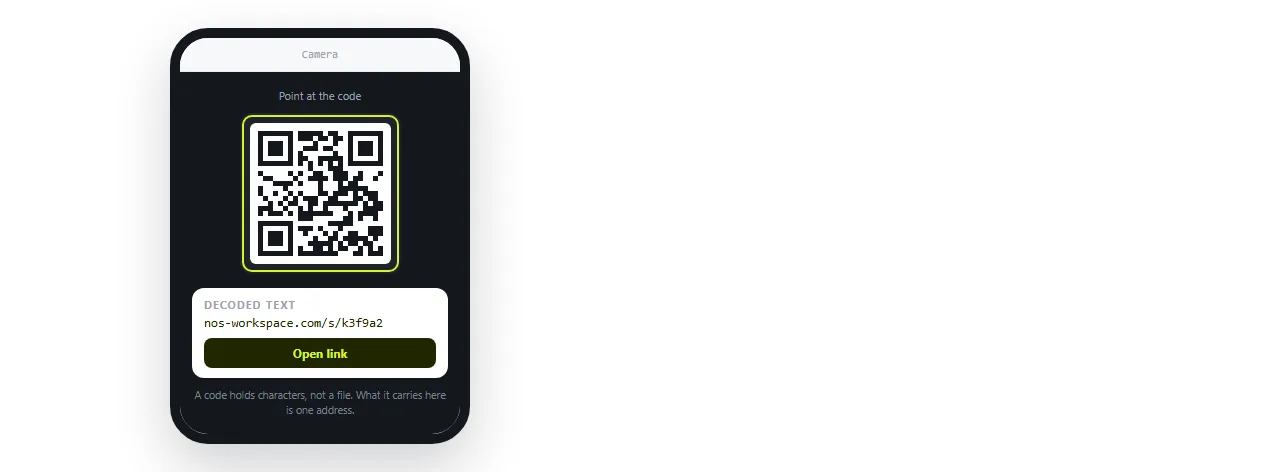
To get from HTML to a QR code, put the page at an address first and encode that address, because a QR code carries a short piece of text rather than a file.
That single sentence is the whole answer, and it is the step most people skip. They open a QR generator, look for a place to upload an .html file, and find none.
Why the file cannot go in the code
A QR code stores text. Version 40 at the lowest error correction holds roughly 2,900 bytes of raw data, which sounds like enough for a small page until you look at what a real page weighs.
A styled report with a chart runs to tens of kilobytes before images. Even a page that fits produces a grid so fine that phone cameras cannot resolve it from arm's length.
There is a second problem that size does not explain. Most camera apps decode the text and then decide what to do with it. An address becomes a tappable link. A block of raw markup becomes a wall of text on screen.
| What you encode | What the scanner does | Practical result |
|---|---|---|
| A short https address | Offers to open it | The page appears |
| A data URI containing the page | Sometimes shows the text, sometimes nothing | Unreliable |
A file:/// path |
Nothing useful | Fails on every other device |
| Plain text of the markup | Displays the code | The reader sees source, not a page |
The top row is the only one that works on an unfamiliar phone, which is the only test that matters for a printed code.
How to convert HTML to a QR code in four steps
- Check the page stands on its own. Open the file in the HTML file opener, a window that has never seen your project folder. Styling and images that survive there will survive on a stranger's phone. If not, fold them in with self-contained HTML.
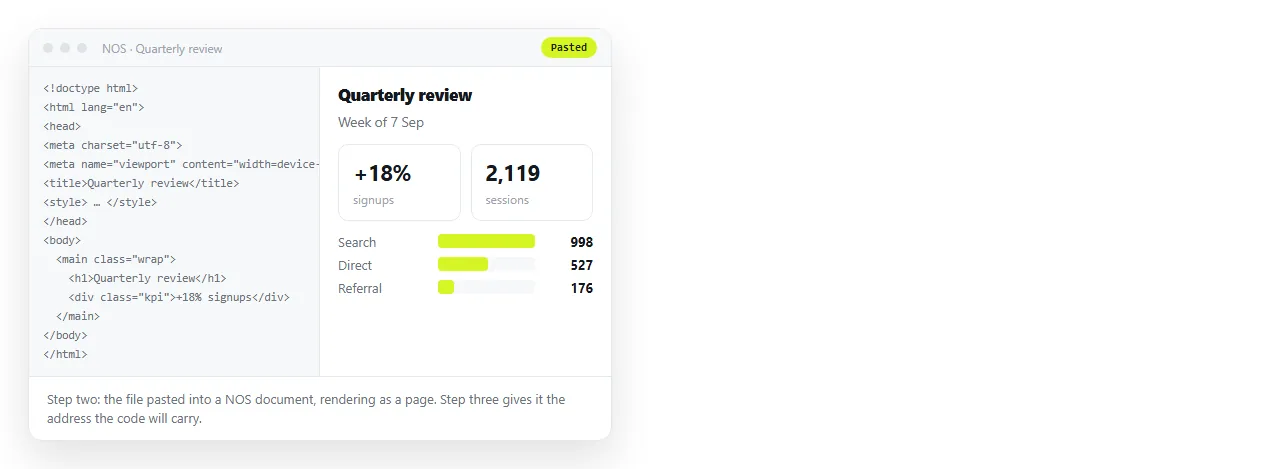
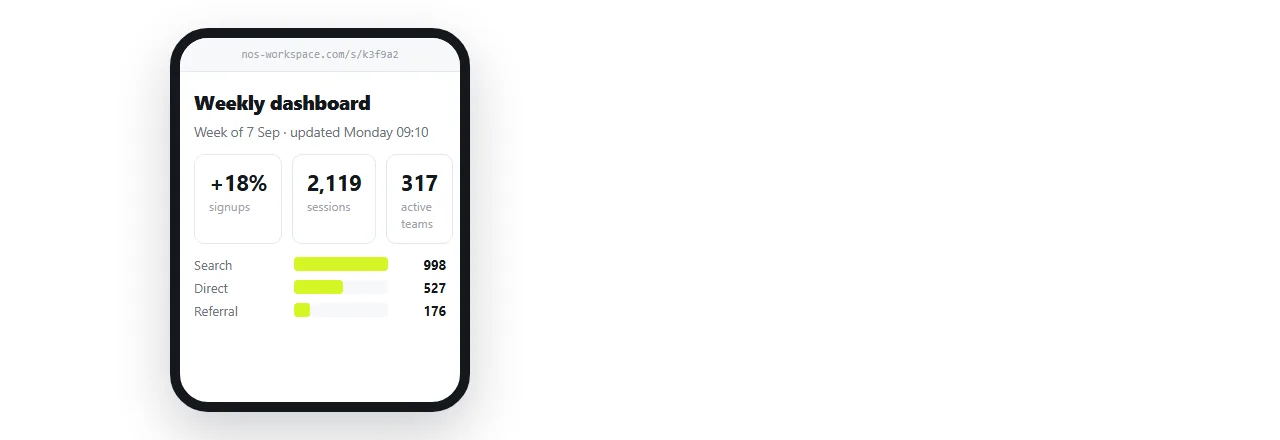
- Give the HTML an address. Paste the markup into a NOS document. It renders exactly as written, dark theme, charts and scripts included, as a page of its own. Turning HTML into a link is this step on its own page.
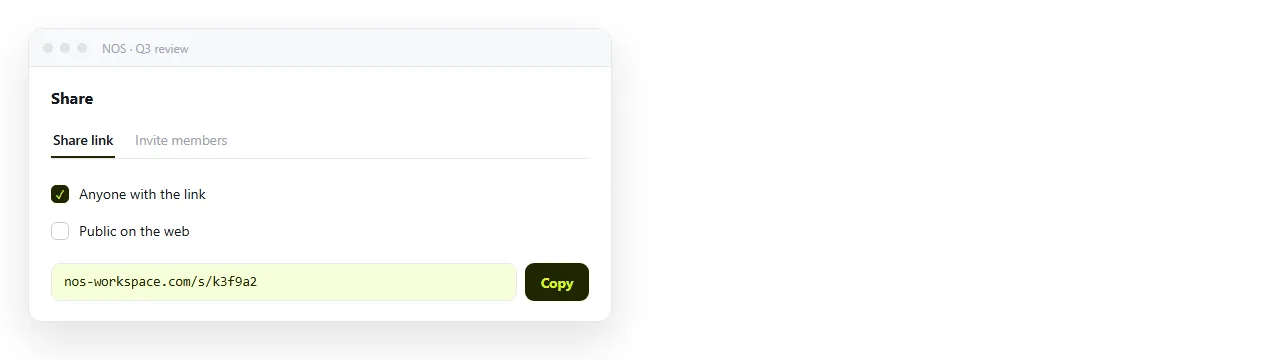
- Create the share link. Share, then Share link, then Create link. The link is unlisted by default, meaning it opens for whoever has it but is not listed anywhere. Tick Public on the web if the page should turn up in search.
- Encode the link. Paste the address into whatever QR generator you use, then scan the result once on a real phone before anything goes to print.
What a printed code demands that a link does not
A link in a chat message can be replaced. A code on a banner cannot. That difference drives three decisions.
The address must be stable. If your route to hosting is uploading a file, every correction risks a new path, and the printed code points at the old one. A document that keeps its address while the content changes removes that risk.
The page must work on a phone. Every scan arrives on a small screen. Check the viewport meta tag is present, or the page renders at desktop width and the reader sees a corner of it.
The size on paper must match the distance. A rough print rule is that the code should be about a tenth of the distance it is scanned from. A code read from two metres wants to be around twenty centimetres wide.
Where the address comes from
You have the usual choices, and they differ mainly in what a correction costs.
| Route | Address stable after an edit | Cost of a correction |
|---|---|---|
| NOS document | Yes | Click the text, fix it, done |
| Static host, same filename | Yes | Re-upload, clear caches |
| Static host, new filename | No | The printed code is dead |
| A file on your own machine | Not an address at all | Nothing to scan |
Static hosting compared with a document goes through the trade in more detail. For printed codes the deciding factor is usually that nobody wants to reprint a hundred handouts because a date changed.
Shortening, tracking and vanity links
A shortener adds a redirect you control, which is useful when the destination genuinely might move. It also adds a second service that has to stay alive for your printed code to work.
If the underlying address is already stable, the shortener buys you little. If you need scan counts, it buys you that, at the cost of the dependency.
Either way, encode the final address you will keep. A code made from a preview link or a temporary path is a code you will regret.
Before the code goes out
- Scan it with a phone that has never opened the page, on mobile data rather than office wifi.
- Confirm the destination is the current version, not a draft copy.
- Check the page has a
<title>, since some scanners show it in the confirmation prompt. - Print a test at the real size, on the real material, and scan from the real distance.
- Decide whether the content should be public or unlisted before anyone scans it.
The code itself is the trivial part. Everything that makes a printed QR code fail is upstream of it, in whether the page has a permanent address and whether it reads on a small screen.