In short
A graduation program needs four things: the date, time and place, the order of ceremony, the list of graduates, and a key for any honor marks next to names.
Put that content on one web page and print its link or QR code on the paper program. Guests on their phones can search for a single name instead of scanning a whole column.
Names are what usually change last. Fix them on the page you already shared, then send the paper copy to print only after the final name check.
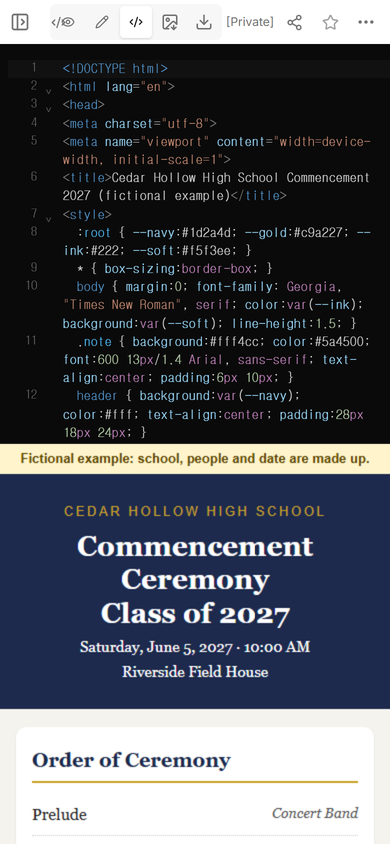
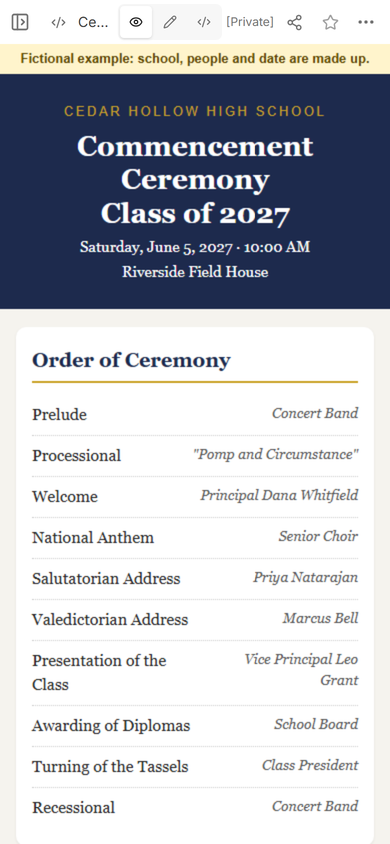
We made a fictional program for Cedar Hollow High School, Class of 2027. It has ten ceremony items, 26 graduates, two honor symbols and a "Find a graduate" box. We shared it as a link and then noticed one surname was wrong. We corrected it in the NOS editor and opened the original link again.
What is the usual graduation program order of events?
Most high school ceremonies follow the same arc. Music brings the class in, speeches come next, diplomas come last, and music takes the class out. A common order looks like this:
- Prelude
- Processional (often "Pomp and Circumstance")
- Welcome from the principal
- National Anthem or Pledge of Allegiance
- Student speeches, usually the salutatorian and then the valedictorian
- Guest speaker, if there is one
- Presentation of the class
- Awarding of diplomas
- Turning of the tassels
- Recessional
Your school may add an invocation, a choir piece, or awards. Copy the order from the run sheet the staff will use on the day, not from a template. If the two disagree, guests follow the program and get confused when a speech moves.
Put the person or group next to each item. "Valedictorian Address: Marcus Bell" answers the question a parent actually has: when does my kid's friend speak?
How do you make a graduation program?
Work in this order. A name you fix after printing costs a reprint.
- Lock the facts. Date, start time, venue and when doors open. These go at the top.
- Copy the order of events from the staff run sheet, with a name or group for each item.
- Get the final graduate list from the office that prints the diplomas. Use the same order the names will be read on stage, usually by last name.
- Add honor marks and a key. One symbol per honor, explained once under the list.
- Build the page, share the link, and add it to the paper program as a short link or QR code.
- Do a name check before the paper goes to print. Fix the page first, then the print file.
For the page itself, you can ask an AI chat for "a mobile-friendly graduation program page with an order of ceremony and a searchable graduate list," then paste your real details in. Or start from our example below and swap the text.
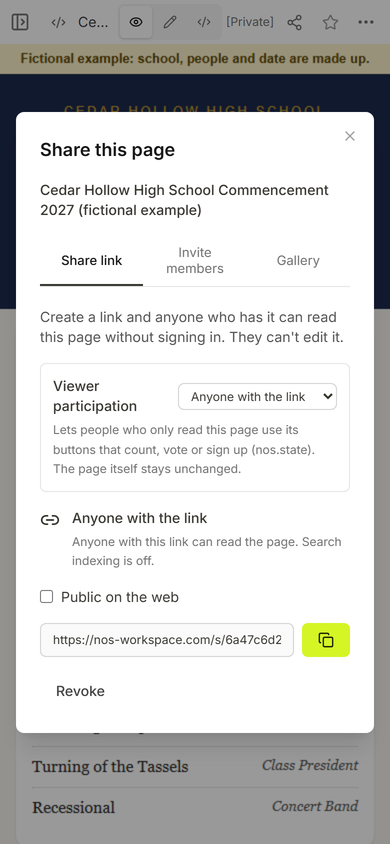
Then open Share. In the panel we used, anyone with the link could read the page without signing in and could not edit it. "Public on the web" was unchecked, and the panel said search indexing was off.
How should graduate names appear in the program?
Write each name the way the graduate wants it read and printed. Check three things for every name: spelling, accents and hyphens, and whether a preferred first name differs from the legal one. Match the list to the diploma list, not to a class roster from earlier in the year.
Keep honor marks short and consistent. Our example uses * for Honor Graduate and † for National Honor Society, with the key printed right under the list.
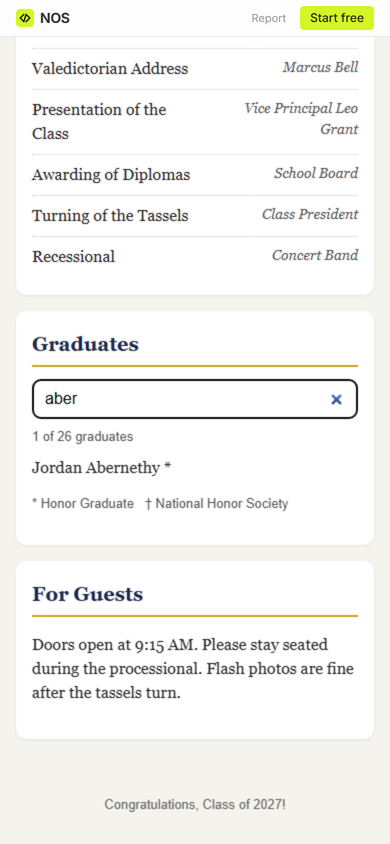
A long list is hard to read on a phone. A search box fixes that. A grandparent types four letters and sees one name. In our test the search for "aber" showed 1 of 26 graduates, and that is also how we spotted the problem: the surname read "Abernethy" instead of "Abernathy."
Can you fix a name after the link is shared?
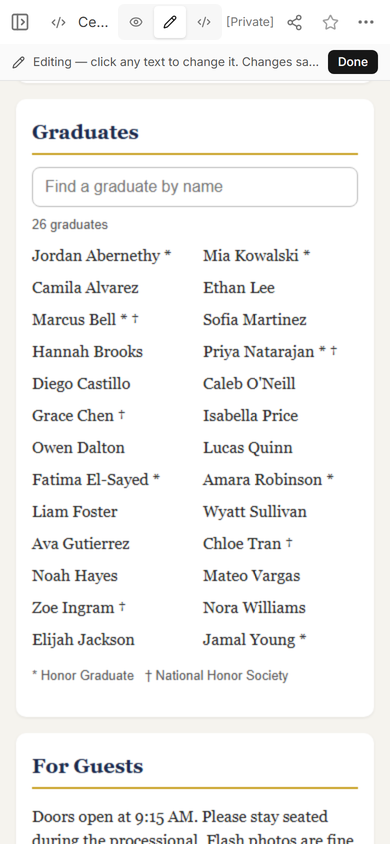
Yes. Open the page in NOS and choose Edit. A bar appears: "Editing — click any text to change it." Click the wrong name, type the correct one, and choose Done.
One thing to watch: when we selected the name line and typed over it, the honor mark went with it. We had to type "Jordan Abernathy *" with the asterisk, not just the name. Check the symbol after every name fix.
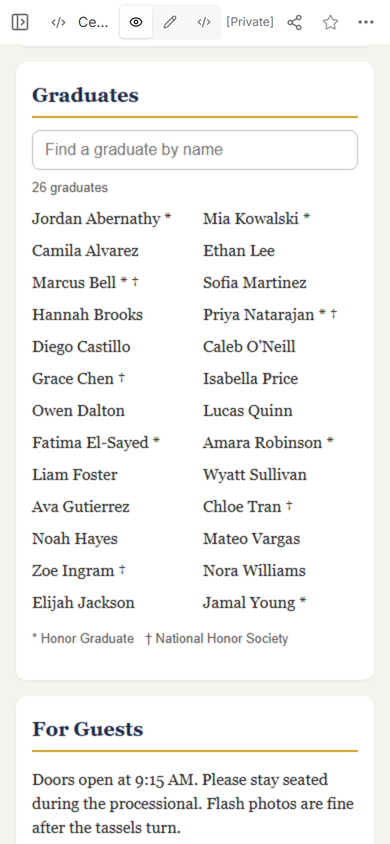
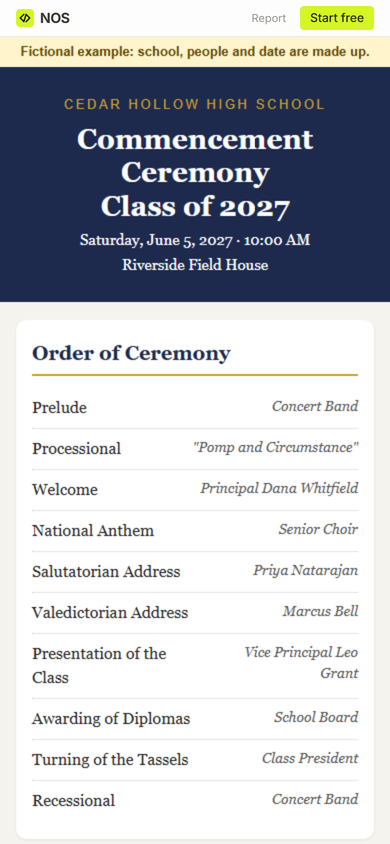
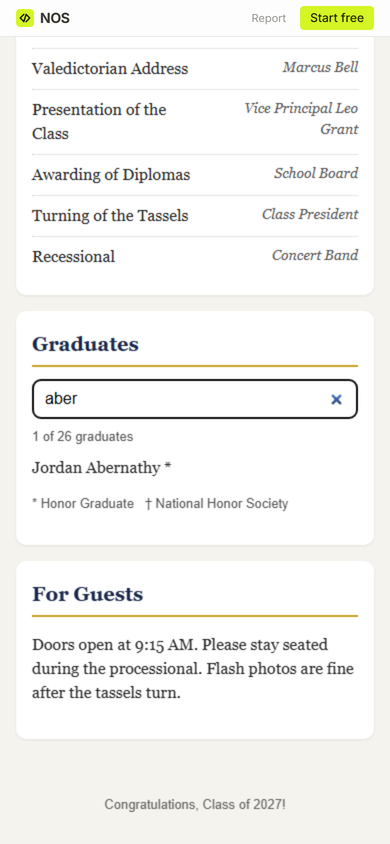
We then opened the original share link again and searched for "aber." It showed the corrected surname. Nobody needs a new link, and a QR code printed earlier still works.
Graduation program template: start from our example
You can download the fictional Cedar Hollow program and replace the school name, date, ceremony items and names. The search box works with any number of names. Keep the "Fictional example" line out of your real copy.
If you also make a printed booklet in a design tool, use the page as the source. Copy names from the page into the print file after the final check, so the two never drift apart.
When not to do this
Do not put student names online until you know the school allows it. Under federal student privacy rules, a school may publish honors and awards only if it lists them as directory information and has told parents about that policy (U.S. Department of Education). Families who opted out may need to be left off the online list. Ask the office before you share.
Skip the link if the program is only a keepsake and nothing will change, or if most guests will not have a phone at hand. Use a ticketing or RSVP tool if you need seat counts, and a streaming service if you are broadcasting the ceremony. A static program page does neither.
Where NOS fits
NOS turns one HTML page into a read-only link. For this program we pasted the file, created the share link, fixed a surname in Edit, and the original link showed the change. It is a good fit for a program that may change until the morning of the ceremony. It does not manage tickets, seating, or private student records. Plans are listed on the pricing page.
Related guides
Planning the party after the ceremony? See the graduation party website guide for time, place and parking on one page. To put this program's link on paper, follow HTML to QR code. For the staff side of the day, an event run of show keeps cues out of the guest program.