In short
A lost pet flyer has two jobs. The paper gets attention: a big LOST DOG or LOST CAT, one clear photo, two features you can spot from across a street, where and when the pet went missing, and a phone number.
The details go on a phone page behind a QR code: a full description, what to do if you see the pet, and a "Latest update" line at the top. When someone reports a sighting, change that line. The QR code on every posted flyer still opens the same page.
Before you print a stack, open the link on a phone and make sure the photo shows.
We tested this with a fictional lost beagle mix named Biscuit. We built a one-page HTML flyer, pasted it into NOS, and created a read-only link. The dog picture came out blank on the first try, so the first fix was in the code. Then we pretended a neighbor had texted a sighting, added it to the page, and opened the original link again.
What to put on a lost dog flyer?
Write for someone driving past or walking a dog of their own. They will only glance at it.
- LOST DOG or LOST CAT in the biggest letters on the sheet. The ASPCA asks for a headline people can read from a distance.
- One clear, recent photo. Full body beats a cute close-up, because people match size and color first.
- Breed or type, size, color, sex, and one or two marks you can see from afar, such as a white tail tip or a red collar.
- Where and when the pet was last seen: a cross street and a date, not your home address.
- A phone number in large type, plus "Call or text."
- A QR code labeled "Latest sightings," so people know the page will be newer than the paper.
Leave some things off. Sacramento County Animal Care tells owners not to print the pet's name, their own name, or their address, so a stranger cannot use those details to claim the animal. We kept the name in our fictional example to show where it would go. If you follow the county's advice, drop it.
Hold back one detail on purpose, too. Our page says the owner will ask one question before meeting anyone who claims to have the dog. Only someone who really has the dog can answer it.
How to make a lost pet flyer
1. Get the page. Ask an AI chat for "a one-page, phone-friendly HTML lost dog flyer" and give it your real details. Or download our fictional example and change the words. Keep the update line near the top.
2. Put it in NOS. Start a new page and switch to Code. The HTML sits on top and the live result sits below, so you can see problems before anyone else does.
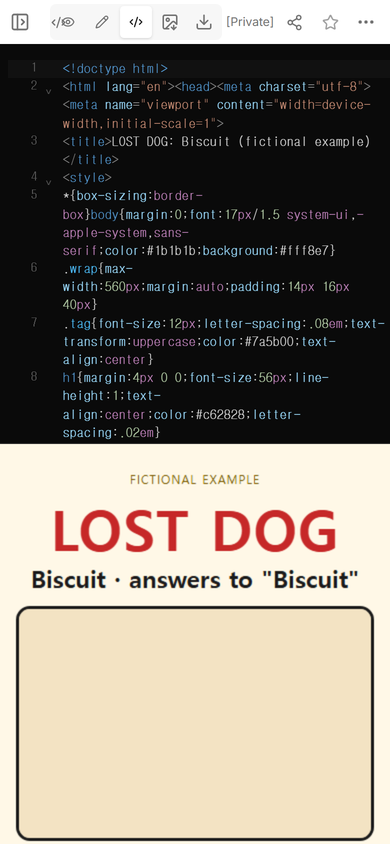
That is where we hit a snag. Our example used a simple drawing instead of a photo, written as SVG shapes inside the HTML. In View, the frame stayed empty.
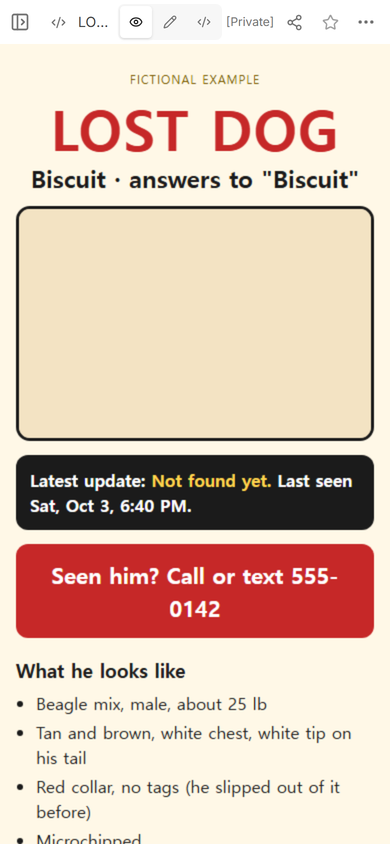
The cause was small. The shapes were written in the short form that ends with a slash, like <rect ... />. NOS adds an editing marker to each tag when it saves, and on these shapes the marker landed after the slash, so the shapes no longer closed. We rewrote each one with a full closing tag, like <rect ...></rect>, pasted it back into Code, and saved. The dog showed up.
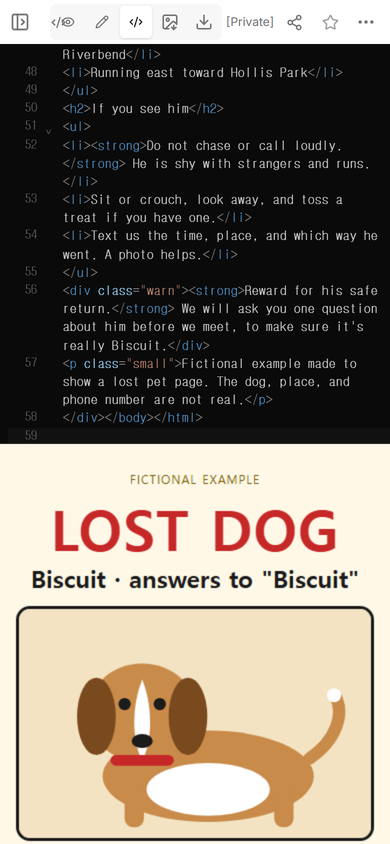
With a real photo, the question is different: where does the image file live? A one-file page needs the photo built in. Our guide to embedding an image in HTML shows how, and what it adds to the file size. If you use drawn shapes, the SVG tag guide covers the basics.
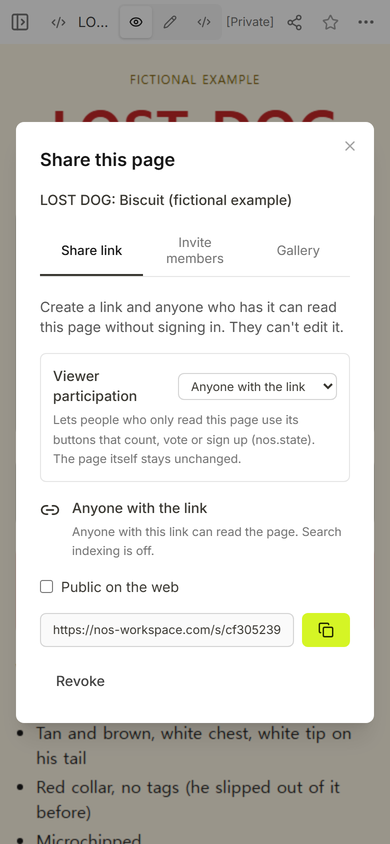
3. Get the link. Press the Share button. The panel says anyone with the link can read the page without signing in and cannot change it. Ours was not listed for search engines.
4. Make the QR code. Paste the link into any QR maker and put the code on the flyer under "Latest sightings." Our guide on turning an HTML page into a QR code covers making the code and testing it. We did not print or scan a sheet in this test, so check yours on a phone at the real printed size before you make copies.
Lost pet flyer example: posting a sighting
Say a neighbor texts on Sunday morning: they saw the dog behind the library. That news matters most to people near the library right now, and the flyers on the poles cannot say it. The page can.
We opened Edit, clicked the end of the update line, deleted the old "last seen" part, and typed the new sighting. The words "Not found yet." stayed in place. Then we pressed Done.
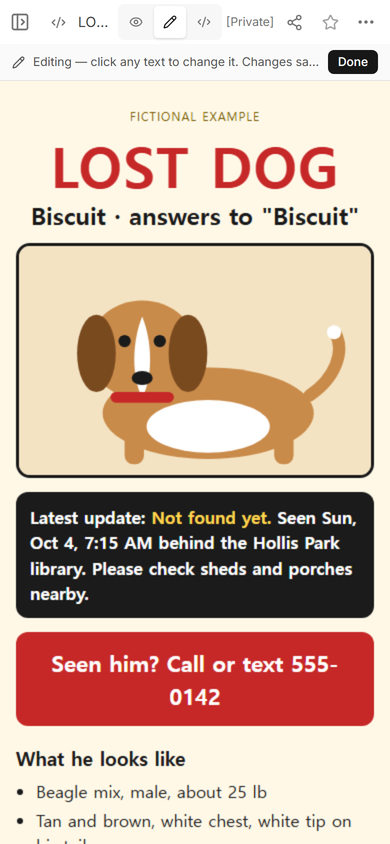
Next we opened the shared link again, the one a QR code would hold. It showed the Sunday sighting with nothing else changed. No new link, no reprint.
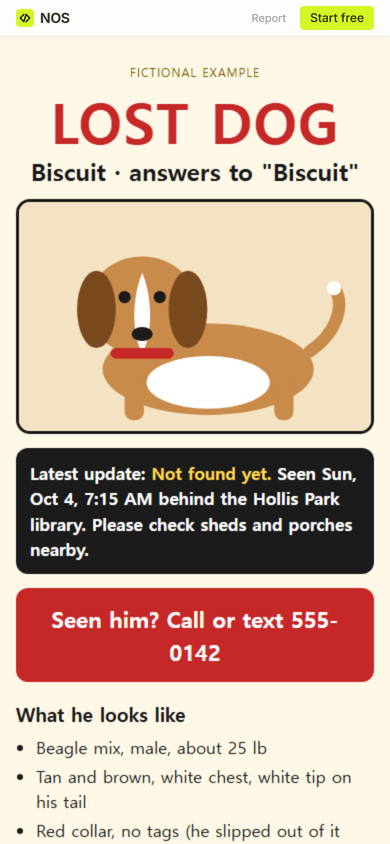
Two habits make the update line work. Put the time on every sighting, so readers know how fresh it is. And when the pet comes home, change the line to "FOUND, thank you" right away. People stop searching, and you stop getting calls about other dogs.
Where to post lost dog flyers
Start where the pet was last seen and work outward. The Pet FBI puts the first effort in that immediate area. The ASPCA list adds vet offices, groomers, pet stores, dog parks, grocery stores, gas stations, laundromats, and cafes.
- Ask before posting inside a store or on private property.
- Do not cover anyone else's flyer.
- Put outdoor sheets in a clear plastic sleeve so rain does not ruin them.
- Use one design everywhere. The ASPCA notes that seeing the same flyer again helps it stick.
Poles are a judgment call. The ASPCA suggests lampposts near where the pet was lost, while the Pet FBI says never to use utility poles. Many cities have their own sign rules, so check yours. Skip mailboxes either way. Federal law (18 USC 1725) bars putting unstamped flyers in them.
For neighborhood groups and lost pet pages on Facebook or Nextdoor, post the photo and the link. When a sighting comes in, you change the page once instead of editing every post.
Lost dog flyer in Spanish
If many of your neighbors read Spanish, print LOST DOG / PERRO PERDIDO in the headline and keep the phone number the same size in both. A page has more room than paper. Add a Spanish section below the English one with the same description and "if you see him" steps. Ask a fluent speaker to read it before you post. A wrong word in a description can send people looking for the wrong dog.
When not to do this
In the first hour, skip the page. Search the area, call out softly, and contact local shelters and your microchip company. A printed sheet with a phone number is enough to start.
Skip the QR code where most people who walk by do not carry smartphones. Put the full description on paper instead.
Do not put your home address, your full name, or the microchip number on the page. Anyone with the link can read it, and flyers hand that link to the whole neighborhood.
If you need people to upload photos or file reports, use a lost pet network or a neighborhood group. A static page shows information. It does not collect it.
Where NOS fits
NOS gives a single HTML page a read-only link you can put behind a QR code. You can change the page later in Edit or Code, and the link does not change. For a lost pet, that means every flyer on every pole can lead to today's sighting. Current plans are on the pricing page.