By NOS Team · Updated Nov 21, 2026 · 7 min read
In short
Start with the complete facility-reviewed page, then work backward to its approved sources.
Keep room-wide rules separate from each machine’s training, PPE, and access state.
For damage or injury, tell readers to stop, move clear, contact the on-site attendant, and wait for the facility’s response.
Replace every fictional value below. This page does not replace law, manufacturer instructions, inspections, or official training.
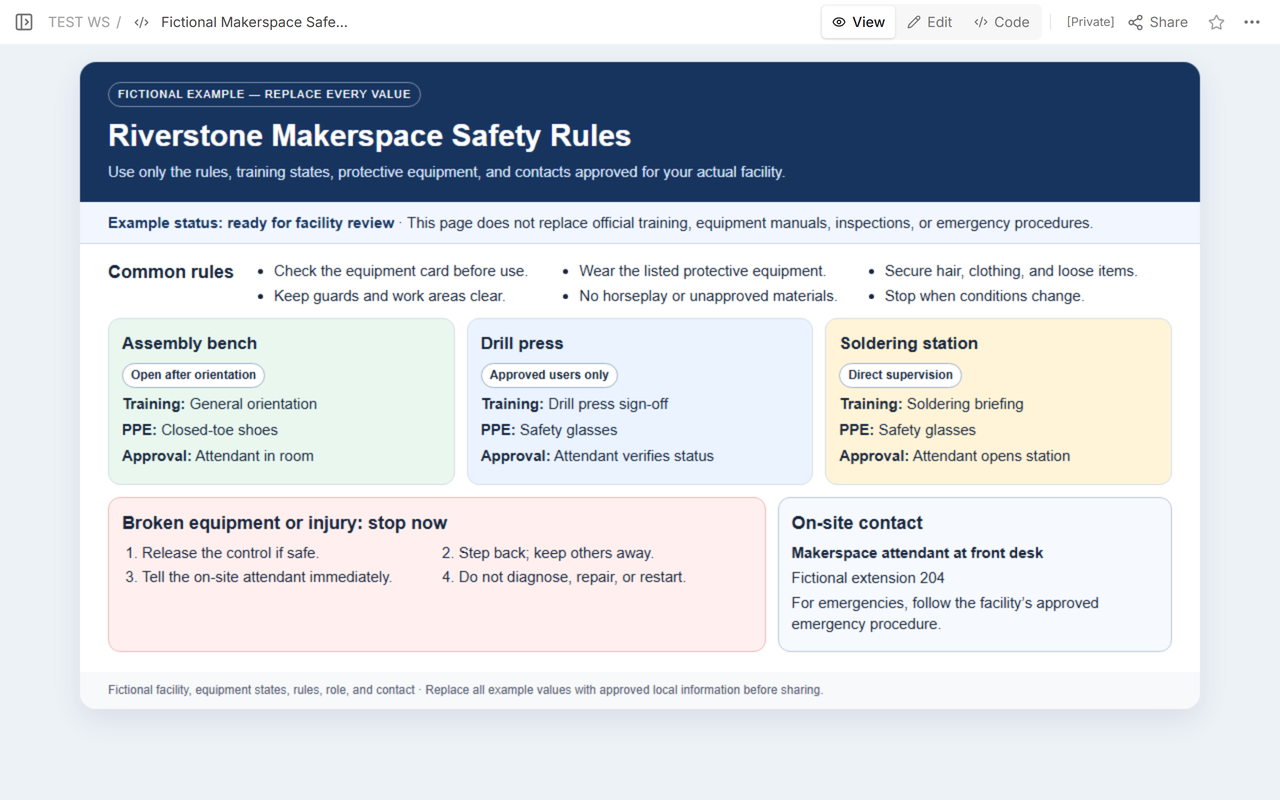
Here is the finished structure first. NOS Team used a fictional Riverstone makerspace, three example equipment cards, and a fictional front-desk extension. The page itself labels every facility, rule, training state, approval, and contact as example content that must be replaced.
Download the complete fictional makerspace safety-rules example.
What should a makerspace safety rules page include?
A useful page answers four questions before a visitor approaches equipment: Which rules apply everywhere? Am I trained and approved for this machine? What protective equipment does this activity require? Who do I contact if equipment looks damaged or someone is hurt?
The public safety sheet from the Defiance Public Library System covers the same practical boundary: pay attention to tool hazards, keep clothing and belongings clear, use appropriate protection, and alert the makerspace attendant about damaged equipment or injury. A real facility must still decide its own approved rules, equipment requirements, supervision, and response route.
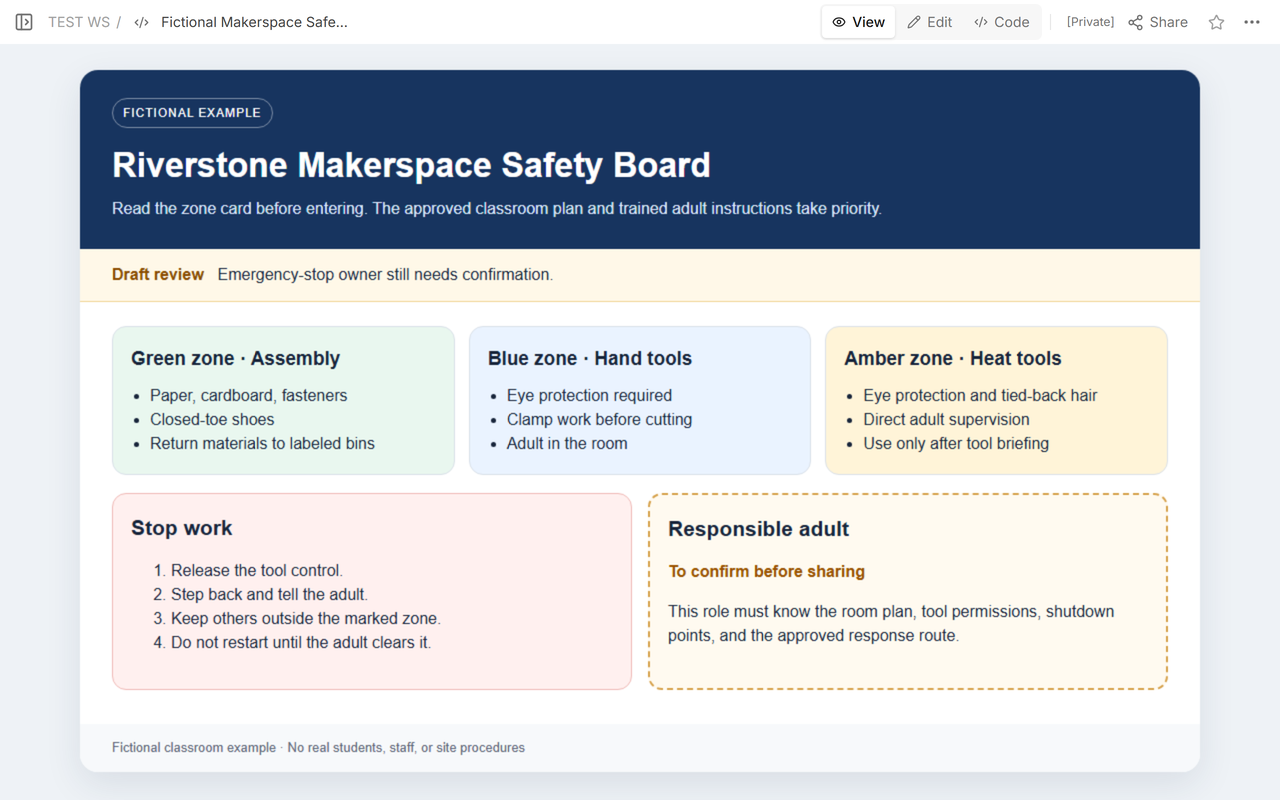
The first Riverstone draft did not answer the full equipment-access question. It grouped activities into zones and named supervision, but it did not give each machine a visible training and approval state. That was the reason to revise the example rather than publish the earlier version.
Which values should you replace first?
Do not begin by polishing colors or rewriting headings. Replace the values that control a reader’s decision, in this order:
- Facility identity and status. Add the real facility name, page owner, revision date, and approval state.
- Common rules. Use only rules approved for the whole room. Remove any example that is not universal in your space.
- Equipment cards. For every listed machine or station, enter its current training requirement, protective equipment, and access approval.
- Stop and contact route. Name the on-site role and the approved way to reach that role. Keep emergency instructions aligned with the facility’s existing procedure.
- Final review. Have the facility owner compare the page with current manufacturer information, training records, inspection controls, and emergency documents before sharing it.
All Riverstone names, equipment states, rules, and contact details are fictional. “Fictional extension 204” is intentionally obvious so it cannot be mistaken for a usable number.
How do common rules differ from equipment approval?
Common rules apply whenever someone enters the workspace. Examples may include securing loose clothing, keeping guards and work areas clear, and stopping when conditions change. A rule belongs in this section only if the facility has approved it across the room.
Equipment cards answer a narrower access question. The fictional assembly bench is open after general orientation. The drill press is for approved users after a machine-specific sign-off. The soldering station requires a briefing and direct supervision. Those example states are deliberately different because “I attended orientation” should not silently become permission to use every machine.
Use the same fields on every card:
- State: closed, orientation complete, approved users only, or direct supervision, using the facility’s actual labels.
- Training: the approved course, briefing, or sign-off required for that equipment.
- PPE: the protection selected for that equipment and task by the responsible facility process.
- Approval: the role or record that confirms access now, not a vague promise that someone was trained once.
Keep the distinction visible: room-wide housekeeping does not grant machine access, and a machine sign-off does not erase the common rules.
What should happen when equipment is broken?
Make the first action a stop, not a diagnosis. The fictional page says to release the control if it is safe, step back, keep other people away, tell the on-site attendant immediately, and not diagnose, repair, or restart the equipment.
The exact shutdown or isolation action must come from the facility’s approved procedure and the equipment manufacturer’s instructions. A general web page should not invent a universal shutdown sequence for machines with different hazards.
The on-site role must be usable during the session. Riverstone uses “Makerspace attendant at front desk” and a fictional extension. Replace both with the actual approved role and contact route. If nobody is assigned on site, the page is not ready to imply that help is available.
What should happen if someone is injured?
The page should send an injury into the facility’s approved response, not improvise first aid. Tell the reader to stop work, move clear when able, alert the on-site attendant immediately, and follow the established emergency procedure. The attendant then uses the real first-aid, emergency, and reporting process.
Do not publish medical details, an incident narrative, or personal phone numbers on a broadly shared reading copy. The page can name the route; private records stay in the system approved for them.
How do you share the page without changing its purpose?
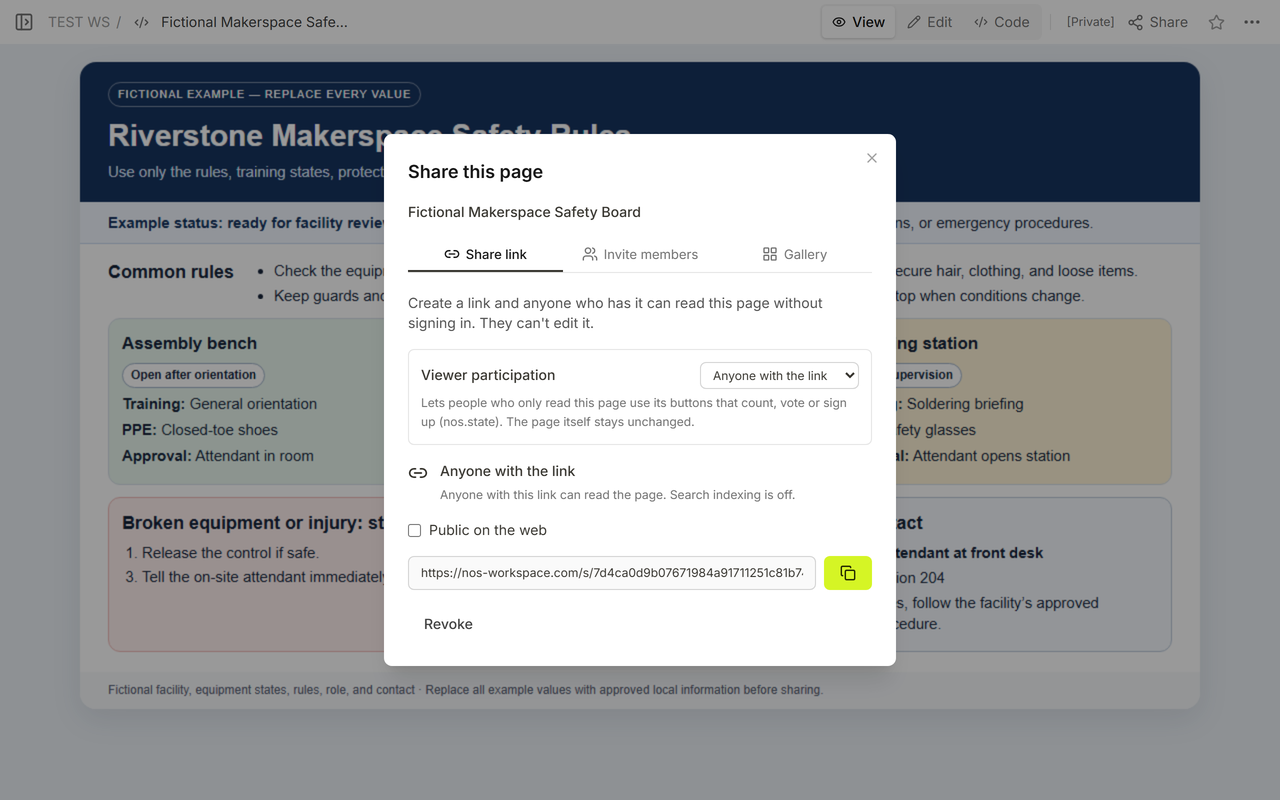
Review the final page in View before opening Share. In the observed Share panel, anyone with the link can read the page without signing in and cannot edit it. The document title shown there is “Fictional Makerspace Safety Board.”
Then open the reader address itself. The observed page title was “Fictional Makerspace Safety Board · NOS,” and its frame address loaded the completed Riverstone page. The public reading copy showed the same common rules, three equipment states, stop route, and fictional contact as View.
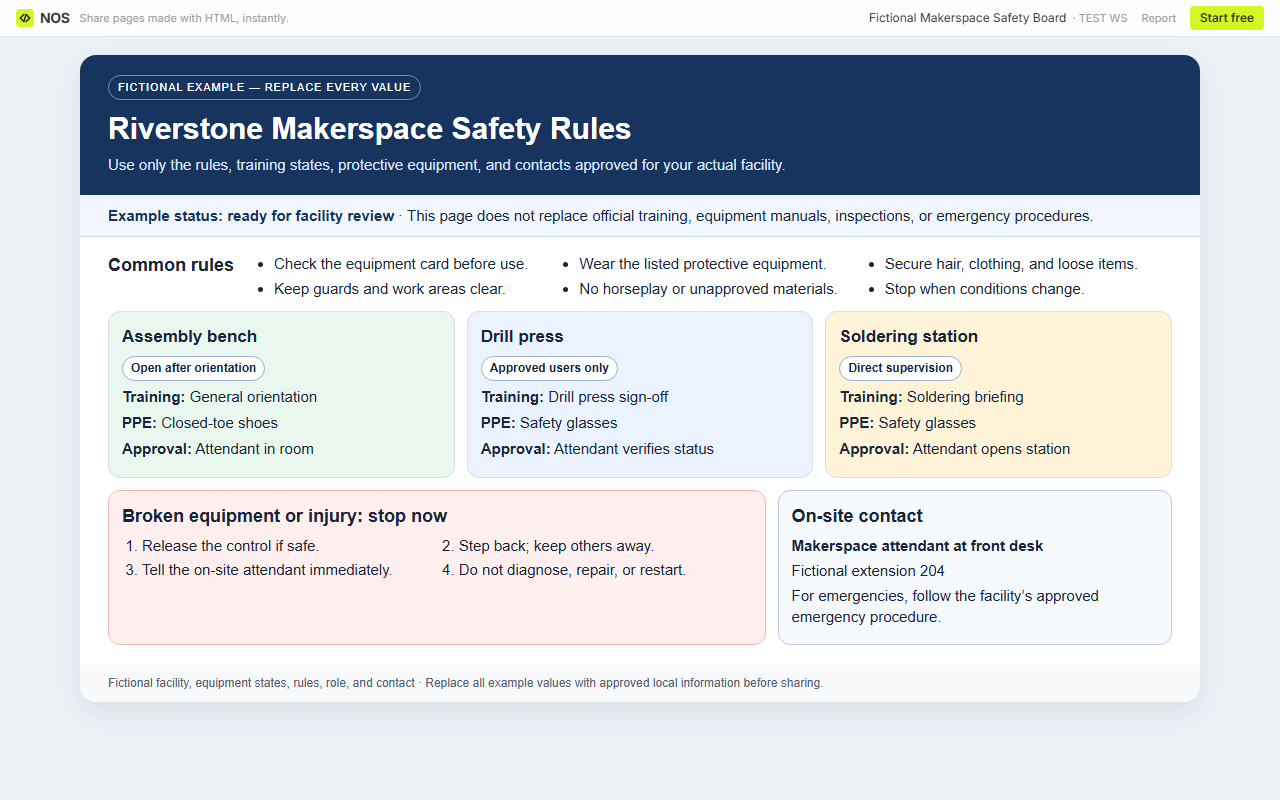
The visible “Fictional example — replace every value” label is part of the safety of this template. Remove that label only after the real facility owner has replaced and approved every example value.
What should you check before the page goes live?
- Source: Can each rule, training state, PPE requirement, approval, and contact be traced to the facility’s current approved information?
- Scope: Are room-wide rules separate from equipment-specific access?
- Coverage: Is every machine named on the page represented by a current card?
- Stop route: Do both damage and injury lead to an immediate stop and a reachable on-site role?
- Boundaries: Does the page clearly avoid replacing law, manufacturer instructions, inspections, training, emergency response, or private records?
- Reader copy: Does the shared address show the same title and final content that the owner reviewed?
When not to do this
- Do not use a shared page as proof that a person is trained, authorized, or competent.
- Do not turn fictional PPE or access labels into facility policy.
- Do not replace equipment manuals, required inspections, legal duties, lockout or isolation procedures, first-aid instructions, or emergency plans with this page.
- Do not publish private contacts, access codes, medical information, incident details, or training records.
- Do not share the page while the owner, revision, equipment state, or on-site contact is unconfirmed.
Using NOS for the reading copy
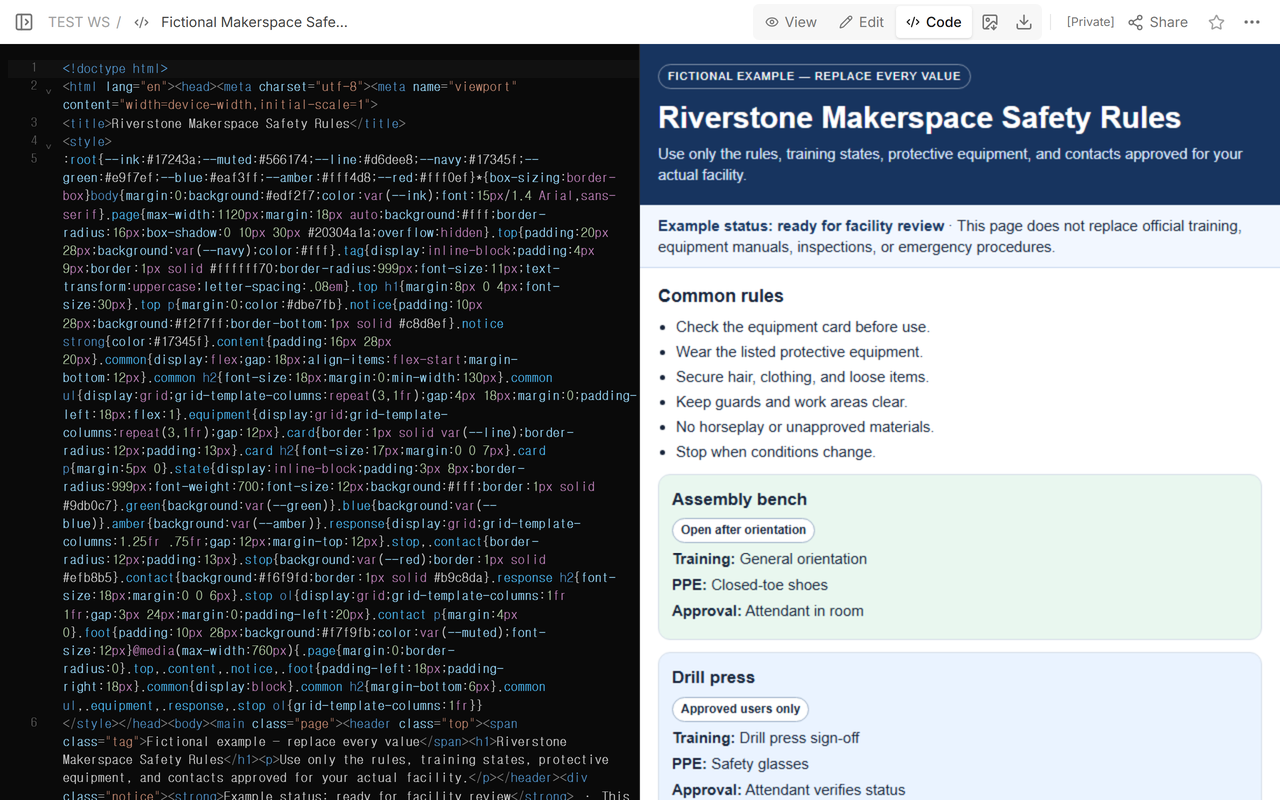
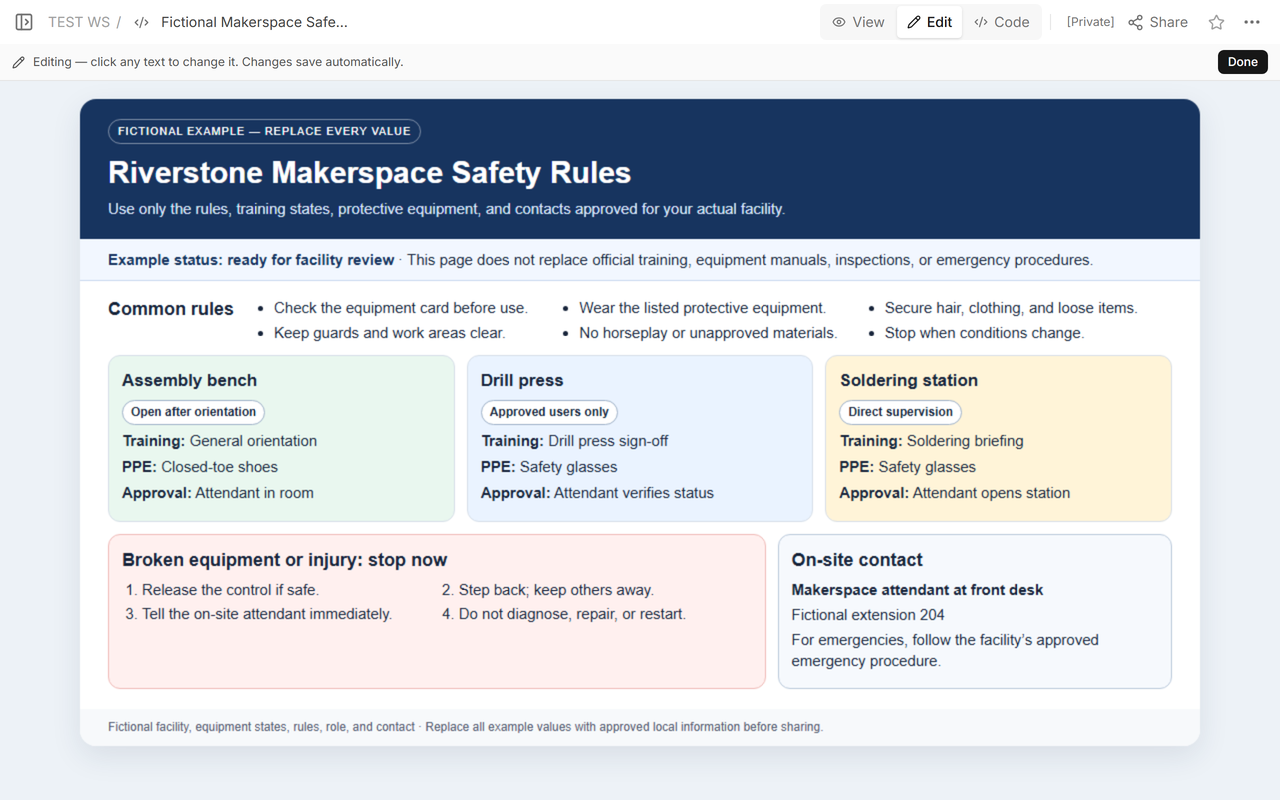
NOS Workspace held the complete HTML example and exposed Code, View, Edit, and Share for the same saved page. The reader address displayed the revised content in English after the existing page was corrected. That makes NOS suitable for a sanitized reading copy; the facility’s official approvals, training records, inspections, manufacturer instructions, emergency response, and private incident records remain in their authoritative systems.
Related guides
Use the venue hire page guide when visitors need approved room capacity, access, and operating limits before an event. Use the maintenance SOP template to separate a reported equipment problem from verified maintenance evidence and closure. The design system documentation template can help a team maintain repeated warning cards without changing their approved meaning.