In short
Put the confirmed move date, desk assignment, packing rules, building access, and support routes on one page.
Give each item an owner and show when the guide was last checked.
Share one address, then update that page when a confirmed detail changes.
Keep private employee records, badge data, and acknowledgement tracking in the systems meant for them.
We built a fictional move guide for Northstar Studio. The page gives one employee a move date, desk B-14, a four-item packing list, an entrance route, and separate help routes for facilities, access, and information technology. We first published the new-office opening time as 8:00 AM. We then corrected it to 8:30 AM on the existing NOS page and opened the same share address again.
This is a worked example by the NOS Team, not a story about a real office move. Northstar Studio, its move date, its desks, and its support routes are fictional. The example contains no employee list, customer record, real street address, email address, or badge number.
What should an office relocation guide include?
Start with the details an employee needs to act, not with the history of the relocation project. A useful first screen answers five questions: when is the move, where do I sit, what must I pack, how do I enter, and where do I get help?
For the example, we arranged those answers in this order:
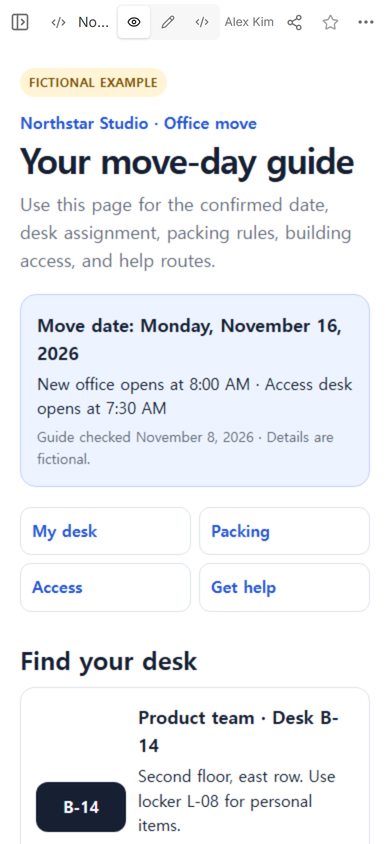
- Current move status. The move date, opening time, access-desk time, and last-checked date appear together.
- Seat assignment. A team, desk, floor, and locker make the destination specific.
- Packing instructions. Four actions separate what goes in the crate from what stays connected or goes home.
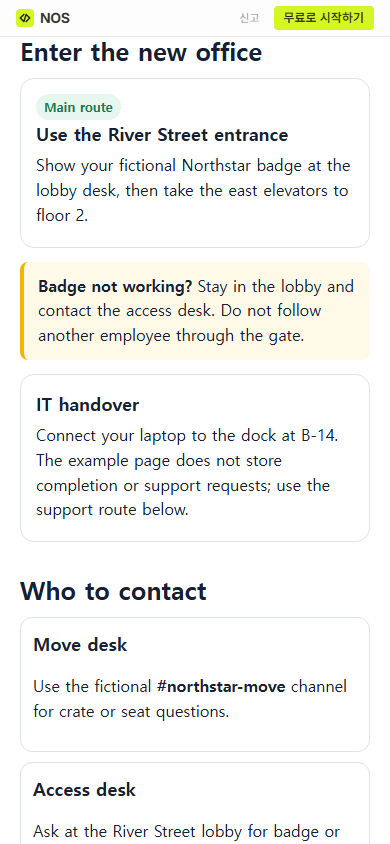
- Building access. The entrance, lobby step, elevator, and failed-badge route appear before the technology handover.
- Support routes. Move, access, technology, and facilities questions go to different fictional destinations.
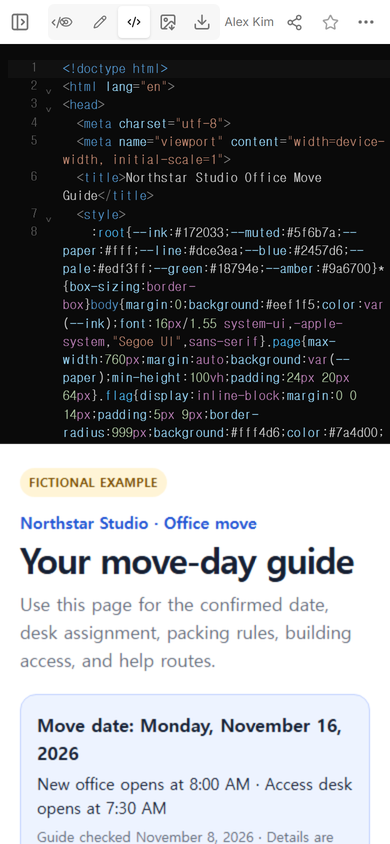
A complete HTML file made the guide portable and kept its layout, navigation links, and personal packing checkboxes together. If you want to inspect the structure, download the fictional office move example. Replace every fictional detail before using it for a real move.
How do you organize an office move for employees?
Write the guide from the employee's position. Project milestones such as lease review, vendor selection, and furniture delivery may matter to the move team, but they do not tell an employee what to do with a monitor or which entrance to use.
Put the employee's next action beside each fact. “Desk B-14” becomes useful when the guide also gives the floor, row, and locker. “Use River Street” becomes useful when the guide says what to show in the lobby and what to do if a badge fails.
Do not force one contact to answer every type of question. A missing crate, a rejected badge, a dock problem, and a lighting concern need different owners. The example names a route for each without inventing a person or publishing contact data.
The related communication plan guide helps when different audiences need different notices. The relocation page has a narrower job: it gives employees the confirmed instructions they need at the point of action.
How can one office relocation page stay current?
Use one maintained page as the reading copy. Send its share address through the channel your team already uses. When a confirmed detail changes, update the existing page instead of sending another attachment with a similar name.
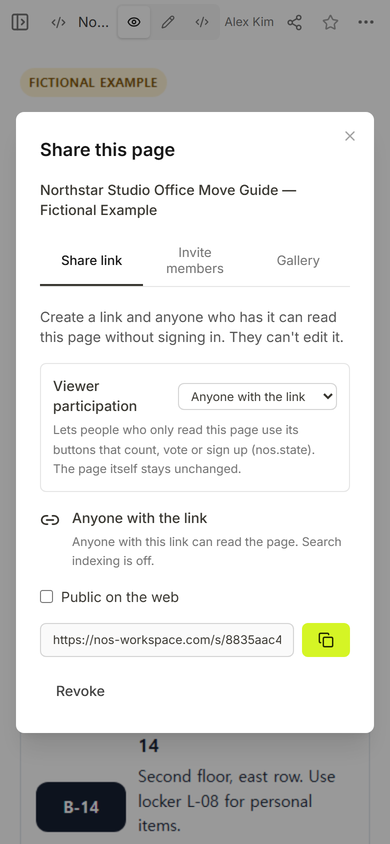
The captured Share panel says that anyone with the link can read the page without signing in and cannot edit it. That makes the example suitable only for information that is safe to place behind such a link. It is not a private employee portal.
Name the guide owner and add a last-checked date in a real version. Those fields are more useful than a vague “latest” label because a reader can see who should verify a doubtful detail and when the page was reviewed.
If your team needs a broader home for many recurring links and how-tos, read the one-page internal hub guide. Keep the move guide focused enough that an employee can find the answer while carrying a crate or waiting in a lobby.
What happened when the opening time changed?
We changed one confirmed detail in the fictional example: the new-office opening time moved from 8:00 AM to 8:30 AM. The move date and access-desk time stayed the same.
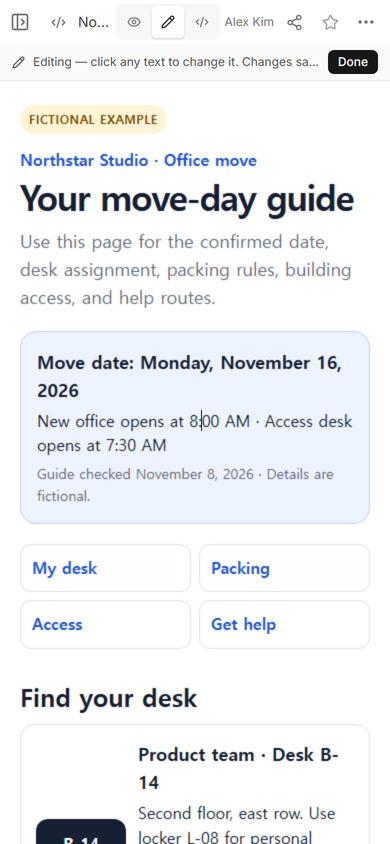
The first attempt exposed a practical risk. A busy line contained two times, and placing a cursor inside it made it easy to insert new text in the wrong spot. We did not leave that partial edit in place. We selected the complete line in Code view, replaced it with the corrected sentence, and checked the rendered page before treating the update as finished.
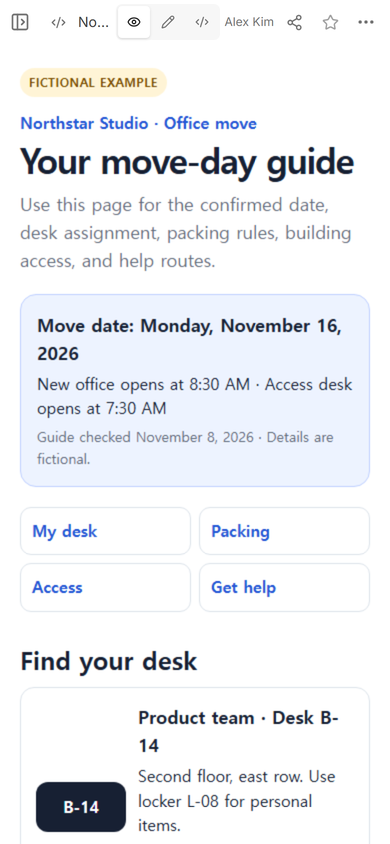
This is why a relocation update needs a reading check, not only a save action. Read the full status block after every change. Confirm that the move date, opening time, access time, and last-checked date still agree with the approved source.
What should employees see on a phone?
The shared page opened at phone width with the corrected 8:30 AM time. Its four jump links led to the desk, packing, access, and help sections. The employee did not have to search a long project report for the move-day instructions.
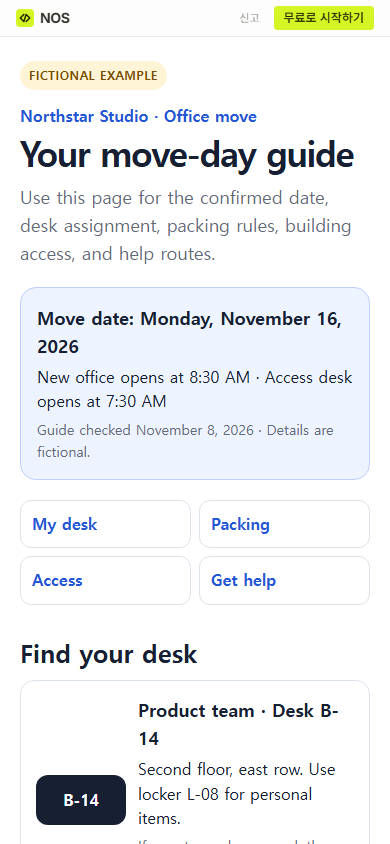
The packing section uses checkboxes as a personal reading aid. The example does not claim to report completion to a manager or store an acknowledgement. For a real move, use the approved operations system if the company needs proof that equipment was packed or instructions were received.
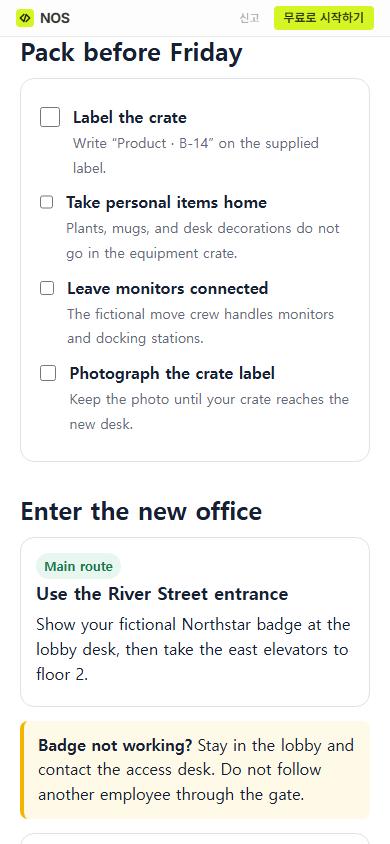
The access section begins with the normal entrance and then gives a failed-badge route. It does not include a door code, badge record, or instruction to follow another employee through a gate.
How do you keep move instructions from going stale?
Choose one owner for the reading copy. Give that owner a short source list: the approved move schedule, the seating plan, the packing instructions, the access plan, and the support routes. A change in any source should trigger a review of the matching section.
Use a simple update pass:
- Confirm the changed detail with the person responsible for its source.
- Edit the existing guide and update its last-checked date.
- Read the whole block that contains the change, not only the edited words.
- Open the share address at phone width and use the nearby jump link.
- Send a separate change notice when employees need to act differently. A corrected page does not prove that anyone noticed the correction.
The link-versus-attachment guide explains the wider tradeoff. For relocation instructions, the important point is simpler: choose one reading address, give it an owner, and make change notices a separate communication task.
When not to do this
- Do not use an anyone-with-the-link page for badge numbers, personal phone numbers, home addresses, medical needs, or other private employee records.
- Do not treat a personal checkbox on a static guide as proof that an employee completed a task.
- Do not replace an approved emergency, security, human-resources, or facilities process with this page.
- Do not publish a date, route, seat, or support promise that the responsible owner has not confirmed.
- Do not assume that changing the guide alerts employees. Send the change through the team's agreed channel when their action changes.
Using NOS for an office relocation guide
NOS let us place the complete fictional HTML guide in Code view, inspect it in View, create an anyone-with-the-link reading address, and correct the existing page. The same share address then displayed the revised 8:30 AM opening time. The page itself did not assign desks, move equipment, issue badges, send a notice, or record employee completion; the responsible teams still own those actions.