In short
Make one row for each stop and language you plan to offer. Copy the number from the wall label and add the work ID and approved recording ID.
Compare the approved ID with the one you find in the release list. Flag missing entries, wrong IDs, and unexpected repeats.
Download the blank mapping sheet to make the check before testing playback.
Stop 205 can lead to the right artwork and still point an English listener to the wrong recording. In our fictional Harbor Light exhibition, the English entries for stops 101 and 205 both pointed to A2. The Korean entries were already correct. The mapping sheet showed us which row to fix.
What goes in an audio guide mapping sheet?
Start with the number the visitor sees. The SFMOMA audio-stop instructions show how a number on a wall label can lead to material for an artwork. Record that number alongside your collection or exhibition ID. Harbor Light uses 101 for Glass Current (W1) and 205 for Blue Landing (W2).
Make a separate row for every planned language at each stop. In this sheet, ko means Korean and en means English. Copy the expected ID from the approved recording list and the observed ID from the release list you are checking. Write the release identifier on each row so the next reviewer can trace the result to the right version.
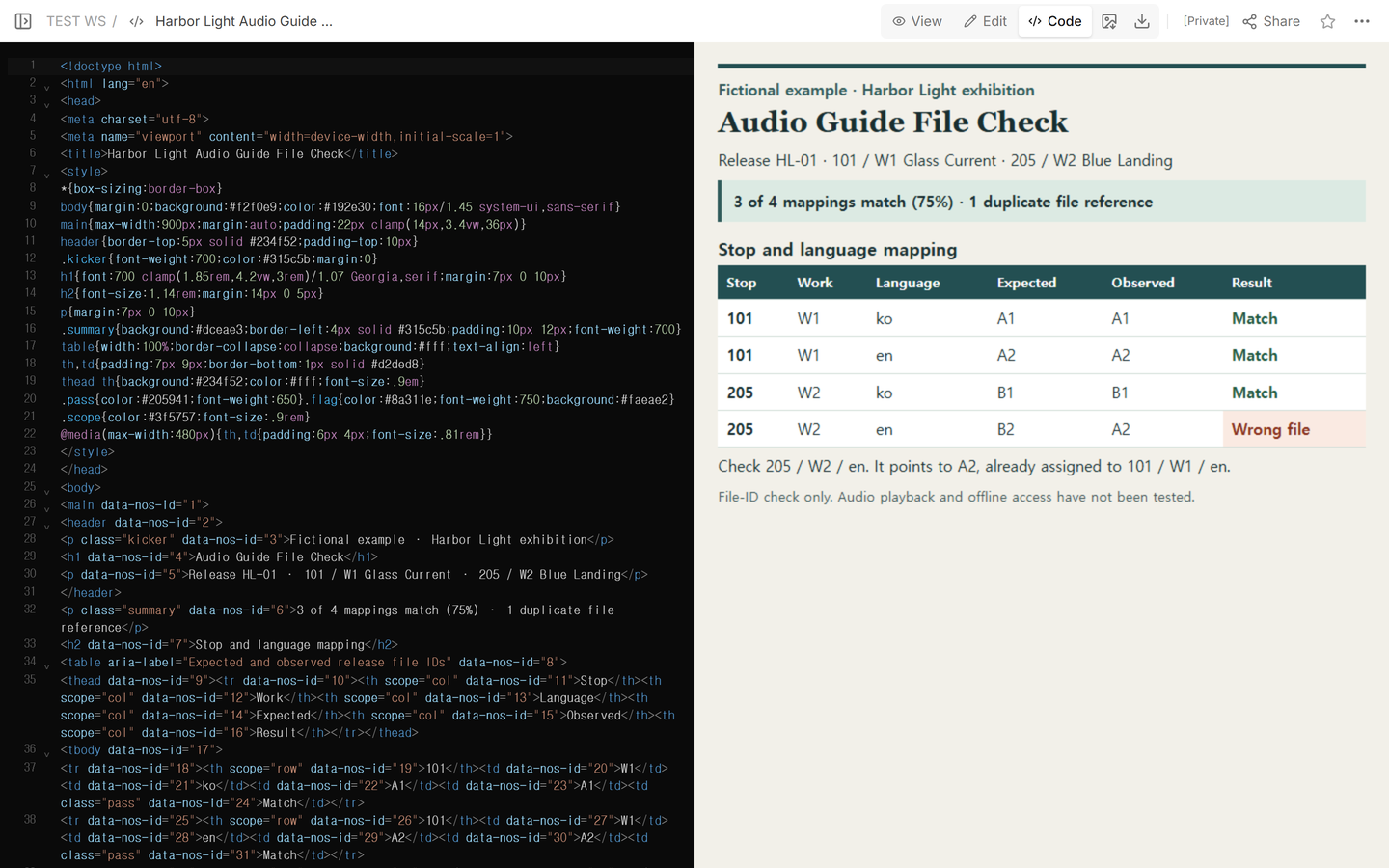
Use the completed CSV as a reference, or download the completed HTML example to see the corrected sheet in a browser. Keep the blank CSV header and add or remove rows to match your release. The artwork and file IDs in the example are fictional.
How do you find a wrong or missing file?
Read each row from stop to work to language. Check the two file IDs for that exact combination. A repeated ID can flag a copied entry. Compare it with the approved list before changing it, especially if two rows are meant to share a clip.
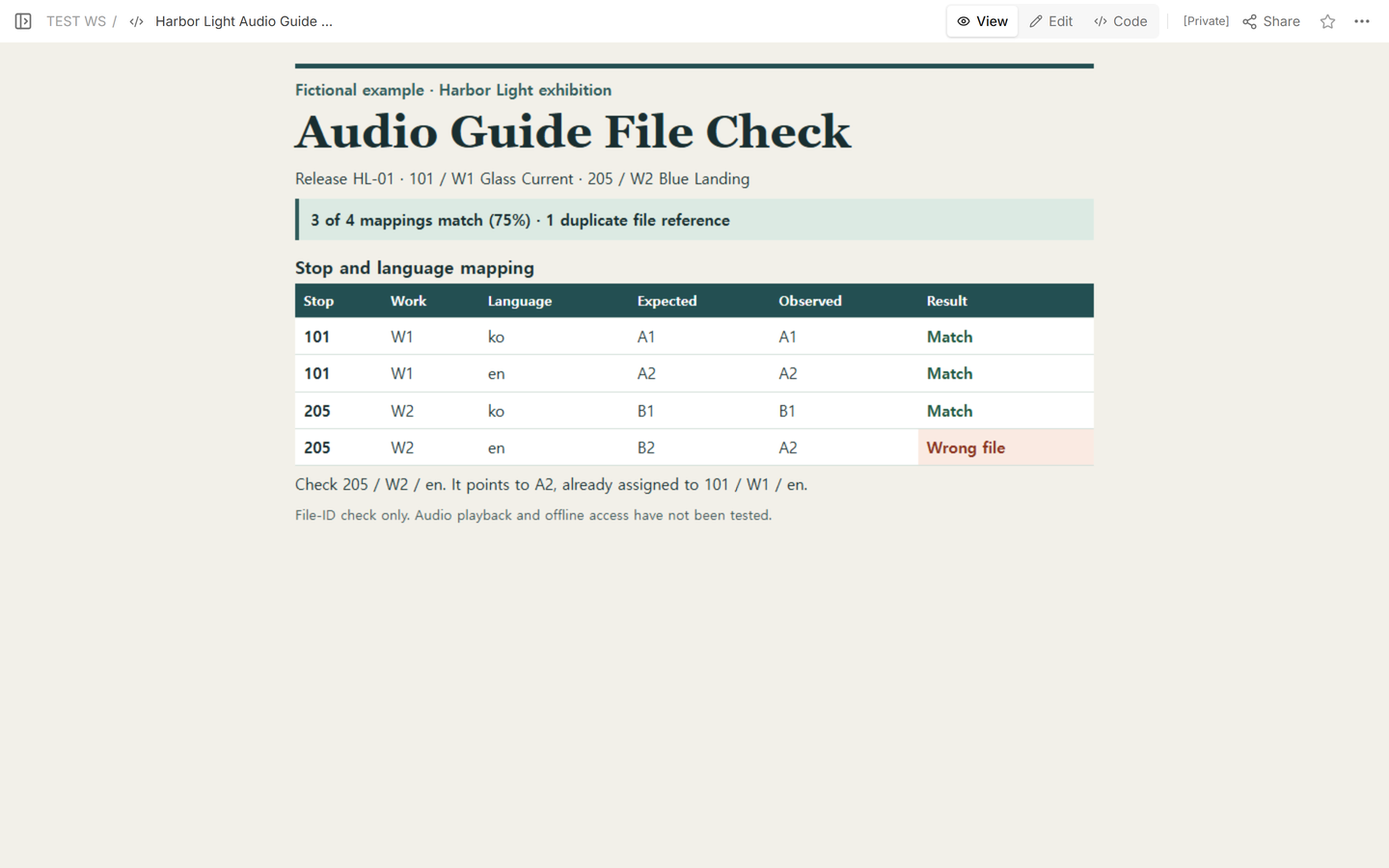
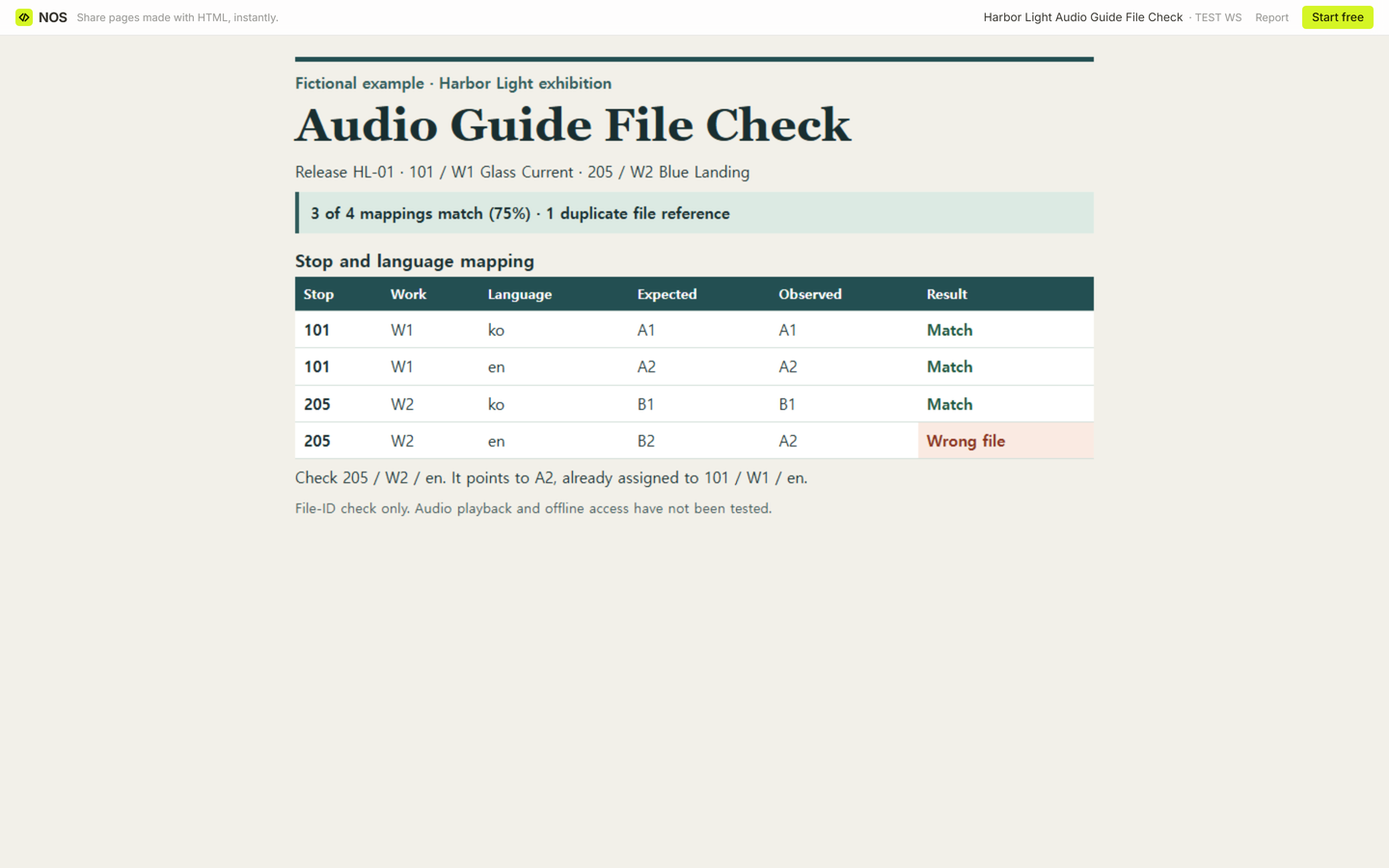
Harbor Light release HL-01 first had three matches out of four. The English row for 205 / W2 expected B2 but listed A2, the approved English file for 101 / W1. That gave one excess reference to A2. Three divided by four gives an exact match rate of 75%. Count mapping rows in the denominator, one per planned language at each stop.
When the release list has no entry for a planned language, leave the observed ID blank and mark the row Missing. Keep it in the denominator. If the list gives a different ID from the approved one, mark it Wrong file. If the approved ID is still unknown, mark the row Unverified and resolve it before signing off. With zero planned rows, leave the rate blank.
How do you record and recheck the fix?
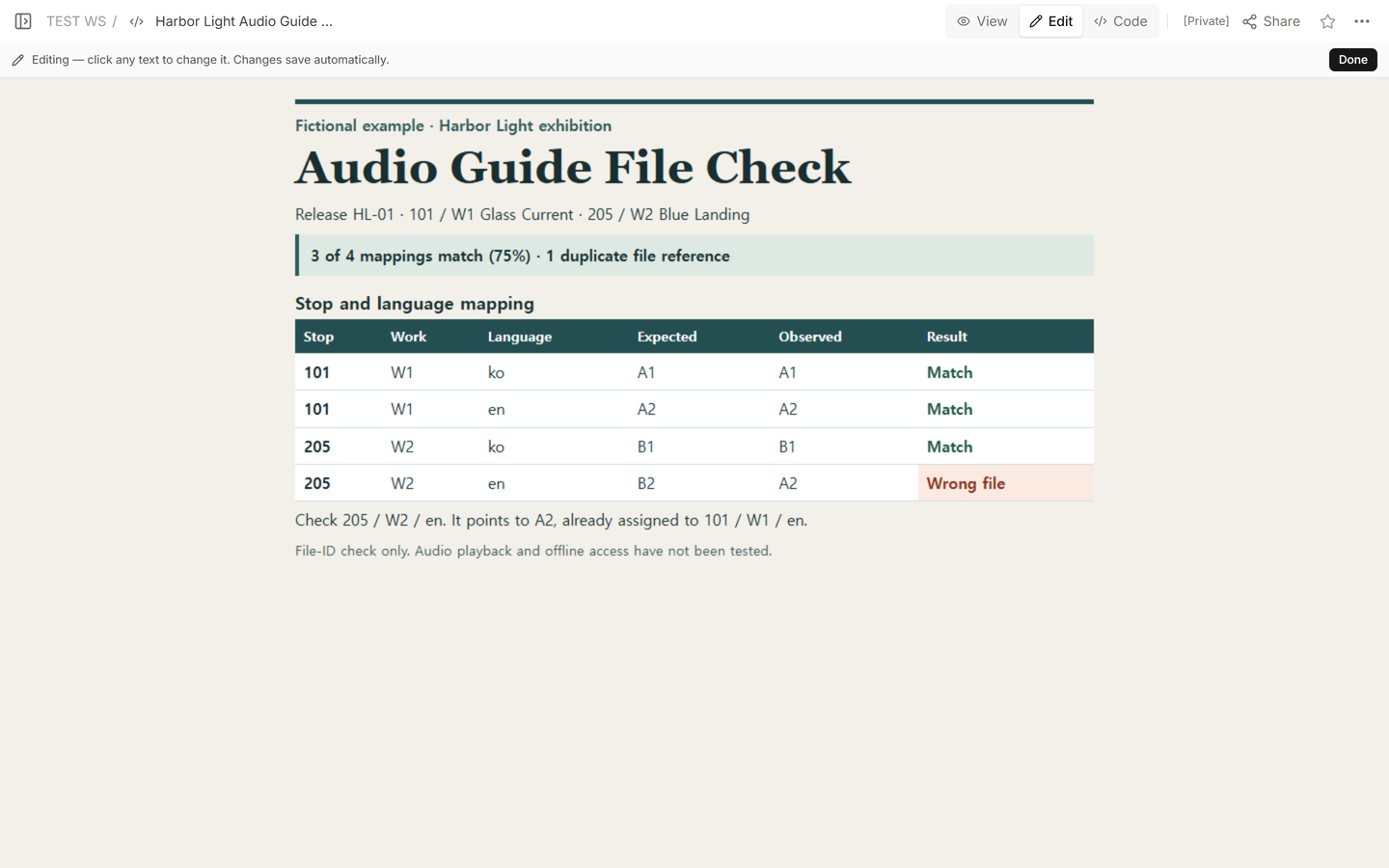
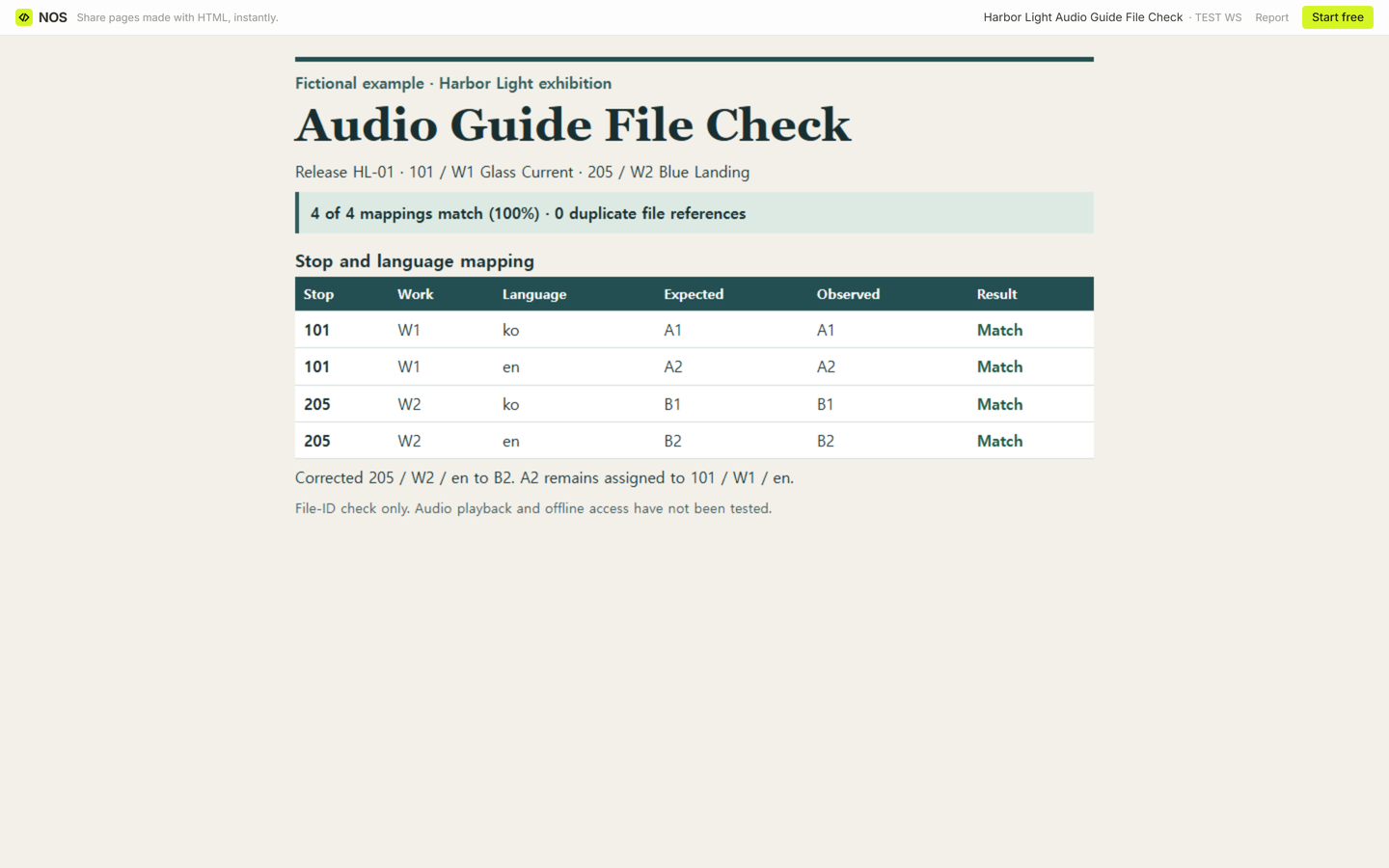
Write down the affected stop, work, and language before changing the release entry. Here the correction is 205 / W2 / en: A2 to B2. The other three observed IDs stay as they were. For a real release, make the correction in the system that supplies the release list and check the resulting list again.
We opened the Harbor Light reader link while signed out. It showed the wrong file on the English row for 205. Keep the discrepancy alongside the release ID so a teammate reviewing the update knows what changed.
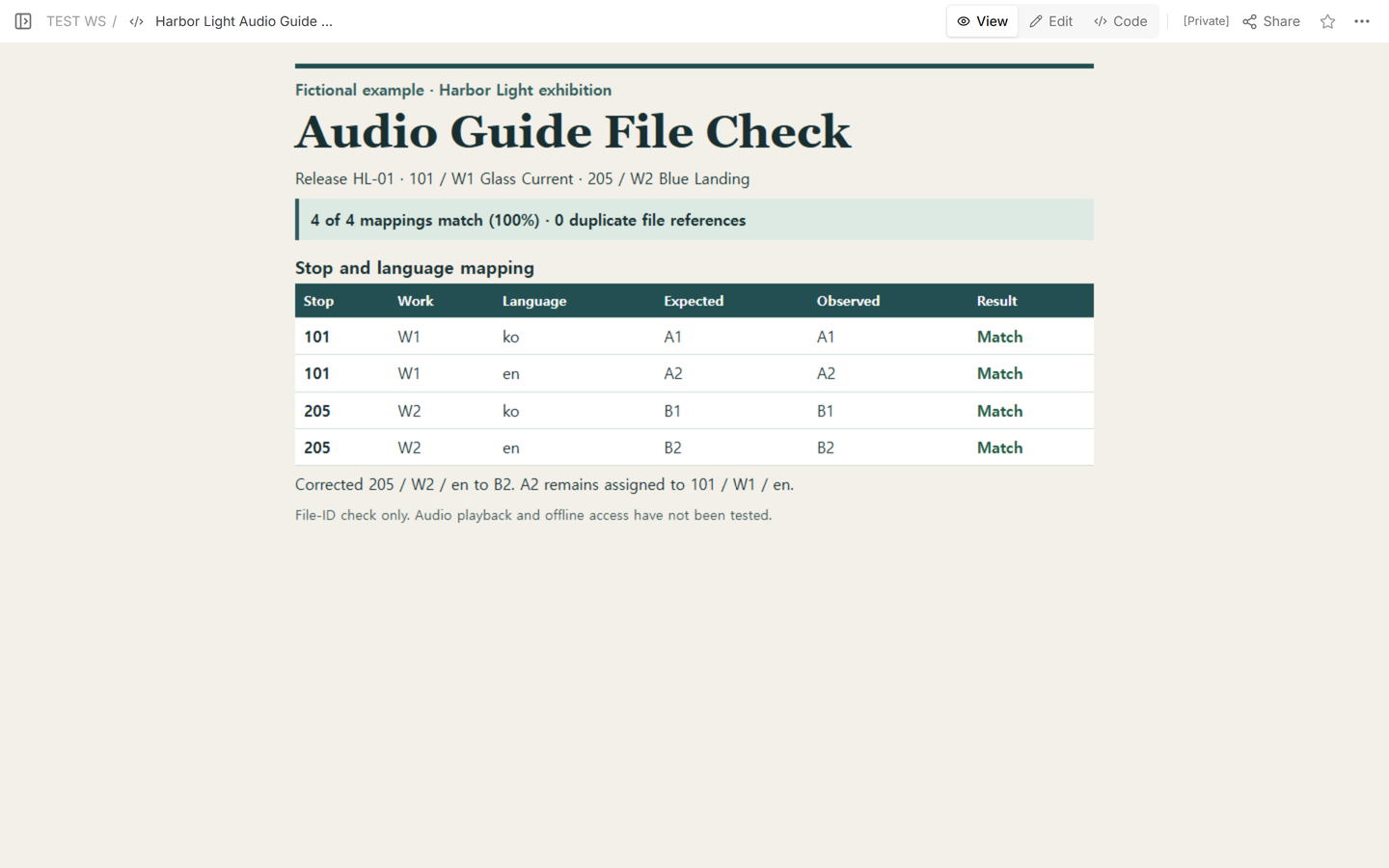
We corrected the row in the same example and reopened the reader link. Four of four IDs matched (100%) and the duplicate reference count fell to zero.
When not to do this
Use a device test to confirm playback or offline access. Download or install the intended release on each target device. Turn off Wi-Fi and cellular data, then try to open each planned stop and play its recording in the selected language. Use a copy of the sheet for each device so the mapping rate still counts each stop and language once.
In the CSV, keep the mapping result from the release list. For the same release, stop, and language, fill in the test device, network state, playback check, and what you observed. Use Offline unavailable if the stop or recording is unavailable before playback can be attempted. Use Playback failed if the recording is offered but fails to start or stops before it finishes. Use Not tested for a row you haven't tried on a device.
After a fix, repeat the same stop and language on the same device with the network off. Keep the first result and record the retest release and outcome in the retest column.
Fictional playback record. On Harbor Tablet 01, with Wi-Fi and cellular off, release HL-01 at stop 205 / W2 / en still shows a mapping match (B2 / B2). The playback check is Playback failed. The stop opened but audio did not start. The retest entry reads “HL-02 passed on the same device with Wi-Fi and cellular off.” The completed downloads show this fictional entry. The shared NOS sheet shows the file-ID check only.
For visitor-facing material, see the digital exhibit label guide for what goes beside a work and the museum exhibit guide for how visitors move between stops.
Where does NOS fit?
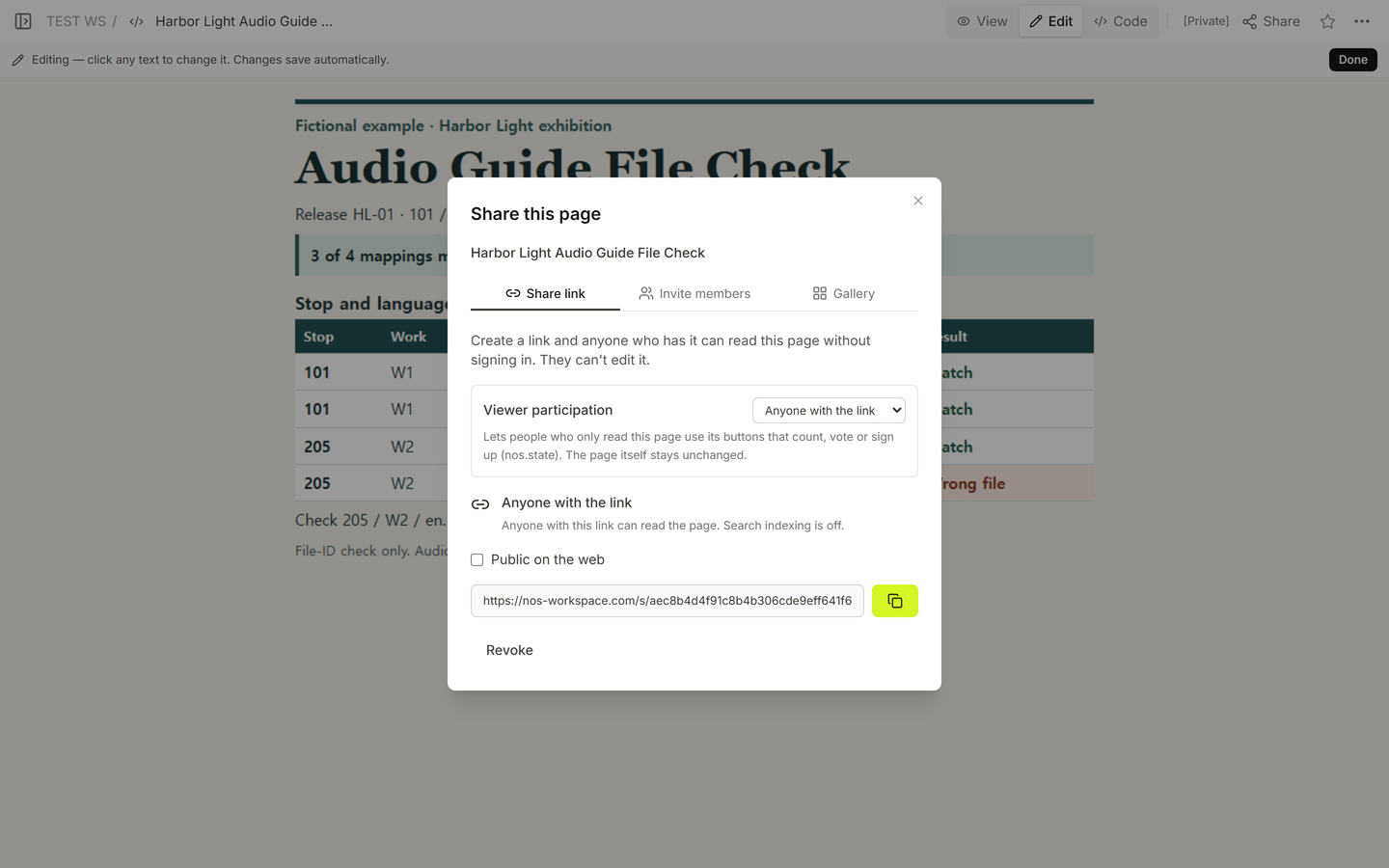
We opened the file in Code, checked the sheet in View and Edit, and found the reader link in Share. The same link showed the corrected mapping after we saved the change. A signed-out reader could open the sheet, while opening the editor prompted for sign-in. See NOS pricing for current plans.