In short
Start with the manifest for one work and edition. Give each instrument and part ID a row. Count every physical copy against its own row, then record any shortage or extra against that same identity.
Download the blank checklist (CSV) · Download the filled example (CSV) · Download the completed check (HTML)
What belongs on an orchestral parts inventory checklist?
Put the manifest beside the tray before you start counting. Copy the work ID and edition, the instrument, the part ID as printed, and the expected copy count. Add columns for observed copies, result, and notes. Copy any numbering or suffix from the label. You will need it when two covers both say “Violin.”
The University of Edinburgh Library tells readers to arrange a set in the order of its included manifest. San Francisco Public Library asks for parts in numerical order and checks sets for completeness. The checklist here uses the manifest as the reference and adds space to record what you find.
Why can four copies still leave a part missing?
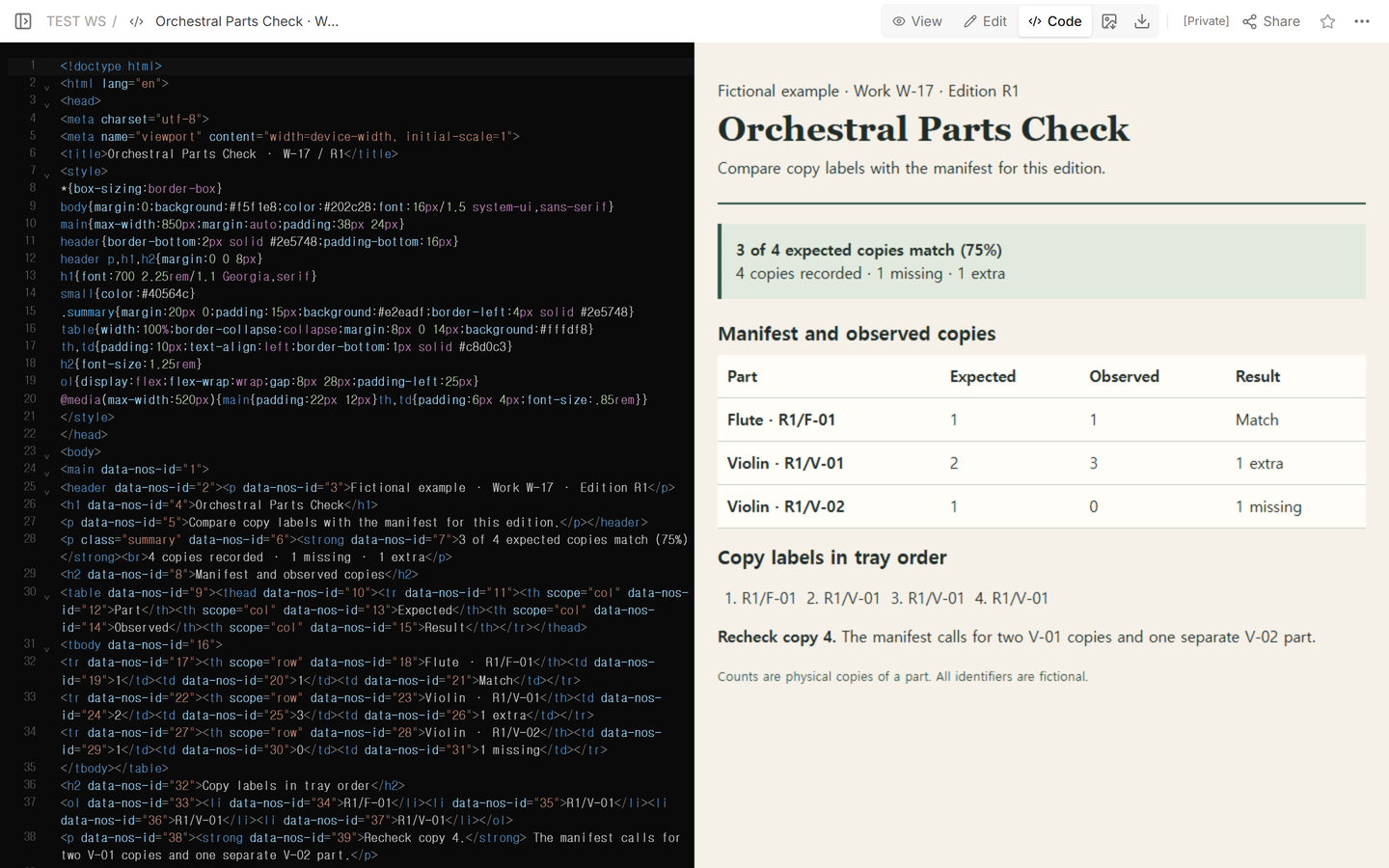
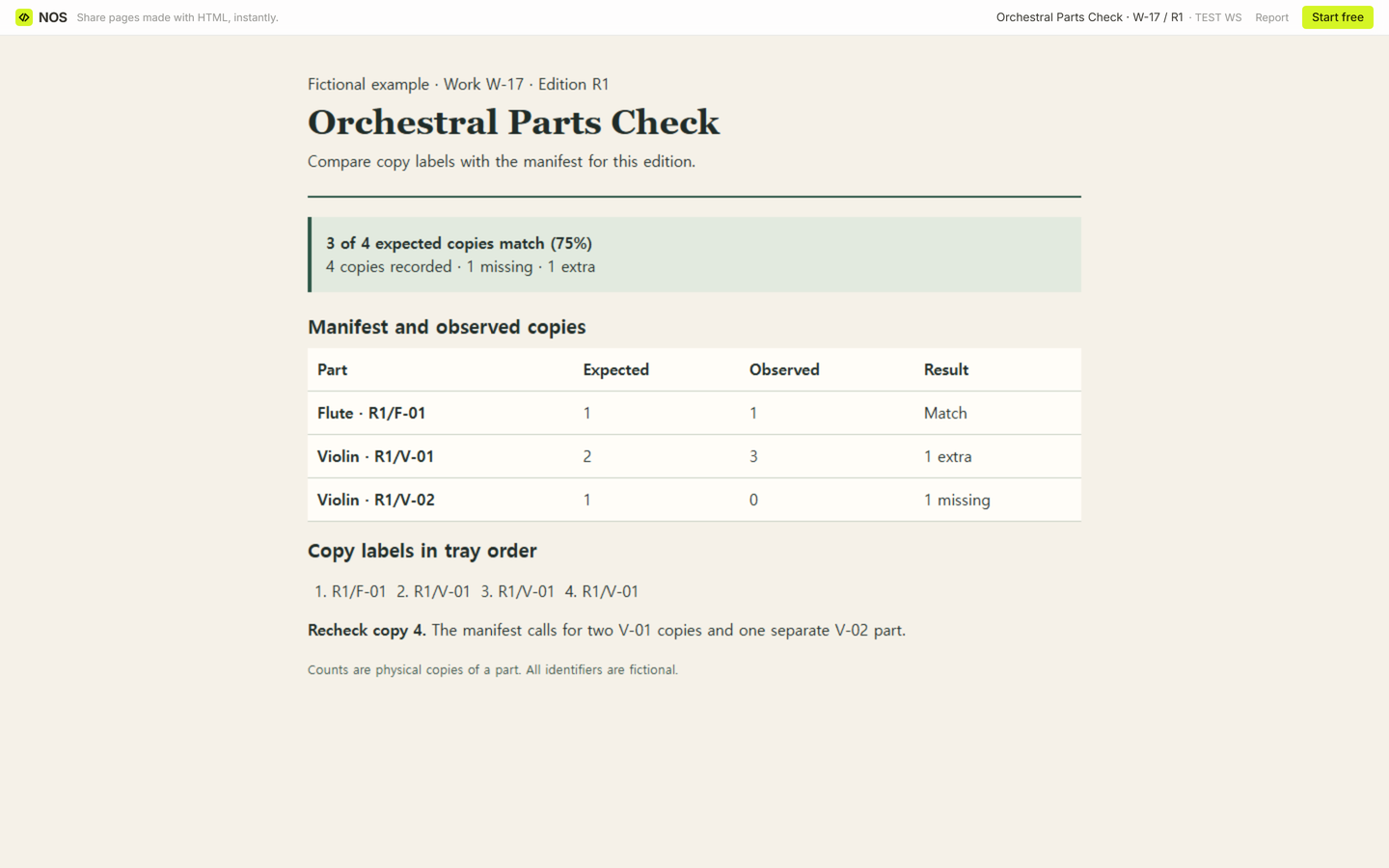
Our fictional work W-17, edition R1, expects four physical copies across three distinct parts. The manifest calls for one flute F-01, two violin V-01 copies, and one violin V-02. The first tally recorded one F-01 and three V-01 copies. The tray count was four, while V-02 had no matching copy.
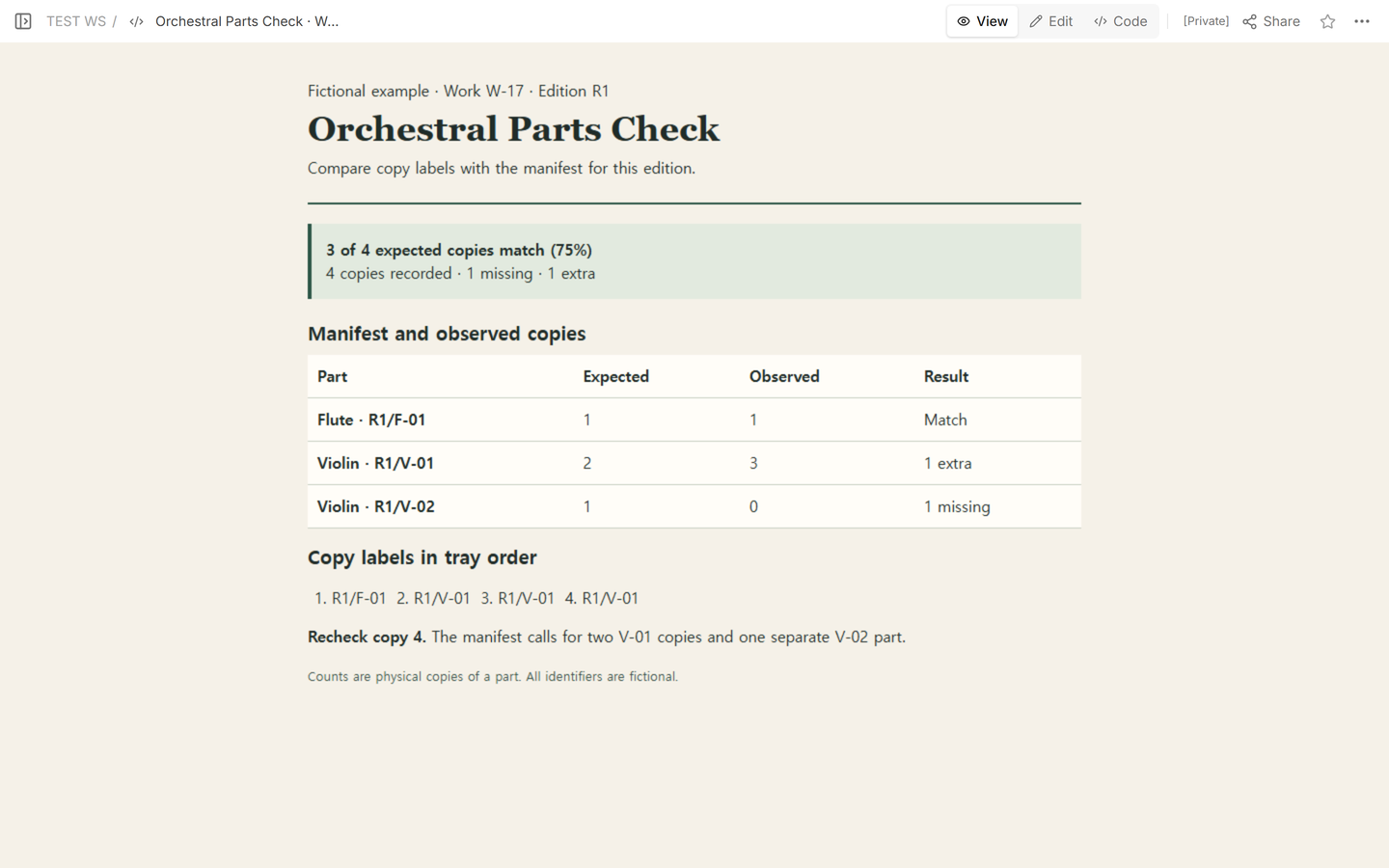
For each part, take the smaller of the expected and observed counts. Add those matches and divide by the total number of expected copies. The flute fills one slot. The first two V-01 copies fill two slots. The third V-01 goes in the extra count, and V-02 fills zero slots. That gives 1 + 2 + 0 = 3 matches out of 4 expected copies. Divide 3 by 4 and multiply by 100 to get exactly 75%.
How do you settle a mismatch?
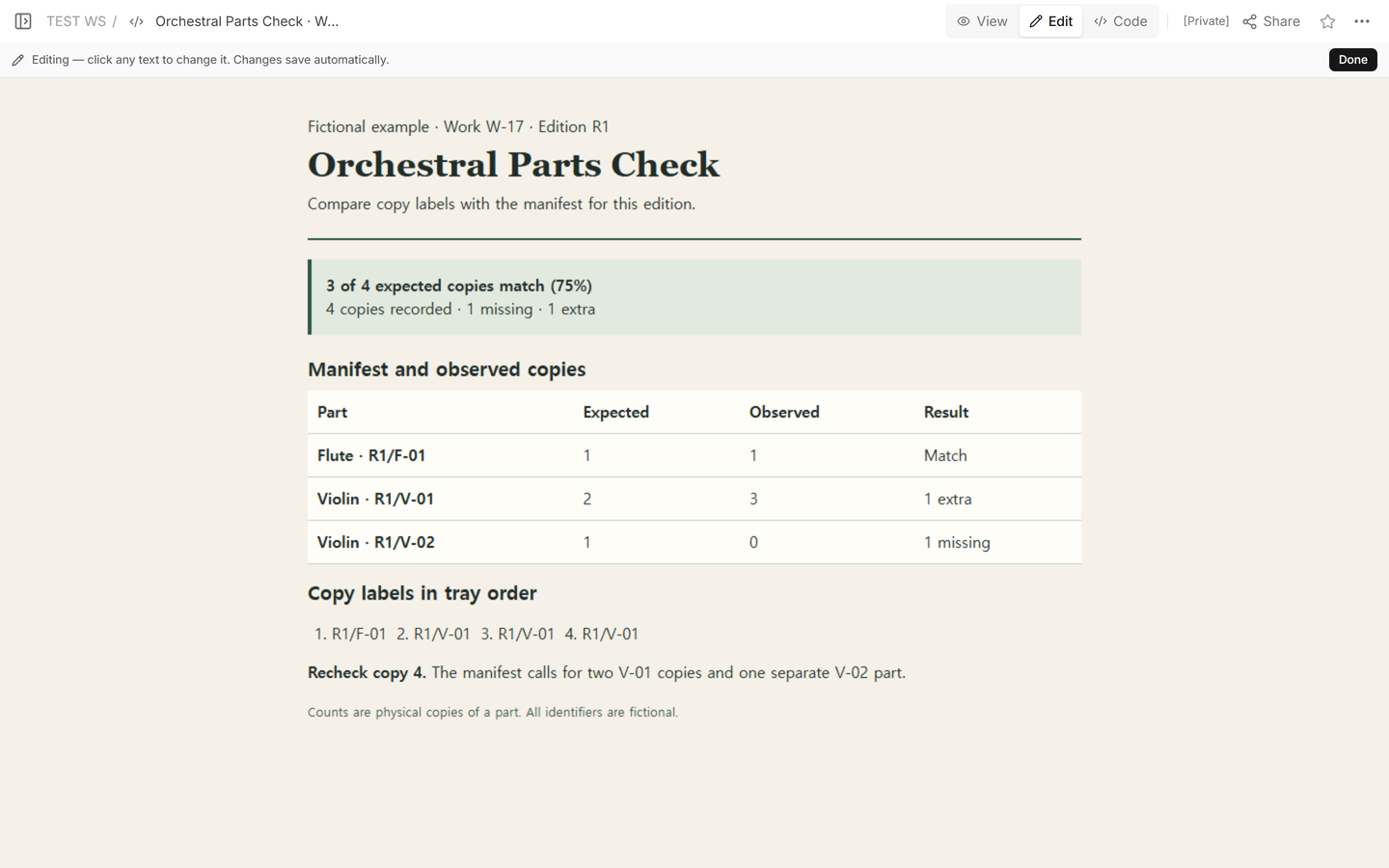
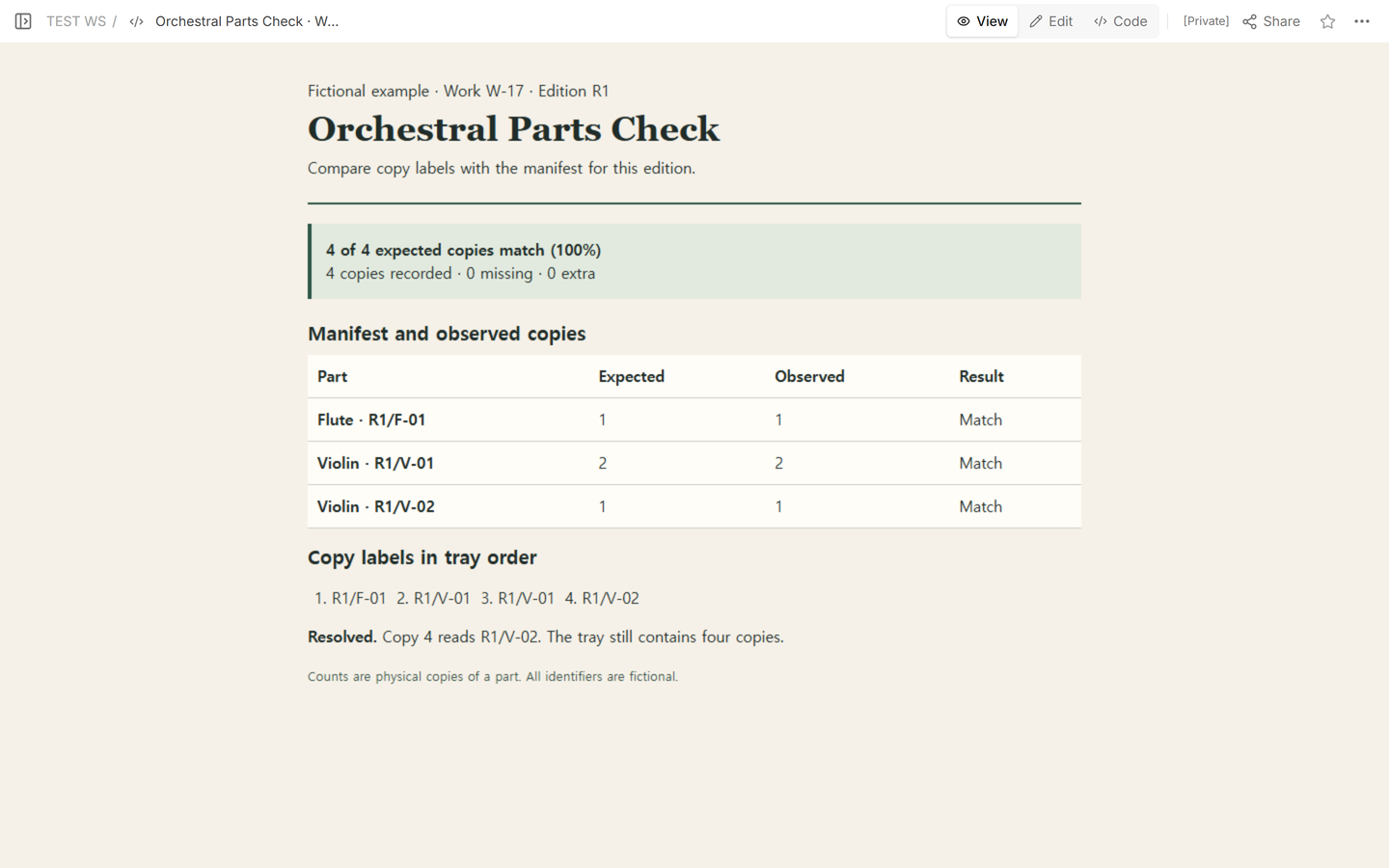
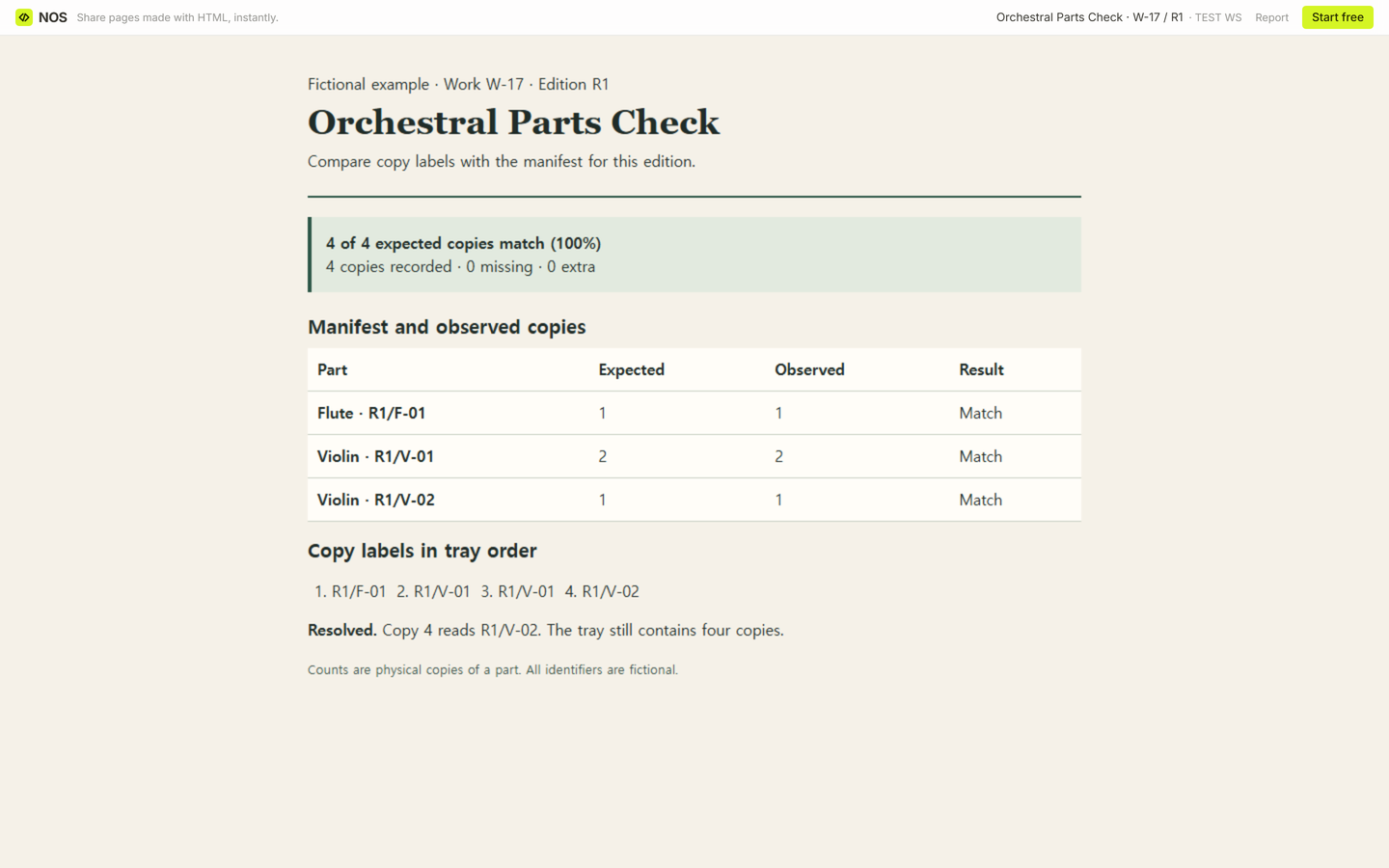
Return to the physical label behind the disputed entry. In the example, the fourth label was entered as R1/V-01. We corrected its transcription to R1/V-02 on the existing page. The totals by part became one F-01, two V-01, and one V-02. The tray still held four copies. All 4 of 4 expected copies matched, exactly 100%, with zero missing and zero extra.
How should you fill the blank checklist?
- Start a fresh sheet for one work and edition. The CSV has three blank rows to get you started. Add a row for each additional manifest part.
- Check the work, edition, instrument, and part ID on each copy. Keep a copy marked R2/V-02 separate from the expected R1/V-02. Put it in Notes as a wrong-edition exception.
- Leave Observed blank until you have checked that part. Record zero only after checking and finding none. Leave the percentage blank while counts are pending or when the manifest lists zero expected copies.
- Record a shortage or extra on the affected row. Treat the check as complete once every expected slot is filled and every extra or uncertain label has been resolved.
When not to do this
If you cannot establish which edition the manifest describes, pause the tally and record what is uncertain. This sheet checks the identities and quantities of parts for one edition. Use a separate record for checkout dates and handoffs.
How can someone else review the tally?
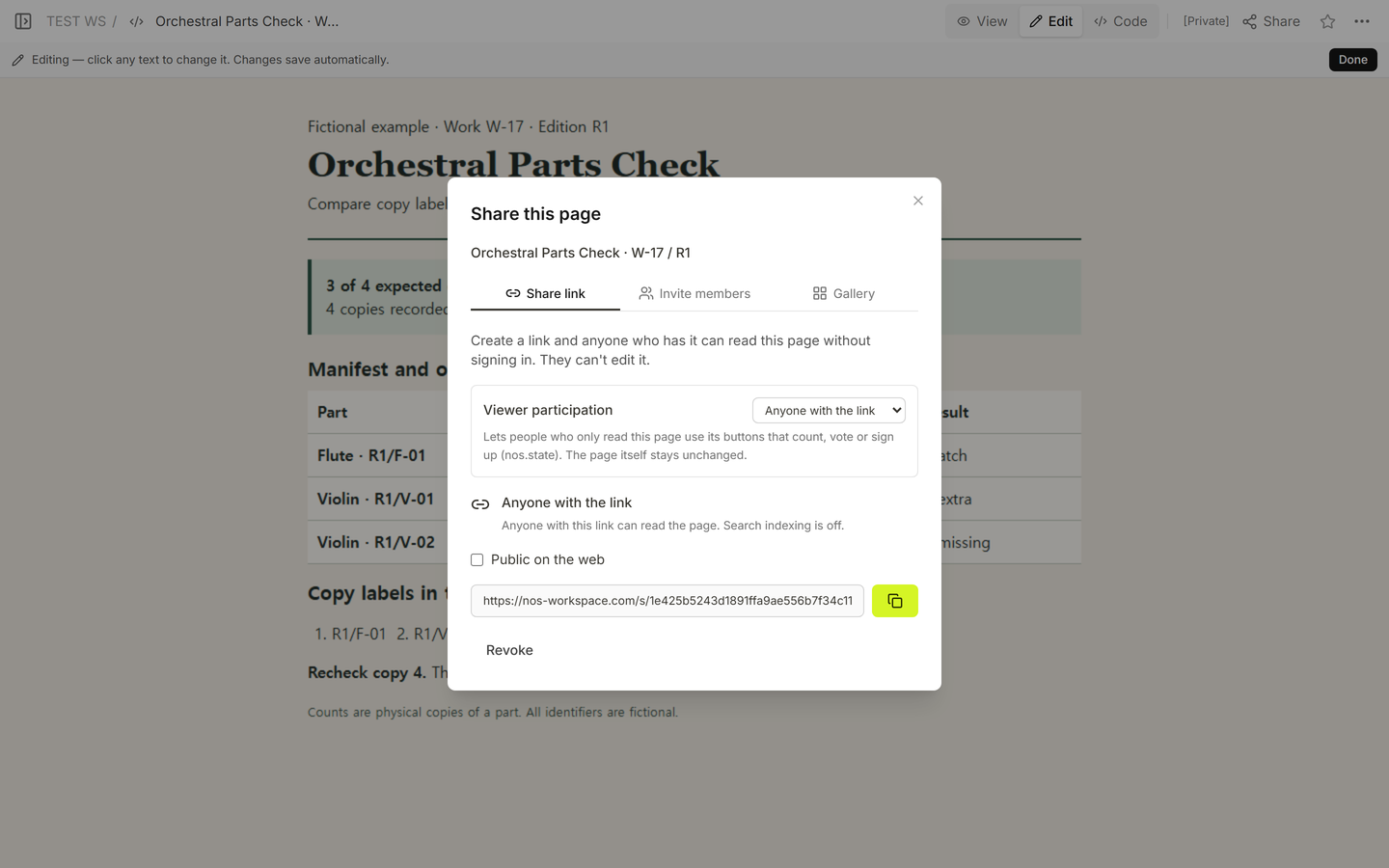
We used NOS Workspace to compare the example in View, inspect it in Edit, and find its reader address in Share. After the correction, the same example link showed the updated checklist in a signed-out browser. Send that reading link when someone only needs to review the figures.
Related guides
For equipment handoffs and return dates, use the equipment checkout log. For objects that move between scenes, use the theatre props list.