In short
Set the start and finish before you draw the route.
Give every stage an owner, an input, an output, and a handoff condition.
Put the exception beside the stage that can stop, not in a note at the bottom.
Share one reading link, then reopen that link after every correction.
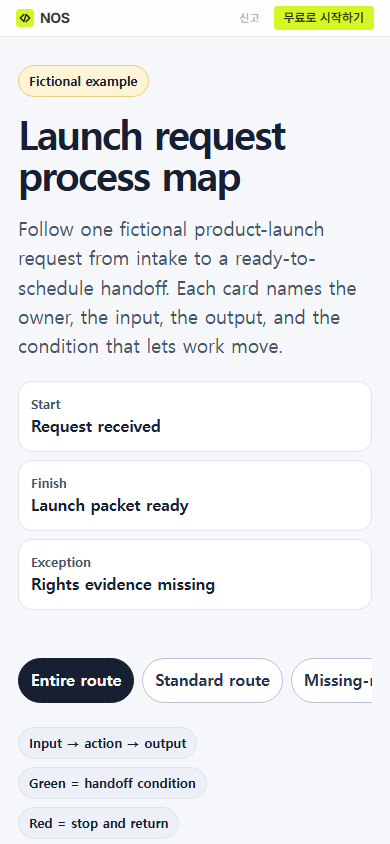
NOS Team built a fictional launch-request map to test this format. The page follows request LR-024 from intake to a schedule packet. It also shows what happens when the source pack has no rights evidence. This was a teaching example, not a record of a real campaign or customer process.
Start with the route someone needs to trace
A process map website should answer a practical question: “What has to reach the next person before they can begin?” A list of department names does not answer it. For each stage, write the work that arrives, the person responsible, the result they produce, and the check that releases the next stage.
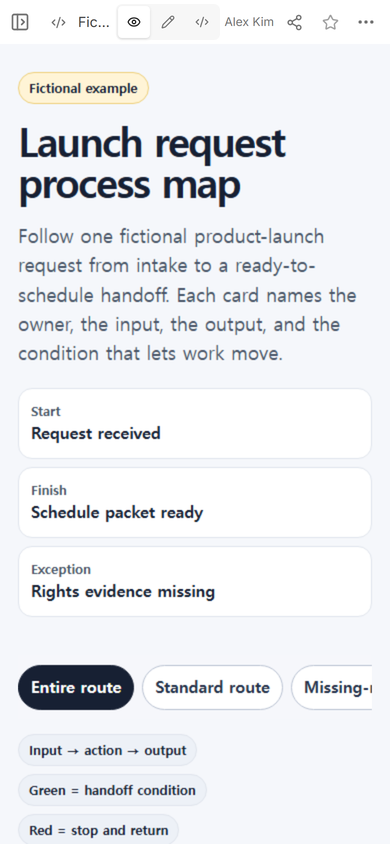
Our example starts when a launch request arrives. It ends when a channel manager acknowledges a schedule packet. The page states that it does not publish or schedule anything. That boundary keeps the map from implying that a reading page performs the team’s operational work.
What should a process map website include?
Use the same four fields on every stage:
- Owner: the role responsible for the action.
- Input: the named item that reaches that role.
- Output: the item that leaves the stage.
- Move when: the condition the next role can verify.
The first stage in the example turns a request and requester contact into request card LR-024. It moves only after the audience, channel, owner, and target date are named. The source-pack stage checks the card and source files. A complete source pack, not a vague “reviewed” status, is the output.
We kept the entire example in one HTML file so the cards, route controls, and mobile layout traveled together when the page was added to NOS.
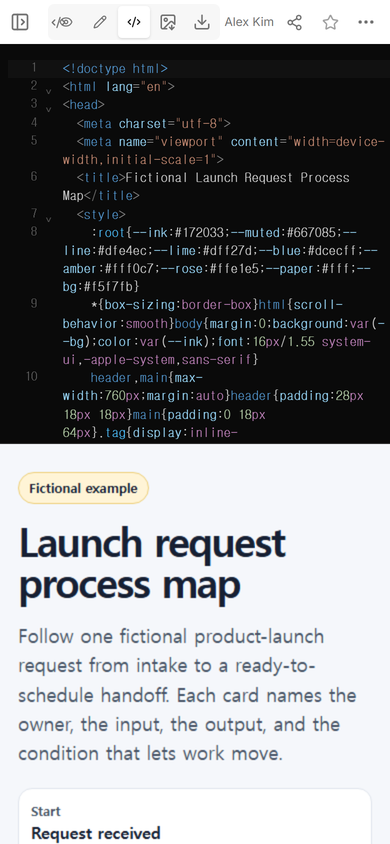
Download the complete fictional process map HTML
How do you show handoffs without drawing a maze?
Put the handoff sentence inside the stage that owns it. “Move when: approved copy, product image, and rights evidence are attached” tells the content lead what to check and tells the designer what must arrive. A loose arrow between two boxes cannot carry that detail by itself.
The example uses a vertical route because the reader can follow it on a phone without pinching a wide canvas. Three controls switch between the entire route, the standard route, and the missing-rights branch. On the phone capture, the control row extends horizontally, so the shortest labels belong first and the active choice needs a visible state.
If your readers need to compare several roles side by side, use a swimlane diagram. If they need the full policy, approval record, and exception rules, build the longer process document. This page is the compact tracing view.
Share the reading view, not the workspace view
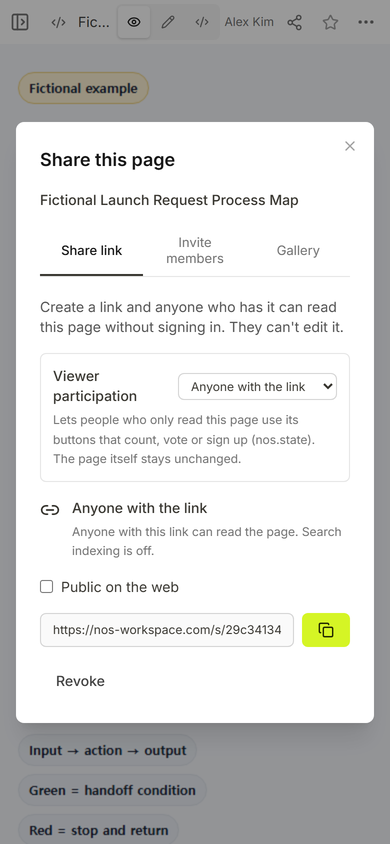
We opened Share on the saved example. The panel said that anyone with the link could read the page without signing in and could not edit it. We copied that reader address and used it for the public checks.
Can you correct the map after sharing it?
We tested one visible correction on the same saved page. In Edit, we selected the finish label “Schedule packet ready,” replaced it with “Launch packet ready,” and chose Done.
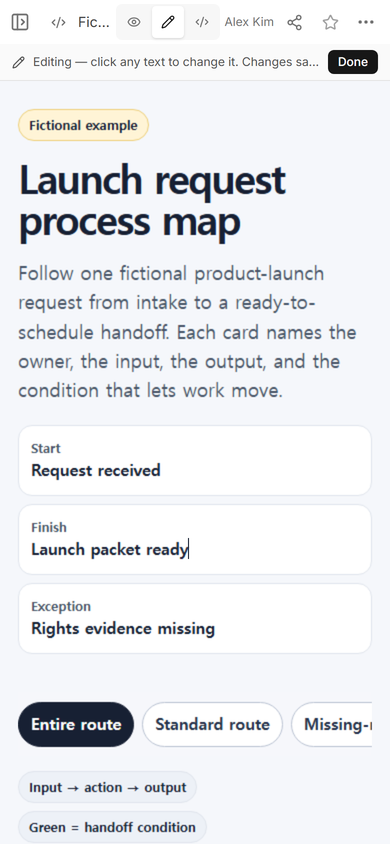
We then reopened the original reader address. The top of the public page showed “Launch packet ready.” This check matters because seeing new text in the editor does not prove that a reader sees it.
Can a process map website handle exceptions?
Yes, when the exception says where work stops, who receives it, and where it returns. In the example, missing rights evidence sends LR-024 back to the campaign coordinator. The request resumes at the source-pack check after the record is attached.
We selected the missing-rights branch in the public page. The stop card appeared under the source-pack stage, while later standard-route cards faded. The page did not claim that the evidence was found or that the request had advanced.
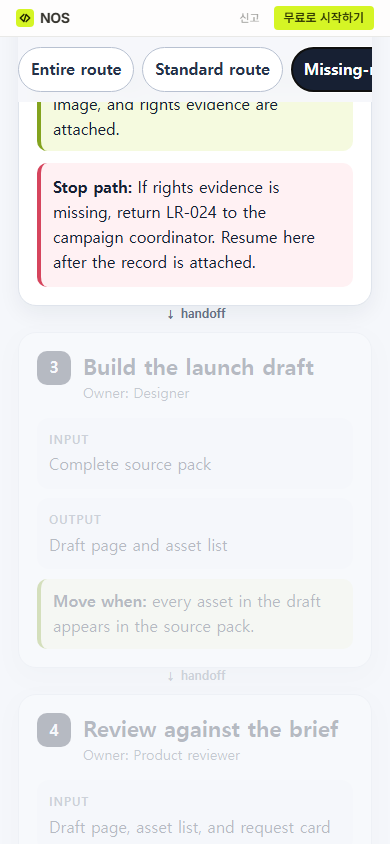
What the reader can do: trace the normal handoffs or isolate the blocked route from the same page. The map explains the next action, but it does not assign work, approve records, or update another system.
What was easy to miss?
The finish label appeared in more than one place in the original HTML, but the visual edit changed the visible summary label we selected. We reopened the public page instead of assuming every matching phrase had changed. For a repeated term, inspect each location after the edit.
The exception control also sat at the edge of the phone screen. It remained reachable through the horizontal control row, but a shorter label would make that choice easier to discover. A process map can be logically complete and still hide its most useful branch behind crowded navigation.
When not to do this
- Do not treat a reading page as the system that assigns, approves, or closes real work.
- Do not publish private customer records, credentials, or restricted internal steps on a reader link.
- Do not compress a safety-critical or regulated procedure into a simplified map without the responsible owner’s review.
- Do not use this layout when the main task is training one operator through detailed actions; a work instruction is a better fit.
Where NOS fits
NOS held the complete HTML example, showed the rendered page, provided a reader link, and let us correct visible text on the saved page. The Share panel defined the reader permission used in this test. Check the current pricing page if you need plan details; this guide does not copy a price.