In short
Replit has no "Export as HTML" button. To get your files, open the three-dot menu at the top of the file tree and choose Download as zip.
A plain HTML project unzips to an index.html with its CSS and JavaScript in separate files. If you upload only index.html, the styling is gone and the buttons do nothing.
Fix it by pasting the CSS and the JavaScript into index.html itself. That one file then works anywhere: on your desktop, as an attachment, or at a share link.
Apps that Replit Agent builds are full-stack by default, with a server and often a database. Only a front end that never talks to that server can become a plain HTML page.
To test the whole path, we made a small fictional project: a tip and split calculator for a diner called Bluebird. It has the usual three files of a hand-coded web project: index.html, style.css, and app.js for the logic. We did not use a Replit account for this test. We opened index.html on its own to see what breaks, merged everything into one file, put it on NOS, changed the opening hours on the NOS screen, and checked that the calculator still worked at the same link.
How do I export a Replit project?
Replit's help page gives one route for the whole project:
- Open the project.
- Find the file tree, the list of files on the side.
- Click the three-dot menu at the top of that list.
- Choose Download as zip.
Large projects can take a while to pack. If the download fails, Replit suggests opening the Shell tool, typing zip -r project.zip ., and then downloading the new project.zip from the file tree.
Two limits from Replit's docs are worth knowing before you start:
- Your admin can block it. In a team workspace with "Ban source code export" turned on, Download as zip is not available. Ask the workspace admin.
- Secrets and the database stay behind. The zip carries code. Saved secrets, database contents, and publishing settings are not in it.
Can I download my Replit app without GitHub?
Download as zip needs no GitHub account, so the answer is yes. GitHub is the other way out and keeps your commit history, but for a one-time copy of a small site the zip is quicker.
Which kind of Replit project do you have?
Unzip the file and look at the top folder before doing anything else. What you see decides whether an HTML export is even possible.
- A plain web page. You see index.html, a CSS file, a JavaScript file, maybe an images folder, and no package.json file. This is the easy case, and the rest of this guide walks through it.
- A full-stack app. You see package.json and separate folders for the browser side and the server side. Replit's docs say Agent builds web apps this way by default, with server routes, a database, and server logic added as needed. Replit itself will not publish these as a static site.
For a full-stack app, ask one question: does any screen load or save data? If the page only shows text and runs math in the browser, its front end can be built into a single file. If it signs people in, saves form entries, or reads a database, a lone HTML file cannot do that part.
Why index.html alone shows a broken page
Our index.html had one line that loads style.css and one line near the bottom that loads app.js from the same folder. Both expect those files to sit right beside it.
We opened that index.html by itself, without the other two files. The words were all there, but the page was plain black text on white with default gray buttons. Pressing Calculate did nothing, and no result box appeared. The browser had looked for style.css and app.js next to the HTML file and found nothing.
This is the usual surprise after a Replit export. Uploading the whole folder to a host that keeps the files together works. A tool that takes one HTML file, or a person who gets one email attachment, needs everything inside that file.
How to export a Replit website as one HTML file
For a plain web project, this takes a text editor and a few pastes:
- Open index.html in any text editor.
- Find the line that links style.css in the head. Replace that line with an opening
<style>tag, the full contents of style.css, and a closing</style>tag. - Find the line near the bottom that loads your JavaScript file (app.js in our case). Delete the
src="app.js"part, then paste the full contents of app.js between its opening and closing tags. - Save the file under a new name, so your original stays as it was.
- Double-click the new file. Check the styling and press every button once.
The style swap looks like this:
<!-- before -->
<link href="style.css" rel="stylesheet" type="text/css" />

<!-- after -->
<style>
  /* everything from style.css goes here */
</style>
Our merged calculator came out as a single file of about 4 KB. Opened on its own, it had the blue card, the orange Calculate button, and a working result box. You can download the finished example to compare with your own file.
Before you share the merged file, check two things:
- Images. A picture saved in the project's folder will be missing once the file travels alone. Point it at a full https address, or save it into the page as a data URI.
- Other pages. If your site has about.html or menu.html, each needs the same merge, and the links between them only work if the pages stay together.
How do I host a Replit website for free as a link?
Any host that accepts one HTML file will do once the page is self-contained. Our pick was NOS, where we pasted the merged calculator into a new page. The Code view shows the CSS now sitting in the head of the page, with the live calculator under it.
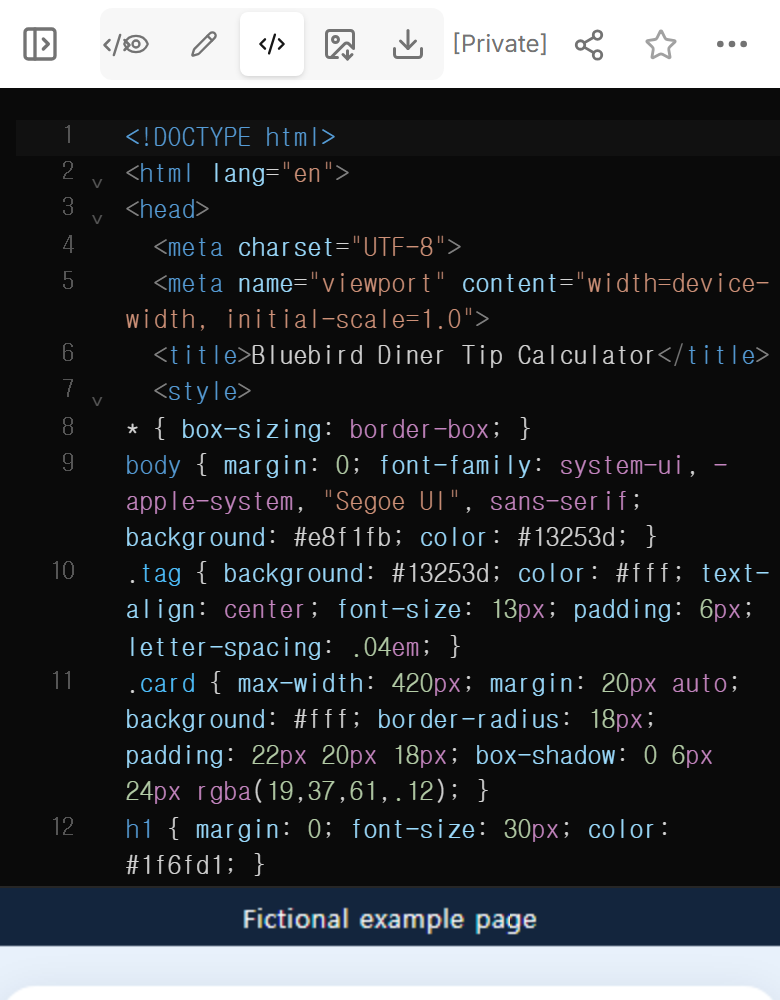
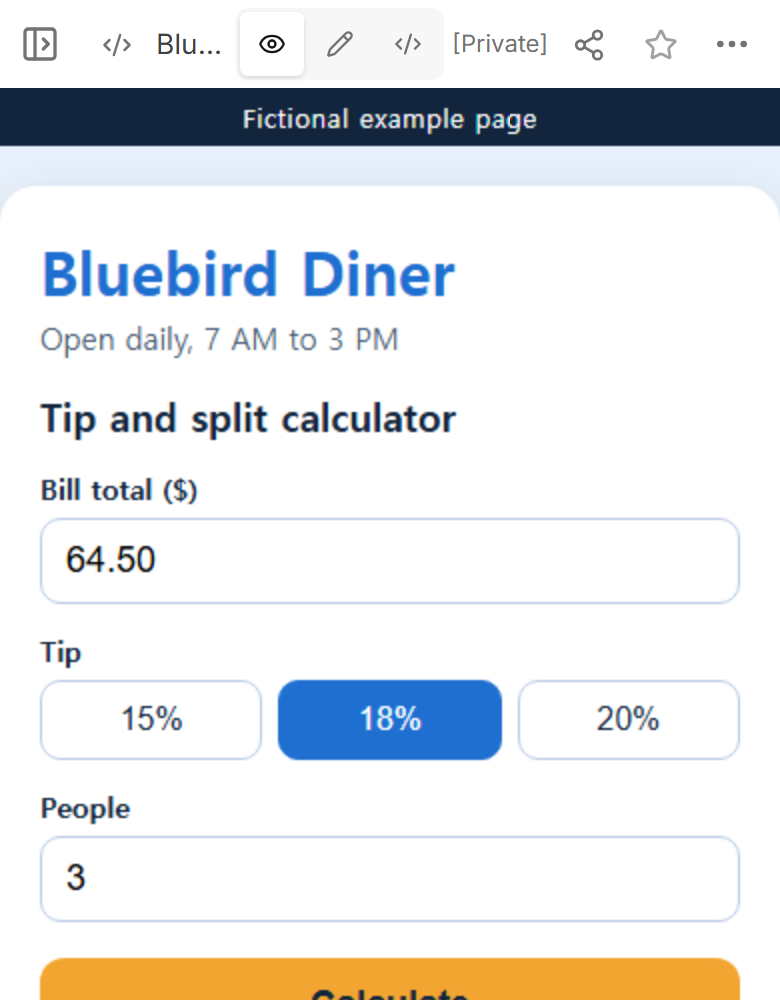
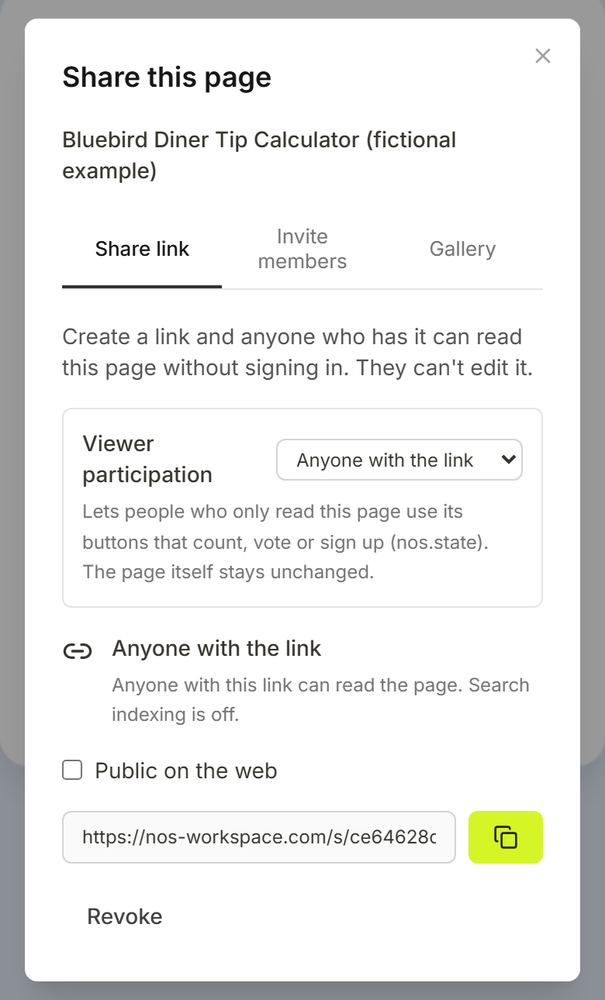
Next came Share. People who get this link can read the calculator with no account, but they cannot change it. By default the link stays out of search results, and the page is not listed publicly.
Changing the page after the link is out
Say the diner starts closing an hour earlier. In Replit you would edit the file and publish again. Here we fixed it on the NOS screen.
We clicked Edit, clicked the hours line, selected the old sentence, and typed "Open daily, 7 AM to 2 PM". Then we clicked Done. No code view was needed for a change of words.
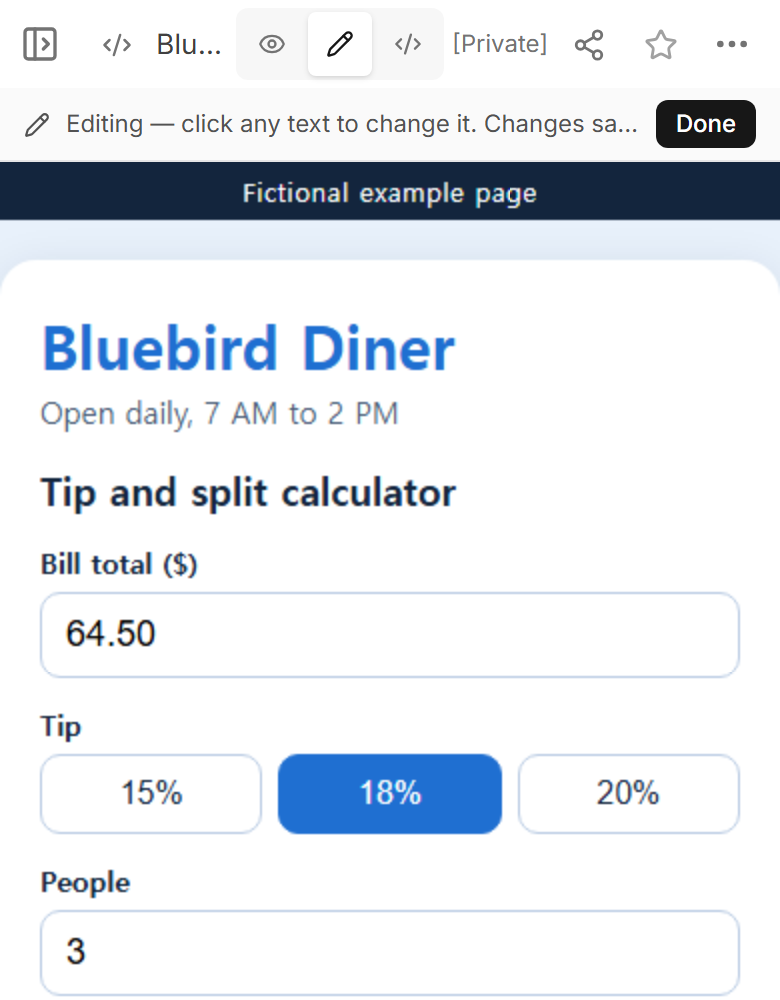
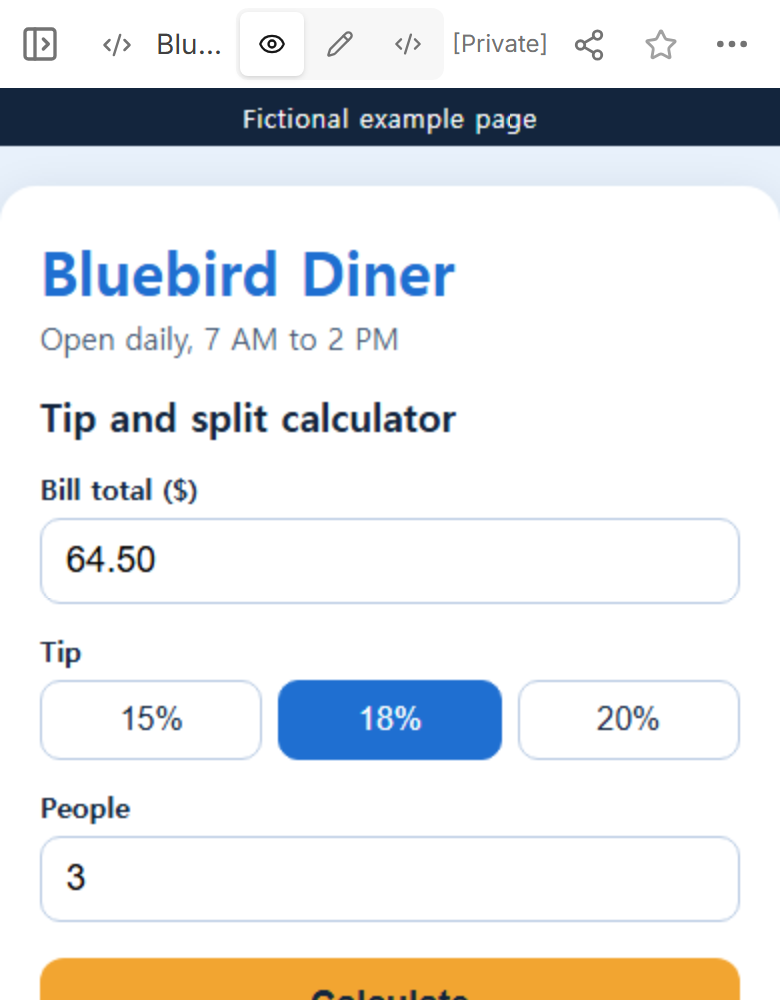
We opened the same share link again on a phone-sized screen. It showed 2 PM. Nobody needed a new link.
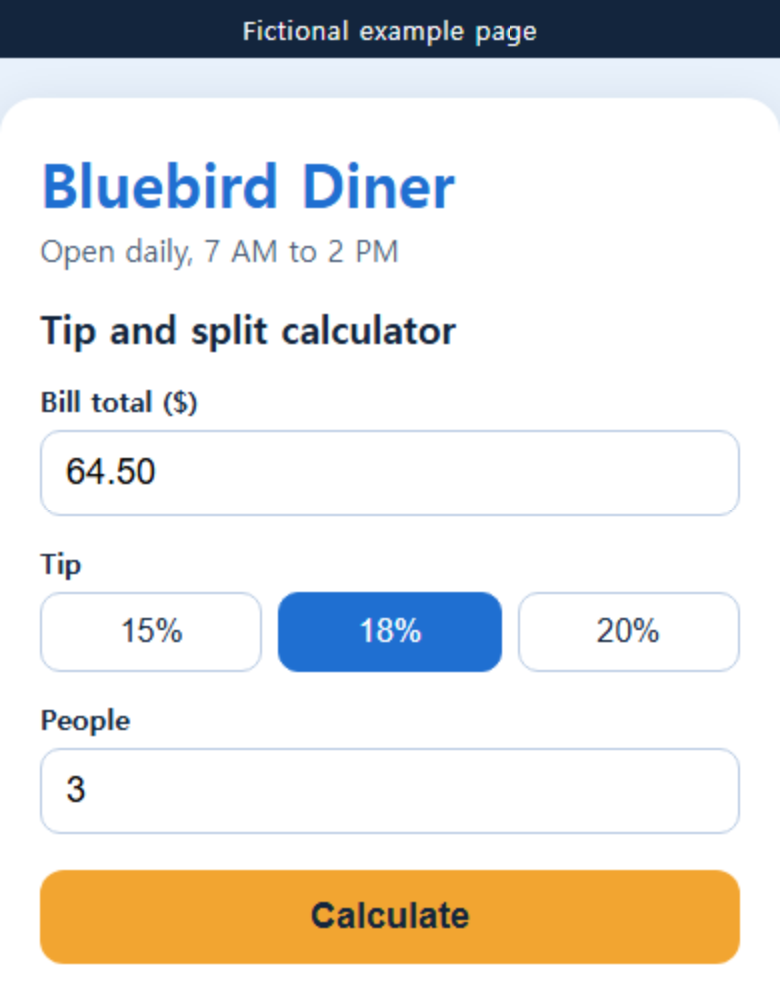
Does the calculator still work after the edit?
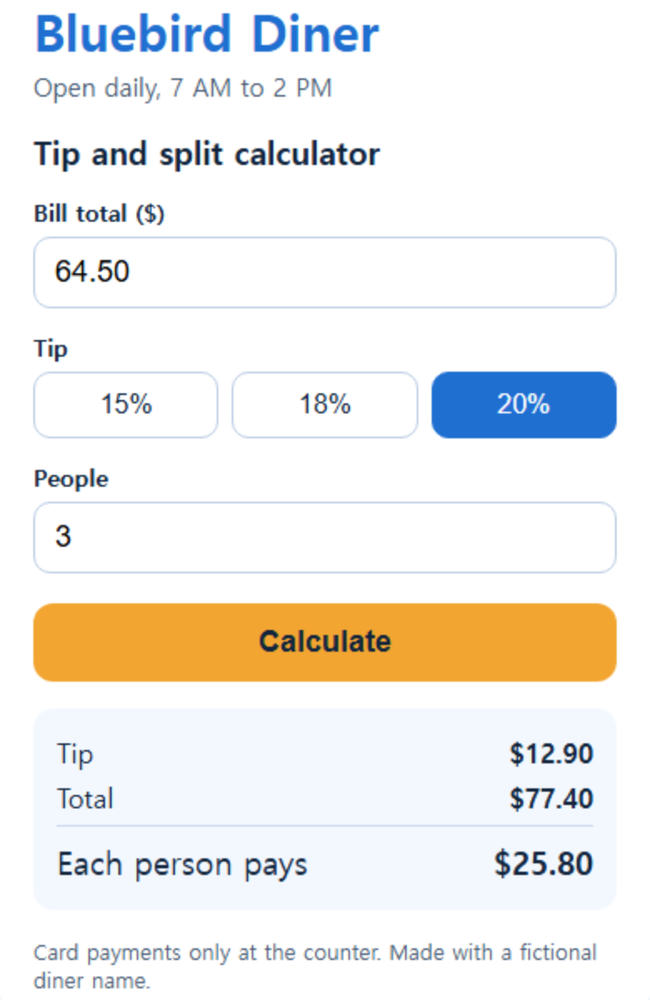
That was the part we wanted to see. On the edited share link we tapped 20% and then Calculate. The result box opened: a 64.50 bill with a 20% tip came to 77.40, or 25.80 each for three people. That matches the math, so the JavaScript survived both the merge and the text edit.
We only changed visible words. The tip choices and the math live in the JavaScript part of the file. To change those, open the Code view and edit the numbers there.
When not to do this
- The app stores or loads data. Sign-ups, bookings, logins, saved orders, and anything that reads a database need the server. Keep those on Replit's own publishing, which supports full-stack apps.
- The page uses secret keys. Anything you put in an HTML file can be read by every visitor. Never paste a key from Replit's Secrets into the page to make it work.
- You will keep building in Replit. Edits on NOS do not flow back to your Replit project. If Agent will keep changing the app, every new version means a new export.
- The site needs your own domain or many linked pages. A static host that takes a whole folder fits that better than one shared page.
Where NOS fits
NOS gives one HTML page a link that opens without sign-in, and lets you fix words on the page itself, as we did with the diner's hours. The Free plan has 3 share links at once and up to 2 MB per document, which is far more room than our 4 KB calculator needed. For paid plans, see the current pricing page.
Related guides: where a Replit build lives after you finish it, what makes an HTML file self-contained, and editing AI-made HTML without touching code.