In short
Enter the one-way distance, choose one way or round trip, add your vehicle's MPG, and type the gas price you personally checked.
The calculator multiplies distance for a round trip, divides total miles by MPG, then multiplies gallons by price per gallon.
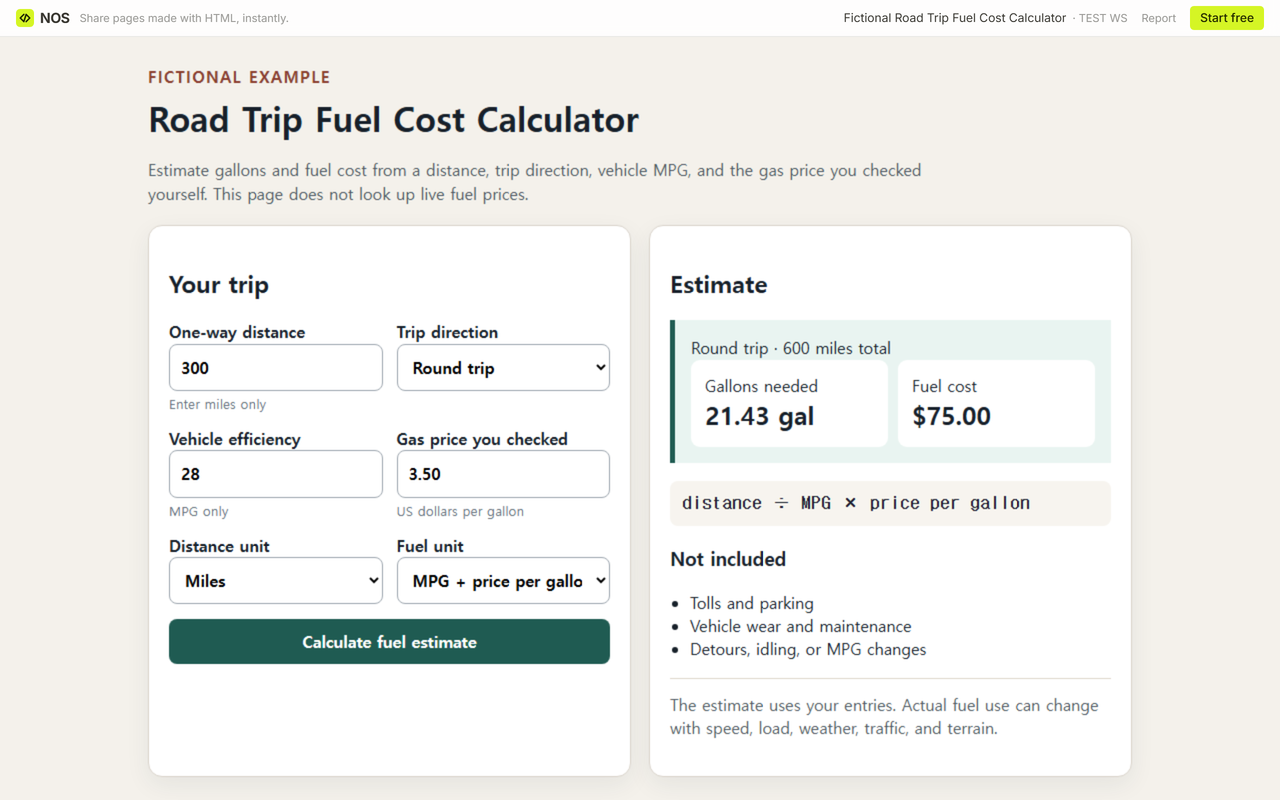
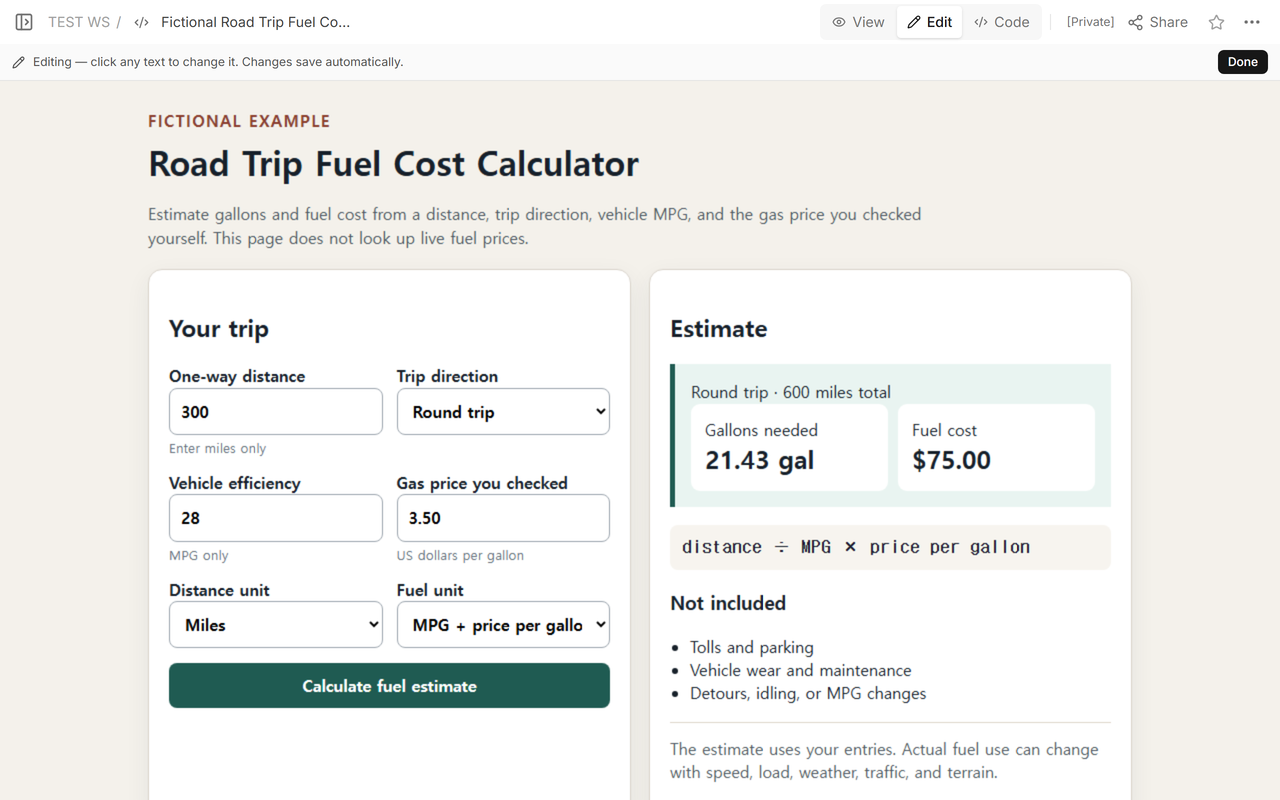
The fictional 300-mile route at 28 MPG with 3.50 in the price-per-gallon field needs 21.43 gallons and produces a 75.00 round-trip fuel-cost result.
Tolls, parking, vehicle wear, detours, and changing real-world MPG remain separate.
The finished example is available first: download the complete road trip fuel cost calculator. It is a self-contained HTML file with the formula, unit checks, errors, and visible exclusions.
What does the finished calculator show?
NOS Team used a fictional route with 300 miles entered as the one-way distance. Round trip doubles that to 600 miles. Dividing 600 by 28 MPG gives 21.4286 gallons; the page displays 21.43 gallons. Multiplying the unrounded gallons by the 3.50 price entry produces the 75.00 cost result.
How is road trip fuel cost calculated?
The formula is total trip miles ÷ MPG × price per gallon. For a one-way trip, total miles equal the entered distance. For a round trip, total miles equal one-way distance multiplied by two. Gallons are rounded to two decimals for display, while cost is calculated from the unrounded gallons and then rounded to cents.
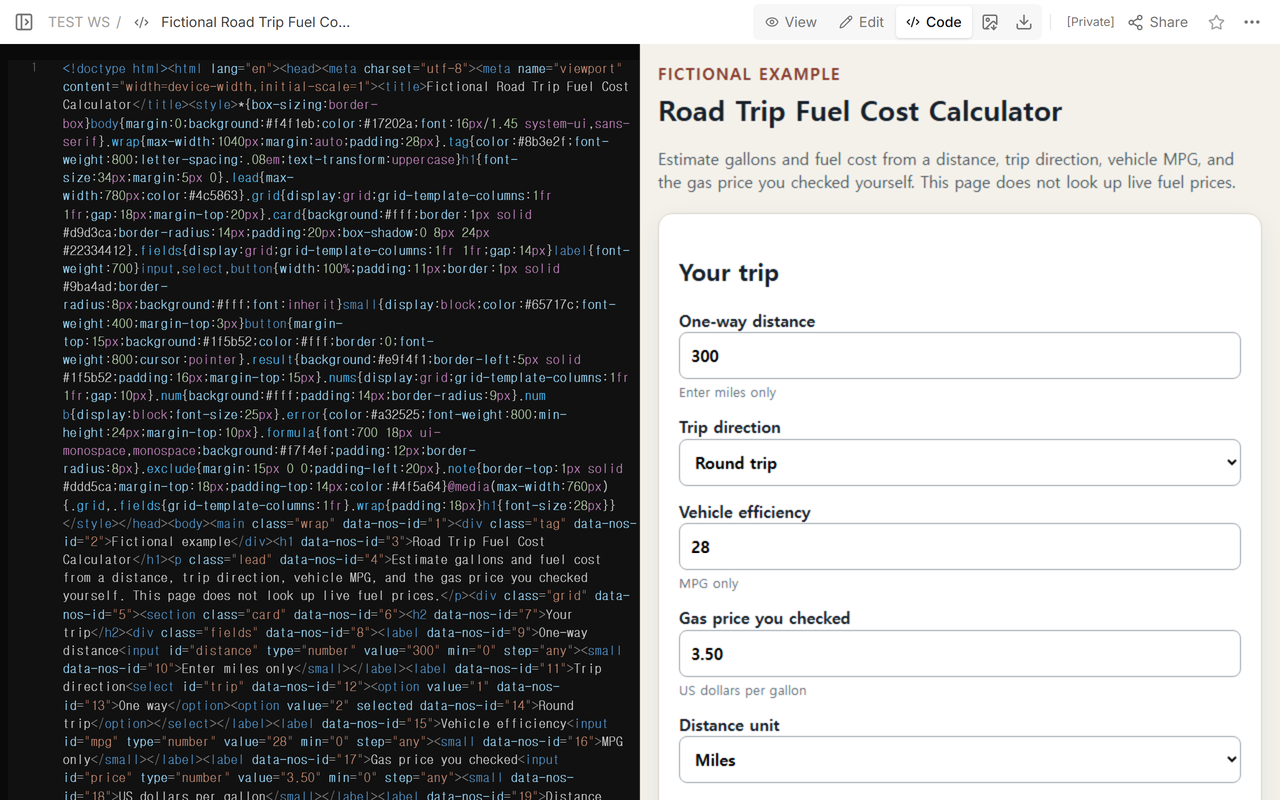
Code keeps the inputs, formula, validation, and output together. That makes the displayed arithmetic inspectable instead of hiding it behind an unexplained total.
Why must the gas price be entered manually?
This calculator does not fetch current fuel prices. Enter a price you checked for the place and date relevant to the trip. A national average, a station price, and a price from a different day can produce different totals. The page labels the field as a checked price so the source and timing remain the user's responsibility.
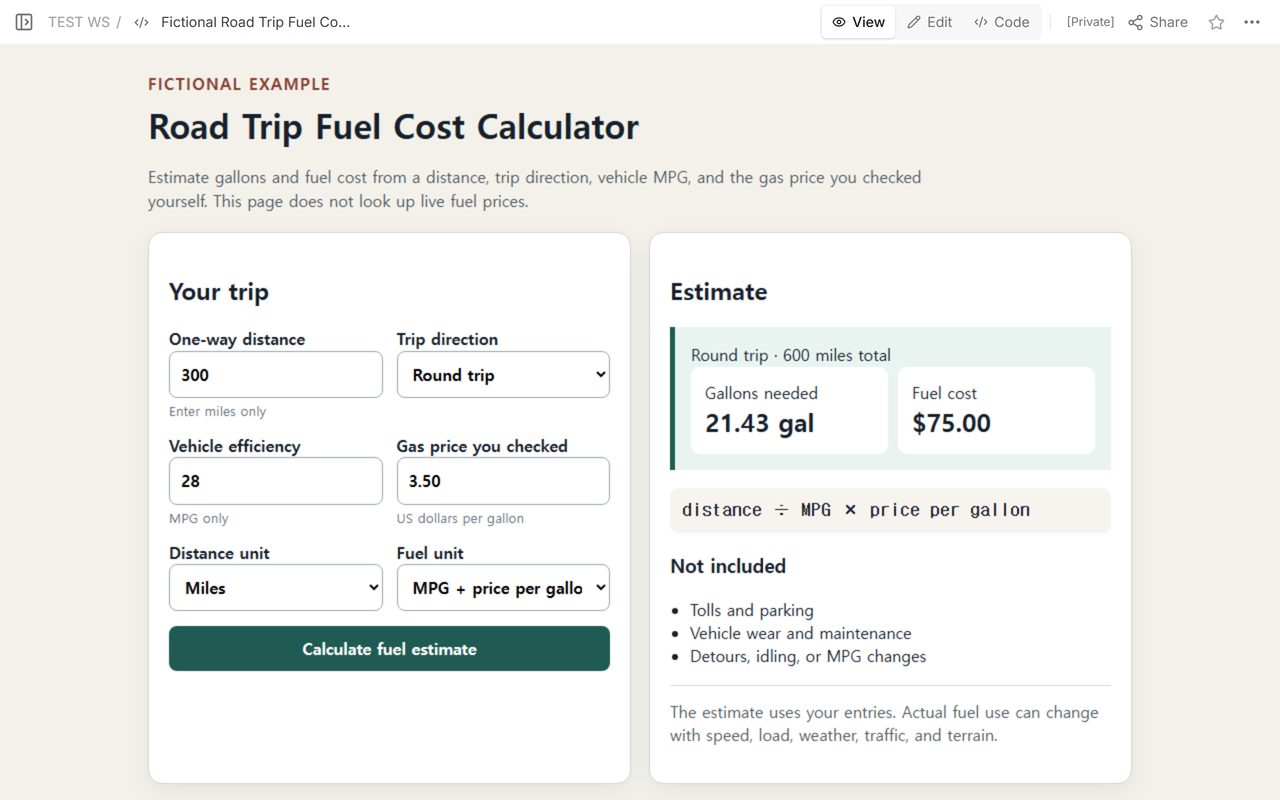
View presents the estimate without claiming that the supplied price is live or that the vehicle will achieve its rated MPG on the road.
What happens with one way, round trip, and rounding?
Changing the same example to one way produces 300 total miles, 10.71 displayed gallons, and a 37.50 cost result. The cost is not calculated from the displayed 10.71 gallons, because rounding an intermediate value would lose precision. It uses 300 ÷ 28 × 3.50 and rounds only the final currency result.
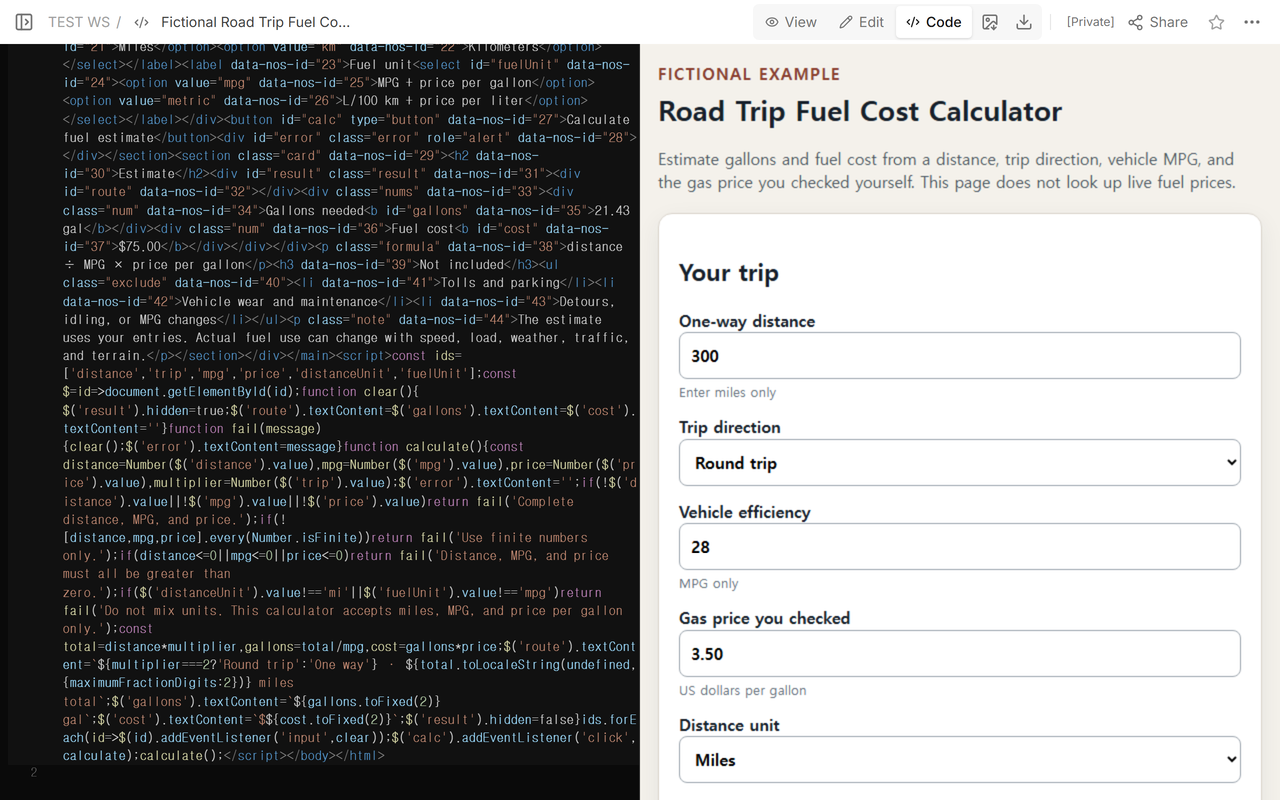
The lower Code view shows the error branch beside the result-clearing behavior. That matters after a valid calculation: an invalid edit must not leave the previous 75.00 fuel-cost result on screen.
How are bad inputs and mixed units handled?
The tested cases included a blank distance, zero distance, negative distance, zero MPG, zero price, kilometers combined with MPG, and a value beyond the numeric input's finite range. Each case displayed an error and left zero stale results. Correcting the inputs and calculating again created a new result.
The downloadable version is deliberately limited to miles, MPG, and US dollars per gallon. Selecting kilometers or liters does not silently convert them. It stops with a unit-mixing error. That is safer than applying the US formula to metric values and returning a plausible but wrong number.
How can the estimate be inspected and shared?
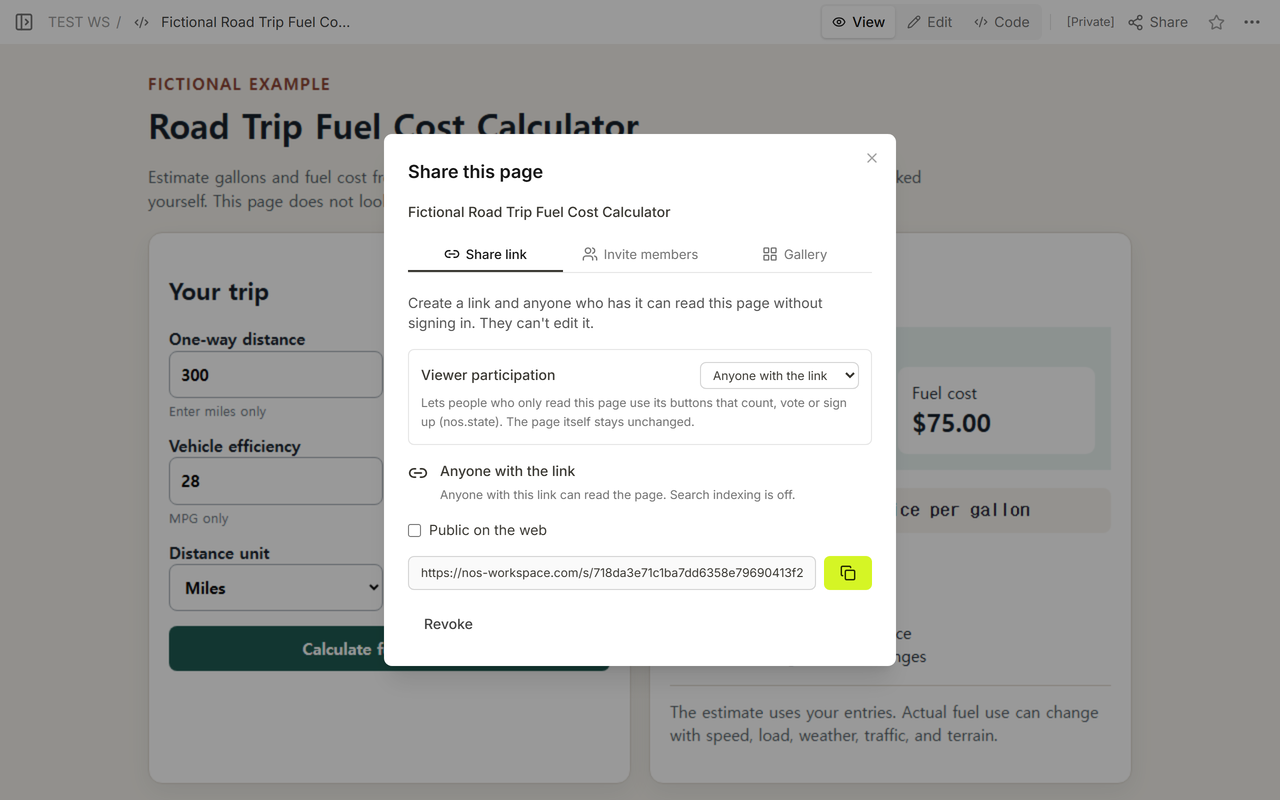
The captured Share panel provides the reader address for this fictional calculator. Edit opened the same owned NOS page, while Code and View showed the source and rendered estimate.
When not to do this
- Do not treat the result as a live fuel-price quote.
- Do not combine kilometers, liters, MPG, and price per gallon in the same calculation.
- Do not use rated MPG as a promise of actual road efficiency.
- Do not call the total a complete trip budget when tolls, parking, lodging, food, and vehicle wear are excluded.
Using NOS for the calculator
NOS displayed the self-contained calculator in Code, View, Edit, and the public reader checked here. The arithmetic runs in the open page and the source remains visible in Code. NOS does not supply live gas prices or vehicle telemetry. The official NOS pricing page is the place to check current plan information.
Which planning guides continue this budget?
Use a travel brochure to organize destination information after the route cost is understood. Read the cost-benefit analysis template when fuel is one input in a larger decision. Use calculator to link when you need a shareable calculator workflow.