In short
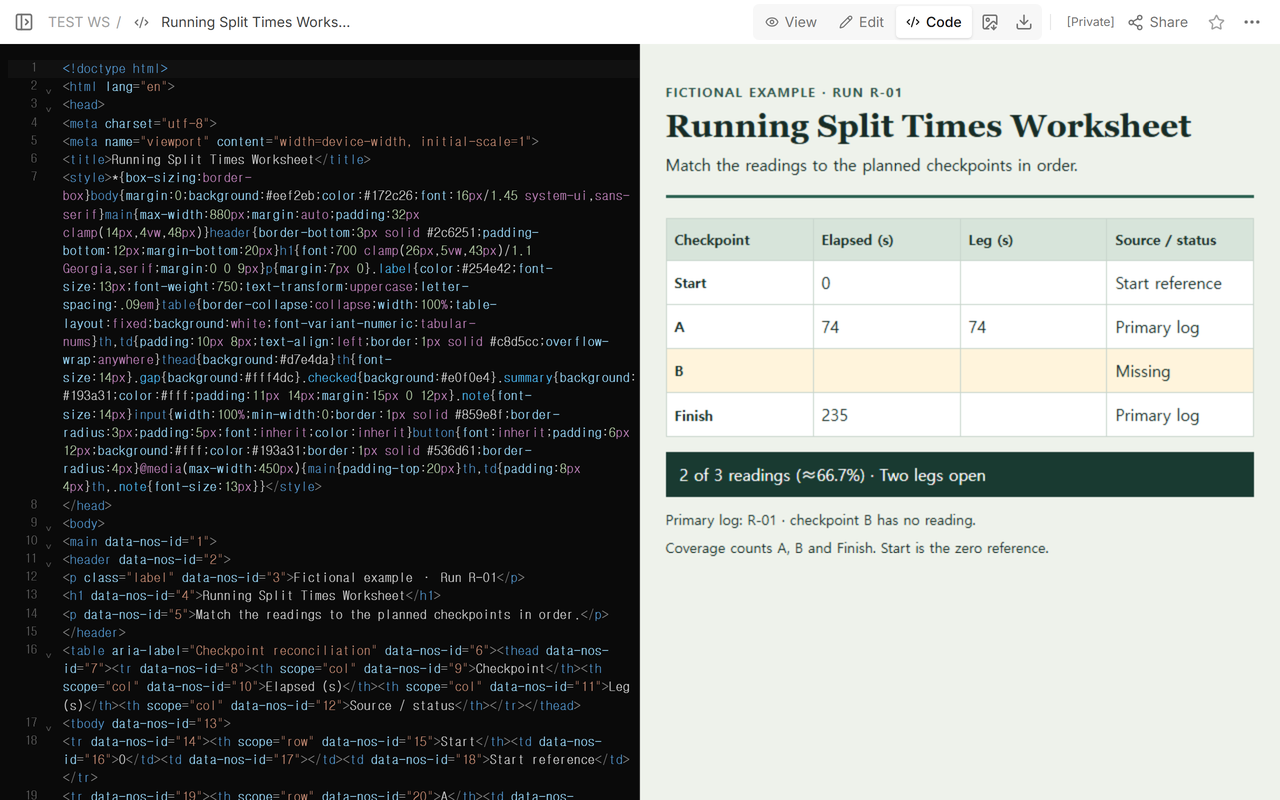
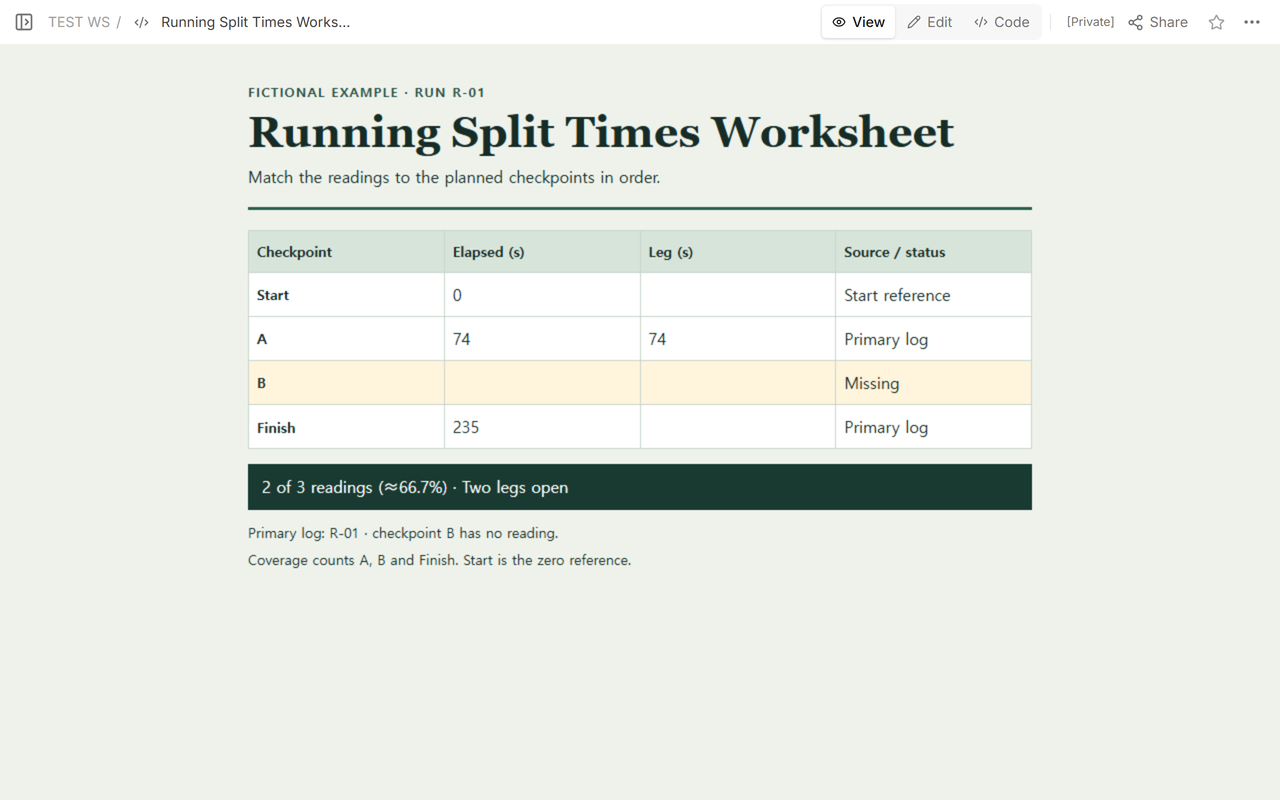
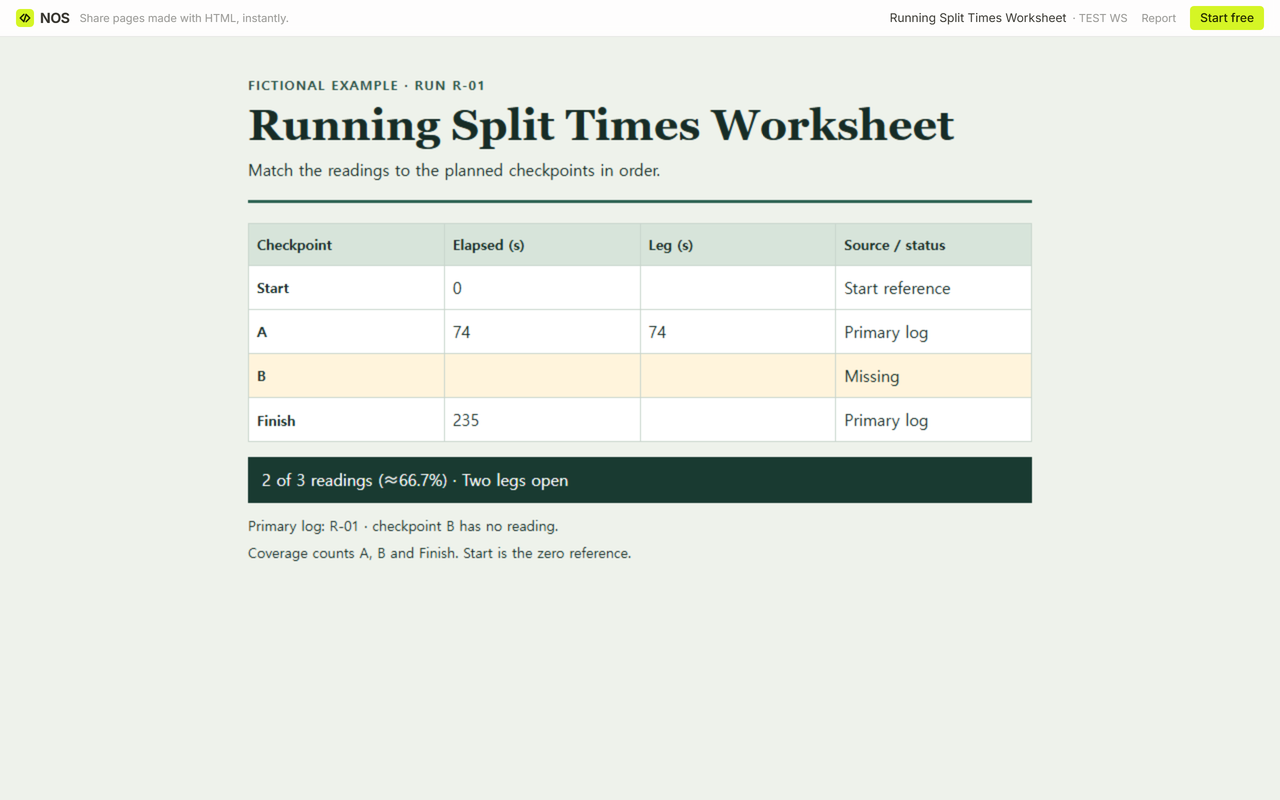
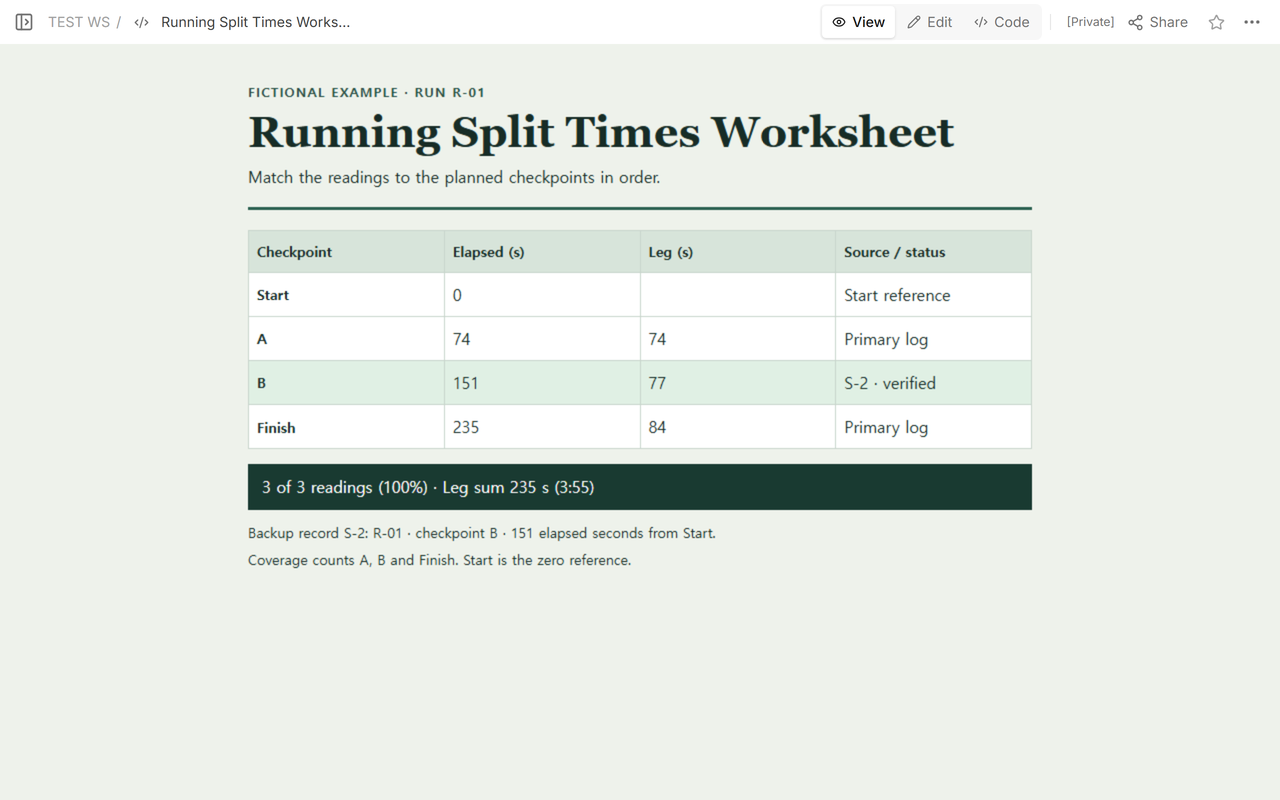
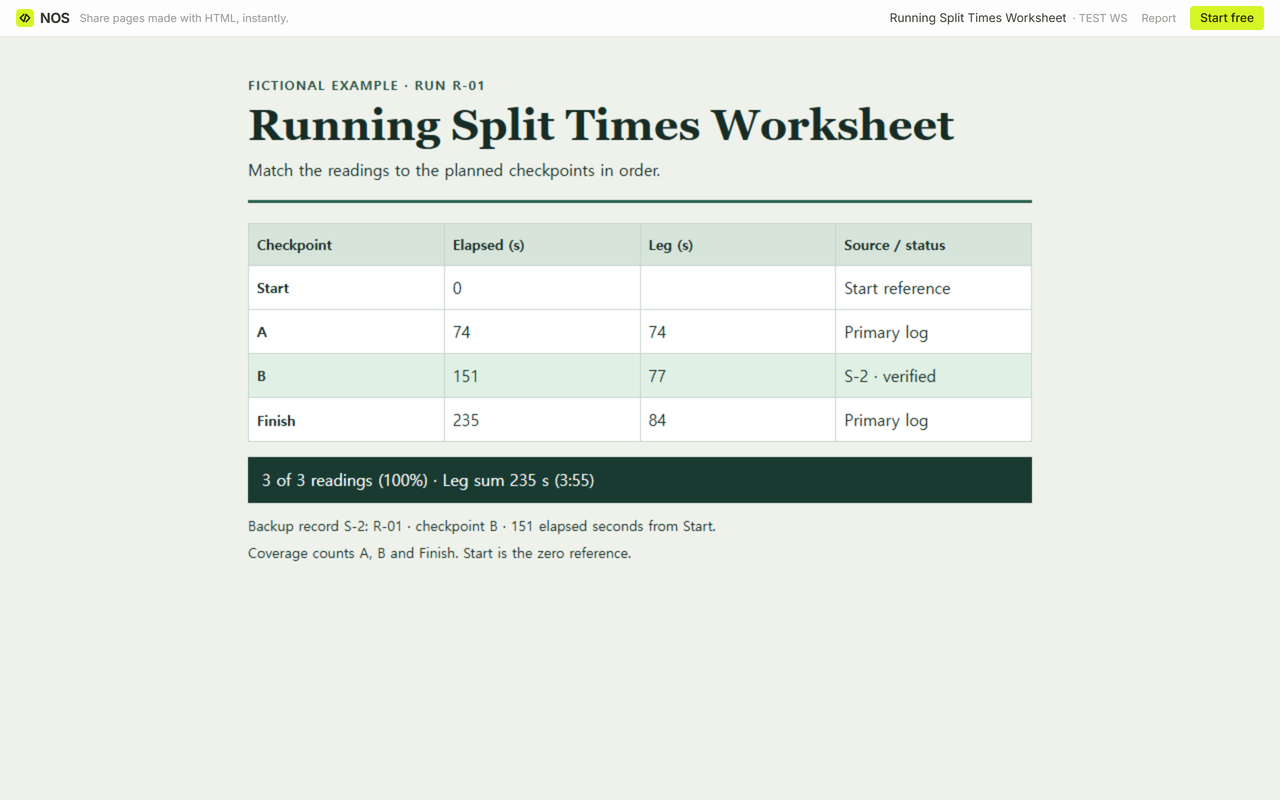
The timing log has 74 s at A and 235 s at Finish. B is blank, so the two legs that touch B stay blank. The backup record confirms 151 s elapsed at B, giving leg times of 77 s and 84 s.
Download the blank worksheetDownload the worked exampleOpen the completed example
Which times go in each column?
Start with the checkpoints you expected to see for this run. The fictional R-01 route has Start, A, B and Finish. Keep B on the sheet even when the primary log has no reading for it.
Elapsed (s) measures from Start to the checkpoint. Leg (s) measures from the immediately preceding checkpoint to that row. Start has an elapsed time of 0 s and no incoming leg. Mark the source in the last column so you can trace each reading.
What can you calculate before you find B?
Start to A is 74 − 0 = 74 s. A to B and B to Finish each need B’s reading. Leave those leg cells empty, including the one on the Finish row. Subtracting A’s 74 s from the finish time of 235 s gives 161 s across both legs together. That tells you how much time the pair uses, with each individual leg still unknown.
At this point you have 2 of 3 expected readings (≈66.7%). The count uses A and Finish as recorded readings and includes B in the denominator. Start is the zero reference.
How do you fill B from a source?
The fictional backup record S-2 identifies run R-01, checkpoint B and an elapsed time of 151 s from Start. Match all three fields before copying the 151. Keep the primary entries at A and Finish as they were and write S-2 beside the new value.
- A to B: 151 − 74 = 77 s.
- B to Finish: 235 − 151 = 84 s.
Add the three legs: 74 + 77 + 84 = 235 s. That’s 3 × 60 s + 55 s, or 3:55 in m:ss format. There are now 3 of 3 readings (100%). The leg sum checks the arithmetic. S-2 is the evidence for the recovered reading.
How do you check the blank download?
Open the blank file and enter elapsed time in s for each checkpoint. Try 74 at A and 235 at Finish with B empty. You should get one leg of 74 s and two empty leg cells. Enter 151 at B to check the full set of legs, then clear B to see the gap return. Write the source in the last column and print the sheet if you need to keep a copy.
The worksheet takes whole numbers in s. Clear a reading you cannot verify. A leg stays blank if either endpoint is missing or if the later reading is at or below the earlier one. Coverage counts entered whole-number readings, so check the leg column even if you see 100%. The ≈ sign marks the rounded coverage percentages for 1 of 3 (≈33.3%) and 2 of 3 (≈66.7%).
What does a reviewer see at the same address?
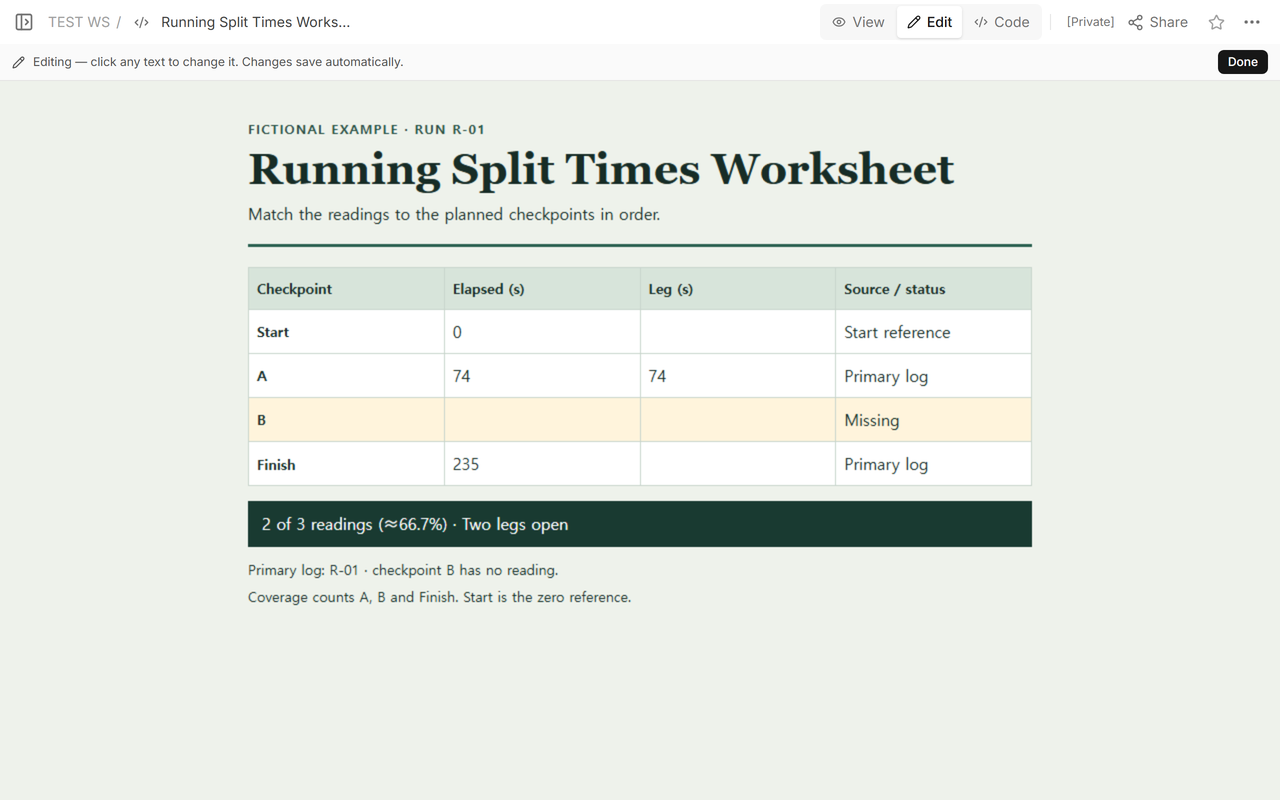
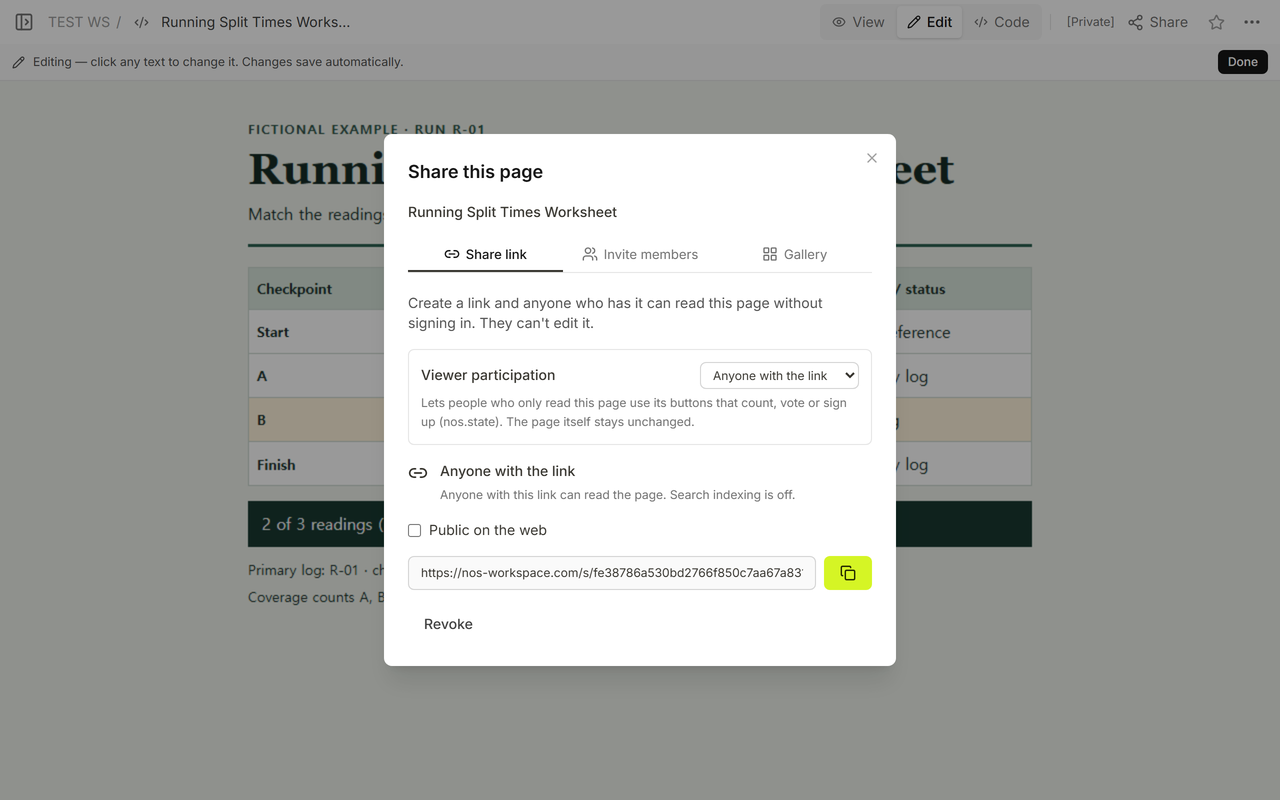
We opened the Share link while signed out and saw the initial gap. We then added the S-2 reading and the two new leg times in Code on the existing page. View showed the completed worksheet after the save. Reopening the original reader link showed the same correction.
When not to do this
Use this worksheet to practice reconciling a completed fictional run. Keep official timing, ranking and decisions about race results in the event’s own process. For more context on why individual checkpoint readings are worth checking, see OpenSplitTime’s guide to gaps in recorded times.
For totaling throws over nine holes, use a disc golf scorecard. Use a tournament bracket when the record you need is which winner advances.
Where does NOS fit?
NOS gave the fictional worksheet a read-only viewing address. For a review like this, point the reader to the B row and its source reference. The example opens while signed out, and the blank download gives the reader a separate copy for their own entries.