In short
Give every match a permanent ID, show which earlier winners feed the next round, and mark unconfirmed scores as pending.
Publish one viewing link. When an organizer confirms a result, update the existing page so participants can check the same address again.
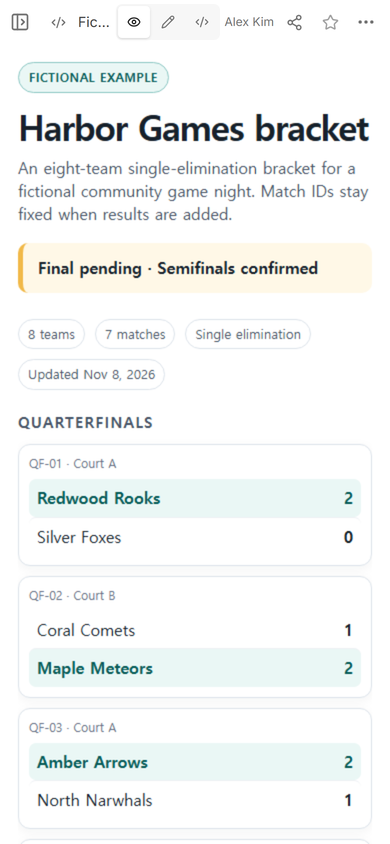
NOS Team built a fictional eight-team bracket for the Harbor Games. We published the quarterfinals, semifinals, and final in one page, then changed the status from “Final pending · Semifinals confirmed” to “SF-02 confirmed · Amber Arrows 2–0.” The original public address showed the revised status after the edit.
What should a tournament bracket website include?
Start with the information a participant needs to follow the competition:
- Round names that make the progression clear.
- Permanent match IDs such as QF-01, SF-02, and F-01.
- Feed labels that state which earlier winners enter a later match.
- Scores and winner styling only after the organizer confirms the result.
- A visible pending state for a match that has not been decided.
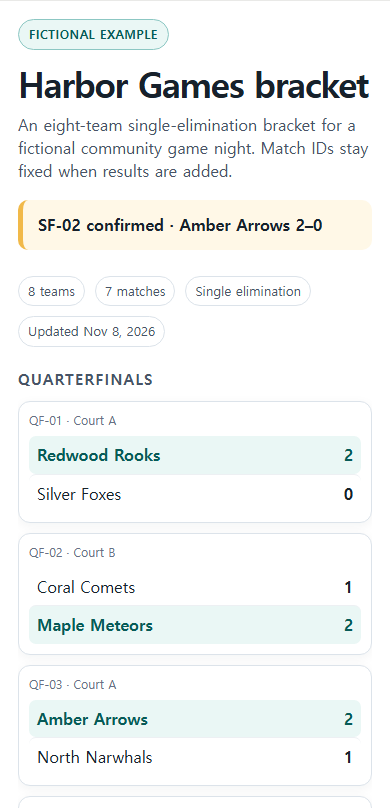
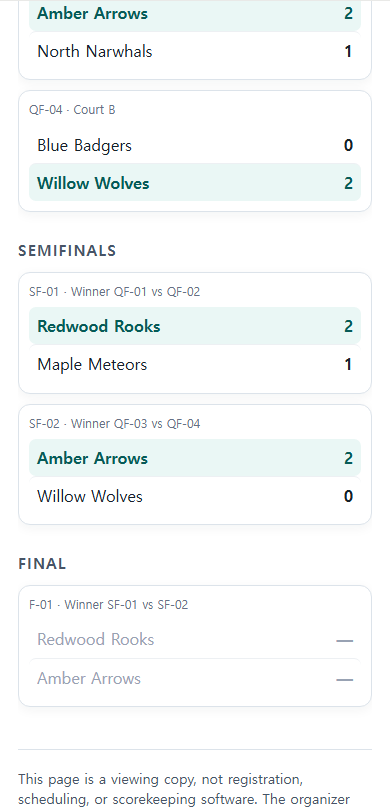
The fictional page uses seven match records for eight teams. QF-01 through QF-04 feed two semifinals, and SF-01 plus SF-02 feed F-01. The final keeps both scores as dashes because that result was not confirmed in the example.
How do you make a tournament bracket website?
- List the competitors once. Use one spelling for every team throughout the bracket.
- Assign match IDs before adding scores. Keep the IDs when a result changes.
- Connect the rounds. Label a semifinal with the quarterfinal winners that will enter it, then do the same for the final.
- Separate confirmed and pending results. Do not style a winner while a score is still under review.
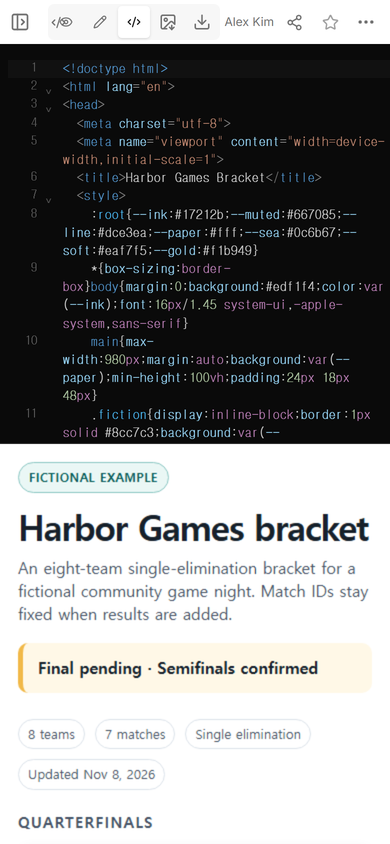
- Build one complete mobile page. Put the round headings, match cards, status, and boundary note in one HTML file.
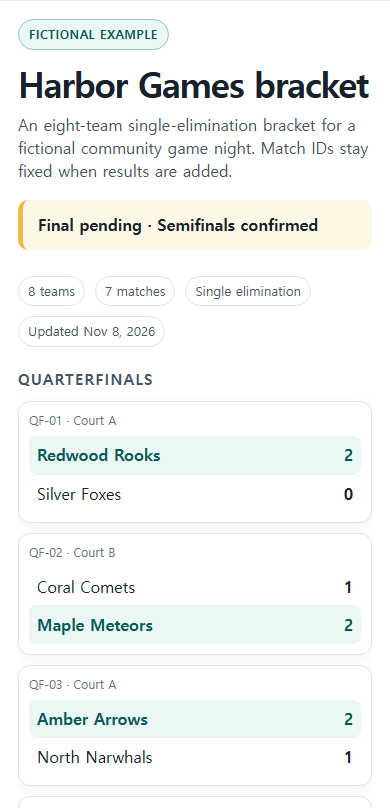
- Check the public copy. Open the viewer link at phone width before sending it to participants.
In our example, the first public copy named the two confirmed semifinal winners while leaving F-01 pending. The page also stated that it was a viewing copy rather than registration, scheduling, or scorekeeping software.
How should match IDs work across rounds?
A match ID should identify the slot, not the team currently occupying it. QF-01 remains QF-01 after Redwood Rooks wins. SF-01 can say “Winner QF-01 vs QF-02” before both competitors are known. This keeps the route understandable without renaming later matches each time a team advances.
Use a separate status line for the newest confirmed result. That gives a returning participant one place to look for the latest change while the full bracket remains below it.
How do you update tournament results on the same page?
Open the existing NOS page and choose Edit. Select the visible text that needs to change, replace it with the confirmed result, and finish with Done. We used ordinary browser input to replace the status line; the page remained in its original editing mode throughout the change.
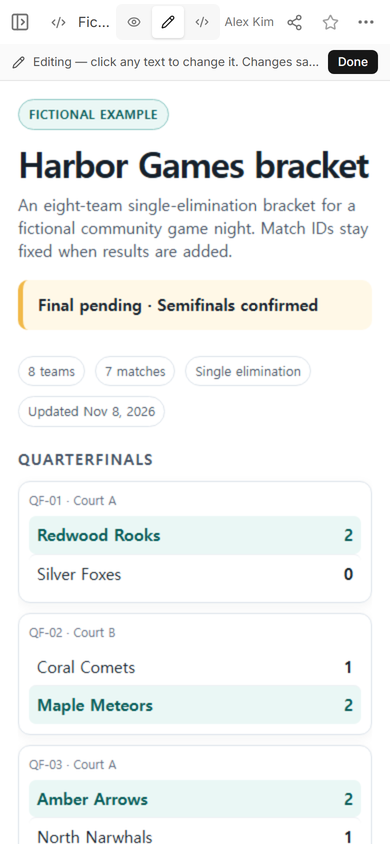
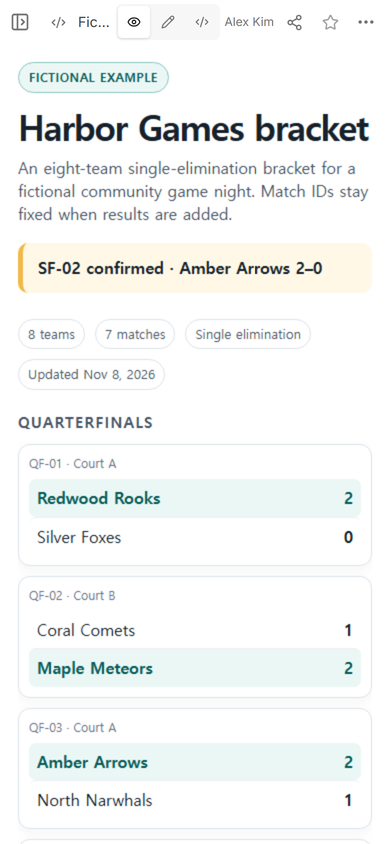
Next, reopen the public address you already sent. In this test, that address displayed the revised SF-02 status. Participants scrolling past the quarterfinals could still follow QF-04 into both semifinals and the pending final.
What is the difference between a bracket and an event schedule?
An event schedule answers what happens at each time. A bracket answers who advances from one match into another. If participants also need start times, rooms, or staff cues, keep those details in an event schedule and link it from the bracket instead of forcing both jobs into one dense chart.
If the competition also needs directions, entry instructions, and a contact route, the event link guide covers the wider event page. The bracket can remain the compact source for matchups and confirmed results.
What can go wrong when results change?
The risky edit is changing a team name in one round but not the later round it feeds. Check the affected match ID, winner name, next-round participant, score, and status together. Keep an unconfirmed result visibly pending instead of filling a blank with a guess.
Phone width exposed another practical constraint in our example: an eight-team bracket became easier to scan when the rounds stacked vertically. A wide desktop tree can become too small to read on a phone. The mobile copy should preserve the round order even when it cannot preserve a side-by-side tree.
When not to do this
- Do not use a static bracket page when several officials must enter live scores at the same time.
- Do not use it for registration, payments, seeding rules, dispute handling, or automatic notifications.
- Do not publish participant contact details, private eligibility records, or other information that does not belong in a public viewing copy.
- Do not mark a winner until the organizer has confirmed the result through the competition’s real process.
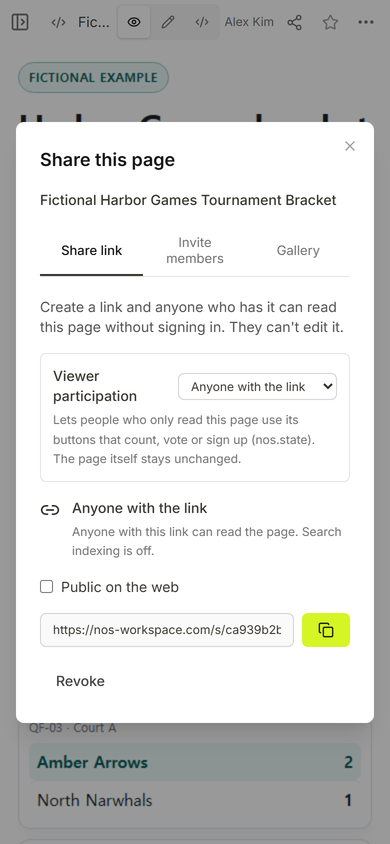
Using NOS for a tournament bracket
NOS Workspace held the finished bracket HTML, showed it in View, opened the visible status text in Edit, and provided a viewer address from Share. In this example, the viewer address opened without a sign-in form and reflected the saved status change on the existing page. The bracket itself remained a static viewing copy; NOS did not calculate winners or run the tournament.