In short
Name the affected product and versions before explaining the background.
Separate confirmed impact from unknowns, and say what is not affected.
Put the temporary measure and corrected release where a reader can act on them.
Stamp every change with a date and time, then keep the same public address.
NOS Team made a fictional advisory for Pinebridge Desk, a made-up desktop product. The page covers a preview thumbnail that could remain inside certain exported archives. We marked the example as fictional, named the affected versions, listed a temporary measure, and added a correction path. After sharing it, we changed the next-update time from 14:00 to 15:00 UTC in the ordinary editor. The same public link showed the revised time.
What is a security advisory page?
A security advisory page tells people whether a confirmed product issue applies to them and what they should do about it. It is narrower than a general incident timeline. A service-status page answers whether a service is available now; an advisory identifies affected products or versions, explains the impact that is known, and gives mitigation or remediation.
The fictional page in this guide concerns exported files, not a live outage. That choice keeps the reader’s question simple: “Do I have an affected archive, and what is the safest next step?”
How do you write a security advisory page?
1. Start with an unmistakable label
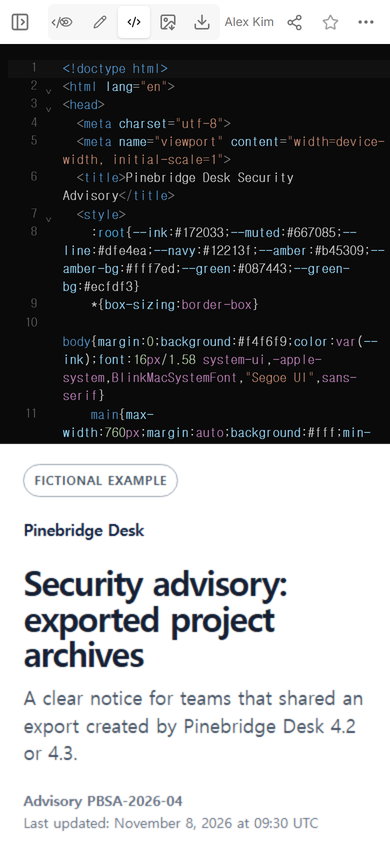
Use “Security advisory” in the title. Add a stable advisory identifier, the product name, and a visible “last updated” line. If the page is a demonstration, say so before the title. A fictional badge stops a training page from being mistaken for a real warning.
2. Lead with the current state
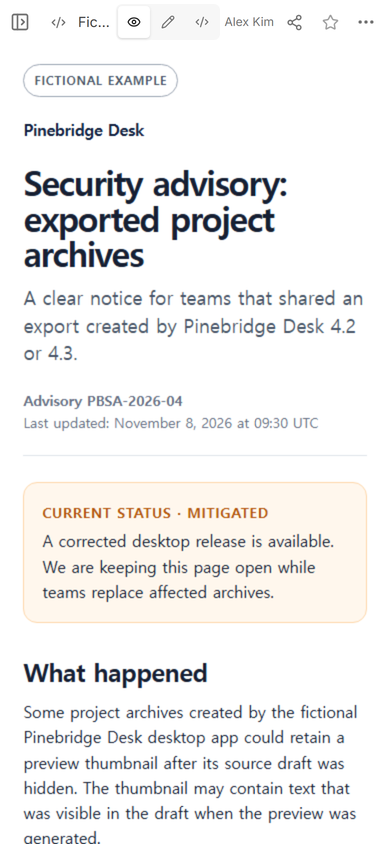
The first screen should answer whether action is needed. In our example, the state is “Mitigated,” followed by a plain explanation: a corrected release is available, but teams still need to replace affected archives. This is more useful than a color alone because the sentence tells a reader what remains unfinished.
3. Define affected and unaffected scope
Write the affected versions, configuration, and artifact together. The example says desktop versions 4.2-4.3 are affected only when an archive was created with preview thumbnails enabled. It separately names the web viewer, mobile app, and corrected archives as not affected. That separate list prevents readers from treating every surface as exposed.
Do not turn an assumption into scope. If a version or product has not been checked, label it unknown or leave it out with a note that review is continuing.
4. Put the safe action before the investigation story
A reader should not have to study a long timeline before finding the temporary measure. The example asks affected teams to pause new archive sharing, revoke old archive links, update, recreate the archive, and review the preview. It also gives a temporary route for anyone who cannot update yet: disable preview thumbnails and inspect the archive locally before sharing it.
NIST’s federal vulnerability disclosure guidance says that when a temporary mitigation can prevent exploitation, an advisory should describe those mitigating steps and mark them appropriately. The fictional measure here is not universal security advice; it belongs only to the made-up issue described on the page.
5. Share one address people can revisit
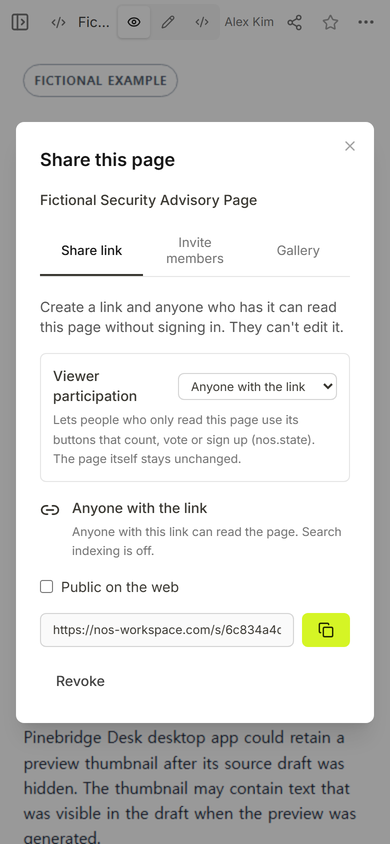
We opened Share after checking the page in View. The captured panel states that anyone with the link can read the page without signing in and cannot edit it. Search indexing was off in this example, so the address was suitable for direct distribution rather than broad discovery.
6. Check the action section on a phone
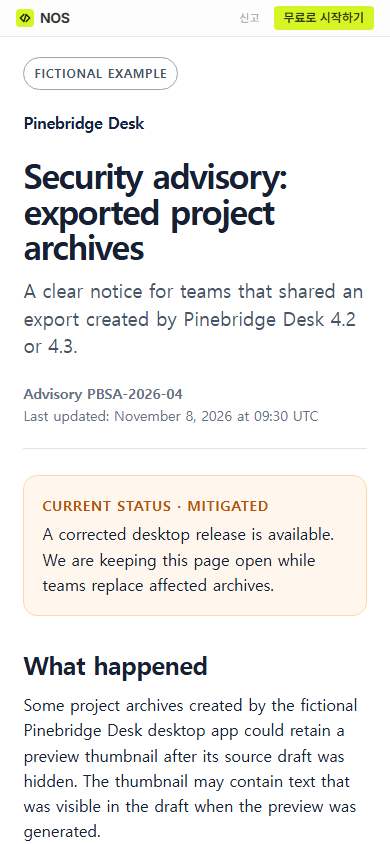
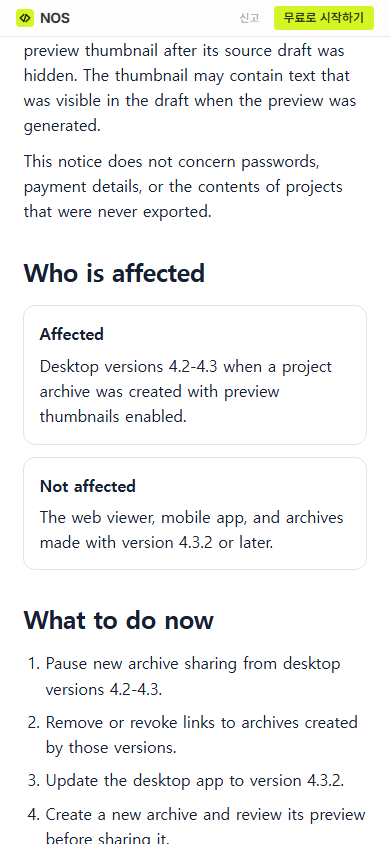
The affected and unaffected cards stack into one column on the public page. The action list follows immediately below them. That order matters on a small screen: readers can establish whether the notice applies before they reach the corrective steps.
7. Update the existing page, not a copy
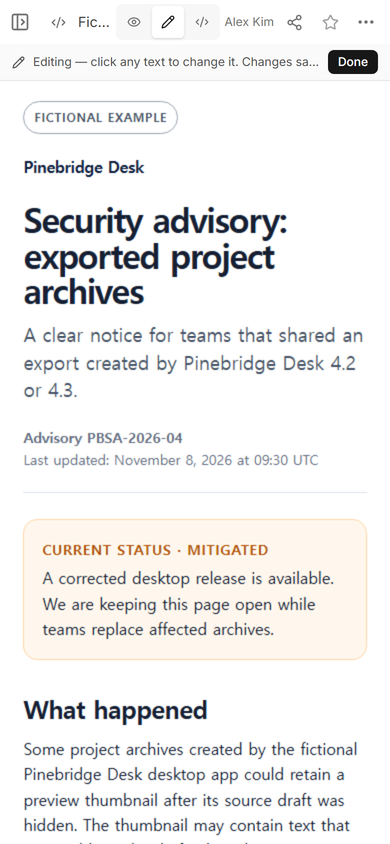
We opened the normal Edit mode, which kept the preview inside its original restricted frame. We then selected the “Next update” sentence, changed 14:00 UTC to 15:00 UTC, and chose Done. We did not create another advisory or another share link.
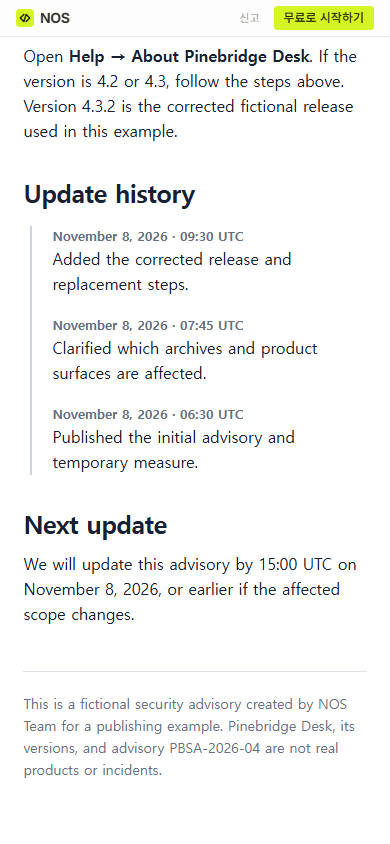
The public address then showed the revised time beside the existing history. This is the useful outcome: a recipient can revisit the address already sent and see the current instruction.
What should a security advisory include?
- Identity: advisory title, stable identifier, product, and last-updated time.
- Current state: investigating, temporary measure available, corrected release available, or closed.
- Scope: affected versions and conditions, plus confirmed unaffected areas.
- Impact: what information or capability may be exposed, without unsupported claims.
- Immediate action: the safest step a reader can take now.
- Correction: fixed version or replacement instructions when available.
- Update history: dated changes and the next promised update.
CERT’s Vulnerability Notes field guide separates the overview, description, impact, solution, affected-vendor status, first-published date, and last-updated date. You do not need to copy that database format, but the separation is a useful check: scope, impact, and solution should not blur into one paragraph.
What was easy to get wrong?
The first draft of the fictional notice ended with a next-update time of 14:00 UTC. Once that commitment changed, editing only a private working copy would have left readers with stale guidance. We changed the sentence on the already shared page and reopened the public address.
Another trap is writing “users may be affected” without stating which users. The version, configuration, and artifact belong in the same scope sentence. A third trap is publishing the corrected version without explaining what to do with files that were already shared. The remedy must cover the existing exposure, not only future exports.
When not to do this
- Do not publish unverified exploit details that would increase risk before affected readers can protect themselves.
- Do not use a static public page for secrets, personal records, private evidence, or credentials.
- Do not replace a live availability page with an advisory when customers need current service status across several systems.
- Do not claim every user is safe or affected when the scope review is incomplete.
Use NOS for a single advisory page
For this example, NOS kept the HTML, rendered view, editing state, and share control on one page. We checked the advisory in View, created a reader link from Share, corrected a time in Edit, and confirmed the change at that same reader link. The page itself contains only fictional product information. For the internal coordination that precedes a public notice, use an incident management procedure. If the main question is whether a service is currently available, build a separate status page. After the correction ships, a release note can explain the product change without replacing the advisory record.