Start from the diff, then sort by what readers must do
One public release notes template on GitHub suggests a practical first step: look at the diff since the previous release and let the commit titles outline what happened. That gives you a complete list. It doesn't give you a note yet, because “refactor swap service” and “swaps now need approval” sit side by side with equal weight.
The same template groups changes into upgrade steps, breaking changes, new features, bug fixes, improvements, and other changes, and it says upgrade steps should preferably be empty. Treat that as one workable order, not a fixed standard. Putting required actions first makes sense for most audiences: someone skimming on a phone should reach the change that affects them before the list of additions.
Two adjustments help when your readers aren't developers. For a hosted product where nobody installs anything, rename “Upgrade steps” to “What you need to do.” Then write each line as the change the reader sees, not the work your team did: “Overnight shifts now appear on the day they start,” not “fixed date bucketing.”
A filled-in example: Larkspur Shifts 2.4
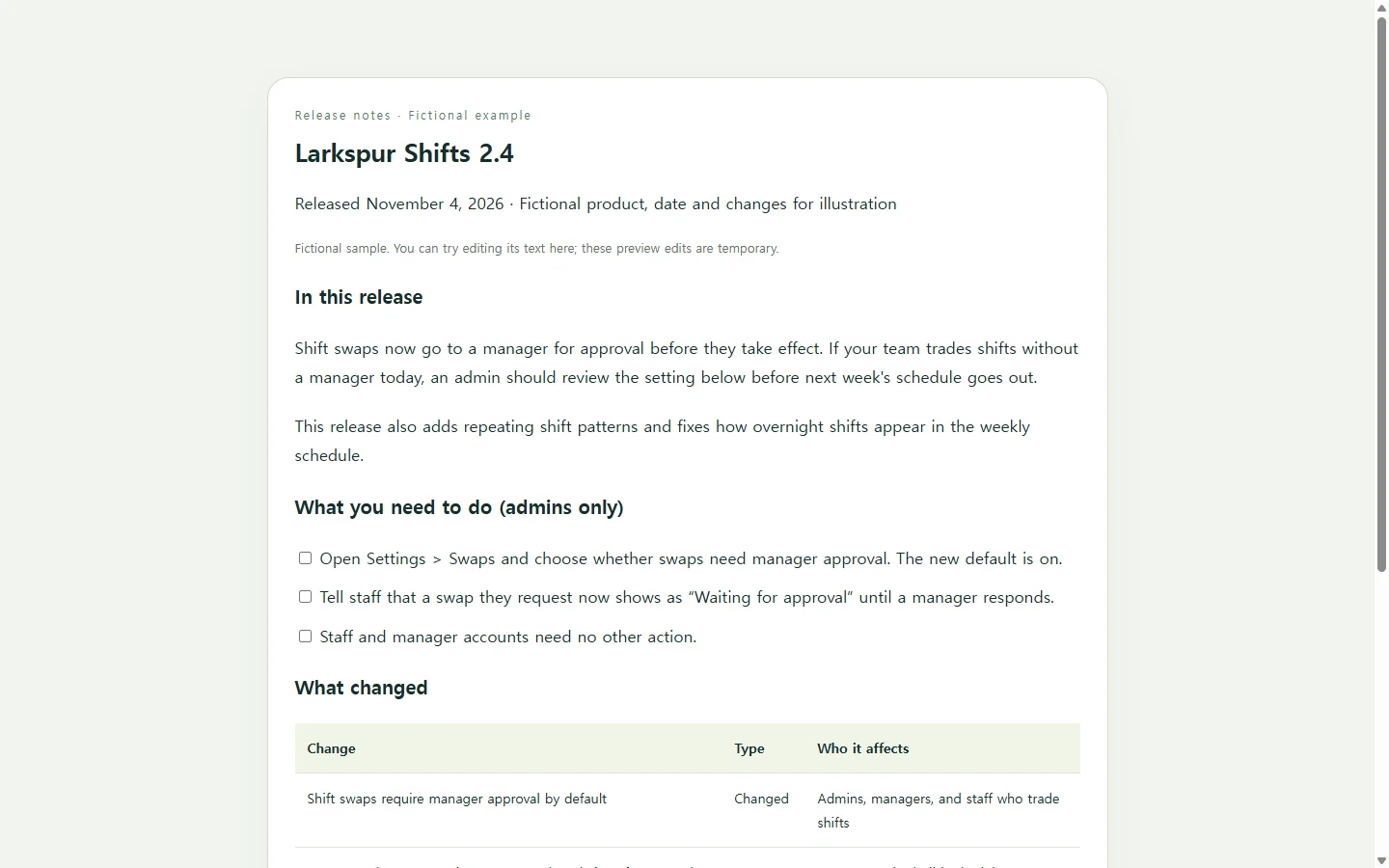
The example below is for Larkspur Shifts 2.4, a scheduling app we invented; the company, version, date and every change are fictional. It shows three choices worth copying. The summary names the one change with consequences in its first sentence. The checklist is addressed to admins, the only people who need to do anything. And the table has a “Who it affects” column, so a staff member can skip the rows meant for managers.
Internal work such as dependency updates is left off this customer page. The template mentioned above keeps an “Other changes” bucket and advises trying to leave it empty. If developers read your notes and track those updates, keep that bucket.
Choosing how to build it
If your team already publishes notes in a docs tool or on a repository's releases page, the section order above drops straight in, and you may not need anything else. If a customer's change process or contract asks for a Word or PDF document, send that file; a link to a web page doesn't replace a required attachment.
If you want a standalone page you can link from an announcement email or an in-app banner, an AI chat assistant can draft it as HTML, the markup a browser reads to display a web page. Asking for one self-contained file keeps the content and styling together, so you can move it as a single piece.
Let the AI handle layout, not facts. Give it your real change list and tell it to flag anything unclear instead of filling the gap. Replace the bracketed parts of the prompt with your own details; the examples inside brackets are hints, not data.
After it goes out: fix the line, keep the link
Release notes get their closest reading right after they go out, which is also when mistakes surface. Suppose a support lead points out that the settings path in the checklist is wrong, or a fix you listed slipped to the next patch.
If the page lives in a NOS workspace, you can edit that one line in the rendered text directly, without asking the AI to rebuild the page. The published sharing link stays the same after the edit, so the link already in your announcement now opens the corrected checklist. Customers who open it don't need a NOS account.
The same approach covers a known issue that turns up two days after launch: add a short note to the page, and everyone who returns to that link sees it alongside the original changes.
A prompt to adapt
Create a release notes page as one self-contained HTML file, with all CSS inside a single <style> tag. Do not use JavaScript, external fonts, external images, forms, or calls to any outside service.

Product: [PRODUCT NAME]
Version: [VERSION NUMBER, e.g. 2.4.0]
Release date: [RELEASE DATE]
Readers: [WHO READS THIS, e.g. account admins and staff who use the app daily]
Raw change list (from my merged pull requests and tickets):
[PASTE YOUR CHANGE LIST]
Known issues (optional):
[PASTE KNOWN ISSUES OR WRITE NONE]

Structure, in this order:
1. A summary of 2–3 sentences whose first sentence names the change most likely to affect readers.
2. “What you need to do”: a checklist of required actions, each saying who must do it. If there are none, write “No action needed.”
3. “What changed”: a table with the columns Change, Type (New, Changed, Fixed, Improved), and Who it affects.
4. “Known issues”, only if I listed any.

Rules:
- Use only facts from my change list. Do not invent changes, numbers, dates, names or settings paths. If an item is unclear, include it marked [CHECK] so I can confirm it.
- Rewrite developer wording as what the reader will see or do.
- Leave out internal-only items (refactors, dependency updates, tests). After the code, list what you left out so I can review it; do not put that list in the page.
- Accessibility: exactly one h1, headings in order without skipping levels, real <ul> lists, a <table> with <th scope="col"> headers, text contrast of at least 4.5:1, and no meaning conveyed by color alone.
- Mobile: readable at 360px wide with no horizontal scrolling, body text at least 16px, and on narrow screens show each table row as a stacked block with its column labels.
- Return the complete HTML in one code block.